iPhone Duo 第二天:24 小时内出现的素材

主题演讲之后的 24 小时里,围绕 iPhone Duo 出现了什么? 来自 Apple 的,是 Design Resources 页面上的产品边框包,以及 App Store Connect 截图与应用预览规格中新增的 iPhone Duo 一行,两者都是在主题演讲当天下午加上去的。内屏尺寸 2853 × 2007 像素,按 3x 比例推算意味着 669 × 951 点,而不是规格表面板所暗示的 626 × 890;边框包自身的屏幕镂空也印证了这一点。1317 来自其他人的,是 37 个 GitHub 仓库,领头的是一个基于 Apple 三维模型的 Three.js 折叠习作、一套 12 个示例的 SwiftUI 套件,以及七个装着智能体指令的仓库;还有独立开发者在 Mastodon 上抛出的三个问题;以及依然没有 Xcode 27.1 beta、没有“Preparing your app for iPhone Duo”指南、没有 API 文档。4581011
这篇是现场活动记录、开发者篇和设计篇的第二天续篇。那三篇读的是 Apple 自己的材料,这一篇读的是它周围长出来的东西:从主题演讲到 9 月 10 日上午 10 点 45 分(太平洋时间)前后出现的一切,逐项给出判断——是今天就能用的素材,是值得回答的问题,还是噪音。
TL;DR: 在 Apple 给定的条款下,用 Apple 的边框把自己的应用放进模型图和营销素材里;社区的三维折叠习作则不要用于营销,Apple 的指南明令禁止。2 把 App Store Connect 的截图一行读作 Apple 公布的第一份点尺寸证据,前提是 3x 比例;凡是建立在 626 × 890 之上的算式都得重来。3 社区代码要当草图看:没有一份能对着 Duo 的 API 编译,因为带有这些 API 的 SDK 当时仍标着本月晚些时候推出(10月15日:它已于9月18日随 Xcode 27.1 beta、于10月15日随正式版 Xcode 27.1(构建号 27A9275)发布2223),而每一个写出 API 名称的仓库,名字都抄自讲座的旁白或页面上的代码片段,而非头文件。4810 开发者在问的三个问题——模拟器在哪里、未适配的应用长什么样、状态如何熬过折叠——其中一个有 Apple 的答案,一个在讲座里有答案但眼下无人能验证,还有一个尚无答案。11
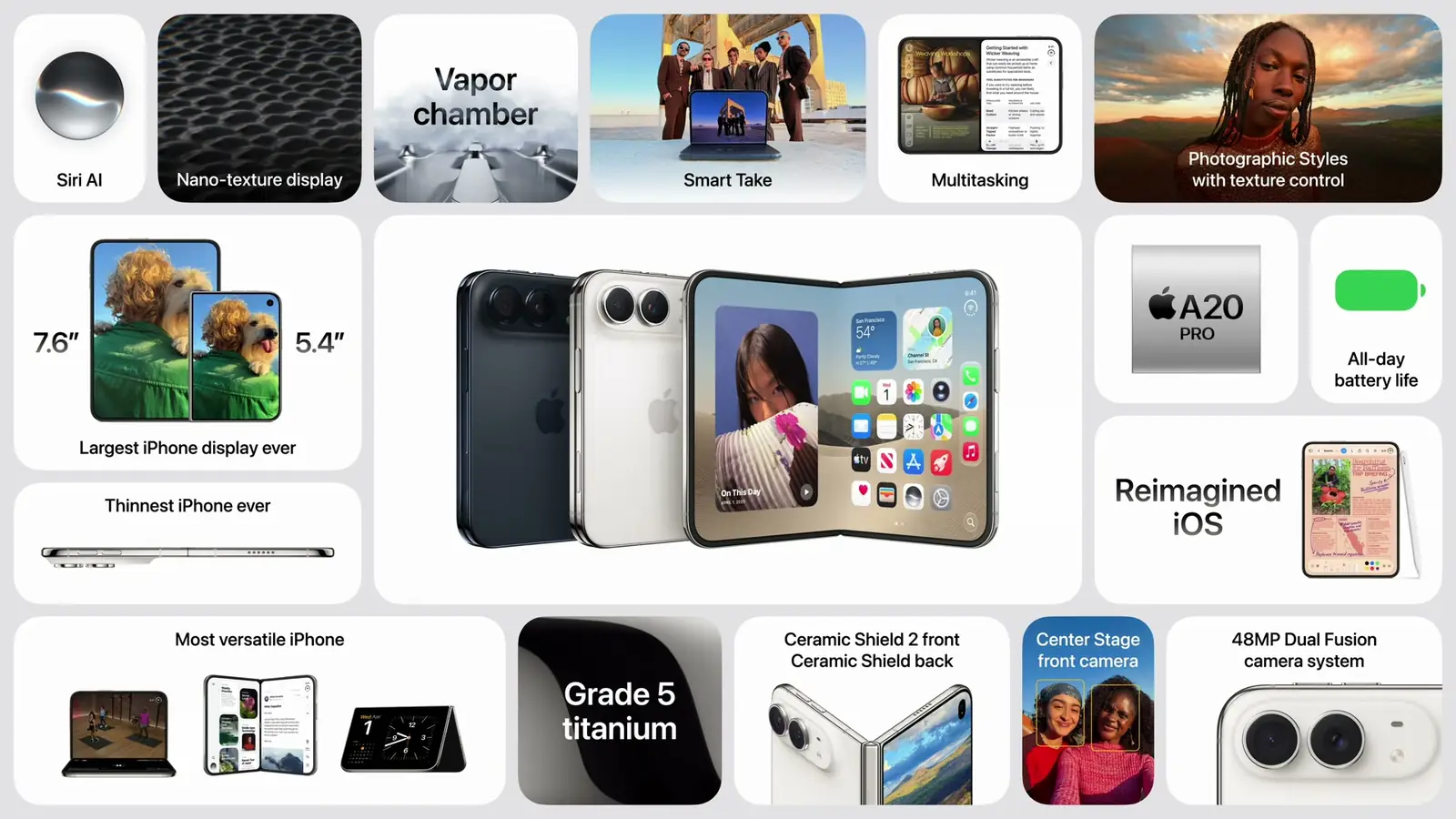
取自 Apple 2026 年 9 月 9 日活动直播上午 11 点 15 分(太平洋时间)的画面:iPhone Duo 回顾页。本文中 Apple 和社区做出的一切,都在这一刻之后。
来自 Apple:边框与提交规格
边框包。 Apple 的 Design Resources 页面如今在 Product Bezels 下列出了 iPhone Duo,提供一个“Photoshop, PNG”下载,就摆在 iPhone 18、iPhone 17 和 iPad 旁边。1 磁盘映像里有 10 个分层的 Photoshop 文件和 10 个扁平 PNG:两种配色,Night Sky 与 Star White,每种五个姿态——内屏展开的横向与纵向、外屏合上的横向与纵向,以及从外侧看展开的机身、其中一半带有外屏镂空。1
镂空说明了什么。 内屏画面为 3093 × 2247 像素,中间是 2853 × 2007 的屏幕镂空,四边各留 120 像素边距;合上的纵向画面为 1574 × 2194,镂空宽 1398 像素。外屏镂空是 1398 × 2032 的完全透明像素,加上顶部和底部各一行近乎透明的像素,合计 1398 × 2034,正是这块面板自己的数字。内屏则是另一回事:2853 × 2007 与 App Store Connect 的内屏截图尺寸逐像素吻合,在 3x 下是 951 × 669 点,因此一张原生分辨率 2670 × 1878 的截图需要放大才能装得下,而边框包也佐证了同样的尺寸。13
可以拿它做什么。 映像里的许可是 Apple 设计资源的标准条款,把这些文件的用途限定为运行在 Apple 平台上的软件的模型图;Apple 的 App Store Marketing Guidelines 则要求“在所有营销材料中使用 Apple 提供的产品边框,以便在应用支持的 Apple 设备上展示您的应用”。同一份指南还列出了营销材料中不允许的用途,打头一条就是“以三维方式渲染,或制作任何 Apple 产品的仿真”。2 所以这套包是用来在模型图或营销里把自己的应用放到设备上的;下文那些三维习作不是。
缺的是什么。 页面上没有面向 iPhone Duo 的 Figma 或 Sketch 文件;iOS 27 与 iPadOS 27 的 UI Kit 两种工具都有,而 Duo 边框只有 Photoshop 版。1
截图尺寸。 App Store Connect 的截图规格里有一行 iPhone Duo:外屏 1398 × 2034 像素,内屏 2007 × 2853 像素,横竖两种方向都要。App Store Connect 的发布说明把这次新增记在 9 月 9 日,Apple 的发布订阅源给这条更新盖的时间戳是下午 3 点(太平洋时间);我自己那天下午抓取该页时没有正确跟随重定向,因而漏掉了它,直到 9 月 10 日上午才第一次看见这一行。318 外屏尺寸就是面板自身的分辨率,3x 下为 466 × 678 点。内屏尺寸却不是面板的分辨率:规格表写的是 1878 × 2670,而 2007 × 2853 在 3x 下是 669 × 951 点——这是我对渲染尺寸的推断,前提是 3x 比例,在模拟器报出数字之前它就只是推断。开发者篇梳理了这意味着什么,并搬出了 Plus 系列 iPhone 的先例(对于面板为 1080 × 1920 的机型,App Store Connect 至今仍要求 1242 × 2208 的截图);如果这块屏幕真按那个尺寸渲染,结论就是两块屏幕上一个点的实际大小相同,约为每英寸 153 点。3 如果你已经基于 626 × 890 算过什么,包括 16:9 的信箱式留白,请用 669 × 951 重算一遍。
应用预览那一行。 同一次更新把 iPhone Duo 加进了应用预览规格,而这里有意思的是 Apple 自己贴的标签:“Device resolutions”下列着 2034 × 1398 像素和 2853 × 2007 像素,也就是说 Apple 把 2853 × 2007 称作设备的分辨率,而不是截图惯例。那一行的“(19.5:9 aspect ratio)”标注读起来像是 iPhone 模板留下的,与两个数字都对不上:2853 × 2007 是 1.42。可接受的预览分辨率是 886 × 1920 和 1920 × 886。同一页也把 Plus 的先例摆得很明白:5.5 英寸那一行把“Rendered pixels”和“Physical pixels”分开写,2208 × 1242 对 1920 × 1080,正是内屏数字所暗示的那种安排。这一行当时还带着一条对那一周就在搭流水线的人很要紧的注记:“在 App Store Connect 中为该设备上传素材的支持将于今年晚些时候提供。”Apple 已于2026年10月5日开放这些上传(10月7日更正)。1718
尚未出现的东西。 Get Ready for iPhone Duo 页面当时自 9 月 9 日下午 4 点 10 分(太平洋时间)起原封未动:Xcode 27.1 beta、“Preparing your app for iPhone Duo”指南和线下工作坊,依旧写着“Coming later this month”。4 当时没有 iOS 27.1 或 Xcode 27.1 的发布说明(10月15日:Xcode 27.1 的发布说明页面随9月18日的 beta 出现,自10月15日起一直是正式版的说明2223),也没有讲座里描述的保留区域 API 或排布 API 的文档页;SwiftUI、UIKit 和技术总览的索引里,没有任何 iPhone Duo 条目。4
模型图:陌生人渲染出来的折叠
第一天里最多人点星的作品跑在浏览器上。chuspeeism/iphone-duo 是一个 Three.js 折叠动画,“带有投影的屏幕 UI、渐进模糊和自定义图片上传”,采用 MIT 许可,创建于 9 月 10 日凌晨 0 点 51 分(太平洋时间),到上午已有 40 颗星,还配了在线演示。5 在它之前的是 jal-co/iphone-duo,一个在活动当天写出的 React 19 组件,readme 开篇写道“一个可组合的 React 折叠手机习作,支持拖拽折叠交互、分层屏幕内容和渐进模糊”,并声明“三维手机模型与沙漠壁纸来自 Apple”。6 值得注意的正是这句署名:模型来自 Apple 的产品页,而我在两个仓库里都没找到 Apple 的再分发或商用许可。两者都说明 Apple 素材不在自己的 MIT 授权范围内;chuspeeism 把模型排除在仓库之外,在构建时从 Apple 下载,jal-co 则把转换后的模型文件直接放进了自己的代码树。至于它们能出现在哪里,Apple 的营销指南已经给了定论:三维渲染或仿真 Apple 产品,属于营销材料中不允许的用途,所以这些习作只适合内部演示、原型和研究,凡是面向客户的地方都该用 Apple 自己的边框。2
一个衍生品和一个独立工具把这个想法推得更远。bonxn/dood-iphone-duo 加上了屏幕视频和折叠过渡的 MP4 导出;huanglizhuo/iPhoneDuoMock,也就是“Duo Studio”,是一个独立的中文浏览器工作台,接收外屏和内屏截图,把它们摆到 Apple 的模型上,再导出 PNG、MP4、WebM、GIF,用它自己的话说,还有面向商店页面的严格尺寸界面 PNG。7 它的 readme 说,四种商店尺寸取自 9 月 10 日读到的 Apple 规格,并且像素尺寸不等于运行时的逻辑点尺寸——这个提醒是对的;而 App Store Connect 那一周还不接受 Duo 的上传,直到2026年10月5日才开放(10月7日更正)。717
第三个习作走的是相反的路。bravohenry/iphone-duo-motion-study 有 6 颗星,用 Apple 提供的模型文件在 WebGL 里重放 Apple 产品页自己的查看器,还带一个“Device Anatomy”爆炸拆解视图,却完全没有附带许可文件。5
还有一个谁都没预料到的品类:MacBook 的合盖动画。lqSky7 的 macTilt 把 Duo 的折叠模糊照搬过来,由 MacBook 的盖角传感器驱动,用原生 Swift 写成,于是合上盖子时整块 macOS 屏幕结霜、滑动、转黑。5 这是那天唯一让我笑出来的项目,而它的 readme 里有我见过对 Apple 这段过渡最干净的一句概括:“合盖时,屏幕上的画面停在空间里原来的位置,硬件则从画面中扫过:画面结上霜,滑入黑色,全程不曾改变自己的大小。”5
取自 Apple 2026 年 9 月 9 日活动直播上午 11 点 11 分(太平洋时间)的画面。那些折叠动画的克隆,复刻的正是这台设备在一场主题演讲里让人记住的过渡。
代码:SDK 出来之前都只是草图
openHacking/DuoKit 是唯一一套跑得起来的示例:12 个 SwiftUI 示例,MIT 许可,从自适应布局、分栏视图和网格,一路讲到安全区域、避开折痕、保留区域、自适应工具栏与标签视图、弹出呈现、Split View 多任务、多屏幕与多场景,还有一个完整的示例应用。8 它的 readme 对自己脚下的地面很诚实:“本首个版本基于 Xcode 26.6 和 iOS 26.5 构建。示例 05、06 和 11 使用了明确标注的模拟方式,用于那些需要 iOS 27.1 SDK 的 iPhone Duo 概念。它们并不声称复现硬件行为。”8 该把它读作一份讲座的学习指南,配有能在 iOS 26 既有布局规则上真正运行的代码,而不是对任何 Duo 专属特性的检验。yunodevs/DuoLayoutKit 是一个带着同样提醒的小型 Swift 包,主张“把折叠与展开的姿态变成朴素的布局意图”。9
所有这些的上限,正是开发者篇说过的那条:保留区域 API、排布视图、工具栏轴向行为和相机配件,今天只作为四场 Tech Talk 的旁白和页面上的代码片段存在,不在任何 SDK 头文件或文档页里。没有哪个 SDK 带着它们,也就没有哪个仓库编译得了它们;包括本站在内,每个仓库里的每个 API 名称都抄自预发布的讲座页面。Xcode 27.1 beta 一落地,第一件该做的事就是把这些名字和头文件逐一比对。(10月11日:Xcode 27.1 beta(27A9269)已于9月18日发布,带有 iOS 27.1 SDK 的 Xcode 27.1 RC(27A9275)已于10月5日发布,App Store Connect 接受用 RC 构建的版本上架 App Store;把指南里的 API 名称与 SDK 比对的,是 Xcode 27.1 beta 那篇文章。22)(10月15日:Xcode 27.1 已作为正式版发布,构建号 27A9275,与 RC 相同。23)
智能体技能:新的首日产物
最初 24 小时里最出人意料的产出,是给编码智能体用的指令集,它们与最早的示例代码同时、而且多半更早地出现。有七个仓库自称是为 iPhone Duo 适配而写的技能或简报,其中一个落进了已经成名的合集:拥有 154 颗星的 SwiftUI 技能集 FloWritesCode/fwc-swiftui-skills 在 9 月 9 日晚 11 点 34 分(太平洋时间)加入了 swiftui-iphone-duo,提交信息是“Add a SwiftUI iPhone Duo skill for adaptive foldable layouts.”。10 有 12 颗星的 mirzaaghazadeh/iphone-duo-skills 用一条命令装好九个技能,自称把“已有的东西提炼成智能体可以照做的结构化指引,外加设备事实和完整 API 面的速查表”。10 mahdi-salmanzade/iphone-duo-skill 瞄准迁移,备有 SwiftUI、UIKit、React Native、Expo 和 Flutter 的工作流。10
其中最谨慎的,恰恰是话说得最少的那个。bahimzabir/iphone-duo-adaptive-ui 一开头就是一条警告:“本技能组装于 2026 年 9 月 10 日,即 Apple 发布 iPhone Duo 人机界面指南页面和六场 Tech Talk 的次日,早于工具与参考文档的发布。”10 这句话本该出现在每一个这类仓库的开头,因为技能是一种关于 API 面的断言,而这个面还没公开。开张第一天就端出的“完整 API 面”速查表,不过是讲座页面上代码与旁白的誊抄,会犯的错和我犯的一模一样。这一波更有价值的读法在别处:这次发布让智能体指令与最早的示例代码在同一批小时里诞生,而写它们的人正把 Apple 的讲座当作规格书。等 SDK 出来,活下来的技能会是那些引用了时间戳、并愿意对着头文件重新核对的。

Flo writes Code 在 9 月 10 日上午 6 点 5 分(太平洋时间),也就是他的技能落地后的第二天早晨,用视频讲了同一批材料。15
开发者正在问的三个问题
习惯在公开场合思考的独立开发者,几个小时内就在 Mastodon 上开了口,其中反复出现三个问题。11
模拟器在哪里? Greg Pierce 在下午 12 点 12 分(太平洋时间)发现 Xcode 27 RC 的 Device Hub 列表里没有 iPhone Duo,猜测它会随 27.1 一起来。Craig Hockenberry 在下午 12 点 27 分写道:“看样子要测 iPhone Duo 的可变尺寸表现得用 Xcode 27.1,而它还没上传。”11 Paul Solt 当晚的视频把答案写进了标题:“iPhone Duo Isn’t in Xcode 27 Yet”。15 Apple 的回答就是开发者页面上的“Coming later this month”,而第一场 Tech Talk 里对模拟器展开、合上、旋转和折叠控件的描述,是唯一的预告。4 Pierce 在活动前一天的期望是“关于 iPhone 折叠软件,但愿没有任何一处需要开发者拿到真机才能把应用测充分”;讲座用一个模拟器回答了这一点,只是没给日期。11
未适配的应用长什么样? Hockenberry 在上午 11 点 55 分(太平洋时间)说:“有一样东西 Apple 没有展示:一个没有为 Duo 屏幕做过适配的 iPhone 应用。”11 部分答案在第一场 Tech Talk 里,开发者篇引用过:未使用 iOS 27 SDK 构建的应用在设备展开时以“熟悉的尺寸和宽高比”运行,iOS 27 SDK 会把它延伸到状态栏左侧,只有 iOS 27.1 SDK 才能触到边缘。9to5Mac 的 Zac Hall 在 9 月 10 日把同样的三级分层放在“Three levels of iPhone Duo app support”这个标题下,并指出有些应用“要做的远不止对着 iOS 27.1 SDK 重新构建”。13 Apple 的第一场 Tech Talk 展示了这三种状态,9to5Mac 也在 9 月 9 日刊出过 Duo 如何对待未适配应用的观察;而 Apple 之外的任何人在模拟器出来之前都做不到的,是把自己的应用真正跑一遍这三种状态。
状态如何熬过折叠? Steve Troughton-Smith 在 9 月 10 日上午 9 点 37 分(太平洋时间)写道:“如果你用的是设置了 Compact 视图控制器的 UISplitViewController,那么 iPhone Duo 就状态恢复提出了相当不祥的问题——从折叠切到展开时该怎么办。Apple 自家的许多示例都让 UI 元素在屏幕打开的过程中停在同一个物理位置,这是折叠过渡动画那份错觉魔法的一部分;哪怕只有一个水平方向可变尺寸的应用窗口都已经够难了,何况是 compact 与 regular 两套并行的层级。”11 指南对此只有一句话,“在两块屏幕之间保持功能与元素状态一致”,讲座则描述了分栏视图的收起与展开,但两者都没说 compact 层级和 regular 层级如何在动画中途把选中状态交接给对方。16 这就是这次发布留下的开放问题,而 James Thomson 的反应代表了不少人:“看起来 Duo 会逼我重新想很多关于自己 UI 如何运作的事。”11
还有两条反应勾勒出整体气氛。Troughton-Smith 在 9 月 9 日下午 12 点 16 分转发第一场 Tech Talk 时说:“这就像一个全新的平台砸下来,只给了一个月的提前量。”11 Pierce 则就要不要首日交付表示:“如果你选择拼了命在第一天就交付 Duo 支持,那是为你自己做的。”11 Jordan Morgan 当天下午发布的六场讲座摘要提到,“一些新的 iOS 27.1 API 参考页在写作时还看不到”,并说他在看完这些场次之前先让 AI 读了一遍;我也这么做了,而设计篇就是把其中每一行都拿去和字幕轨核对之后的产物。12 说到规模,关于 Apple 产品页的那条 Hacker News 讨论,到上午已有 1,346 分和 2,343 条评论;在我抽看的评论里,折痕和价格排在最前,布局和开发者话题的子线程跟在下面。14
更新,下午 6 点 40 分(太平洋时间):折叠效果离开了手机
到了傍晚,GitHub 搜索数出 53 个自 9 月 10 日世界标准时零点、也就是太平洋时间 9 月 9 日下午 5 点以来创建、提到 iPhone Duo 的仓库。19 下午的品类正是模型图那一节所说的、谁都没预料到的那个:铰链模糊被移植到了因为别的理由才会折叠的硬件上。
MacBook 的盖子。 sumimakito 做的 Mac Duo 创建于上午 11 点 55 分(太平洋时间),到下午 6 点 37 分已有 49 颗星。它的 README 写道:“合上盖子,看着屏幕内容一边移动一边倾斜、模糊、淡去。Mac Duo 把这个效果加到你的 MacBook 上,控件放在菜单栏里。”它用 Metal 渲染,用 ScreenCaptureKit 捕捉实时画面,为 Apple 芯片和 Intel Mac 提供已签名的开发版本,采用 Apache-2.0。19 早上还只有 4 颗星的 lqSky7 的 macTilt,此时已到 18 颗。另有三个 MacBook 克隆到场:foldy(“合上盖子,你的桌面就会弯折。”)、用 Swift 和 Metal 写的 fold,以及 mac-duo,全都是 MIT;还有一个 Windows 移植版 winduo,自称“IPhone Duo blur thingy but on Windows laptop”。19
别的铰链。 Fold8HingeFade 是面向三星折叠机的 Kotlin 概念验证,“在折叠开始时抓取一帧,由铰链传感器驱动,在两块屏幕上做 AGSL 交叉淡入淡出”,它的 README 把状态说得很直白:“目标:Galaxy Z Fold 8;在 Pixel Fold 模拟器上验证。”19 一个 Flutter 包 duo_animation(“包住任意组件,倾斜设备,看着它折起来。”)和一个用 Core Motion 驱动 Metal 着色器的 SwiftUI 版本 iPhoneDuoAnimation,则借助设备运动把这个效果带到了支持的手机上。19 这些没有一个是 iPhone Duo 的应用。它们只是在任何有铰链或陀螺仪的地方,复刻主题演讲那个标志性的瞬间。
网页工具,却没有 Apple 的数字。 面向网站的工具出现了两个。两者都没有确定这台设备真正的 Safari CSS 视口,因为 Apple 没有公布;而眼下流通的数字是三样不同的东西:规格表的物理像素、App Store Connect 的截图像素,以及在 3x 比例假设下由它们推出的点。duo-check 是一个命令行检查器,在无头 Chromium 里按一组宽度加载页面,“标出具体的响应式缺陷:横向溢出、固定宽度元素、换行的导航栏和过长的文本行”;遇到高严重度问题就以非零状态退出,因此可以卡在 CI 里。它的 README 对自己的预设说得明白:Apple“没有公布这台设备真正的 CSS 视口尺寸”,所以 duo-closed(344 × 774)和 duo-open(690 × 872)是“由泄露的物理分辨率推导出的估计值”。20 一条下午 6 点 13 分(太平洋时间)的 Hacker News 帖子链接的 Progressier iPhone Duo Simulator,用 iframe 在合上与展开两种姿态下预览网站,并写明内屏的“逻辑 CSS 视口为 890 x 626 像素(@3x 密度下为物理 2670 x 1878 像素)”,外屏则是“466 x 678 像素”。20 外屏那个数字等于 App Store Connect 的截图尺寸除以三,而这道算术并不能确定 Safari 的 CSS 视口;内屏那个是规格表除以三,正是开发者篇当天上午撤回的算法。App Store Connect 的 2007 × 2853 截图尺寸,在 3x 比例假设下意味着 669 × 951 点,这在模拟器报出数字之前仍是推断。在模拟器出来之前,669 × 951 的检查该和 626 × 890 的检查并排放着。
又两个技能。 eisenjimmy/iphone-duo-skill 创建于上午 11 点 23 分(太平洋时间),到傍晚有 8 颗星,自称是“一份有出处支撑的 Agent Skill,用于设计一个在 iPhone Duo 的每种姿态下都保持连贯的自适应 iPhone 应用”,反对做设备判断(“错误的适配,就是藏在设备判断背后的第二个应用”),并把自己的规则浓缩成一句话:“布局对可用空间作出反应。物理交互可以对铰链作出反应。”21 创建于下午 5 点 31 分的 its-panzer/iphone-duo-design“基于 Apple 发布时的六场 Tech Talk 与人机界面指南”,并“收录 15 条带出处链接的规则、设计与评审提示词,以及一张基于状态的测试矩阵”。21 一天半里冒出九个技能仓库,而最新的两个都自称有出处支撑。
我今天会用什么,又会等什么
- 会用: Apple 的边框包,用于自家应用的模型图和营销图;App Store Connect 的尺寸,用在你现在就在搭的截图流水线上;Duo 的上传已于2026年10月5日开放(本文最初写的是今年晚些时候,10月7日更正);DuoKit,当作带可运行代码(跑在 iOS 26 上)的讲座导读。
- 谨慎使用: 折叠习作只用于内部演示或原型,因为 Apple 的指南把自家产品的三维渲染和仿真列进了营销材料不允许的用途;任何智能体技能,都当作可以拿来争论的清单,而不是 API 名称的来源。
- 会等: 在对着
ArrangementView、保留区域或工具栏轴向 API 写下第一行代码之前,等 Xcode 27.1 beta;在敲定迁移方案之前,等“Preparing your app for iPhone Duo”指南;在把任何 Figma 画板当成最终稿之前,等专门的 iPhone Duo Figma 文件——今天要开始布局工作,Figma 版 iOS 27 UI Kit 加上 PNG 边框已经够用。(10月11日:beta 已于9月18日发布,RC 于10月5日发布;指南在9月17日前已上线,Apple 也在9月18日加入了 iPhone Duo 的 Figma 和 Sketch 套件。22)(10月15日:沿用 RC 构建的 Xcode 27.1 正式版。23)
要点回顾
给设计师: - Apple 的 iPhone Duo 边框确实有了,Photoshop 和 PNG 两种格式、两种配色、五种姿态;内屏镂空是 2853 × 2007,也就是 App Store Connect 的尺寸,而不是面板的;它们正是 Apple 指南为营销指名的素材,而三维渲染在那里不被允许。12 - App Store Connect 的截图一行是第一份点尺寸证据:在 3x 假设下内屏 669 × 951、外屏 466 × 678;至于渲染机制,在模拟器出来之前只是推断。3
给开发者: - 第一天里做出来的东西,没有一件能对着 Duo 的 API 编译;Apple 当时仍把 SDK 标为本月晚些时候推出(10月15日:它已于9月18日随 Xcode 27.1 beta、于10月15日随 Xcode 27.1 正式版发布2223),而流传在外的每个 API 名称都抄自预发布的讲座页面,请拿它们去和头文件比对。4810 - 悬而未决的问题,是 compact 与 regular 两套层级在折叠前后的状态;Apple 至今给出的指引只有一句话。1116
给关注智能体经济的人: - 最初 24 小时里出现了七个面向编码智能体的指令包仓库,与最早的示例代码同期,其中一个就在一个 154 颗星的合集里;做得好的那些,都带着日期和一条警告。10
常见问题
Apple 发布了 iPhone Duo 的 Figma 或 Sketch 套件吗?
没有。截至 9 月 10 日上午,Design Resources 页面只为 iPhone Duo 提供 Photoshop 和 PNG 格式的产品边框。iOS 27 与 iPadOS 27 的 UI Kit 有 Figma 和 Sketch 版本,但页面上没有 Duo 文件。1
App Store Connect 要求 iPhone Duo 用什么尺寸的截图?
外屏 1398 × 2034 像素,内屏 2007 × 2853 像素,横竖两种方向都要;按 App Store Connect 的发布说明,这是 9 月 9 日加上的。应用预览是 886 × 1920 或 1920 × 886。iPhone Duo 的上传已于2026年10月5日开放,自2027年4月起,每次提交都必须附带 Duo 截图(本文最初依据 Apple 9月9日的发布说明写的是今年晚些时候,10月7日更正)。31718
今天就能对着 iPhone Duo 的 API 开发吗?
不能。带有 iOS 27.1 SDK 的 Xcode 27.1 beta 当时被标为本月晚些时候推出,保留区域和排布 API 也没有任何文档页。那些写出这些 API 名称的社区仓库,名字取自 Tech Talk 的旁白和页面上的代码。4810(10月11日:现在能了。Xcode 27.1 beta(27A9269)已于9月18日发布,带有 iOS 27.1 SDK 的 Xcode 27.1 RC(27A9275)已于10月5日发布,App Store Connect 接受用 RC 构建的版本上架 App Store。22)(10月15日:Xcode 27.1 以与 RC 相同的构建 27A9275 作为正式版发布,App Store Connect 以这个名称接受其构建。23)
有 iPhone Duo 模拟器吗?
Xcode 27 的候选发布版里没有。(10月15日:有,在 Xcode 27.1(构建号 27A9275)里,其说明列出了两个 iPhone Duo Simulator 已知问题,187708663 和 187708767。23)第一场 Tech Talk 描述了 Xcode 27.1 中一个带展开、合上、旋转和折叠控件的 iPhone Duo 模拟器。411
来源
-
Apple Developer,Design Resources,2026 年 9 月 10 日上午 10 点 20 分(太平洋时间)取得:Product Bezels 下列有“iPhone Duo”,下载项为“Photoshop, PNG”(Bezel-iPhone-Duo.dmg);iOS 27 与 iPadOS 27 的 UI Kit 列有 Figma 和 Sketch 版本;没有 iPhone Duo 的 Figma 或 Sketch 条目。内容与像素尺寸出自作者对下载映像的检查:10 个 PSD 和 10 个 PNG,Night Sky 与 Star White,姿态为 Inner Open Landscape(画面 3093 × 2247,屏幕镂空 2853 × 2007,边距 120 像素)、Inner Open Portrait(2247 × 3093,镂空 2007 × 2853)、Outer Closed Landscape(2194 × 1574,镂空 2034 × 1398)、Outer Closed Portrait(1574 × 2194,镂空 1398 × 2034)和 Outer Open(3056 × 2194,右半边为外屏的 1398 × 2034 镂空)。镂空由 PNG 的 Alpha 通道量得;外屏镂空为 2032 长的完全透明像素,两端各加一行近乎透明的像素。 ↩↩↩↩↩↩↩
-
Apple,“License Agreement for Apple Design Resources”,即 Bezel-iPhone-Duo.dmg 内的 RTF 文件,把这些资源限定用于制作运行在 Apple 操作系统上的软件产品的用户界面模型图;Apple,App Store Marketing Guidelines,Apple Product Images 一节,2026 年 9 月 10 日取得:“在所有营销材料中使用 Apple 提供的产品边框,以便在应用支持的 Apple 设备上展示您的应用”;以及 Unauthorized Uses 一节中的“以下对 Apple 产品的使用在营销材料中不被允许:以三维方式渲染,或制作任何 Apple 产品的仿真。” ↩↩↩↩
-
Apple,App Store Connect 帮助,Screenshot specifications,2026 年 9 月 10 日上午 10 点 40 分(太平洋时间)取得。从表格中誊录的 iPhone Duo 一行:截图尺寸 1398 × 2034 像素与 2034 × 1398 像素(外屏);2007 × 2853 像素与 2853 × 2007 像素(内屏)。5.5 英寸那一行要求 1242 x 2208 像素。9 月 9 日的一次抓取没有跟随该页的重定向,结果没有返回内容,被误读为“没有 iPhone Duo 一行”;按脚注 18,该行是 9 月 9 日加上的。 ↩↩↩↩↩↩↩
-
Apple Developer,Get Ready for iPhone Duo,2026 年 9 月 10 日上午 10 点 20 分(太平洋时间)取得,文本与 9 月 9 日下午 4 点 10 分(太平洋时间)的副本完全一致:“Xcode 27.1 beta … Coming later this month”;“Preparing your app for iPhone Duo … Coming later this month”。同一天上午取得的 SwiftUI、UIKit 与技术总览文档索引中没有“iPhone Duo”;Xcode 27.1 与 iOS 27.1 的发布说明页返回 404。 ↩↩↩↩↩↩↩↩
-
GitHub,chuspeeism/iphone-duo,2026 年 9 月 10 日凌晨 0 点 51 分(太平洋时间)创建,MIT,上午 10 点 30 分(太平洋时间)时 40 颗星;描述为引用。GitHub,lqSky7/iphone-duo-macos-animation,9 月 10 日凌晨 4 点 8 分(太平洋时间)创建,4 颗星。GitHub,bravohenry/iphone-duo-motion-study,9 月 10 日凌晨 3 点 43 分(太平洋时间)创建,6 颗星,无许可文件;其 readme 描述了一个载入 glTF 模型(含二进制缓冲与 AVIF 纹理)的 WebGL 查看器和一个“Device Anatomy”爆炸视图。lqSky7 的 readme 题词为逐字引用。以“iPhone Duo”为关键词、创建时间晚于 9 月 8 日的 GitHub 仓库搜索,在上午 10 点 20 分(太平洋时间)返回 37 个仓库。 ↩↩↩↩↩
-
GitHub,jal-co/iphone-duo,2026 年 9 月 9 日下午 1 点 13 分(太平洋时间)创建,MIT,12 颗星;readme 引用,包括“三维手机模型与沙漠壁纸来自 Apple”和“这是一项独立习作,并非 Apple 产品”;其代码树中含 public/models/iphone-duo.glb 与 iphone-duo.usdz。chuspeeism 的 readme:“Apple 的模型与图像被排除在本仓库和 MIT 许可之外”,“Apple 参考素材需另行下载”;其代码树中没有模型文件。 ↩
-
GitHub,bonxn/dood-iphone-duo(“带屏幕视频的交互式三维模型图,并可导出 mp4”,基于 jal-co/iphone-duo 构建)与 huanglizhuo/iPhoneDuoMock(“Duo Studio”,readme 为中文:导出 PNG、MP4、WebM、GIF 与严格尺寸的界面 PNG),均创建于 2026 年 9 月 10 日。 ↩↩
-
GitHub,openHacking/DuoKit,2026 年 9 月 10 日上午 6 点 30 分(太平洋时间)创建,MIT;readme 中列出 12 个示例;提醒为逐字引用。 ↩↩↩↩↩↩
-
GitHub,yunodevs/DuoLayoutKit,2026 年 9 月 9 日晚 11 点 34 分(太平洋时间)创建,MIT;描述为引用。 ↩
-
GitHub:FloWritesCode/fwc-swiftui-skills(154 颗星;9 月 9 日晚 11 点 34 分(太平洋时间)的提交,“Add a SwiftUI iPhone Duo skill for adaptive foldable layouts.”);mirzaaghazadeh/iphone-duo-skills(12 颗星;“九个全部安装”;引用);bahimzabir/iphone-duo-adaptive-ui(引用);mahdi-salmanzade/iphone-duo-skill;CodyBontecou/iphone-duo-agent-brief;mustafayazgul/iPhoneDuoAIAgentDoc;hechen/iphone-duo-skills(2026 年 9 月 9 日下午 2 点 52 分(太平洋时间)创建,MIT,“为 iPhone Duo 准备的七项有出处支撑的 AI 编码技能”)。星数为 9 月 10 日上午 10 点 30 分(太平洋时间)时的数据。 ↩↩↩↩↩↩↩↩↩
-
Mastodon,mastodon.social,时间由世界标准时换算为太平洋时间:Greg Pierce,9 月 8 日上午 7 点 41 分、9 月 9 日下午 12 点 12 分与下午 2 点;Craig Hockenberry,9 月 9 日上午 11 点 55 分与下午 12 点 27 分;Steve Troughton-Smith,9 月 9 日下午 12 点 16 分与9 月 10 日上午 9 点 37 分;James Thomson,9 月 9 日下午 4 点 27 分。引文均为逐字引用。 ↩↩↩↩↩↩↩↩↩↩↩↩
-
Jordan Morgan,iPhone Duo: First Developer Good-to-Knows,Swiftjective-C,2026 年 9 月 9 日;引用。 ↩
-
Zac Hall,The race to build great iPhone Duo apps is about to begin,9to5Mac,2026 年 9 月 10 日上午 8 点 11 分(太平洋时间);引用了其中一个标题和第二节的一句话。文中链接了 9to5Mac 9 月 9 日的报道,Here’s how iPhone Duo treats apps not optimized for the foldable display。 ↩
-
Hacker News,iPhone Duo,关于 apple.com/iphone-duo 的讨论串,2026 年 9 月 9 日上午 11 点 15 分(太平洋时间)提交;据 Algolia API 在 2026 年 9 月 10 日上午 10 点 35 分(太平洋时间)的数据,为 1,346 分、2,343 条评论。 ↩
-
YouTube,Flo writes Code,How to Prepare Your SwiftUI App for iPhone Duo,2026 年 9 月 10 日上午 6 点 5 分(太平洋时间)上传;Paul Solt,iPhone Duo Isn’t in Xcode 27 Yet,2026 年 9 月 9 日晚 8 点 55 分(太平洋时间)上传。 ↩↩
-
Apple 人机界面指南,Designing for iPhone Duo,Best practices:“在两块屏幕之间保持功能与元素状态一致。” ↩↩
-
Apple,App Store Connect 帮助,App preview specifications,2026 年 9 月 10 日上午 11 点 20 分(太平洋时间)取得。誊录的 iPhone Duo 一行:Device resolutions 2034 × 1398 像素、2853 × 2007 像素(19.5:9 aspect ratio);Accepted resolutions 886 x 1920 像素(纵向)、1920 x 886 像素(横向);注记:“在 App Store Connect 中为该设备上传素材的支持将于今年晚些时候提供。” ↩↩↩↩
-
Apple,App Store Connect 帮助,Release notes,日期为 2026 年 9 月 9 日的条目:“已新增 iPhone Duo、iPhone 18 Pro Max、iPhone 18 Pro、Apple Watch Ultra 4 和 Apple Watch Series 12 的应用预览与截图规格。在 App Store Connect 中为 iPhone Duo 上传素材的支持将于今年晚些时候提供。”Apple Developer,Releases,“App Store Connect Update”,2026 年 9 月 9 日星期三下午 3 点(太平洋时间);2026 年 9 月 10 日上午 11 点 37 分(太平洋时间)取得的发布 RSS 订阅源中,该条目的 pubDate 为“Wed, 09 Sep 2026 15:00:00 PDT”。2026年10月7日更正:Apple 已于2026年10月5日开放 iPhone Duo 的提交:“You can submit your iPhone Duo optimized apps and games in App Store Connect today. Starting April 2027, any apps or games submitted will need to include screenshots for iPhone Duo.”(现在即可在 App Store Connect 中提交针对 iPhone Duo 优化的应用和游戏。自2027年4月起,提交的任何应用或游戏都需要包含 iPhone Duo 截图。)Apple Developer,News,“Prepare and submit your apps for iPhone Duo”,2026年10月5日,https://developer.apple.com/news/?id=kkphp5qo。 ↩↩↩
-
GitHub,2026 年 9 月 10 日下午 6 点 37 分(太平洋时间)通过 API 取得的仓库元数据,创建时间由世界标准时换算为太平洋时间:sumimakito/Mac-Duo(上午 11 点 55 分创建,Apache-2.0,49 颗星;README 引用,其中列出“Metal rendering”、经由 ScreenCaptureKit 的“Live screen content”,以及“面向 Apple Silicon 和 Intel Mac”的已签名开发版本);lqSky7/iphone-duo-macos-animation(macTilt,18 颗星);alexey1312/foldy(上午 10 点 53 分,MIT;描述为引用);mhadifilms/fold(上午 6 点 21 分,MIT,“Native Swift and Metal”);CakeAL/mac-duo(上午 11 点 39 分,MIT);justhenix/winduo(下午 4 点 54 分,C++,MIT;描述为引用);ThinkOffApp/Fold8HingeFade(下午 12 点 56 分,Kotlin;描述与 README 为引用);narayann7/duo_animation(下午 3 点 38 分,Dart,MIT;描述为引用);charugupta-dev/iPhoneDuoAnimation(下午 12 点 14 分;描述为“使用 SwiftUI Metal 着色器与 Core Motion 实现的 iPhone Duo 折叠动画。”)。数量:以“iPhone Duo”配合 created:>=2026-09-10 的 GitHub 仓库搜索,在下午 6 点 36 分(太平洋时间)返回 53 条结果。 ↩↩↩↩↩
-
GitHub,uguratmaca/duo-check,2026 年 9 月 10 日下午 2 点 41 分(太平洋时间)创建,TypeScript,MIT;描述与 README 为引用;
src/presets.ts将duo-closed定义为 344 × 774,duo-open定义为 690 × 872。Progressier,iPhone Duo Simulator,2026 年 9 月 10 日下午 6 点 38 分(太平洋时间)取得;引用该页的 FAQ。Hacker News,“I built a simulator for the iPhone Duo”,2026 年 9 月 10 日下午 6 点 13 分(太平洋时间)发布(据 Hacker News API,条目时间为世界标准时 9 月 11 日 01:13)。 ↩↩ -
GitHub,eisenjimmy/iphone-duo-skill,2026 年 9 月 10 日上午 11 点 23 分(太平洋时间)创建,MIT,下午 6 点 37 分(太平洋时间)时 8 颗星;README 为引用。GitHub,its-panzer/iphone-duo-design,2026 年 9 月 10 日下午 5 点 31 分(太平洋时间)创建;README 为引用。 ↩↩
-
Apple,Releases,2026 年 10 月 11 日取得的 RSS 信息源:“Xcode 27.1 beta (27A9269)”日期为 Fri, 18 Sep 2026 10:00:00 PDT,“Xcode 27.1 RC (27A9275)”日期为 Mon, 05 Oct 2026 10:00:00 PDT。Apple,Xcode 27.1 RC Release Notes,2026 年 10 月 11 日取得,Overview:“Xcode 27.1 RC includes Swift 6.4 and SDKs for iOS 27.1, iPadOS 27, tvOS 27, watchOS 27, macOS 27, and visionOS 27.”(Xcode 27.1 RC 包含 Swift 6.4 以及 iOS 27.1、iPadOS 27、tvOS 27、watchOS 27、macOS 27 和 visionOS 27 的 SDK)。Apple,App Store Connect 帮助,Release notes,2026 年 10 月 11 日取得,2026 年 10 月 5 日的条目:“You can now upload apps built with Xcode 27.1 RC using the SDK for iOS 27.1, iPadOS 27.0, macOS 27.0, tvOS 27.0, visionOS 27.0, and watchOS 27.0 for the App Store, and for internal and external testing through TestFlight.”(现在可以上传用 Xcode 27.1 RC、以 iOS 27.1、iPadOS 27.0、macOS 27.0、tvOS 27.0、visionOS 27.0 和 watchOS 27.0 SDK 构建的应用,用于 App Store,以及通过 TestFlight 进行的内部和外部测试)。Apple,Get Ready for iPhone Duo,“Preparing your app for iPhone Duo”卡片:2026 年 9 月 15 日取得时为“Coming later this month”,9 月 17 日为“Explore documentation”,并链接到该指南。Apple,“Build for iPhone Duo with new resources”,新闻,2026 年 9 月 18 日:“Get Figma and Sketch design kits for iPhone Duo from the Apple Design Resources.”(可从 Apple Design Resources 获取 iPhone Duo 的 Figma 和 Sketch 设计套件) ↩↩↩↩↩↩
-
Apple,Releases,2026年10月15日太平洋时间17:16(10月16日 00:16 UTC)获取的RSS信息源:“Xcode 27.1 (27A9275)”日期为 Thu, 15 Oct 2026 13:00:00 PDT,构建号与10月11日获取时的10月5日RC条目相同,信息源中已不再有那个RC条目。Apple,Xcode 27.1 Release Notes,2026年10月15日太平洋时间17:21通过文档JSON端点获取,标题由“Xcode 27.1 RC Release Notes”改为现名;Overview:“Xcode 27.1 includes Swift 6.4 and SDKs for iOS 27.1, iPadOS 27, tvOS 27, watchOS 27, macOS 27, and visionOS 27.”(Xcode 27.1 包含 Swift 6.4 以及 iOS 27.1、iPadOS 27、tvOS 27、watchOS 27、macOS 27 和 visionOS 27 的 SDK);两个iPhone Duo Simulator Known Issues,187708663和187708767,没有变化。Apple,App Store Connect release notes,2026年10月15日太平洋时间17:20获取,2026年10月15日的条目“App Store Connect updates”:“You can now upload apps built with Xcode 27.1 using the SDK for iOS 27.1, iPadOS 27.0, macOS 27.0, tvOS 27.0, visionOS 27.0, and watchOS 27.0 for the App Store, and for internal and external testing through TestFlight.”(现在可以上传用 Xcode 27.1、以 iOS 27.1、iPadOS 27.0、macOS 27.0、tvOS 27.0、visionOS 27.0 和 watchOS 27.0 SDK 构建的应用,用于 App Store,以及通过 TestFlight 进行的内部和外部测试)和“Submit your iPhone Duo optimized apps and games in App Store Connect today. Starting April 2027, any apps or games submitted will need to include screenshots for iPhone Duo.”(今天就在 App Store Connect 中提交为 iPhone Duo 优化的应用和游戏。自2027年4月起,提交的任何应用或游戏都需要包含 iPhone Duo 截图)。同一时段获取的Apple开发者新闻信息源中没有关于这次发布的条目。 ↩↩↩↩↩↩↩











