iPhone Duo for Developers: The 1.42 Problem and the SDK Gap

What does iPhone Duo change for iOS developers? Two displays with a shape no iPhone has had, Split View and two-window multitasking on a phone for the first time, StandBy on a screen that faces the room, Touch ID instead of Face ID, and a ship date of October 23 on iOS 27.1. Neither the iOS 27 nor the Xcode 27 release notes mention the device, in the RC of September 9 or the GA of September 14. Apple’s developer page dates the Xcode 27.1 beta and the app-preparation guide to “later this month” (October 15: Xcode 27.1 shipped as the release, build 27A927524); the design guide reached the Human Interface Guidelines the same afternoon, and six Tech Talks are up with the rules: an app runs on the device without recompiling, only the iOS 27.1 SDK reaches the screen edge, and the inner display reports regular size classes in both dimensions.145131419 The spec sheet gives the numbers, and the talks give the rules.
Apple announced iPhone Duo on September 9, 2026, and posted its tech specs the same day.12 The developer story started thinner than the consumer one: one sentence about SDKs and Device Hub, one about third-party apps that have already adapted, and six weeks until the device ships. By early afternoon Apple had added a developer page and six Tech Talks, and by 4:10 p.m. PT the design guide, with the SDK beta and the preparation guide still forthcoming.131416 That gap is the reason to do the arithmetic now rather than wait for a sample project.
TL;DR: App Store Connect’s screenshot size for the inner display, published the afternoon of the keynote, is 2007 by 2853 pixels, which is 669 by 951 points at 3x on a 1878 by 2670 panel; my inference is that the display renders at 669 by 951 and scales down by about 6.4 percent in each dimension, as the Plus iPhones did, pending Device Hub. The aspect ratio is 1.42, close to the root-two ratio of A-series paper.217 The outer display is 1398 by 2034 pixels, 466 by 678 points at 3x with no scaling, wider than an iPhone 18 Pro and more than a fifth shorter.2317 Apple’s Tech Talks set the rules. An app built without the iOS 27 SDK runs at a familiar size when the device is open, the iOS 27 SDK extends it to the left of the status bar, and only the iOS 27.1 SDK reaches the screen edge. The inner display reports regular size classes both ways. An app that supports multiple instances on iPad supports them here, with new windows reserved for the inner display, and a camera capture accessory pairs UI on the outer display while the app stays on the inner one.14 StandBy runs on either display “even when it’s not charging.”1 The device uses Touch ID, so any “Use Face ID” string is wrong on it.2
Update, September 10: App Store Connect implies 669 by 951 points for the inner display
The first version of this post derived 626 by 890 points for the inner display by dividing the spec sheet’s 1878 by 2670 pixels by three. App Store Connect’s screenshot specifications carry an iPhone Duo row, added September 9 per App Store Connect’s release notes, stamped 3:00 p.m. PT by Apple’s releases feed, and first seen by me on the morning of September 10: 1398 by 2034 pixels for the outer display and 2007 by 2853 pixels for the inner display. The app preview specifications list the same two sizes under the heading “Device resolutions,” separate “Rendered pixels” from “Physical pixels” for the 5.5-inch Plus phones (2208 by 1242 against 1920 by 1080), and noted that uploading iPhone Duo assets “will be available later this year,” which Apple opened on October 5, 2026 (corrected October 7).17 The outer size is 466 by 678 points at 3x exactly, the panel’s own pixels. The inner size is 669 by 951 points at 3x, about 6.9 percent more in each dimension than the panel has. My inference, on the assumption of a 3x scale, is that the inner display renders at 669 by 951 points and scales the result down by about 6.4 percent in each dimension to 1878 by 2670; Device Hub will confirm or correct it. App Store Connect has a precedent for that arrangement: it still asks for 1242 by 2208 screenshots for the 5.5-inch Plus iPhones, whose panels were 1080 by 1920, and Apple’s guidelines listed those phones as 414 by 736 points at 3x on the 1080 by 1920 panel.1117 A second Apple artifact points the same way: the iPhone Duo product-bezel pack Apple posted to its Design Resources page has an inner-display screen cutout of 2853 by 2007 pixels inside a 3093 by 2247 frame, the App Store Connect size to the pixel, while its outer-display cutout is the panel’s 1398 pixels wide.18 The arithmetic below is corrected to 669 by 951 throughout. The aspect ratio, the size classes, the SDK rules, and the physical sizes do not change; the point widths, the letterbox figures, and the Device Hub sizes to test do. If the inference holds, one consequence is worth noticing: at 669 points across a 430-ppi panel a point measures the same as on the outer display, about 153 points per inch on both, so text and controls keep one physical size as the device opens.
Update, September 15: Xcode 27 shipped without the Duo SDK
Apple’s releases feed lists Xcode 27 (27A266a), iOS 27.0 (24A437), and the rest of the 27.0 systems on Monday, September 14, and neither GA release-notes page mentions the device: “Duo” appears zero times in the iOS and iPadOS 27 notes and zero times in the Xcode 27 notes as fetched through Apple’s documentation JSON on September 15, and the Xcode release-notes index still lists a single 27 entry.19 Apple’s developer page reads as it did on September 9: “Xcode 27.1 beta. Get the latest SDKs to build, run, and test your app for iPhone Duo. Coming later this month,” with “Preparing your app for iPhone Duo” also “Coming later this month” and the Group Labs and Q&As on their September dates.19 App Store Connect’s September 9 line stood too: “Support for uploading assets for iPhone Duo in App Store Connect will be available later this year.” Apple opened those uploads on October 5, 2026 (corrected October 7).17 So the calendar below held with one date then behind us. iOS 27 shipped, the 27.0 SDK inside Xcode 27 is the one that decides resizability today, and the Duo-specific SDK is still ahead (October 11: it shipped in Xcode 27.1 beta on September 18, and since October 5 App Store Connect takes builds from Xcode 27.1 RC (27A9275) with the iOS 27.1 SDK for the App Store2223; October 15: Xcode 27.1 shipped as the release, build 27A9275, the RC’s build, and App Store Connect’s entry for the day takes its builds for the store by that name24); the Xcode 27 release post covers what the GA toolchain changed for existing projects.
Update, September 17: Apple’s release notes name the release that carries the Duo SDK
The Xcode 27.2 beta release notes, published with the September 16 beta wave, are the first Apple release notes to put the SDK on a named release: “The iOS SDK and simulator support for iPhone Duo will be available later this month in an upcoming release of Xcode 27.1.”20 The 27.2 beta itself, Xcode 27.2 beta (27B5019j) with iOS 27.2 beta (24B5084k), carries no Duo content: the word appears once in the Xcode 27.2 beta notes, in that Overview sentence, and not at all in the iOS and iPadOS 27.2 beta notes, and the Xcode notes’ Device Hub section lists two Known Issues about simulator input and hardware keyboards that name no device.20 Apple’s iPhone Duo developer page still lists “Xcode 27.1 beta” under Tools and documentation as “Coming later this month,” but one tile on that page changed between my September 15 and September 17 fetches: “Preparing your app for iPhone Duo” no longer reads “Coming later this month” and now links to a live guide under Technology Overviews.20
The guide names the release too, twice: “Build your app with Xcode 27.1 or later to use all of the available screen space on iPhone Duo. In earlier versions, your app doesn’t extend under the status bar and camera.” and “The iPhone Duo simulator in Device Hub requires Xcode 27.1, coming later this month.”20 It gives no point sizes, so the display numbers inferred above stay inferences; what it adds is API. Arrangement views (ArrangementView in SwiftUI, UIArrangementViewController in UIKit) lay out a primary and a secondary view around the fold in split or overlay styles; reserved regions (reservedRegions(kind:options:layoutDirectionBehavior:) on GeometryProxy, reservedRegions(kind:options:) on UIView) expose the fold and the cameras as divisions and occlusions; and vertical bars get toolbarVerticalBehavior(_:), toolbarVerticalEdge, and axisBehavior(_:) in SwiftUI and preferredVerticalBarBehavior, verticalBarEdge, and axisBehavior in UIKit.20 None of those 10 names occurs in the iOS 27.0 SDK that Xcode 27 ships, in the SwiftUI module interface or the UIKit headers, while the guide’s other names are already there: presentationPlacement(_:) and preferredPlacement at 27.0, visibilityPriority at 27.0 in both frameworks, ToolbarOverflowMenu and topBarPinnedTrailing at 27.0, pinnedTrailingGroup and additionalOverflowItems from iOS 16, and backgroundExtensionEffect() from iOS 26 with UIBackgroundExtensionView.21 So the guide describes a 27.1 SDK that has not shipped, and the October 23 ship date on iOS 27.1 and the SDK gap stand as written. (September 19: the beta shipped on September 18; see the update below.)
Update, September 19: the 27.1 beta shipped, and the Duo APIs have a version
Xcode 27.1 beta (27A9269) landed in Apple’s releases feed on Friday, September 18, two days after the 27.2 beta wave that named it, and its notes open with the SDK line this post has been waiting for: “Xcode 27.1 beta includes Swift 6.4 and SDKs for iOS 27.1, iPadOS 27, tvOS 27, watchOS 27, macOS 27, and visionOS 27.”22 Apple also rewrote the 27.2 beta notes’ Overview between my September 17 and September 19 fetches: the sentence quoted in the update above is gone, and an aside now reads “Download Xcode 27.1 beta to get the iOS SDK and simulator support for iPhone Duo.”22 As of September 19, Apple’s documentation pages for ArrangementView, UIArrangementViewController, reservedRegions(kind:options:layoutDirectionBehavior:) on GeometryProxy, reservedRegions(kind:options:) on UIView, and toolbarVerticalBehavior(_:), five of the ten names the September 17 check could not find in the 27.0 SDK, list their availability as iOS 27.1 and iPadOS 27.1, marked beta.22 That answers the version question from Apple’s side; whether the beta’s SDK carries all ten names, and what the simulator does with them, is the check I run once the beta is installed, in a coming post. App Store Connect took the matching builds the same day: “You can now submit apps built with Xcode 27.1 beta using the SDK for iOS 27.1 beta or iPadOS 27.1 beta for internal and external testing.”22 The Overview’s “iPadOS 27” and App Store Connect’s “iPadOS 27.1 beta” do not agree, and I quote both rather than pick one.
The beta notes also say what the Duo simulator cannot do yet, under Simulator, Known Issues: “Initial Simulator launch can take several minutes.” (187708500), “StandBy is unavailable in the iPhone Duo Simulator runtime.” (187708663), and “Running and debugging most app extensions is unavailable in the iPhone Duo Simulator runtime.” (187708767); so the StandBy behavior described below is a device test for now, and, on Apple’s wording, most app extensions are too.22 Two Mac Catalyst Known Issues in the same notes matter to anyone adopting these APIs in an app that also ships on the Mac: “Projects that use APIs specific to iOS 27.1 show compile errors when building for Mac Catalyst (“undeclared identifier”, “not found”, “has no member”, “cannot find”, etc).” (185924957), with #if !targetEnvironment(macCatalyst) as Apple’s workaround, and “Projects that target iOS 27.1 show no Mac Catalyst run destination available.” (187046347), with “Add a Mac Catalyst 27.0 minimum deployment in target settings.” as the workaround.22 Apple’s “Preparing your app for iPhone Duo” guide changed between the same two fetches. The paragraph quoted above, “Build your app with Xcode 27.1 or later to use all of the available screen space on iPhone Duo. In earlier versions, your app doesn’t extend under the status bar and camera.”, now reads “Build your app with the latest version of Xcode to use all of the available screen space on iPhone Duo. When you build with Xcode 26 and earlier, your app doesn’t extend under the status bar and camera.”, and the note “The iPhone Duo simulator in Device Hub requires Xcode 27.1, coming later this month.” is gone. On the developer page, the “Xcode 27.1 beta” tile’s “Coming later this month” became “View betas,” and a September 18 news post, “Build for iPhone Duo with new resources,” adds Figma and Sketch design kits for iPhone Duo to the Apple Design Resources.22
What Apple has published, and what it has not
The press release gives developers two sentences. Apple’s own apps “are optimized for iPhone Duo, and developers can easily adapt their apps using the new and updated APIs in the latest SDKs, and upcoming support for iPhone Duo in Device Hub in Xcode.” Then: “Third-party apps, including Netflix, Zoom, and Slack, are already taking advantage of the folding design to deliver immersive experiences that make the most of the larger display and new ways to use iPhone Duo.”1
The word that matters is “upcoming.” The iOS and iPadOS 27 RC release notes carried RC titles when fetched on September 9, the day App Store Connect began accepting builds made with the RC SDKs, and they contain no mention of iPhone Duo.19 Neither do the Xcode 27 RC notes, which describe Device Hub at length, including the resize mode this site’s resizable-iPhone checklist relies on.45 Apple’s documentation index shows no iPhone Duo page either. (September 17: the guide is live; see the update above.20) The device ships with iOS 27.1, Apple says, and Apple’s developer page now confirms the shape of the wait: “Xcode 27.1 beta,” described as the way to “build, run, and test your app for iPhone Duo,” is “coming later this month,” as is a guide titled “Preparing your app for iPhone Duo.” The design guide, “Designing for iPhone Duo,” read “coming soon” at 1:12 p.m. and was live in the Human Interface Guidelines by 4:10 p.m. PT; its rules are in the design-guide section.1316
What Apple published for developers on day one
The Get Ready for iPhone Duo page went up the day of the keynote; Apple’s developer news post announcing it is dated 11:00 a.m. PT, while the keynote was still running.13 It links six Tech Talks, available now: “Prepare your app for iPhone Duo,” whose description promises to show “how to opt in to the full-screen experience”; “Raise the bar with iPhone Duo,” on navigation, toolbars, and tab bars; “Strike a pose with adaptive layouts on iPhone Duo,” on “displacement design patterns”; the multiple displays and scenes talk, on “multiwindow and multidisplay experiences” and “dynamic window sizes”; “Build a great camera experience for iPhone Duo,” which names a “Virtual Front Camera”; and “Design for iPhone Duo.”14 The talks’ English subtitle tracks carry the rules the release did not, and this post quotes them with timestamps.
The page also schedules people. Online Group Labs run September 16 at 8 p.m. PT and September 17 at 8 a.m. PT, developer-forum Q&As on Photos and Camera, SwiftUI, and UIKit run September 23, and in-person workshops are “coming later this month.”13 The first talk’s opening minute is the compatibility policy in three tiers. “Your app will work on iPhone Duo even if you haven’t built it with the iOS 27 SDK,” David Jackson of the UI Frameworks team says at 0:29; closed, “your app will use the screen space to the left of the status bar and camera,” and open, “your app will be a familiar size and aspect ratio.” With the iOS 27 SDK, “your app will extend to the left of the status bar area on the inner display” (0:57). Only “when you build your app with the iOS 27.1 SDK, your app extends to the edge of the screen,” and “standard navigation and toolbar buttons now lay out vertically under the status bar” (1:05 to 1:11). The talk then points at Xcode 27.1 and its iPhone Duo simulator in Device Hub, with “control buttons at the bottom of the screen to open, close, rotate, or fold iPhone Duo” (1:16 to 1:25); the developer page dates that Xcode to later this month.1314
Until the SDK ships, the spec sheet, those six talks, and the design guide are the documentation. (September 19: the Xcode 27.1 beta ships the SDK; see the update above.22) (October 11: Xcode 27.1 RC (27A9275) followed on October 5, and App Store Connect takes its builds for the App Store.23) (October 15: Xcode 27.1 (27A9275) shipped as the release, the RC’s build.24) The first talk, inline:
September 11 update. Apple’s iOS 27 RC release notes gained a Hardware Security section that lists iPhone models with A20 Pro or later, which includes iPhone Duo, among the devices for the arm64e.x1 slice and CPA2 checked pointer arithmetic. The slice is in the Xcode 27 RC today; arm64e.x1: Apple’s Checked Pointer Arithmetic Slice covers what the compiler emits and the four switches that enable enforcement.
What the design guide adds, 4 p.m. PT
Apple’s Designing for iPhone Duo page went into the Human Interface Guidelines the afternoon of the keynote; its change log entry is dated September 9, 2026 and reads “New page.”16 It is a design document, and it names the layout machinery the Tech Talks describe.
Poses. People hold the device “partially folded like a book, placed down on a surface, or standing on its edges,” and Apple’s answer is not a layout per pose: “A compact width layout for the outer display and a regular width layout for the inner display give you the fundamentals for every pose.”16 That is the size-class rule from the first Tech Talk, restated as design guidance.
Reserved regions. The page defines three areas content avoids. The outer camera’s region, in the corner of the outer display, “is always present, and expands into the Dynamic Island for Live Activities.” The inner camera’s region “is only present when the camera is active,” and “when the camera activates, the UI moves aside to indicate the presence of the camera.” The third is the fold: “When the device is partially open, the folding region divides the inner display into multiple usable regions, excluding the region at the center as the display folds.”16 Apple says “Components like alerts, context menus, and sheets automatically move to account for the fold,” tells grid layouts to “prefer an even number of columns so content divides cleanly,” and says “the reserved region APIs provide a way to reposition content away from reserved regions.” The page links no documentation for those APIs; its developer links are the toolbar visibility-priority and overflow-menu types, bar button items and their groups, split views, stacks, Label, and safe-area insets, so the reserved-region and arrangement APIs are still the 27.1 beta’s to deliver.16
Arrangement views. A new container that “holds two views inside it” and “dynamically organizes them based on display size, orientation, and reserved regions,” in two types: a split arrangement that “splits horizontally when the arrangement is wider than it is tall, and splits vertically when the arrangement is taller than it is wide,” and an overlay arrangement: “When the display is partially folded, the views move to occupy each side; otherwise the primary view moves atop the secondary view.” Apple maps existing layouts onto them: side-by-side stacks become a split arrangement, a layered ZStack becomes an overlay, and Apple adds: “An arrangement view lays out content but doesn’t handle navigation, so place navigation containers like navigation split views and tab views around it rather than within it.”16
Vertical controls. Toolbars, tab bars, and navigation controls move to the side on every pose except “the inner display in portrait, which has enough vertical space to keep standard horizontal bars.” In Split View, “each one places controls along its outer edge, so the left app has controls on the left.” The ordering rule: “Reserve the top of the vertical axis for primary navigation controls, like Back or Close, followed by prominent actions, like Done.” Overflow runs “from bottom to top by default,” and you change it with a visibility priority per item, the ToolbarItemVisibilityPriority and UIBarButtonItemVisibilityPriority types the page links. “Labels that include text stay in a horizontal bar, so prefer a symbol wherever one works.”16
Orientation and games. “You can choose to lock to either portrait or landscape orientation, but be sure to fill the screen as the device pose changes.” For games: “Prefer changing the aspect ratio over letterboxing or pillarboxing in games; if you can’t avoid letterboxing or pillarboxing, add artwork to the padding area to help the experience feel full screen.”16 That is the 16:9 problem from the section below, answered from the design side. The design reading of the guide and its three companion talks, displacement, arrangements, and the vertical axis, is in Designing for iPhone Duo.
The two displays, in points
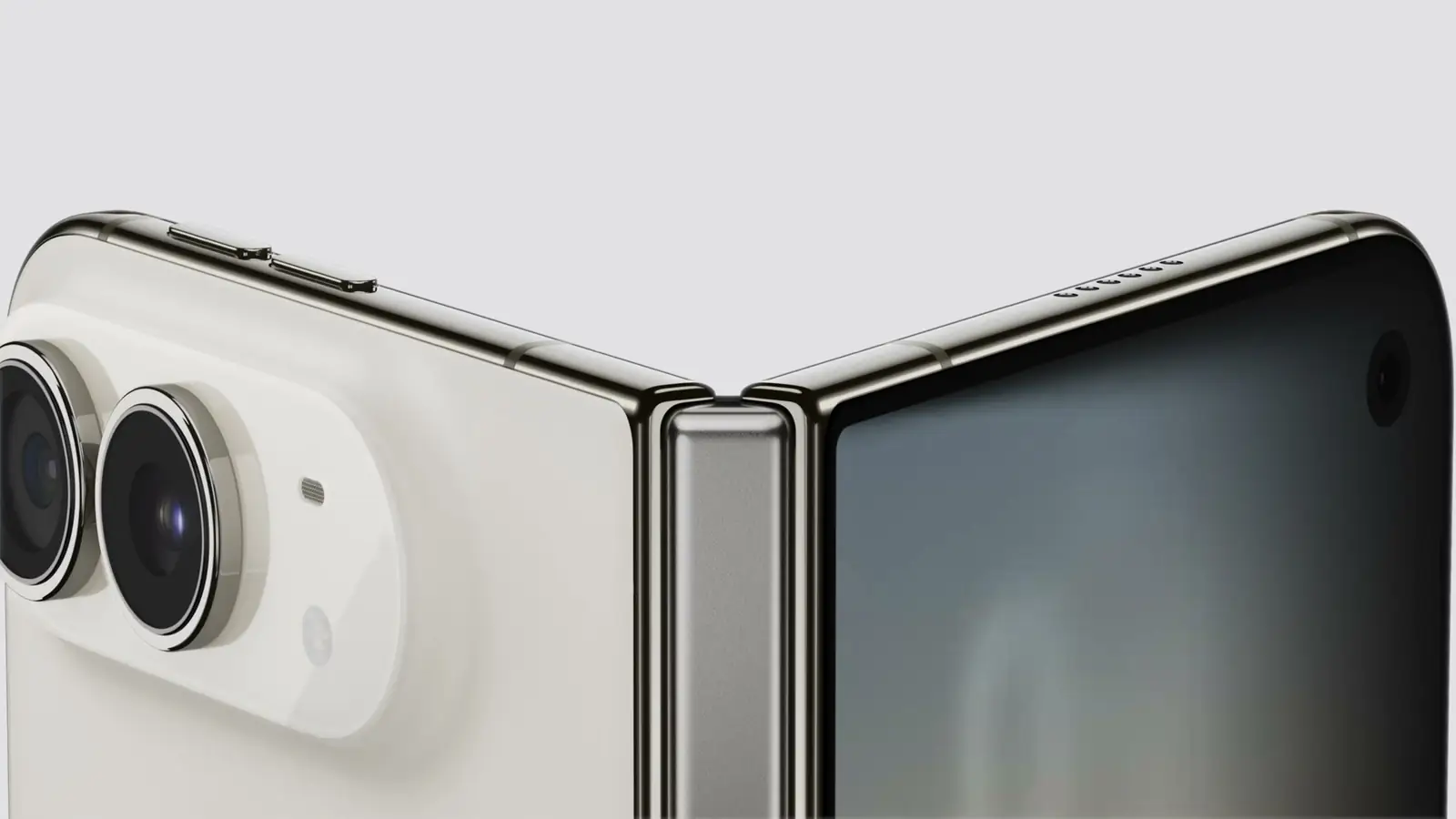
Frame from Apple’s September 9, 2026 event stream, 10:58 a.m. PT: the hinge and the rear cameras on the folding body.
Apple’s spec sheet publishes pixel resolutions and pixel densities; App Store Connect’s screenshot specification, posted the day after the keynote, publishes screenshot dimensions, and the two differ for the inner display.217 The table divides the screenshot sizes by three, the scale Apple’s guidelines list for the identical 1206 by 2622 panel on iPhone 17 Pro, 402 by 874 points.11 Treat the point columns as arithmetic from Apple’s numbers, not as a spec, until Device Hub reports them.
| Display | Panel pixels | Density | Screenshot pixels (App Store Connect) | Points at 3x | Aspect ratio |
|---|---|---|---|---|---|
| iPhone Duo, inner (7.6-inch) | 1878 by 2670 | 430 ppi | 2007 by 2853 | 669 by 951 | 1.42 |
| iPhone Duo, outer (5.4-inch) | 1398 by 2034 | 460 ppi | 1398 by 2034 | 466 by 678 | 1.45 |
| iPhone 18 Pro (6.3-inch) | 1206 by 2622 | 460 ppi | 1206 by 2622 | 402 by 874 | 2.17 |
| iPhone 18 Pro Max (6.9-inch) | 1320 by 2868 | 460 ppi | 1320 by 2868 | 440 by 956 | 2.17 |
Two things fall out of that table. The inner display is not a bigger phone. At 669 points wide in portrait it is 229 points wider than an iPhone 18 Pro Max in portrait, and in landscape it is taller than any iPhone is in landscape; its 1.42 ratio is nowhere near the 2.17 of the Pro line. The outer display is not a small phone either. It is 64 points wider than an iPhone 18 Pro and 196 points shorter, a shape no shipping iPhone has had.
Apple’s release adds the fact the table hides: “Both displays share the same aspect ratio, so content scales proportionally, ensuring visual continuity.”1 The pixel counts give 1.42 and 1.45, about 2 percent apart, so an image or a video frame composed for the inner display fits the outer one with a sliver of margin. Layout is a different matter, because the two displays report different size classes: the outer display is compact-width like every other iPhone in portrait, and the inner display is regular in both dimensions, as the size-class section covers. The first Tech Talk describes what that does to a split view: “When iPhone Duo is closed, columns will collapse to single-stack navigation. When open, columns will appear both tiled and as overlays” (5:19).14 The two shapes are new to iPhone; to your code they are one aspect ratio at two size classes.
Apple’s dimensions settle the default hold. Open, the device is 6.48 inches wide and 4.64 tall, so the inner display’s natural orientation is 951 points wide by 669 tall; closed, it is 3.31 inches wide and 4.64 tall, so the outer display is portrait. Open, it is 0.21 inch thick and weighs 8.96 ounces.2 Apple also moved the Dynamic Island to sit vertically on the side of both displays and pushed the Dock, Lock Screen controls, and app navigation to the side “to maximize vertical space for content.”1 So account for asymmetric leading and trailing safe-area insets: the first Tech Talk says “vertical bars provide leading and trailing insets” and to “avoid assuming that insets on opposite sides are equal” (6:18, 7:24).14 Any view that assumes the island sits at the top will be wrong here.

The 1.42 problem, and the 1.42 gift
An aspect ratio of 1.42 is within about half a percent of the square root of two, the ratio of A-series paper, which keeps its proportions when folded in half. An early top-level comment on the Hacker News thread spotted that, and it is a good way to think about the device: fold the inner display and you get two panels of the same shape.9
For 16:9 video, the ratio costs you. In landscape, the 951-point width limits a 16:9 frame on the inner display, so it renders at 951 by 535 points and leaves 134 points of letterbox split above and below, a fifth of the screen unused. On an iPhone 18 Pro in landscape, the 402-point height limits the same frame, so it renders at 715 by 402 points. In physical terms, from Apple’s densities, that is a 6.21-inch-wide picture on the Duo against a 4.66-inch one on the Pro, about 77 percent more area, with letterboxing you cannot avoid.23 Video apps get a bigger picture and a bigger black border at the same time.
For everything that is not video, the ratio is the gift. Documents, feeds, mail, code, and two-pane layouts are the shapes A-series paper exists for. The keynote showed exactly those layouts, a message thread beside a mail message, a magazine spread, and a team-chat app spread across the inner screen, and Apple’s release names Slack, a Siri conversation beside other content, and Split View with two apps side by side.1 The event post logs the keynote frames with timestamps. A NavigationSplitView that collapses in compact-width iPhone layouts can show tiled or overlaid columns on Duo’s regular-width inner display, which the next section covers.
Size classes: the inner display is regular, both ways
The first Tech Talk states the values. “On the outer display, like other iPhone models, iPhone Duo has regular vertical size class and compact horizontal size class in portrait, and compact vertical and horizontal size classes in landscape” (3:08). “On the inner display, the additional space lets you show more content like sidebars. As such, it has regular horizontal and vertical size classes” (3:20).14 For context, every iPad in Apple’s size-class table reports regular width in portrait, down to the 768-point iPad mini in that table, so the 669-point inner display joins the iPad column rather than the iPhone one.11
The same talk closes two doors. “The inner display doesn’t honor your supported interface orientations. As with Idiom, avoid checking interface orientation for layout decisions. Use size classes instead” (3:46 to 3:55), and “on a device with two displays, avoid referencing the main screen in your code” (3:57).14 The safe code reads horizontalSizeClass from the environment, or the trait collection in UIKit, and lays out from it.8 That is also a step in the checklist, which retires orientation checks for size classes because iOS 27 decouples orientation from resizability.
Multitasking arrives on iPhone
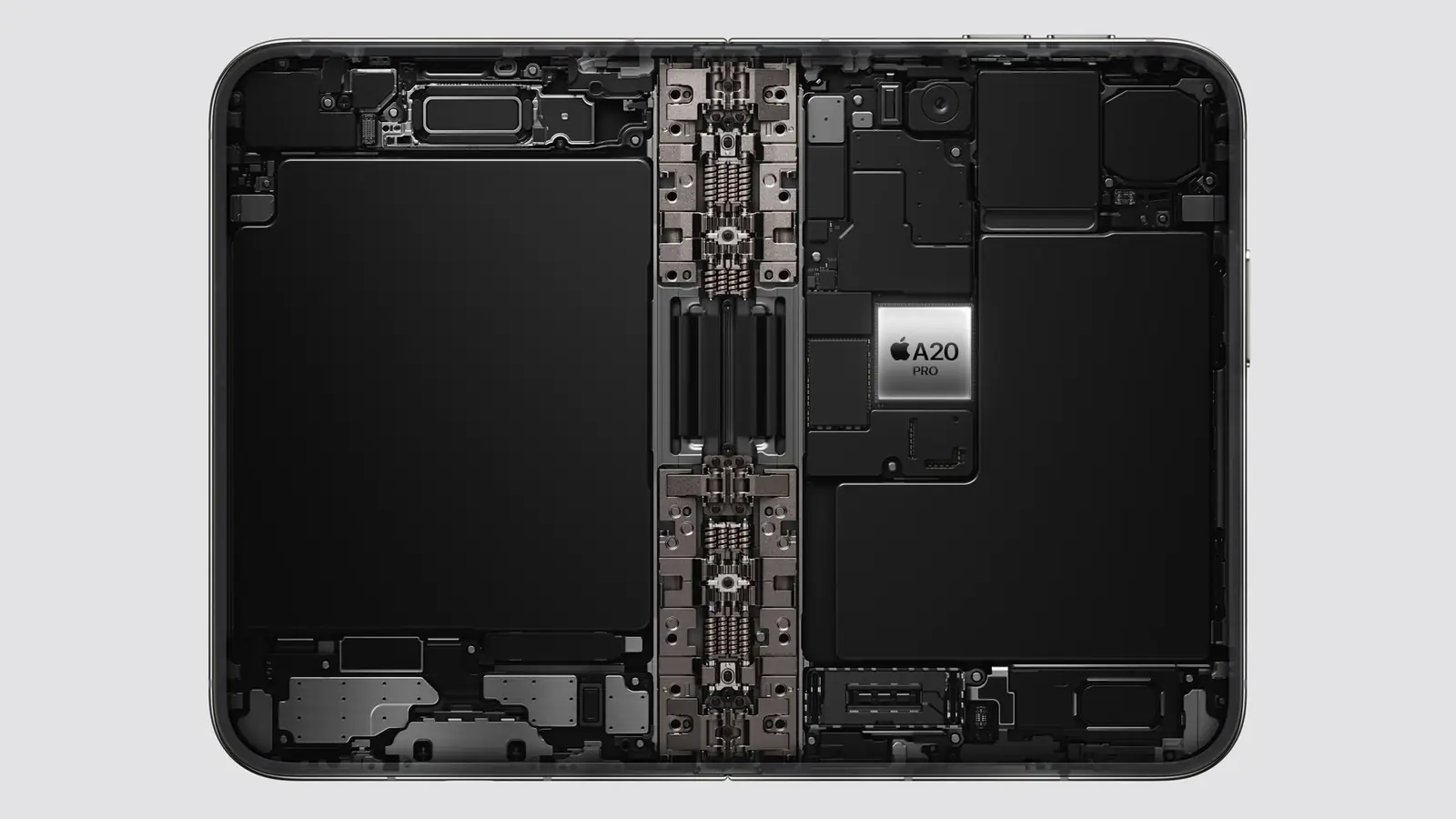
Frame from Apple’s September 9, 2026 event stream, 11:09 a.m. PT: a battery in each half and the A20 Pro on the board.
Apple’s release lists Split View for two apps side by side “on iPhone for the first time,” two windows of the same app “like Safari,” and saved app pairs.1 The multiple displays and scenes talk confirms the mechanism: “iPhone Duo is the first iPhone to support multiple instances of your app’s UI. If your app supports this on iPad, it also will on iPhone Duo” (3:38).14 On iPad that support is the UIApplicationSupportsMultipleScenes key in the scene manifest plus scene lifecycle through UIWindowScene, so an iPhone app that set the key to false to avoid coordinating state across windows should expect to revisit that.7 There is one Duo-specific rule: “On the outer display of iPhone Duo, new windows cannot be created. That behavior is reserved for the inner display,” so “make sure you handle errors when requesting new scenes,” and the UIWindowSceneActivation action “automatically hides when new windows aren’t available” (3:53 to 4:11).14
The same talk adds scene accessories, which “allow your app to show content on multiple displays at the same time,” and a Duo-specific one: “the CameraCaptureAccessory allows you to pair additional UI on the outer display, while your app’s main UI stays on the inner display,” available “when your app is full screen on the inner display, and your app has an active camera session” (4:26 to 5:19).14 The scene-based life cycle itself is no longer optional: the iOS 27 RC notes state that “apps built with the latest SDK must adopt the scene-based life cycle or they fail to launch,” the subject of the scene mandate post.47
Split View with two apps is the system’s job, not yours, but it hands your app an arbitrary width mid-session. Continuous resizability, the subject of the checklist, decides whether your app receives those resize updates or a single jump to a new size when the drag ends; Apple’s notes say each resize for a non-continuous app “should instead be delivered as a discrete change” with updated bounds.4 The gate is the SDK you link against and the absence of UIRequiresFullScreen: build with the iOS 27 SDK, leave that key out, and the resize stream is yours to handle. Apple’s technote on the deprecated key gives the other branch: with the iOS 27 SDK the key “no longer opts your app out of resizing,” and instead “the system resizes your app’s scene discretely,” so “the scene doesn’t change size while people drag the window.”12 The talk adds the Duo wrinkle: “iPhone Duo will continue to honor the UI requires full screen key, but your app will still resize when someone opens or closes their iPhone Duo,” and it “respects your supported interface orientations, but your app will scale on the inner display, including in Split View multitasking” (4:36 to 4:49).14
StandBy on the outer display is a widget surface
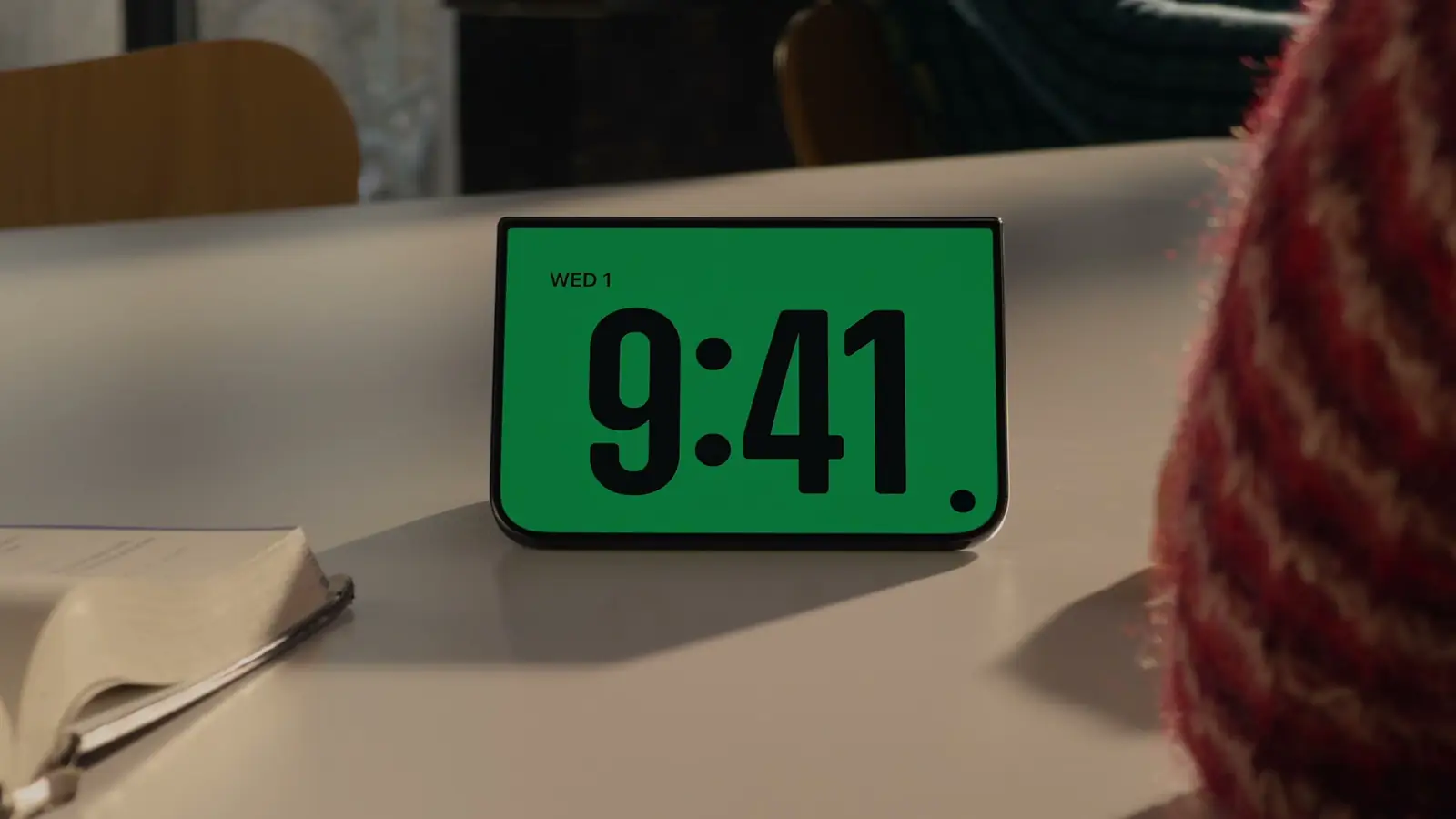
Frame from Apple’s September 9, 2026 event stream, 11:05 a.m. PT: the tent posture Apple showed for StandBy.
Apple’s release says StandBy runs on either display “even when it’s not charging,” with new Calendar and Weather faces and deeper customization.1 A folding phone propped on a desk is a screen that faces the room, and StandBy fills it with widgets. Widgets and Live Activities are the two ways an app appears there; Apple’s guidelines list StandBy among the places a Live Activity shows.15 An app with neither is absent from that surface. The widget surface post makes the case that one App Intent feeds every placement; iPhone Duo adds a placement that is always in view.
The camera features on the outer display, Duo Preview, Kid Cue, and Duo FaceTime, are system features.1 Third-party camera apps get two things, per the camera talk. A “Virtual Front Camera,” a “new AV Capture device that automatically switches between the outer and inner physical cameras,” using the inner display’s front camera when the device is open and the outer one when it is closed, with “built-in outer ultrawide” and “built-in inner ultrawide” device types for direct access (1:14 to 2:04). And the CameraCaptureAccessory from the scenes talk, which puts your UI on the outer display while capture runs on the inner one; as that talk puts it, “this lets you show content to a person while taking their photo or recording them” (5:09).14
Touch ID, not Face ID
The spec sheet lists a Touch ID fingerprint sensor and an under-display FaceTime camera, and no Face ID.2 Every iPhone since the 2022 iPhone SE has shipped Face ID, and a lot of apps have hard-coded the words. LAContext.biometryType reports .touchID, .faceID, or .none after canEvaluatePolicy runs, and the localized strings, the SF Symbols, and the onboarding copy should all branch on it.6 Apps that already run on iPad and Mac usually have this right; iPhone-only apps often do not.
The calendar
- September 14: iOS 27.0 (24A437) and Xcode 27 (27A266a) shipped, with no Duo SDK; the 27.0 SDK that decides resizability is the one in Xcode 27.10519
- September 18: iPhone 18 Pro arrives, on iOS 27.10
- Later in September: the Xcode 27.1 beta, which Apple’s developer page describes as the way to “build, run, and test your app for iPhone Duo,” plus the “Preparing your app for iPhone Duo” guide; the design guide is already in the Human Interface Guidelines. Group Labs on September 16 and 17 and forum Q&As on September 23.1316 (September 17: the guide is live; see the update above.20) (September 19: the Xcode 27.1 beta shipped on September 18; see the September 19 update above.22)
- October 5: Xcode 27.1 RC (27A9275), and App Store Connect opens the App Store to builds made with it and the iOS 27.1 SDK (October 11).23
- October 15: Xcode 27.1 (27A9275), the release, with the RC’s build number; App Store Connect’s entry for the day takes its builds for the store and TestFlight by that name.24
- October 16: iPhone Duo pre-orders open at 5 a.m. PT.1
- October 23: iPhone Duo ships, on iOS 27.1.1

What to do in the six weeks
- Link against the iOS 27 SDK, leave
UIRequiresFullScreenout of the Info.plist, and take continuous resizing rather than discrete size jumps. The checklist is the audit. - For layout decisions, replace screen-bounds, device-idiom, and interface-orientation checks with size classes and
onGeometryChange; the inner display does not honor your supported orientations, and when code needs a screen, the talk says to “access it dynamically from the window scene” rather than the main screen (4:14). - Turn on multiple scenes if the app can tolerate it, test two windows on an iPad first, and handle a refused scene request, since the outer display cannot open new windows.
- Run the app in Device Hub’s resize mode at 669 by 951, at 951 by 669, and at 466 by 678, since those are the point shapes App Store Connect’s sizes imply. Resizable Canvas in previews reaches all of them today; Xcode 27.1’s iPhone Duo simulator adds open, close, rotate, and fold controls when it ships. (September 19: the beta is out, with the simulator limits quoted in the update above.22)
- Ship a widget if the app lacks one.
- Branch biometric copy on
biometryType. - Watch the six Tech Talks and read “Designing for iPhone Duo” now; between them they describe the size classes, the scene rules, reserved regions, arrangement views, vertical controls, and the camera accessory. Xcode 27.1, the release since October 15, is where you implement and test them.141624
Key Takeaways
For iOS developers:
- App Store Connect sizes iPhone Duo’s inner display at 2007 by 2853 pixels, 669 by 951 points at 3x, on a 1878 by 2670 panel; the outer is 466 by 678. Aspect 1.42, and neither shape exists on any other iPhone.217
- 16:9 video gains about 77 percent in area over iPhone 18 Pro on the inner display and loses a fifth of that screen to letterboxing; documents and two-pane layouts gain the most.23
- Split View, two windows of one app, and app pairs come to iPhone with the device; an app that supports multiple instances on iPad supports them here, with new windows inner-display only.114
- Touch ID, not Face ID. Branch on
biometryType.26
For product decisions:
- StandBy on the outer display means a widget or a Live Activity is table stakes for presence on the device.115
- The Duo SDK is not in the iOS 27 or Xcode 27 RC notes; Apple dates the Xcode 27.1 beta to later in September; six Tech Talks and the “Designing for iPhone Duo” guidelines are available today.45131416 (September 19: the Xcode 27.1 beta shipped on September 18.22)
FAQ
Does my existing app run on iPhone Duo?
Yes, in three tiers. Apple’s talk: “Your app will work on iPhone Duo even if you haven’t built it with the iOS 27 SDK,” open at “a familiar size and aspect ratio”; with the iOS 27 SDK it extends “to the left of the status bar area on the inner display”; with the iOS 27.1 SDK it “extends to the edge of the screen.”14 UIRequiresFullScreen is still honored, but the app resizes when the device opens or closes. Apple’s technote on the deprecated key states the general rule for the iOS 27 SDK: the key “no longer opts your app out of resizing” and “the system resizes your app’s scene discretely.”1214
What size classes does iPhone Duo report?
Outer display: regular vertical and compact horizontal in portrait, compact in both in landscape, like other iPhones. Inner display: regular in both, per Apple’s Tech Talk.14
What are the point dimensions of the displays?
Apple’s spec sheet gives panel pixels and App Store Connect’s screenshot specification lists screenshot dimensions in pixels: 2007 by 2853 for the inner display and 1398 by 2034 for the outer, which at 3x are 669 by 951 and 466 by 678 points. On a 3x assumption, that implies the inner display renders at 669 by 951 and scales down by about 6.4 percent in each dimension to its 1878 by 2670 panel, the arrangement Apple listed for the Plus iPhones; that is an inference, and Device Hub will confirm or correct it when the Xcode 27.1 beta arrives.21117
Is there an iPhone Duo simulator or Device Hub profile yet?
Not in the Xcode 27 RC. Apple’s release calls Device Hub support “upcoming,” the developer page dates the Xcode 27.1 beta to “later this month,” and the first Tech Talk shows the Xcode 27.1 simulator’s open, close, rotate, and fold controls.151314 (September 19: the Xcode 27.1 beta (27A9269) shipped on September 18; see the update above.22) (October 15: Xcode 27.1, the release, build 27A9275, lists the iPhone Duo Simulator known issues in its notes.24)
What has Apple published for developers so far?
A Get Ready for iPhone Duo page, six Tech Talks, and a schedule: Group Labs September 16 and 17, forum Q&As September 23, workshops and the Xcode 27.1 beta “later this month,” the “Designing for iPhone Duo” page in the Human Interface Guidelines, and the “Preparing your app for iPhone Duo” guide marked coming later this month.131416 (September 17: the guide is live; see the update above.20) (September 19: the beta is out too.22)
Does iPhone Duo have Face ID?
No. The spec sheet lists a Touch ID fingerprint sensor.2
When do the Duo APIs ship?
With the Xcode 27.1 beta, which Apple’s developer page says is “coming later this month.” The device ships October 23 on iOS 27.1.113 (September 19: the beta shipped on September 18.22) (October 11: the release candidate, Xcode 27.1 RC (27A9275), shipped on October 5, and App Store Connect takes its builds for the App Store.23) (October 15: the release, Xcode 27.1 (27A9275), with the RC’s build number.24)
Sources
-
Apple Newsroom, Apple unveils iPhone Duo, September 9, 2026. Developer sentence, Split View and multitasking, StandBy, camera features, pricing and dates, iOS 27.1 requirement. ↩↩↩↩↩↩↩↩↩↩↩↩↩↩↩↩
-
Apple, iPhone Duo Tech Specs, fetched September 9, 2026: inner display 1878 by 2670 pixels at 430 ppi, outer display 1398 by 2034 pixels at 460 ppi, Touch ID fingerprint sensor, under-display FaceTime camera; open 6.48 by 4.64 inches, 0.21 inch deep, 8.96 ounces; closed 3.31 by 4.64 inches. Physical sizes in this post are the author’s arithmetic from these panel figures and densities; point dimensions derive from the screenshot sizes in footnote 17 at an assumed 3x scale. ↩↩↩↩↩↩↩↩↩↩↩↩↩
-
Apple, iPhone 18 Pro Tech Specs, fetched September 9, 2026: 1206 by 2622 pixels and 1320 by 2868 pixels at 460 ppi. ↩↩↩
-
Apple Developer Documentation, iOS & iPadOS 27 RC Release Notes, fetched September 9, 2026. No mention of iPhone Duo; continuous resizability entries. ↩↩↩↩↩
-
Apple Developer Documentation, Xcode 27 RC Release Notes, fetched September 9, 2026. Device Hub entries; no mention of iPhone Duo. ↩↩↩↩↩
-
Apple Developer Documentation, LAContext.biometryType. ↩↩
-
Apple Developer Documentation, UIApplicationSupportsMultipleScenes and UIWindowScene. ↩↩
-
Apple Developer Documentation, horizontalSizeClass. ↩
-
Hacker News, iPhone Duo discussion, September 9, 2026. Reaction only; the post draws no product facts from it. ↩
-
Apple Newsroom, Apple debuts iPhone 18 Pro and iPhone 18 Pro Max, September 9, 2026: “Pre-orders begin Saturday, September 12, with availability beginning Friday, September 18”; “iOS 27 will be available as a free software update on Monday, September 14.” ↩↩
-
Apple Human Interface Guidelines, Layout, page data as saved September 9, 2026: the size-class table lists every iPad, including the 7.9-inch iPad mini at 768 by 1024 points, as regular width in portrait; the device dimensions table gives the 8.3-inch iPad mini as 744 by 1133 points, iPhone 17 Pro as 402 by 874 points (1206 by 2622 pixels at 3x), and iPhone 8 Plus, 7 Plus, 6s Plus, and 6 Plus as 414 by 736 points at 3x on 1080 by 1920 pixels. ↩↩↩↩
-
Apple Developer Documentation, TN3192: Migrating your iPad app from the deprecated UIRequiresFullScreen key, revision dated August 13, 2026, fetched September 9, 2026: “Starting in iOS 27 and iPadOS 27, UIRequiresFullScreen no longer opts your app out of resizing. Instead, the system resizes your app’s scene discretely.” “With a discrete resize, the scene doesn’t change size while people drag the window.” ↩↩
-
Apple Developer, Get Ready for iPhone Duo, fetched September 9, 2026 at 1:12 p.m. PT, and the developer news post Get ready for iPhone Duo, dated September 9, 2026 at 11:00 a.m. PDT in Apple’s news feed: “Xcode 27.1 beta. Get the latest SDKs to build, run, and test your app for iPhone Duo. Coming later this month”; “Designing for iPhone Duo … Coming soon”; “Preparing your app for iPhone Duo … Coming later this month”; Group Labs September 16 at 8 to 9 p.m. PT and September 17 at 8 to 9 a.m. PT; Q&As September 23; workshops “Coming later this month.” ↩↩↩↩↩↩↩↩↩↩↩
-
Apple Developer Tech Talks, Prepare your app for iPhone Duo, Raise the bar with iPhone Duo, Strike a pose with adaptive layouts on iPhone Duo, Leverage multiple displays and scenes on iPhone Duo, Build a great camera experience for iPhone Duo, and Design for iPhone Duo, fetched September 9, 2026. Titles and short descriptions are from each talk’s page; quoted sentences with timestamps are from the talks’ English subtitle tracks: Prepare your app (David Jackson, UI Frameworks) 0:04, 0:29, 0:36, 0:41, 0:49, 0:57, 1:05, 1:11, 1:16, 1:21, 1:25, 3:08, 3:20, 3:46, 3:50, 3:55, 3:57, 4:14, 4:36, 4:45, 5:19, 5:24, 6:18, 7:24; Multiple displays and scenes 3:38, 3:53, 4:05, 4:08, 4:26, 4:59, 5:09, 5:14; Camera 1:14, 1:20, 1:27, 1:34, 1:58, 2:04; Strike a pose 0:47 (reserved regions), 2:13 (displacement), 2:18 (Arrangements). ↩↩↩↩↩↩↩↩↩↩↩↩↩↩↩↩↩↩↩↩↩↩
-
Apple Human Interface Guidelines, Live Activities: Live Activities appear on the Lock Screen, Home Screen, in the Dynamic Island, and in StandBy on iPhone. ↩↩
-
Apple Human Interface Guidelines, Designing for iPhone Duo, change log entry dated September 9, 2026: “New page. Introduces the fundamental concepts of designing for iPhone Duo, including device poses, dynamic layouts across dual displays, and toolbars and tab bars on the vertical axis.” Fetched September 9, 2026 at 4:15 p.m. PT; Apple’s developer page linked it in place of “Coming soon” by 4:10 p.m. PT. Quotations in the design-guide section are verbatim from the page; the page’s developer links are ToolbarItemVisibilityPriority, ToolbarOverflowMenu, ToolbarItemGroup, UIBarButtonItemVisibilityPriority, UIBarButtonItem, UIBarButtonItemGroup, UINavigationItem.additionalOverflowItems, NavigationSplitView, UISplitViewController, HStack, VStack, ZStack, Label, and the SwiftUI and UIKit safe-area insets. ↩↩↩↩↩↩↩↩↩↩↩↩↩
-
Apple, App Store Connect Help, Screenshot specifications, fetched September 10, 2026 at 10:40 a.m. PT, and App preview specifications (“Device resolutions 2034 × 1398 pixels, 2853 × 2007 pixels”; “Support for uploading assets for this device in App Store Connect will be available later this year”); App Store Connect release notes, entry dated September 9, 2026: “The app preview and screenshot specifications for iPhone Duo, iPhone 18 Pro Max, iPhone 18 Pro, Apple Watch Ultra 4, and Apple Watch Series 12 have been added.”; Apple Developer, Releases, “App Store Connect Update”, September 9, 2026, 3:00 p.m. PT, carried by the releases RSS feed (fetched September 10, 2026 at 11:37 a.m. PT) with pubDate “Wed, 09 Sep 2026 15:00:00 PDT.” Screenshot row: “iPhone Duo. Screenshot size 1398 × 2034 pixels, 2034 × 1398 pixels (outer display); 2007 × 2853 pixels, 2853 × 2007 pixels (inner display)”; the 5.5-inch row (iPhone 8 Plus, 7 Plus, 6s Plus, 6 Plus) asks for 1242 x 2208 pixels. A fetch of the page on September 9 did not follow its redirect and was misread as having no iPhone Duo row. Corrected October 7, 2026: Apple opened iPhone Duo submissions on October 5, 2026 (“You can submit your iPhone Duo optimized apps and games in App Store Connect today. Starting April 2027, any apps or games submitted will need to include screenshots for iPhone Duo.”), Apple Developer, News, “Prepare and submit your apps for iPhone Duo,” October 5, 2026, https://developer.apple.com/news/?id=kkphp5qo. ↩↩↩↩↩↩↩↩
-
Apple Developer, Design Resources, Product Bezels, iPhone Duo (Bezel-iPhone-Duo.dmg, “Photoshop, PNG”), fetched September 10, 2026. Screen cutouts measured by the author from the PNG alpha channels: Inner Open Landscape 2853 by 2007 inside a 3093 by 2247 frame with a 120-pixel border on every side; Outer Closed Portrait 1398 by 2034 inside 1574 by 2194, counting every row with any transparency; the opening’s top and bottom rows are at alpha 1, so a count of fully transparent pixels gives 2032 (corrected October 2, 2026). ↩
-
Apple Developer, Releases RSS feed fetched September 15, 2026: “Xcode 27 (27A266a)”, “iOS 27.0 (24A437)”, “iPadOS 27.0 (24A437)”, “macOS 27.0 (26A428)”, “tvOS 27.0 (24J361)”, “visionOS 27.0 (24M362)”, and “watchOS 27.0 (24R364)”, all dated Mon, 14 Sep 2026. iOS & iPadOS 27 Release Notes and Xcode 27 Release Notes, fetched September 15, 2026 through Apple’s documentation JSON after the GA release: zero case-insensitive matches for “Duo” in either document; the Xcode Release Notes index lists one 27 entry and no 27.1. Apple Developer, Get Ready for iPhone Duo, fetched September 15, 2026: “Xcode 27.1 beta. Get the latest SDKs to build, run, and test your app for iPhone Duo. Coming later this month”; “Preparing your app for iPhone Duo. Learn how to build and update your app to dynamically resize and adjust its layouts for iPhone Duo. Coming later this month”; Group Labs September 16 and 17, Q&As September 23, workshops “Coming later this month.” Apple, App Store Connect release notes, September 9, 2026 entry: “You can now upload apps built with Xcode 27 RC using the SDK for iOS 27.0 RC, iPadOS 27.0 RC, macOS 27.0 RC, tvOS 27.0 RC, visionOS 27.0 RC, and watchOS 27.0 RC for the App Store, and for internal and external testing through TestFlight.”; the feed as fetched on September 15 carries a single RC item, “iOS 27.0 RC (24A437)”, dated Fri, 11 Sep 2026, and no Xcode 27 RC item. ↩↩↩↩↩
-
Apple, Xcode 27.2 Beta Release Notes, fetched through the documentation JSON endpoint on September 17, 2026, Overview: “The iOS SDK and simulator support for iPhone Duo will be available later this month in an upcoming release of Xcode 27.1.” “Duo” occurs once in that document and zero times in the iOS & iPadOS 27.2 Beta Release Notes fetched the same way; the Xcode notes’ Device Hub Known Issues are 181945323 and 182553164. Apple, Releases, RSS feed fetched September 17, 2026: “Xcode 27.2 beta (27B5019j)” and “iOS 27.2 beta (24B5084k)” dated Wed, 16 Sep 2026; no item title contains 27.1. Apple, iPhone Duo developer page, fetched September 17, 2026, Tools and documentation, three elements read in order: “Xcode 27.1 beta”; “Get the latest SDKs to build, run, and test your app for iPhone Duo”; “Coming later this month”. On the same page the “Preparing your app for iPhone Duo” tile read “Coming later this month” when fetched September 15, 2026 and “Explore documentation” on September 17, linking to the guide. Apple, Preparing your app for iPhone Duo, Technology Overviews, fetched through the documentation JSON endpoint on September 17, 2026: “Build your app with Xcode 27.1 or later to use all of the available screen space on iPhone Duo. In earlier versions, your app doesn’t extend under the status bar and camera.” “The iPhone Duo simulator in Device Hub requires Xcode 27.1, coming later this month.” The API names in the update are the guide’s; it states no display dimensions. ↩↩↩↩↩↩↩↩↩
-
Author’s check of the iOS 27.0 SDK inside Xcode 27.0 (27A266a) on September 17, 2026:
xcrun --sdk iphoneos --show-sdk-versionprints 27.0 withDEVELOPER_DIRset to that Xcode. A text search of the SwiftUI module interface (SwiftUI.swiftmodule/arm64e-apple-ios.swiftinterface) and of every header inUIKit.framework/Headersfinds no occurrence ofArrangementView,UIArrangementViewController,ReservedRegion,reservedRegions,VerticalBehavior,VerticalBarBehavior,verticalBarEdge,toolbarVerticalEdge, oraxisBehavior. The same search findspresentationPlacementin SwiftUI under@available(anyAppleOS 27.0, *),preferredPlacementinUISheetPresentationController.hunderAPI_AVAILABLE(ios(27.0), tvos(27.0), visionos(27.0)),visibilityPriorityin SwiftUI under@available(iOS 27.0, macOS 26.1, watchOS 27.0, tvOS 27.0, visionOS 27.0, *)and inUIBarButtonItem.hunderAPI_AVAILABLE(ios(27.0), tvos(27.0), visionos(27.0)),ToolbarOverflowMenuandtopBarPinnedTrailingin SwiftUI under@available(iOS 27.0, visionOS 27.0, *),pinnedTrailingGroupandadditionalOverflowItemsinUINavigationItem.hunderAPI_AVAILABLE(ios(16.0)),backgroundExtensionEffectin SwiftUI under@available(iOS 26.0, macOS 26.0, tvOS 26.0, watchOS 26.0, visionOS 26.0, *), andUIBackgroundExtensionView.hin the UIKit headers. ↩ -
Apple, Releases, RSS feed fetched September 19, 2026: “Xcode 27.1 beta (27A9269)” dated Fri, 18 Sep 2026 10:00:00 PDT, “TestFlight Update” dated Fri, 18 Sep 2026 14:00:00 PDT. Apple, Xcode 27.1 Beta Release Notes, fetched through the documentation JSON endpoint on September 19, 2026: Overview, quoted; Mac Catalyst, Known Issues (185924957, 187046347, with their workarounds); Previews, New Features (182598534); Simulator, Known Issues (187708500, 187708663, 187708767); no other sections. Apple, Xcode 27.2 Beta Release Notes, fetched September 17 and September 19, 2026: the fetches differ only in the Overview, where the September 17 sentence quoted in 20 is replaced by an aside, “Download Xcode 27.1 beta to get the iOS SDK and simulator support for iPhone Duo.”, linking to https://developer.apple.com/download/applications/. Apple documentation JSON fetched September 19, 2026,
metadata.platformson each page: ArrangementView, UIArrangementViewController, reservedRegions(kind:options:layoutDirectionBehavior:), reservedRegions(kind:options:), and toolbarVerticalBehavior(_:): each lists iOS 27.1 and iPadOS 27.1 with the beta flag set. Apple, App Store Connect release notes, September 18, 2026, TestFlight update, quoted in full. Apple, Preparing your app for iPhone Duo, fetched through the documentation JSON endpoint on September 17 and September 19, 2026; both sentences quoted from each fetch. Apple, iPhone Duo developer page, fetched September 17 and September 19, 2026: under Tools and documentation, the “Xcode 27.1 beta” tile’s third element read “Coming later this month” on September 17 and “View betas” on September 19. Apple, “Build for iPhone Duo with new resources”, news, September 18, 2026: “Get Xcode 27.1 beta.” and “Get Figma and Sketch design kits for iPhone Duo from the Apple Design Resources.” ↩↩↩↩↩↩↩↩↩↩↩↩↩↩↩ -
Apple, Releases, RSS feed fetched October 11, 2026: “Xcode 27.1 RC (27A9275)” dated Mon, 05 Oct 2026 10:00:00 PDT and “Xcode 27.1 beta (27A9269)” dated Fri, 18 Sep 2026 10:00:00 PDT. Apple, App Store Connect release notes, fetched October 11, 2026, entry dated October 5, 2026: “You can now upload apps built with Xcode 27.1 RC using the SDK for iOS 27.1, iPadOS 27.0, macOS 27.0, tvOS 27.0, visionOS 27.0, and watchOS 27.0 for the App Store, and for internal and external testing through TestFlight.” ↩↩↩↩
-
Apple, Releases, RSS feed fetched October 15, 2026 at 17:16 Pacific (00:16 UTC, October 16): “Xcode 27.1 (27A9275)” dated Thu, 15 Oct 2026 13:00:00 PDT, the same build number as the October 5 RC item of the October 11 fetch, which the feed no longer carries. Apple, Xcode 27.1 Release Notes, fetched through the documentation JSON endpoint on October 15, 2026 at 17:21 Pacific, retitled from “Xcode 27.1 RC Release Notes”; Overview: “Xcode 27.1 includes Swift 6.4 and SDKs for iOS 27.1, iPadOS 27, tvOS 27, watchOS 27, macOS 27, and visionOS 27.”; the two iPhone Duo Simulator Known Issues, 187708663 and 187708767, unchanged. Apple, App Store Connect release notes, fetched October 15, 2026 at 17:20 Pacific, entry dated October 15, 2026, “App Store Connect updates”: “You can now upload apps built with Xcode 27.1 using the SDK for iOS 27.1, iPadOS 27.0, macOS 27.0, tvOS 27.0, visionOS 27.0, and watchOS 27.0 for the App Store, and for internal and external testing through TestFlight.” and “Submit your iPhone Duo optimized apps and games in App Store Connect today. Starting April 2027, any apps or games submitted will need to include screenshots for iPhone Duo.” Apple’s developer news feed, fetched the same hour, carries no item for the release. ↩↩↩↩↩↩↩











