El iPhone Duo para desarrolladores: el problema del 1.42 y el hueco del SDK

¿Qué cambia el iPhone Duo para los desarrolladores de iOS? Dos pantallas con una forma que ningún iPhone ha tenido, Split View y multitarea con dos ventanas en un teléfono por primera vez, StandBy en una pantalla que mira hacia la habitación, Touch ID en lugar de Face ID y una fecha de salida, el 23 de octubre, con iOS 27.1. Ni las notas de versión de iOS 27 ni las de Xcode 27 mencionan el dispositivo, ni en la release candidate del 9 de septiembre ni en la versión final del 14 de septiembre. La página para desarrolladores de Apple fecha la beta de Xcode 27.1 y la guía de preparación de apps en “later this month” (15 de octubre: Xcode 27.1 salió como versión final, build 27A927524); la guía de diseño llegó a las Human Interface Guidelines esa misma tarde, y hay seis Tech Talks publicados con las reglas: una app corre en el dispositivo sin recompilar, solo el SDK de iOS 27.1 llega al borde de la pantalla, y la pantalla interna reporta clases de tamaño regular en ambas dimensiones.145131419 La ficha técnica da los números y las charlas dan las reglas.
Apple anunció el iPhone Duo el 9 de septiembre de 2026 y publicó su ficha técnica ese mismo día.12 La historia para desarrolladores empezó más delgada que la del consumidor: una frase sobre los SDK y Device Hub, otra sobre apps de terceros que ya se han adaptado y seis semanas hasta que el dispositivo salga a la venta. A primera hora de la tarde Apple había agregado una página para desarrolladores y seis Tech Talks, y a las 4:10 p.m. PT la guía de diseño, con la beta del SDK y la guía de preparación todavía pendientes.131416 Ese hueco es la razón para hacer las cuentas ahora en vez de esperar un proyecto de ejemplo.
TL;DR: El tamaño de captura de la pantalla interna que publicó App Store Connect la tarde del keynote es de 2007 por 2853 píxeles, que son 669 por 951 puntos a 3x sobre un panel de 1878 por 2670; mi inferencia es que la pantalla renderiza a 669 por 951 y escala el resultado hacia abajo cerca de un 6.4 por ciento en cada dimensión, como hacían los iPhone Plus, a la espera de Device Hub. La relación de aspecto es 1.42, cerca de la raíz de dos del papel de la serie A.217 La pantalla externa es de 1398 por 2034 píxeles, 466 por 678 puntos a 3x sin escalado, más ancha que un iPhone 18 Pro y más de una quinta parte más corta.2317 Los Tech Talks de Apple fijan las reglas. Una app compilada sin el SDK de iOS 27 corre a un tamaño familiar cuando el dispositivo está abierto, el SDK de iOS 27 la extiende hacia la izquierda de la barra de estado y solo el SDK de iOS 27.1 llega al borde de la pantalla. La pantalla interna reporta clases de tamaño regular en ambos sentidos. Una app que admite múltiples instancias en iPad las admite aquí, con las ventanas nuevas reservadas a la pantalla interna, y un accesorio de captura de cámara empareja interfaz en la pantalla externa mientras la app se queda en la interna.14 StandBy corre en cualquiera de las dos pantallas “incluso cuando no está cargando”.1 El dispositivo usa Touch ID, así que cualquier cadena “Use Face ID” está mal ahí.2
Actualización del 10 de septiembre: App Store Connect implica 669 por 951 puntos para la pantalla interna
La primera versión de este post derivaba 626 por 890 puntos para la pantalla interna dividiendo entre tres los 1878 por 2670 píxeles de la ficha técnica. Las especificaciones de capturas de pantalla de App Store Connect traen una fila del iPhone Duo, agregada el 9 de septiembre según las notas de versión de App Store Connect, sellada a las 3:00 p.m. PT por el feed de releases de Apple, y que yo vi por primera vez la mañana del 10 de septiembre: 1398 por 2034 píxeles para la pantalla externa y 2007 por 2853 píxeles para la interna. Las especificaciones de app preview listan esos mismos dos tamaños bajo el encabezado “Device resolutions”, separan “Rendered pixels” de “Physical pixels” para los teléfonos Plus de 5.5 pulgadas (2208 por 1242 frente a 1920 por 1080) y señalaban que subir recursos del iPhone Duo “will be available later this year”, subidas que Apple abrió el 5 de octubre de 2026 (corregido el 7 de octubre).17 El tamaño externo son exactamente 466 por 678 puntos a 3x, los píxeles propios del panel. El tamaño interno son 669 por 951 puntos a 3x, cerca de un 6.9 por ciento más en cada dimensión de lo que tiene el panel. Mi inferencia, bajo el supuesto de una escala 3x, es que la pantalla interna renderiza a 669 por 951 puntos y escala el resultado hacia abajo cerca de un 6.4 por ciento en cada dimensión hasta 1878 por 2670; Device Hub lo confirmará o lo corregirá. App Store Connect tiene un precedente para ese arreglo: todavía pide capturas de 1242 por 2208 a los iPhone Plus de 5.5 pulgadas, cuyos paneles eran de 1080 por 1920, y las directrices de Apple listaban esos teléfonos como 414 por 736 puntos a 3x sobre el panel de 1080 por 1920.1117 Un segundo artefacto de Apple apunta en la misma dirección: el pack de marcos de producto del iPhone Duo que Apple publicó en su página Design Resources tiene un recorte de pantalla interna de 2853 por 2007 píxeles dentro de un marco de 3093 por 2247, el tamaño de App Store Connect al píxel, mientras que su recorte de la pantalla externa mide los 1398 píxeles de ancho del panel.18 La aritmética de más abajo está corregida a 669 por 951 en todo el texto. La relación de aspecto, las clases de tamaño, las reglas del SDK y los tamaños físicos no cambian; los anchos en puntos, las cifras del letterbox y los tamaños a probar en Device Hub sí. Si la inferencia se sostiene, hay una consecuencia que vale la pena notar: con 669 puntos de ancho sobre un panel de 430 ppi, un punto mide lo mismo que en la pantalla externa, unos 153 puntos por pulgada en ambas, así que el texto y los controles conservan un mismo tamaño físico a medida que el dispositivo se abre.
Actualización del 15 de septiembre: Xcode 27 salió sin el SDK del Duo
El feed Releases de Apple lista Xcode 27 (27A266a), iOS 27.0 (24A437) y el resto de los sistemas 27.0 el lunes 14 de septiembre, y ninguna de las dos páginas de notas de versión finales menciona el dispositivo: “Duo” no aparece ni una vez en las notas de iOS y iPadOS 27 ni en las de Xcode 27, obtenidas el 15 de septiembre a través del JSON de documentación de Apple, y el índice de notas de versión de Xcode sigue listando una sola entrada 27.19 La página para desarrolladores de Apple se lee igual que el 9 de septiembre: “Xcode 27.1 beta. Get the latest SDKs to build, run, and test your app for iPhone Duo. Coming later this month”, con “Preparing your app for iPhone Duo” también en “Coming later this month”, y los Group Labs y las sesiones de preguntas en sus fechas de septiembre.19 La línea de App Store Connect del 9 de septiembre también seguía en pie: “Support for uploading assets for iPhone Duo in App Store Connect will be available later this year.” Apple abrió esas subidas el 5 de octubre de 2026 (corregido el 7 de octubre).17 Así que el calendario de abajo se mantenía, con una fecha que para entonces ya había quedado atrás. iOS 27 salió, el SDK 27.0 dentro de Xcode 27 es el que decide hoy el redimensionamiento, y el SDK específico del Duo todavía está por venir (11 de octubre: salió en Xcode 27.1 beta el 18 de septiembre, y desde el 5 de octubre App Store Connect acepta para el App Store builds de Xcode 27.1 RC (27A9275) con el SDK de iOS 27.12223; 15 de octubre: Xcode 27.1 salió como versión final, build 27A9275, la build de la RC, y la entrada de App Store Connect del día acepta sus builds para la tienda con ese nombre24); lo que la cadena de herramientas final cambió para los proyectos existentes está en la entrada sobre el lanzamiento de Xcode 27.
Actualización del 17 de septiembre: las notas de versión de Apple nombran la versión que trae el SDK del Duo
Las notas de versión de la beta de Xcode 27.2, publicadas con la oleada de betas del 16 de septiembre, son las primeras notas de versión de Apple que ubican el SDK en una versión con nombre: “The iOS SDK and simulator support for iPhone Duo will be available later this month in an upcoming release of Xcode 27.1.” (el SDK de iOS y la compatibilidad del simulador con iPhone Duo estarán disponibles a finales de este mes en una próxima versión de Xcode 27.1).20 La propia beta de 27.2, la beta de Xcode 27.2 (27B5019j) con la beta de iOS 27.2 (24B5084k), no trae contenido del Duo: la palabra aparece una vez en las notas de la beta de Xcode 27.2, en esa frase del Overview, y ninguna en las notas de la beta de iOS y iPadOS 27.2, y la sección Device Hub de las notas de Xcode lista dos problemas conocidos sobre la entrada del simulador y los teclados físicos que no nombran ningún dispositivo.20 La página para desarrolladores de Apple sobre el iPhone Duo sigue listando “Xcode 27.1 beta” bajo Tools and documentation como “Coming later this month”, pero una tarjeta de esa página cambió entre mis consultas del 15 y del 17 de septiembre: “Preparing your app for iPhone Duo” ya no dice “Coming later this month” y ahora enlaza a una guía ya publicada bajo Technology Overviews.20
La guía también nombra la versión, dos veces: “Build your app with Xcode 27.1 or later to use all of the available screen space on iPhone Duo. In earlier versions, your app doesn’t extend under the status bar and camera.” (compila tu app con Xcode 27.1 o posterior para usar todo el espacio de pantalla disponible en iPhone Duo; en versiones anteriores, tu app no se extiende por debajo de la barra de estado y la cámara) y “The iPhone Duo simulator in Device Hub requires Xcode 27.1, coming later this month.” (el simulador del iPhone Duo en Device Hub requiere Xcode 27.1, que llega a finales de este mes).20 No da tamaños en puntos, así que los números de pantalla inferidos arriba siguen siendo inferencias; lo que suma es API. Las arrangement views (ArrangementView en SwiftUI, UIArrangementViewController en UIKit) disponen una vista principal y una secundaria alrededor del pliegue en estilos split u overlay; las reserved regions (reservedRegions(kind:options:layoutDirectionBehavior:) en GeometryProxy, reservedRegions(kind:options:) en UIView) exponen el pliegue y las cámaras como divisiones y oclusiones; y las barras verticales reciben toolbarVerticalBehavior(_:), toolbarVerticalEdge y axisBehavior(_:) en SwiftUI, y preferredVerticalBarBehavior, verticalBarEdge y axisBehavior en UIKit.20 Ninguno de esos 10 nombres aparece en el SDK de iOS 27.0 que trae Xcode 27, ni en la interfaz del módulo de SwiftUI ni en los encabezados de UIKit, mientras que los demás nombres de la guía ya están ahí: presentationPlacement(_:) y preferredPlacement en 27.0, visibilityPriority en 27.0 en ambos frameworks, ToolbarOverflowMenu y topBarPinnedTrailing en 27.0, pinnedTrailingGroup y additionalOverflowItems desde iOS 16, y backgroundExtensionEffect() desde iOS 26 junto con UIBackgroundExtensionView.21 Así que la guía describe un SDK 27.1 que no ha salido, y la fecha de salida del 23 de octubre con iOS 27.1 y el hueco del SDK se mantienen tal como están escritos. (19 de septiembre: la beta salió el 18 de septiembre; ver la actualización de abajo.)
Actualización del 19 de septiembre: salió la beta 27.1, y las API del Duo ya tienen versión
La beta de Xcode 27.1 (27A9269) llegó al feed de lanzamientos de Apple el viernes 18 de septiembre, dos días después de la oleada de betas 27.2 que la había nombrado, y sus notas abren con la frase de SDK que este artículo esperaba: “Xcode 27.1 beta includes Swift 6.4 and SDKs for iOS 27.1, iPadOS 27, tvOS 27, watchOS 27, macOS 27, and visionOS 27.” (la beta de Xcode 27.1 incluye Swift 6.4 y los SDK de iOS 27.1, iPadOS 27, tvOS 27, watchOS 27, macOS 27 y visionOS 27)22 Apple también reescribió el Overview de las notas de la beta 27.2 entre mis descargas del 17 y del 19 de septiembre: la frase citada en la actualización de arriba desapareció, y ahora un recuadro dice “Download Xcode 27.1 beta to get the iOS SDK and simulator support for iPhone Duo.” (descarga la beta de Xcode 27.1 para obtener el SDK de iOS y el soporte de simulador para el iPhone Duo)22 Al 19 de septiembre, las páginas de documentación de Apple para ArrangementView, UIArrangementViewController, reservedRegions(kind:options:layoutDirectionBehavior:) en GeometryProxy, reservedRegions(kind:options:) en UIView y toolbarVerticalBehavior(_:), cinco de los diez nombres que la verificación del 17 de septiembre no encontró en el SDK 27.0, indican como disponibilidad iOS 27.1 e iPadOS 27.1, marcada como beta.22 Eso responde la pregunta de la versión desde el lado de Apple; si el SDK de la beta trae los diez nombres, y qué hace el simulador con ellos, es la verificación que haré con la beta instalada, en un artículo próximo. App Store Connect aceptó los builds correspondientes el mismo día: “You can now submit apps built with Xcode 27.1 beta using the SDK for iOS 27.1 beta or iPadOS 27.1 beta for internal and external testing.” (ya puedes enviar apps compiladas con la beta de Xcode 27.1 usando el SDK de iOS 27.1 beta o iPadOS 27.1 beta para pruebas internas y externas)22 El “iPadOS 27” del Overview y el “iPadOS 27.1 beta” de App Store Connect no coinciden, y yo cito ambos en lugar de elegir uno.
Las notas de la beta también dicen lo que el simulador del Duo todavía no puede hacer, bajo Simulator, Known Issues: “Initial Simulator launch can take several minutes.” (el primer arranque del simulador puede tardar varios minutos) (187708500), “StandBy is unavailable in the iPhone Duo Simulator runtime.” (StandBy no está disponible en el runtime del simulador del iPhone Duo) (187708663) y “Running and debugging most app extensions is unavailable in the iPhone Duo Simulator runtime.” (ejecutar y depurar la mayoría de las extensiones de app no está disponible en ese runtime) (187708767); así que el comportamiento de StandBy descrito más abajo es, por ahora, una prueba en dispositivo, y, según la redacción de Apple, la mayoría de las extensiones de app también.22 Dos Known Issues de Mac Catalyst en las mismas notas importan a quien adopte estas API en una app que también sale en Mac: “Projects that use APIs specific to iOS 27.1 show compile errors when building for Mac Catalyst (“undeclared identifier”, “not found”, “has no member”, “cannot find”, etc).” (los proyectos que usan API exclusivas de iOS 27.1 muestran errores de compilación al compilar para Mac Catalyst) (185924957), con #if !targetEnvironment(macCatalyst) como solución de Apple, y “Projects that target iOS 27.1 show no Mac Catalyst run destination available.” (los proyectos que apuntan a iOS 27.1 no muestran ningún destino de ejecución de Mac Catalyst) (187046347), con “Add a Mac Catalyst 27.0 minimum deployment in target settings.” (agregar un despliegue mínimo de Mac Catalyst 27.0 en la configuración del target) como solución.22 La guía de Apple “Preparing your app for iPhone Duo” cambió entre las mismas dos descargas. El párrafo citado arriba, “Build your app with Xcode 27.1 or later to use all of the available screen space on iPhone Duo. In earlier versions, your app doesn’t extend under the status bar and camera.”, ahora dice “Build your app with the latest version of Xcode to use all of the available screen space on iPhone Duo. When you build with Xcode 26 and earlier, your app doesn’t extend under the status bar and camera.” (compila tu app con la última versión de Xcode para usar todo el espacio de pantalla del iPhone Duo; compilada con Xcode 26 o anterior, la app no se extiende bajo la barra de estado y la cámara), y la nota “The iPhone Duo simulator in Device Hub requires Xcode 27.1, coming later this month.” desapareció. En la página para desarrolladores, el “Coming later this month” de la ficha “Xcode 27.1 beta” pasó a “View betas,” y una nota de prensa del 18 de septiembre, “Build for iPhone Duo with new resources,” agrega kits de diseño de Figma y Sketch para el iPhone Duo a los Apple Design Resources.22
Lo que Apple ha publicado y lo que no
La nota de prensa les dedica dos frases a los desarrolladores. Las apps de la propia Apple “están optimizadas para el iPhone Duo, y los desarrolladores pueden adaptar sus apps con facilidad usando las APIs nuevas y actualizadas de los últimos SDK, y el próximo soporte para el iPhone Duo en Device Hub dentro de Xcode”. Luego: “Apps de terceros, entre ellas Netflix, Zoom y Slack, ya están aprovechando el diseño plegable para ofrecer experiencias inmersivas que sacan el máximo partido de la pantalla más grande y de las nuevas formas de usar el iPhone Duo”.1
La palabra que importa es “upcoming”. Las notas de versión de la RC de iOS y iPadOS 27 llevaban títulos de RC cuando las consulté el 9 de septiembre, el día en que App Store Connect empezó a aceptar compilaciones hechas con los SDK RC19, y no contienen ninguna mención del iPhone Duo. Tampoco las notas de la RC de Xcode 27, que describen Device Hub en detalle, incluido el modo de redimensionado en el que se apoya la lista de verificación del iPhone redimensionable de este sitio.45 El índice de documentación de Apple tampoco muestra ninguna página del iPhone Duo. El dispositivo sale con iOS 27.1, dice Apple, y la página para desarrolladores de Apple ahora confirma la forma de la espera: la “Xcode 27.1 beta”, descrita como la vía para “build, run, and test your app for iPhone Duo”, está “coming later this month”, igual que una guía titulada “Preparing your app for iPhone Duo”. La guía de diseño, “Designing for iPhone Duo”, decía “coming soon” a la 1:12 p.m. y ya estaba publicada en las Human Interface Guidelines a las 4:10 p.m. PT; sus reglas están en la sección sobre la guía de diseño.1316 (17 de septiembre: la guía ya está publicada; consulta la actualización de arriba.20)
Lo que Apple publicó para desarrolladores el primer día
La página Get Ready for iPhone Duo apareció el día del keynote; la entrada de noticias para desarrolladores de Apple que la anuncia está fechada a las 11:00 a.m. PT, con el keynote todavía en marcha.13 Enlaza seis Tech Talks, ya disponibles: “Prepare your app for iPhone Duo”, cuya descripción promete mostrar “cómo optar por la experiencia a pantalla completa”; “Raise the bar with iPhone Duo”, sobre navegación, barras de herramientas y barras de pestañas; “Strike a pose with adaptive layouts on iPhone Duo”, sobre “patrones de diseño de reubicación”; la charla sobre múltiples pantallas y escenas, sobre “experiencias multiventana y multipantalla” y “tamaños de ventana dinámicos”; “Build a great camera experience for iPhone Duo”, que nombra una “Virtual Front Camera”; y “Design for iPhone Duo”.14 Las pistas de subtítulos en inglés de las charlas llevan las reglas que la nota de prensa no traía, y este post las cita con marcas de tiempo.
La página también agenda personas. Los Online Group Labs son el 16 de septiembre a las 8 p.m. PT y el 17 de septiembre a las 8 a.m. PT, las sesiones de preguntas y respuestas de los foros de desarrolladores sobre Photos y Camera, SwiftUI y UIKit son el 23 de septiembre, y los talleres presenciales están “coming later this month”.13 El primer minuto de la primera charla es la política de compatibilidad en tres niveles. “Tu app funcionará en el iPhone Duo aunque no la hayas compilado con el SDK de iOS 27”, dice David Jackson, del equipo de UI Frameworks, en 0:29; cerrada, “tu app usará el espacio de pantalla a la izquierda de la barra de estado y la cámara”, y abierta, “tu app tendrá un tamaño y una relación de aspecto familiares”. Con el SDK de iOS 27, “tu app se extenderá hacia la izquierda del área de la barra de estado en la pantalla interna” (0:57). Solo “cuando compilas tu app con el SDK de iOS 27.1, tu app se extiende hasta el borde de la pantalla”, y “los botones estándar de navegación y de barra de herramientas ahora se disponen verticalmente debajo de la barra de estado” (1:05 a 1:11). La charla apunta después a Xcode 27.1 y a su simulador del iPhone Duo en Device Hub, con “botones de control en la parte inferior de la pantalla para abrir, cerrar, rotar o plegar el iPhone Duo” (1:16 a 1:25); la página para desarrolladores fecha ese Xcode para más adelante este mes.1314
Hasta que llegue el SDK, la ficha técnica, esas seis charlas y la guía de diseño son la documentación. (19 de septiembre: la beta de Xcode 27.1 trae el SDK; consulta la actualización de arriba.22) (11 de octubre: Xcode 27.1 RC (27A9275) llegó después, el 5 de octubre, y App Store Connect acepta sus builds para el App Store.23) (15 de octubre: Xcode 27.1 (27A9275) salió como versión final, con la build de la RC.24) La primera charla, aquí mismo:
Actualización del 11 de septiembre. Las notas de versión de la RC de iOS 27 de Apple sumaron una sección de Hardware Security que lista los modelos de iPhone con A20 Pro o posterior, entre ellos el iPhone Duo, entre los dispositivos para el slice arm64e.x1 y la aritmética de punteros verificada CPA2. El slice ya está hoy en la RC de Xcode 27; arm64e.x1: el slice de aritmética de punteros verificada de Apple cubre lo que emite el compilador y los cuatro interruptores que activan su aplicación.
Lo que añade la guía de diseño, 4 p.m. PT
La página Designing for iPhone Duo de Apple entró en las Human Interface Guidelines la tarde del keynote; su entrada del registro de cambios está fechada el 9 de septiembre de 2026 y dice “New page”.16 Es un documento de diseño, y nombra la maquinaria de layout que describen los Tech Talks.
Las posturas. La gente sostiene el dispositivo “parcialmente plegado como un libro, apoyado sobre una superficie o de pie sobre sus cantos”, y la respuesta de Apple no es un layout por postura: “Un diseño en compact width para la pantalla externa y un diseño en regular width para la pantalla interna te dan los fundamentos para cada postura”.16 Esa es la regla de clases de tamaño de la primera Tech Talk, reformulada como guía de diseño.
Las reserved regions. La página define tres áreas que el contenido evita. La región de la cámara externa, en la esquina de la pantalla externa, “siempre está presente, y se expande hacia la Dynamic Island para las Live Activities”. La región de la cámara interna “solo está presente cuando la cámara está activa”, y “cuando la cámara se activa, la interfaz se hace a un lado para indicar la presencia de la cámara”. La tercera es el pliegue: “Cuando el dispositivo está parcialmente abierto, la región del pliegue divide la pantalla interna en varias regiones utilizables, y excluye la región del centro a medida que la pantalla se pliega”.16 Apple dice que “componentes como las alertas, los menús contextuales y las sheets se mueven automáticamente para tener en cuenta el pliegue”, les pide a los layouts de cuadrícula que “prefieran un número par de columnas para que el contenido se divida limpiamente” y afirma que “las reserved region APIs ofrecen una manera de reubicar el contenido lejos de las reserved regions”. La página no enlaza documentación de esas APIs; sus enlaces para desarrolladores son los tipos de prioridad de visibilidad y de menú de desbordamiento de las barras de herramientas, los bar button items y sus grupos, las split views, las stacks, Label y los insets del área segura, así que las APIs de reserved region y de arrangement siguen siendo cosa de la beta 27.1.16
Las arrangement views. Un contenedor nuevo que “aloja dos vistas en su interior” y “las organiza dinámicamente según el tamaño de la pantalla, la orientación y las reserved regions”, en dos tipos: un split arrangement que “se divide horizontalmente cuando el arrangement es más ancho que alto, y se divide verticalmente cuando es más alto que ancho”, y un overlay arrangement: “Cuando la pantalla está parcialmente plegada, las vistas se mueven para ocupar cada lado; en caso contrario, la vista principal se coloca encima de la secundaria”. Apple asigna los layouts existentes a cada uno: las stacks lado a lado se convierten en un split arrangement, un ZStack en capas se convierte en un overlay, y Apple agrega: “Una arrangement view dispone el contenido pero no maneja la navegación, así que coloca los contenedores de navegación, como las navigation split views y las tab views, alrededor de ella y no dentro”.16
Los controles verticales. Las barras de herramientas, las barras de pestañas y los controles de navegación se van al costado en todas las posturas salvo en “la pantalla interna en vertical, que tiene suficiente espacio vertical para conservar las barras horizontales estándar”. En Split View, “cada una coloca los controles a lo largo de su borde exterior, de modo que la app de la izquierda tiene los controles a la izquierda”. La regla de orden: “Reserva la parte superior del eje vertical para los controles de navegación principales, como Back o Close, seguidos de acciones destacadas, como Done”. El desbordamiento va “de abajo hacia arriba de forma predeterminada”, y lo cambias con una prioridad de visibilidad por elemento, los tipos ToolbarItemVisibilityPriority y UIBarButtonItemVisibilityPriority que enlaza la página. “Las etiquetas que incluyen texto se quedan en una barra horizontal, así que prefiere un símbolo siempre que funcione”.16
La orientación y los juegos. “Puedes optar por bloquear la orientación en vertical o en horizontal, pero asegúrate de llenar la pantalla a medida que cambia la postura del dispositivo”. Para los juegos: “Prefiere cambiar la relación de aspecto antes que recurrir al letterboxing o al pillarboxing en los juegos; si no puedes evitar el letterboxing o el pillarboxing, agrega arte al área de relleno para que la experiencia se sienta a pantalla completa”.16 Ese es el problema del 16:9 de la sección de más abajo, respondido desde el lado del diseño. La lectura de diseño de la guía y de sus tres charlas acompañantes —la reubicación, los arrangements y el eje vertical— está en Diseñar para el iPhone Duo.
Las dos pantallas, en puntos
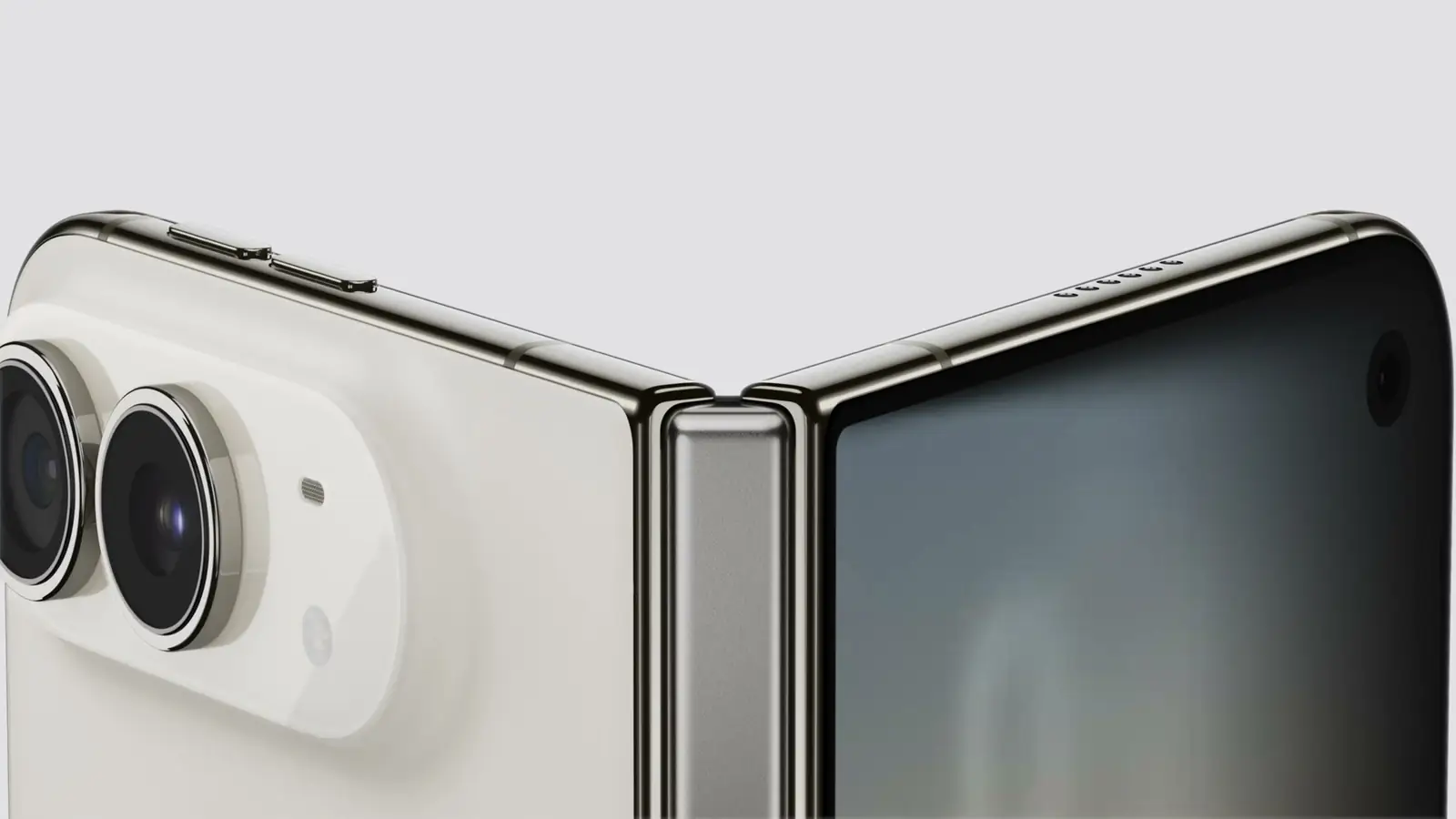
Fotograma de la transmisión del evento de Apple del 9 de septiembre de 2026, 10:58 a.m. PT: la bisagra y las cámaras traseras sobre el cuerpo plegable.
La ficha técnica de Apple publica resoluciones en píxeles y densidades de píxeles; la especificación de capturas de pantalla de App Store Connect, publicada el día después del keynote, publica dimensiones de captura, y ambas difieren para la pantalla interna.217 La tabla divide entre tres los tamaños de captura, la escala que las directrices de Apple listan para el panel idéntico de 1206 por 2622 del iPhone 17 Pro, 402 por 874 puntos.11 Toma las columnas de puntos como aritmética a partir de los números de Apple, no como una especificación, hasta que Device Hub las reporte.
| Pantalla | Píxeles del panel | Densidad | Píxeles de captura (App Store Connect) | Puntos a 3x | Relación de aspecto |
|---|---|---|---|---|---|
| iPhone Duo, interna (7.6 pulgadas) | 1878 por 2670 | 430 ppi | 2007 por 2853 | 669 por 951 | 1.42 |
| iPhone Duo, externa (5.4 pulgadas) | 1398 por 2034 | 460 ppi | 1398 por 2034 | 466 por 678 | 1.45 |
| iPhone 18 Pro (6.3 pulgadas) | 1206 por 2622 | 460 ppi | 1206 por 2622 | 402 por 874 | 2.17 |
| iPhone 18 Pro Max (6.9 pulgadas) | 1320 por 2868 | 460 ppi | 1320 por 2868 | 440 por 956 | 2.17 |
De esa tabla salen dos cosas. La pantalla interna no es un teléfono más grande. Con 669 puntos de ancho en vertical es 229 puntos más ancha que un iPhone 18 Pro Max en vertical, y en horizontal es más alta de lo que es cualquier iPhone en horizontal; su relación de 1.42 no se acerca ni de lejos al 2.17 de la línea Pro. La pantalla externa tampoco es un teléfono pequeño. Es 64 puntos más ancha que un iPhone 18 Pro y 196 puntos más corta, una forma que ningún iPhone a la venta ha tenido.
La nota de prensa de Apple agrega el dato que la tabla esconde: “Ambas pantallas comparten la misma relación de aspecto, así que el contenido escala proporcionalmente y asegura la continuidad visual”.1 Los conteos de píxeles dan 1.42 y 1.45, separados cerca de un 2 por ciento, así que una imagen o un fotograma de video compuesto para la pantalla interna encaja en la externa con un hilo de margen. El layout es otro asunto, porque las dos pantallas reportan clases de tamaño distintas: la externa es compact width como cualquier otro iPhone en vertical, y la interna es regular en ambas dimensiones, como cubre la sección sobre clases de tamaño. La primera Tech Talk describe lo que eso le hace a una split view: “Cuando el iPhone Duo está cerrado, las columnas colapsan a una navegación de pila única. Cuando está abierto, las columnas aparecen tanto en mosaico como en superposición” (5:19).14 Las dos formas son nuevas en el iPhone; para tu código son una relación de aspecto con dos clases de tamaño.
Las dimensiones de Apple resuelven cómo se sostiene por defecto. Abierto, el dispositivo mide 6.48 pulgadas de ancho por 4.64 de alto, así que la orientación natural de la pantalla interna es de 951 puntos de ancho por 669 de alto; cerrado, mide 3.31 pulgadas de ancho por 4.64 de alto, así que la pantalla externa queda en vertical. Abierto tiene 0.21 pulgadas de grosor y pesa 8.96 onzas.2 Apple también movió la Dynamic Island para que se ubique verticalmente en el costado de ambas pantallas y empujó el Dock, los controles de la pantalla de bloqueo y la navegación de la app hacia el costado “para maximizar el espacio vertical para el contenido”.1 Así que cuenta con insets del área segura leading y trailing asimétricos: la primera Tech Talk dice que “las barras verticales aportan insets leading y trailing” y que hay que “evitar suponer que los insets de lados opuestos son iguales” (6:18, 7:24).14 Cualquier vista que dé por hecho que la isla está arriba se equivocará aquí.

El problema del 1.42, y el regalo del 1.42
Una relación de aspecto de 1.42 está a cerca de medio por ciento de la raíz cuadrada de dos, la relación del papel de la serie A, que conserva sus proporciones al plegarse por la mitad. Un comentario temprano de primer nivel en el hilo de Hacker News lo detectó, y es una buena manera de pensar el dispositivo: pliega la pantalla interna y obtienes dos paneles de la misma forma.9
Para el video 16:9, la relación te cuesta. En horizontal, el ancho de 951 puntos limita un fotograma 16:9 en la pantalla interna, así que se renderiza a 951 por 535 puntos y deja 134 puntos de letterbox repartidos arriba y abajo, una quinta parte de la pantalla sin usar. En un iPhone 18 Pro en horizontal, la altura de 402 puntos limita ese mismo fotograma, así que se renderiza a 715 por 402 puntos. En términos físicos, a partir de las densidades de Apple, eso es una imagen de 6.21 pulgadas de ancho en el Duo frente a una de 4.66 pulgadas en el Pro, cerca de un 77 por ciento más de área, con un letterboxing que no puedes evitar.23 Las apps de video obtienen al mismo tiempo una imagen más grande y un borde negro más grande.
Para todo lo que no es video, la relación es el regalo. Los documentos, los feeds, el correo, el código y los layouts de dos paneles son las formas para las que existe el papel de la serie A. El keynote mostró exactamente esos layouts: un hilo de mensajes junto a un mensaje de correo, una doble página de revista y una app de chat de equipo extendida por la pantalla interna, y la nota de prensa de Apple nombra Slack, una conversación con Siri junto a otro contenido y Split View con dos apps lado a lado.1 El post del evento registra los fotogramas del keynote con marcas de tiempo. Un NavigationSplitView que colapsa en los layouts de iPhone en compact width puede mostrar columnas en mosaico o superpuestas en la pantalla interna del Duo, que es regular width, como cubre la próxima sección.
Clases de tamaño: la pantalla interna es regular en ambos sentidos
La primera Tech Talk da los valores. “En la pantalla externa, igual que en otros modelos de iPhone, el iPhone Duo tiene clase de tamaño vertical regular y clase de tamaño horizontal compact en orientación vertical, y clases de tamaño vertical y horizontal compact en orientación horizontal” (3:08). “En la pantalla interna, el espacio adicional te deja mostrar más contenido, como barras laterales. Por eso tiene clases de tamaño horizontal y vertical regular” (3:20).14 Como contexto, todos los iPad de la tabla de clases de tamaño de Apple reportan regular width en vertical, hasta el iPad mini de 768 puntos de esa tabla, así que la pantalla interna de 669 puntos se suma a la columna del iPad y no a la del iPhone.11
La misma charla cierra dos puertas. “La pantalla interna no respeta tus orientaciones de interfaz admitidas. Igual que con Idiom, evita consultar la orientación de la interfaz para tomar decisiones de layout. Usa clases de tamaño en su lugar” (3:46 a 3:55), y “en un dispositivo con dos pantallas, evita referenciar la pantalla principal en tu código” (3:57).14 El código seguro lee horizontalSizeClass del entorno, o la trait collection en UIKit, y hace el layout a partir de ahí.8 Ese es también un paso de la lista de verificación, que jubila las comprobaciones de orientación en favor de las clases de tamaño porque iOS 27 desacopla la orientación de la capacidad de redimensionarse.
La multitarea llega al iPhone
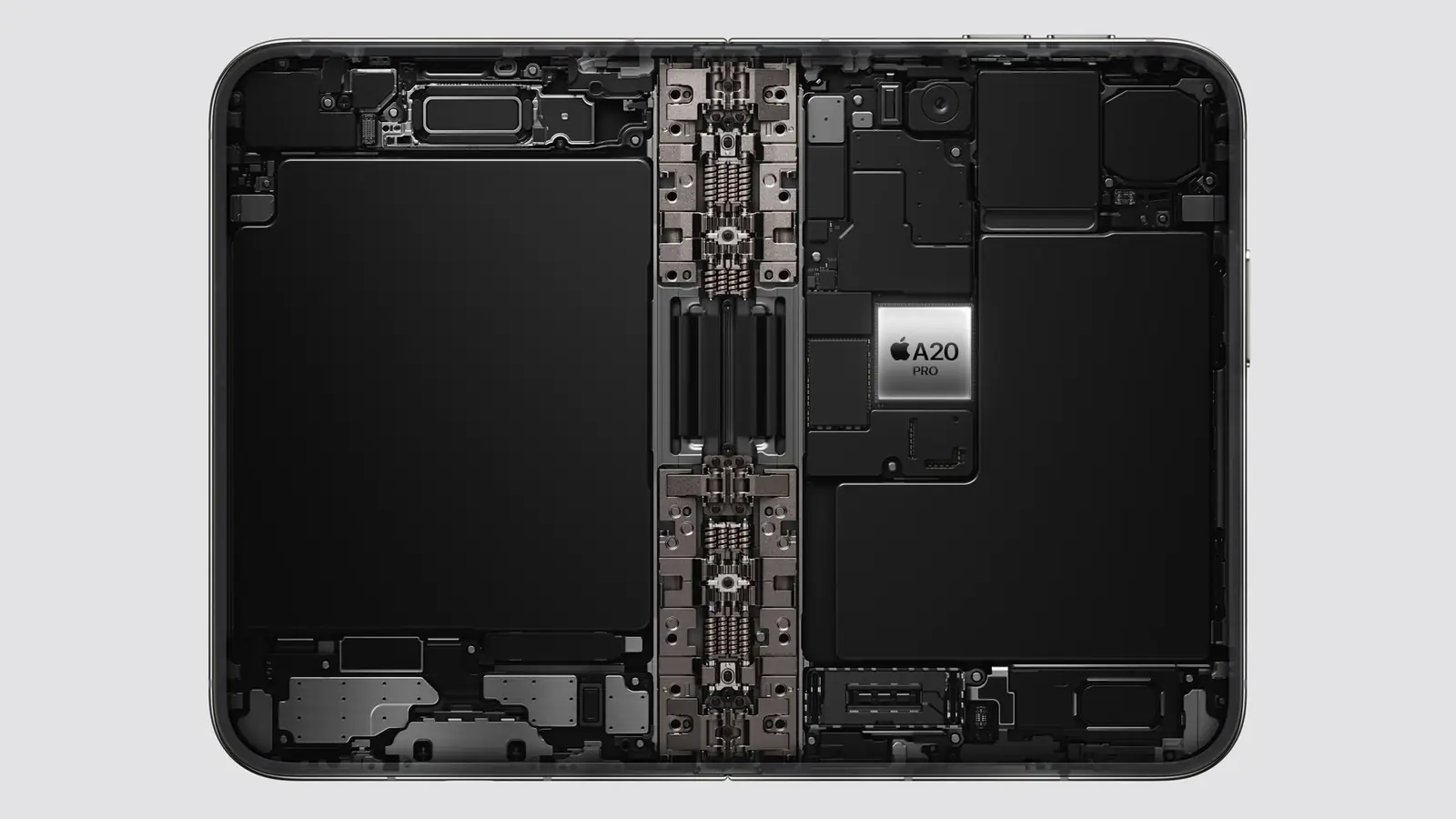
Fotograma de la transmisión del evento de Apple del 9 de septiembre de 2026, 11:09 a.m. PT: una batería en cada mitad y el A20 Pro en la placa.
La nota de prensa de Apple lista Split View para dos apps lado a lado “por primera vez en el iPhone”, dos ventanas de la misma app “como Safari” y pares de apps guardados.1 La charla sobre múltiples pantallas y escenas confirma el mecanismo: “El iPhone Duo es el primer iPhone que admite múltiples instancias de la interfaz de tu app. Si tu app lo admite en iPad, también lo hará en el iPhone Duo” (3:38).14 En iPad ese soporte es la clave UIApplicationSupportsMultipleScenes del manifiesto de escenas más el ciclo de vida de escenas a través de UIWindowScene, así que una app de iPhone que puso la clave en false para no tener que coordinar estado entre ventanas debería contar con revisarlo.7 Hay una regla específica del Duo: “En la pantalla externa del iPhone Duo no se pueden crear ventanas nuevas. Ese comportamiento está reservado a la pantalla interna”, así que “asegúrate de manejar los errores al solicitar escenas nuevas”, y la acción UIWindowSceneActivation “se oculta automáticamente cuando no hay ventanas nuevas disponibles” (3:53 a 4:11).14
La misma charla agrega los scene accessories, que “permiten que tu app muestre contenido en varias pantallas al mismo tiempo”, y uno específico del Duo: “el CameraCaptureAccessory te permite emparejar interfaz adicional en la pantalla externa, mientras la interfaz principal de tu app se queda en la pantalla interna”, disponible “cuando tu app está a pantalla completa en la pantalla interna y tu app tiene una sesión de cámara activa” (4:26 a 5:19).14 El ciclo de vida basado en escenas ya no es opcional: las notas de la RC de iOS 27 afirman que “las apps compiladas con el último SDK deben adoptar el ciclo de vida basado en escenas o no se lanzarán”, tema del post sobre el mandato de escenas.47
Split View con dos apps es trabajo del sistema, no tuyo, pero le entrega a tu app un ancho arbitrario a mitad de sesión. El redimensionamiento continuo, tema de la lista de verificación, decide si tu app recibe esas actualizaciones de tamaño o un único salto a un tamaño nuevo cuando termina el arrastre; las notas de Apple dicen que cada redimensionado de una app no continua “debería entregarse en cambio como un cambio discreto” con los bounds actualizados.4 La puerta es el SDK contra el que enlazas y la ausencia de UIRequiresFullScreen: compila con el SDK de iOS 27, deja esa clave fuera y el flujo de redimensionado es tuyo. La nota técnica de Apple sobre la clave obsoleta da la otra rama: con el SDK de iOS 27 la clave “ya no excluye a tu app del redimensionamiento” y, en su lugar, “el sistema redimensiona la escena de tu app de forma discreta”, de modo que “la escena no cambia de tamaño mientras la gente arrastra la ventana”.12 La charla agrega el matiz del Duo: “El iPhone Duo seguirá respetando la clave UI requires full screen, pero tu app igual se redimensionará cuando alguien abra o cierre su iPhone Duo”, y “respeta tus orientaciones de interfaz admitidas, pero tu app escalará en la pantalla interna, incluso en la multitarea de Split View” (4:36 a 4:49).14
StandBy en la pantalla externa es una superficie de widgets
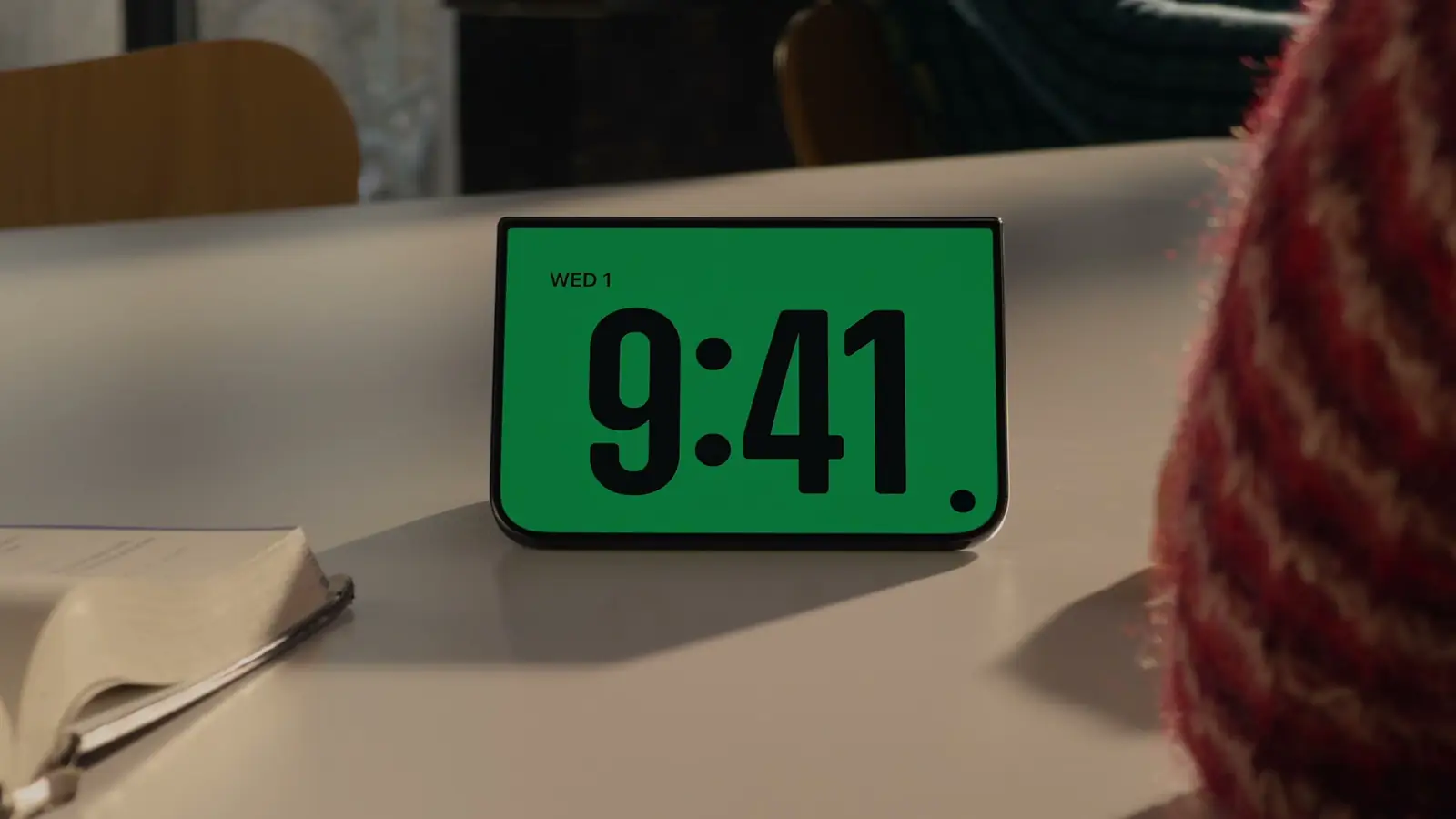
Fotograma de la transmisión del evento de Apple del 9 de septiembre de 2026, 11:05 a.m. PT: la postura de tienda de campaña que Apple mostró para StandBy.
La nota de prensa de Apple dice que StandBy corre en cualquiera de las dos pantallas “incluso cuando no está cargando”, con nuevas caras de Calendar y Weather y más personalización.1 Un teléfono plegable apoyado en un escritorio es una pantalla que mira hacia la habitación, y StandBy la llena de widgets. Los widgets y las Live Activities son las dos maneras en que una app aparece ahí; las directrices de Apple listan StandBy entre los lugares donde se muestra una Live Activity.15 Una app que no tiene ninguna de las dos está ausente de esa superficie. El post sobre la superficie de widgets argumenta que un único App Intent alimenta cada ubicación; el iPhone Duo agrega una ubicación que siempre está a la vista.
Las funciones de cámara de la pantalla externa —Duo Preview, Kid Cue y Duo FaceTime— son funciones del sistema.1 Las apps de cámara de terceros obtienen dos cosas, según la charla sobre la cámara. Una “Virtual Front Camera”, un “nuevo dispositivo de AV Capture que cambia automáticamente entre las cámaras físicas externa e interna”, que usa la cámara frontal de la pantalla interna cuando el dispositivo está abierto y la externa cuando está cerrado, con los tipos de dispositivo “built-in outer ultrawide” y “built-in inner ultrawide” para acceso directo (1:14 a 2:04). Y el CameraCaptureAccessory de la charla sobre escenas, que pone tu interfaz en la pantalla externa mientras la captura corre en la interna; como lo dice esa charla, “esto te permite mostrarle contenido a una persona mientras le tomas una foto o la grabas” (5:09).14
Touch ID, no Face ID
La ficha técnica lista un sensor de huella Touch ID y una cámara FaceTime bajo la pantalla, y ningún Face ID.2 Todos los iPhone desde el iPhone SE de 2022 han salido con Face ID, y muchas apps dejaron esas palabras fijas en el código. LAContext.biometryType reporta .touchID, .faceID o .none después de ejecutar canEvaluatePolicy, y las cadenas localizadas, los SF Symbols y los textos de onboarding deberían ramificarse a partir de ahí.6 Las apps que ya corren en iPad y en Mac suelen tener esto bien; las apps solo para iPhone, a menudo no.
El calendario
- 14 de septiembre: salieron iOS 27.0 (24A437) y Xcode 27 (27A266a), sin SDK para el Duo; el SDK 27.0 que decide el redimensionamiento es el de Xcode 27.10519
- 18 de septiembre: llega el iPhone 18 Pro, con iOS 27.10
- Más adelante en septiembre: la beta de Xcode 27.1, que la página para desarrolladores de Apple describe como la vía para “build, run, and test your app for iPhone Duo”, más la guía “Preparing your app for iPhone Duo”; la guía de diseño ya está en las Human Interface Guidelines. Group Labs el 16 y el 17 de septiembre y preguntas y respuestas en los foros el 23 de septiembre.1316 (17 de septiembre: la guía ya está publicada; consulta la actualización de arriba.20) (19 de septiembre: la beta de Xcode 27.1 salió el 18 de septiembre; ver la actualización del 19 de septiembre de arriba.22)
- 5 de octubre: Xcode 27.1 RC (27A9275), y App Store Connect abre el App Store a los builds hechos con él y con el SDK de iOS 27.1 (11 de octubre).23
- 15 de octubre: Xcode 27.1 (27A9275), la versión final, con el número de build de la RC; la entrada de App Store Connect del día acepta sus builds para la tienda y TestFlight con ese nombre.24
- 16 de octubre: abren las reservas del iPhone Duo a las 5 a.m. PT.1
- 23 de octubre: sale el iPhone Duo, con iOS 27.1.1

Qué hacer en estas seis semanas
- Enlaza contra el SDK de iOS 27, deja
UIRequiresFullScreenfuera del Info.plist y quédate con el redimensionamiento continuo en vez de los saltos de tamaño discretos. La lista de verificación es la auditoría. - Para las decisiones de layout, reemplaza las comprobaciones de bounds de pantalla, de idiom de dispositivo y de orientación de la interfaz por clases de tamaño y
onGeometryChange; la pantalla interna no respeta tus orientaciones admitidas y, cuando el código necesita una pantalla, la charla dice que hay que “acceder a ella dinámicamente desde la window scene” en lugar de la pantalla principal (4:14). - Activa las múltiples escenas si la app lo tolera, prueba dos ventanas primero en un iPad y maneja una solicitud de escena rechazada, ya que la pantalla externa no puede abrir ventanas nuevas.
- Corre la app en el modo de redimensionado de Device Hub a 669 por 951, a 951 por 669 y a 466 por 678, ya que esas son las formas en puntos que implican los tamaños de App Store Connect. El Resizable Canvas de las previews llega hoy a todas ellas; el simulador del iPhone Duo de Xcode 27.1 agrega controles de abrir, cerrar, rotar y plegar cuando salga. (19 de septiembre: la beta ya salió, con los límites del simulador citados en la actualización de arriba.22)
- Publica un widget si la app no tiene ninguno.
- Ramifica los textos de biometría según
biometryType. - Mira las seis Tech Talks y lee “Designing for iPhone Duo” ahora; entre todas describen las clases de tamaño, las reglas de escenas, las reserved regions, las arrangement views, los controles verticales y el accesorio de cámara. Xcode 27.1, la versión final desde el 15 de octubre, es donde los implementas y los pruebas.141624
Puntos clave
Para desarrolladores de iOS:
- App Store Connect dimensiona la pantalla interna del iPhone Duo en 2007 por 2853 píxeles, 669 por 951 puntos a 3x, sobre un panel de 1878 por 2670; la externa es de 466 por 678. Relación de 1.42, y ninguna de las dos formas existe en ningún otro iPhone.217
- El video 16:9 gana cerca de un 77 por ciento de área frente al iPhone 18 Pro en la pantalla interna y pierde una quinta parte de esa pantalla por el letterboxing; los documentos y los layouts de dos paneles son los que más ganan.23
- Split View, dos ventanas de una misma app y los pares de apps llegan al iPhone con el dispositivo; una app que admite múltiples instancias en iPad las admite aquí, con las ventanas nuevas solo en la pantalla interna.114
- Touch ID, no Face ID. Ramifica según biometryType.26
Para las decisiones de producto: - StandBy en la pantalla externa significa que un widget o una Live Activity son el mínimo para estar presente en el dispositivo.115 - El SDK del Duo no aparece en las notas de la RC de iOS 27 ni en las de Xcode 27; Apple fecha la beta de Xcode 27.1 para más adelante en septiembre; seis Tech Talks y las directrices “Designing for iPhone Duo” están disponibles hoy.45131416 (19 de septiembre: la beta de Xcode 27.1 salió el 18 de septiembre.22)
Preguntas frecuentes
¿Mi app actual corre en el iPhone Duo?
Sí, en tres niveles. La charla de Apple: “Tu app funcionará en el iPhone Duo aunque no la hayas compilado con el SDK de iOS 27”, abierta con “un tamaño y una relación de aspecto familiares”; con el SDK de iOS 27 se extiende “hacia la izquierda del área de la barra de estado en la pantalla interna”; con el SDK de iOS 27.1 “se extiende hasta el borde de la pantalla”.14 UIRequiresFullScreen se sigue respetando, pero la app se redimensiona cuando el dispositivo se abre o se cierra. La nota técnica de Apple sobre la clave obsoleta enuncia la regla general para el SDK de iOS 27: la clave “ya no excluye a tu app del redimensionamiento” y “el sistema redimensiona la escena de tu app de forma discreta”.1214
¿Qué clases de tamaño reporta el iPhone Duo?
Pantalla externa: vertical regular y horizontal compact en orientación vertical, compact en ambas en horizontal, como los demás iPhone. Pantalla interna: regular en ambas, según la Tech Talk de Apple.14
¿Cuáles son las dimensiones en puntos de las pantallas?
La ficha técnica de Apple da los píxeles del panel y la especificación de capturas de pantalla de App Store Connect lista las dimensiones de captura en píxeles: 2007 por 2853 para la pantalla interna y 1398 por 2034 para la externa, que a 3x son 669 por 951 y 466 por 678 puntos. Bajo el supuesto de una escala 3x, eso implica que la pantalla interna renderiza a 669 por 951 y escala hacia abajo cerca de un 6.4 por ciento en cada dimensión hasta su panel de 1878 por 2670, el arreglo que Apple listaba para los iPhone Plus; eso es una inferencia, y Device Hub la confirmará o la corregirá cuando llegue la beta de Xcode 27.1.21117
¿Ya hay un simulador del iPhone Duo o un perfil en Device Hub?
No en la RC de Xcode 27. La nota de prensa de Apple llama al soporte en Device Hub “upcoming”, la página para desarrolladores fecha la beta de Xcode 27.1 en “later this month”, y la primera Tech Talk muestra los controles de abrir, cerrar, rotar y plegar del simulador de Xcode 27.1.151314 (19 de septiembre: la beta de Xcode 27.1 (27A9269) salió el 18 de septiembre; consulta la actualización de arriba.22) (15 de octubre: Xcode 27.1, la versión final, build 27A9275, lista en sus notas los problemas conocidos del iPhone Duo Simulator.24)
¿Qué ha publicado Apple para desarrolladores hasta ahora?
Una página Get Ready for iPhone Duo, seis Tech Talks y un calendario: Group Labs el 16 y el 17 de septiembre, preguntas y respuestas en los foros el 23 de septiembre, talleres y la beta de Xcode 27.1 “later this month”, la página “Designing for iPhone Duo” en las Human Interface Guidelines y la guía “Preparing your app for iPhone Duo” marcada como disponible más adelante este mes.131416 (17 de septiembre: la guía ya está publicada; consulta la actualización de arriba.20) (19 de septiembre: la beta también ya salió.22)
¿El iPhone Duo tiene Face ID?
No. La ficha técnica lista un sensor de huella Touch ID.2
¿Cuándo llegan las APIs del Duo?
Con la beta de Xcode 27.1, que la página para desarrolladores de Apple dice que está “coming later this month”. El dispositivo sale el 23 de octubre con iOS 27.1.113 (19 de septiembre: la beta salió el 18 de septiembre.22) (11 de octubre: la RC, Xcode 27.1 RC (27A9275), salió el 5 de octubre, y App Store Connect acepta sus builds para el App Store.23) (15 de octubre: la versión final, Xcode 27.1 (27A9275), con el número de build de la RC.24)
Fuentes
-
Apple Newsroom, Apple unveils iPhone Duo, 9 de septiembre de 2026. La frase para desarrolladores, Split View y la multitarea, StandBy, las funciones de cámara, precios y fechas, el requisito de iOS 27.1. ↩↩↩↩↩↩↩↩↩↩↩↩↩↩↩↩
-
Apple, iPhone Duo Tech Specs, consultada el 9 de septiembre de 2026: pantalla interna de 1878 por 2670 píxeles a 430 ppi, pantalla externa de 1398 por 2034 píxeles a 460 ppi, sensor de huella Touch ID, cámara FaceTime bajo la pantalla; abierto, 6.48 por 4.64 pulgadas, 0.21 pulgadas de grosor, 8.96 onzas; cerrado, 3.31 por 4.64 pulgadas. Los tamaños físicos de este post son aritmética del autor a partir de esas cifras de panel y esas densidades; las dimensiones en puntos derivan de los tamaños de captura de la nota 17 bajo un supuesto de escala 3x. ↩↩↩↩↩↩↩↩↩↩↩↩↩
-
Apple, iPhone 18 Pro Tech Specs, consultada el 9 de septiembre de 2026: 1206 por 2622 píxeles y 1320 por 2868 píxeles a 460 ppi. ↩↩↩
-
Documentación para desarrolladores de Apple, iOS & iPadOS 27 RC Release Notes, consultadas el 9 de septiembre de 2026. Ninguna mención del iPhone Duo; entradas sobre el redimensionamiento continuo. ↩↩↩↩↩
-
Documentación para desarrolladores de Apple, Xcode 27 RC Release Notes, consultadas el 9 de septiembre de 2026. Entradas sobre Device Hub; ninguna mención del iPhone Duo. ↩↩↩↩↩
-
Documentación para desarrolladores de Apple, LAContext.biometryType. ↩↩
-
Documentación para desarrolladores de Apple, UIApplicationSupportsMultipleScenes y UIWindowScene. ↩↩
-
Documentación para desarrolladores de Apple, horizontalSizeClass. ↩
-
Hacker News, discusión iPhone Duo, 9 de septiembre de 2026. Solo reacciones; el post no toma de ahí ningún dato del producto. ↩
-
Apple Newsroom, Apple debuts iPhone 18 Pro and iPhone 18 Pro Max, 9 de septiembre de 2026: “Pre-orders begin Saturday, September 12, with availability beginning Friday, September 18”; “iOS 27 will be available as a free software update on Monday, September 14.” ↩↩
-
Apple Human Interface Guidelines, Layout, datos de la página guardados el 9 de septiembre de 2026: la tabla de clases de tamaño lista todos los iPad, incluido el iPad mini de 7.9 pulgadas con 768 por 1024 puntos, como regular width en vertical; la tabla de dimensiones de dispositivo da el iPad mini de 8.3 pulgadas como 744 por 1133 puntos, el iPhone 17 Pro como 402 por 874 puntos (1206 por 2622 píxeles a 3x) y los iPhone 8 Plus, 7 Plus, 6s Plus y 6 Plus como 414 por 736 puntos a 3x sobre 1080 por 1920 píxeles. ↩↩↩↩
-
Documentación para desarrolladores de Apple, TN3192: Migrating your iPad app from the deprecated UIRequiresFullScreen key, revisión fechada el 13 de agosto de 2026, consultada el 9 de septiembre de 2026: “Starting in iOS 27 and iPadOS 27, UIRequiresFullScreen no longer opts your app out of resizing. Instead, the system resizes your app’s scene discretely.” “With a discrete resize, the scene doesn’t change size while people drag the window.” ↩↩
-
Apple Developer, Get Ready for iPhone Duo, consultada el 9 de septiembre de 2026 a la 1:12 p.m. PT, y la entrada de noticias para desarrolladores Get ready for iPhone Duo, fechada el 9 de septiembre de 2026 a las 11:00 a.m. PDT en el feed de noticias de Apple: “Xcode 27.1 beta. Get the latest SDKs to build, run, and test your app for iPhone Duo. Coming later this month”; “Designing for iPhone Duo … Coming soon”; “Preparing your app for iPhone Duo … Coming later this month”; Group Labs el 16 de septiembre de 8 a 9 p.m. PT y el 17 de septiembre de 8 a 9 a.m. PT; preguntas y respuestas el 23 de septiembre; talleres “Coming later this month.” ↩↩↩↩↩↩↩↩↩↩↩
-
Apple Developer Tech Talks, Prepare your app for iPhone Duo, Raise the bar with iPhone Duo, Strike a pose with adaptive layouts on iPhone Duo, Leverage multiple displays and scenes on iPhone Duo, Build a great camera experience for iPhone Duo y Design for iPhone Duo, consultadas el 9 de septiembre de 2026. Los títulos y las descripciones breves provienen de la página de cada charla; las frases citadas con marcas de tiempo provienen de las pistas de subtítulos en inglés de las charlas: Prepare your app (David Jackson, UI Frameworks) 0:04, 0:29, 0:36, 0:41, 0:49, 0:57, 1:05, 1:11, 1:16, 1:21, 1:25, 3:08, 3:20, 3:46, 3:50, 3:55, 3:57, 4:14, 4:36, 4:45, 5:19, 5:24, 6:18, 7:24; Multiple displays and scenes 3:38, 3:53, 4:05, 4:08, 4:26, 4:59, 5:09, 5:14; Camera 1:14, 1:20, 1:27, 1:34, 1:58, 2:04; Strike a pose 0:47 (reserved regions), 2:13 (displacement), 2:18 (Arrangements). ↩↩↩↩↩↩↩↩↩↩↩↩↩↩↩↩↩↩↩↩↩↩
-
Apple Human Interface Guidelines, Live Activities: las Live Activities aparecen en la pantalla de bloqueo, en la pantalla de inicio, en la Dynamic Island y en StandBy en el iPhone. ↩↩
-
Apple Human Interface Guidelines, Designing for iPhone Duo, entrada del registro de cambios fechada el 9 de septiembre de 2026: “New page. Introduces the fundamental concepts of designing for iPhone Duo, including device poses, dynamic layouts across dual displays, and toolbars and tab bars on the vertical axis.” Consultada el 9 de septiembre de 2026 a las 4:15 p.m. PT; la página para desarrolladores de Apple ya la enlazaba en lugar de “Coming soon” a las 4:10 p.m. PT. Las citas de la sección sobre la guía de diseño son textuales de la página; los enlaces para desarrolladores de la página son ToolbarItemVisibilityPriority, ToolbarOverflowMenu, ToolbarItemGroup, UIBarButtonItemVisibilityPriority, UIBarButtonItem, UIBarButtonItemGroup, UINavigationItem.additionalOverflowItems, NavigationSplitView, UISplitViewController, HStack, VStack, ZStack, Label y los insets del área segura de SwiftUI y UIKit. ↩↩↩↩↩↩↩↩↩↩↩↩↩
-
Apple, App Store Connect Help, Screenshot specifications, consultada el 10 de septiembre de 2026 a las 10:40 a.m. PT, y App preview specifications (“Device resolutions 2034 × 1398 pixels, 2853 × 2007 pixels”; “Support for uploading assets for this device in App Store Connect will be available later this year”); notas de versión de App Store Connect, entrada fechada el 9 de septiembre de 2026: “The app preview and screenshot specifications for iPhone Duo, iPhone 18 Pro Max, iPhone 18 Pro, Apple Watch Ultra 4, and Apple Watch Series 12 have been added.”; Apple Developer, Releases, “App Store Connect Update”, 9 de septiembre de 2026, 3:00 p.m. PT, transportada por el feed RSS de releases (consultado el 10 de septiembre de 2026 a las 11:37 a.m. PT) con pubDate “Wed, 09 Sep 2026 15:00:00 PDT.” Fila de capturas de pantalla: “iPhone Duo. Screenshot size 1398 × 2034 pixels, 2034 × 1398 pixels (outer display); 2007 × 2853 pixels, 2853 × 2007 pixels (inner display)”; la fila de 5.5 pulgadas (iPhone 8 Plus, 7 Plus, 6s Plus, 6 Plus) pide 1242 x 2208 píxeles. Una descarga de la página el 9 de septiembre no siguió su redirección y se malinterpretó como si no tuviera fila de iPhone Duo. Corregido el 7 de octubre de 2026: Apple abrió los envíos para el iPhone Duo el 5 de octubre de 2026: “You can submit your iPhone Duo optimized apps and games in App Store Connect today. Starting April 2027, any apps or games submitted will need to include screenshots for iPhone Duo.” (Ya puedes enviar en App Store Connect tus apps y juegos optimizados para el iPhone Duo; a partir de abril de 2027, todas las apps y juegos que se envíen deberán incluir capturas de pantalla para el iPhone Duo.) Apple Developer, News, “Prepare and submit your apps for iPhone Duo”, 5 de octubre de 2026, https://developer.apple.com/news/?id=kkphp5qo. ↩↩↩↩↩↩↩↩
-
Apple Developer, Design Resources, Product Bezels, iPhone Duo (Bezel-iPhone-Duo.dmg, “Photoshop, PNG”), consultada el 10 de septiembre de 2026. Recortes de pantalla medidos por el autor a partir de los canales alfa de los PNG: Inner Open Landscape 2853 por 2007 dentro de un marco de 3093 por 2247 con un borde de 120 píxeles en cada lado; Outer Closed Portrait 1398 por 2034 dentro de 1574 por 2194, contando cada fila con alguna transparencia; las filas superior e inferior de la abertura tienen alfa 1, así que un recuento de píxeles totalmente transparentes da 2032 (corregido el 2 de octubre de 2026). ↩
-
Apple Developer, feed RSS de Releases, obtenido el 15 de septiembre de 2026: “Xcode 27 (27A266a)”, “iOS 27.0 (24A437)”, “iPadOS 27.0 (24A437)”, “macOS 27.0 (26A428)”, “tvOS 27.0 (24J361)”, “visionOS 27.0 (24M362)” y “watchOS 27.0 (24R364)”, todos con fecha del lunes 14 de septiembre de 2026. iOS & iPadOS 27 Release Notes y Xcode 27 Release Notes, obtenidas el 15 de septiembre de 2026 a través del JSON de documentación de Apple tras la publicación de la versión final: cero coincidencias de “Duo”, sin distinguir mayúsculas, en ambos documentos; el índice de Xcode Release Notes lista una entrada 27 y ninguna 27.1. Apple Developer, Get Ready for iPhone Duo, obtenida el 15 de septiembre de 2026: “Xcode 27.1 beta. Get the latest SDKs to build, run, and test your app for iPhone Duo. Coming later this month”; “Preparing your app for iPhone Duo. Learn how to build and update your app to dynamically resize and adjust its layouts for iPhone Duo. Coming later this month”; Group Labs el 16 y el 17 de septiembre, preguntas y respuestas el 23 de septiembre, talleres “Coming later this month”. Apple, App Store Connect release notes, entrada del 9 de septiembre de 2026: “You can now upload apps built with Xcode 27 RC using the SDK for iOS 27.0 RC, iPadOS 27.0 RC, macOS 27.0 RC, tvOS 27.0 RC, visionOS 27.0 RC, and watchOS 27.0 RC for the App Store, and for internal and external testing through TestFlight.” El feed obtenido el 15 de septiembre lleva un único elemento RC, “iOS 27.0 RC (24A437)”, con fecha del viernes 11 de septiembre de 2026, y ningún elemento de Xcode 27 RC. ↩↩↩↩↩
-
Apple, Xcode 27.2 Beta Release Notes, obtenidas a través del endpoint JSON de documentación el 17 de septiembre de 2026, Overview: “The iOS SDK and simulator support for iPhone Duo will be available later this month in an upcoming release of Xcode 27.1.” “Duo” aparece una vez en ese documento y cero veces en las iOS & iPadOS 27.2 Beta Release Notes obtenidas de la misma manera; los Known Issues de Device Hub en las notas de Xcode son 181945323 y 182553164. Apple, Releases, feed RSS obtenido el 17 de septiembre de 2026: “Xcode 27.2 beta (27B5019j)” y “iOS 27.2 beta (24B5084k)” con fecha del miércoles 16 de septiembre de 2026; ningún título de ítem contiene 27.1. Apple, página para desarrolladores del iPhone Duo, obtenida el 17 de septiembre de 2026, Tools and documentation, tres elementos leídos en orden: “Xcode 27.1 beta”; “Get the latest SDKs to build, run, and test your app for iPhone Duo”; “Coming later this month”. En la misma página, la tarjeta “Preparing your app for iPhone Duo” decía “Coming later this month” al obtenerla el 15 de septiembre de 2026 y “Explore documentation” el 17 de septiembre, con enlace a la guía. Apple, Preparing your app for iPhone Duo, Technology Overviews, obtenida a través del endpoint JSON de documentación el 17 de septiembre de 2026: “Build your app with Xcode 27.1 or later to use all of the available screen space on iPhone Duo. In earlier versions, your app doesn’t extend under the status bar and camera.” “The iPhone Duo simulator in Device Hub requires Xcode 27.1, coming later this month.” Los nombres de API de la actualización son los de la guía; no indica ninguna dimensión de pantalla. ↩↩↩↩↩↩↩↩↩
-
Comprobación del autor del SDK de iOS 27.0 dentro de Xcode 27.0 (27A266a), 17 de septiembre de 2026:
xcrun --sdk iphoneos --show-sdk-versionimprime 27.0 conDEVELOPER_DIRapuntando a ese Xcode. Una búsqueda de texto en la interfaz del módulo de SwiftUI (SwiftUI.swiftmodule/arm64e-apple-ios.swiftinterface) y en todos los encabezados deUIKit.framework/Headersno encuentra ninguna aparición deArrangementView,UIArrangementViewController,ReservedRegion,reservedRegions,VerticalBehavior,VerticalBarBehavior,verticalBarEdge,toolbarVerticalEdgeniaxisBehavior. La misma búsqueda encuentrapresentationPlacementen SwiftUI bajo@available(anyAppleOS 27.0, *),preferredPlacementenUISheetPresentationController.hbajoAPI_AVAILABLE(ios(27.0), tvos(27.0), visionos(27.0)),visibilityPriorityen SwiftUI bajo@available(iOS 27.0, macOS 26.1, watchOS 27.0, tvOS 27.0, visionOS 27.0, *)y enUIBarButtonItem.hbajoAPI_AVAILABLE(ios(27.0), tvos(27.0), visionos(27.0)),ToolbarOverflowMenuytopBarPinnedTrailingen SwiftUI bajo@available(iOS 27.0, visionOS 27.0, *),pinnedTrailingGroupyadditionalOverflowItemsenUINavigationItem.hbajoAPI_AVAILABLE(ios(16.0)),backgroundExtensionEffecten SwiftUI bajo@available(iOS 26.0, macOS 26.0, tvOS 26.0, watchOS 26.0, visionOS 26.0, *), yUIBackgroundExtensionView.hen los encabezados de UIKit. ↩ -
Apple, Releases, feed RSS descargado el 19 de septiembre de 2026: “Xcode 27.1 beta (27A9269)” con fecha Fri, 18 Sep 2026 10:00:00 PDT, “TestFlight Update” con fecha Fri, 18 Sep 2026 14:00:00 PDT. Apple, Xcode 27.1 Beta Release Notes, descargadas por el endpoint JSON de la documentación el 19 de septiembre de 2026: Overview, citado; Mac Catalyst, Known Issues (185924957, 187046347, con sus soluciones); Previews, New Features (182598534); Simulator, Known Issues (187708500, 187708663, 187708767); sin otras secciones. Apple, Xcode 27.2 Beta Release Notes, descargadas el 17 y el 19 de septiembre de 2026: las descargas difieren solo en el Overview, donde la frase del 17 de septiembre citada en 20 queda reemplazada por un recuadro, “Download Xcode 27.1 beta to get the iOS SDK and simulator support for iPhone Duo.”, con enlace a https://developer.apple.com/download/applications/. JSON de documentación de Apple descargado el 19 de septiembre de 2026,
metadata.platformsen cada página: ArrangementView, UIArrangementViewController, reservedRegions(kind:options:layoutDirectionBehavior:), reservedRegions(kind:options:) y toolbarVerticalBehavior(_:): cada una lista iOS 27.1 e iPadOS 27.1 con la marca beta activada. Apple, notas de versión de App Store Connect, 18 de septiembre de 2026, TestFlight update, citada completa. Apple, Preparing your app for iPhone Duo, descargada por el endpoint JSON de la documentación el 17 y el 19 de septiembre de 2026; ambas frases citadas de cada descarga. Apple, página para desarrolladores del iPhone Duo, descargada el 17 y el 19 de septiembre de 2026: bajo Tools and documentation, el tercer elemento de la ficha “Xcode 27.1 beta” decía “Coming later this month” el 17 de septiembre y “View betas” el 19 de septiembre. Apple, “Build for iPhone Duo with new resources”, noticias, 18 de septiembre de 2026: “Get Xcode 27.1 beta.” y “Get Figma and Sketch design kits for iPhone Duo from the Apple Design Resources.” ↩↩↩↩↩↩↩↩↩↩↩↩↩↩↩ -
Apple, Releases, feed RSS descargado el 11 de octubre de 2026: “Xcode 27.1 RC (27A9275)” con fecha Mon, 05 Oct 2026 10:00:00 PDT y “Xcode 27.1 beta (27A9269)” con fecha Fri, 18 Sep 2026 10:00:00 PDT. Apple, App Store Connect release notes, descargadas el 11 de octubre de 2026, entrada con fecha del 5 de octubre de 2026: “You can now upload apps built with Xcode 27.1 RC using the SDK for iOS 27.1, iPadOS 27.0, macOS 27.0, tvOS 27.0, visionOS 27.0, and watchOS 27.0 for the App Store, and for internal and external testing through TestFlight.” ↩↩↩↩
-
Apple, Releases, feed RSS consultado el 15 de octubre de 2026 a las 17:16 hora del Pacífico (00:16 UTC, 16 de octubre): “Xcode 27.1 (27A9275)” con fecha Thu, 15 Oct 2026 13:00:00 PDT, el mismo número de build que el ítem de la RC del 5 de octubre de la consulta del 11 de octubre, que el feed ya no incluye. Apple, Xcode 27.1 Release Notes, obtenidas a través del endpoint JSON de la documentación el 15 de octubre de 2026 a las 17:21 hora del Pacífico, con el título cambiado desde “Xcode 27.1 RC Release Notes”; Overview: “Xcode 27.1 includes Swift 6.4 and SDKs for iOS 27.1, iPadOS 27, tvOS 27, watchOS 27, macOS 27, and visionOS 27.”; los dos Known Issues del iPhone Duo Simulator, 187708663 y 187708767, sin cambios. Apple, App Store Connect release notes, consultadas el 15 de octubre de 2026 a las 17:20 hora del Pacífico, entrada con fecha del 15 de octubre de 2026, “App Store Connect updates”: “You can now upload apps built with Xcode 27.1 using the SDK for iOS 27.1, iPadOS 27.0, macOS 27.0, tvOS 27.0, visionOS 27.0, and watchOS 27.0 for the App Store, and for internal and external testing through TestFlight.” y “Submit your iPhone Duo optimized apps and games in App Store Connect today. Starting April 2027, any apps or games submitted will need to include screenshots for iPhone Duo.” El feed de noticias para desarrolladores de Apple, consultado en la misma hora, no tiene ningún ítem sobre esta versión. ↩↩↩↩↩↩↩











