Liquid Glass en SwiftUI: tres patrones de lanzar Return en iOS 26

El Liquid Glass de Apple es una API de SwiftUI de una sola línea: .glassEffect().1 Return, mi temporizador de meditación, lo usa nueve veces a lo largo de iOS, macOS y tvOS.2 Uno de esos usos aplica el modificador a un Shape personalizado que convierte los números mismos del temporizador en liquid glass, glifo a glifo.
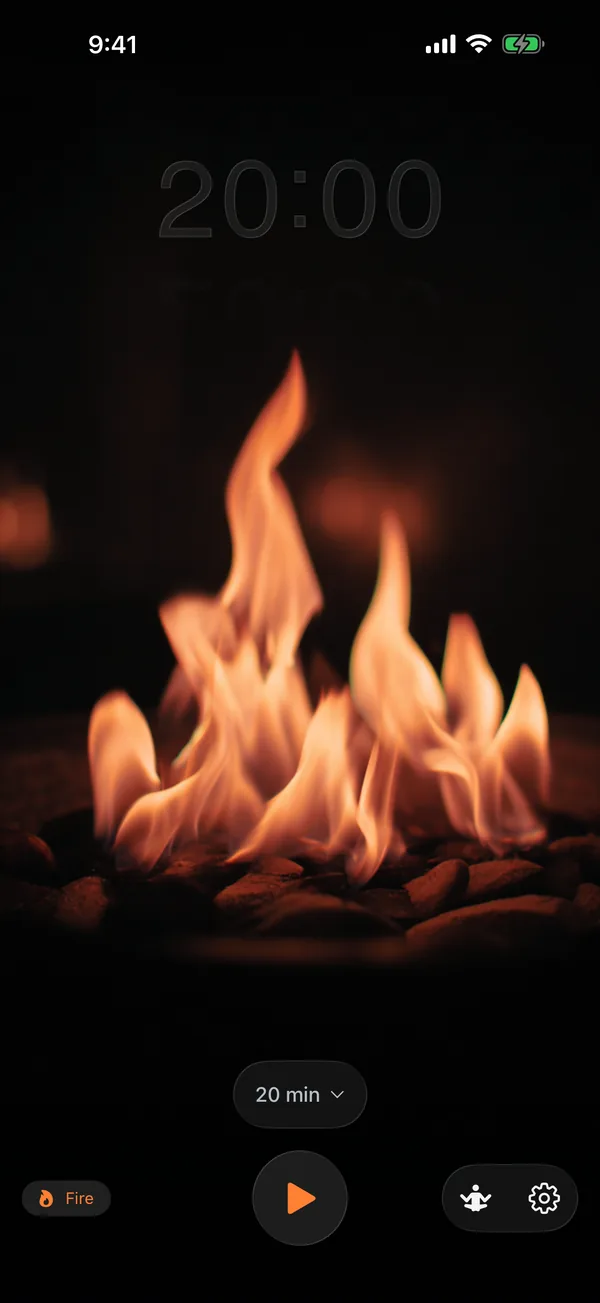
La pregunta interesante es qué ocurre cuando vas más allá de esa única línea. Las Human Interface Guidelines de Apple establecen una regla de capas estricta: el Liquid Glass pertenece a la capa funcional (controles, navegación, UI transitoria) y nunca a la capa de contenido.3 La mayoría de los nueve usos de Return son aplicaciones de manual de la capa funcional: selectores, botones, tiras de control, insignias de estado en pausa. Los usos interesantes son los tres que doblan las reglas sin romperlas.
Este ensayo recorre tres patrones que lancé, las reglas que respetan, las trampas que me atraparon y la superficie de API que deliberadamente no usé.
Las Human Interface Guidelines de Apple definen el Liquid Glass mediante tres variantes de material. La variante regular adapta su aspecto a lo que sea que esté debajo (ejemplo de la izquierda, oscuro; ejemplo de la derecha, claro); la variante clear deja que el detalle subyacente se vea con mucho menos filtrado:3
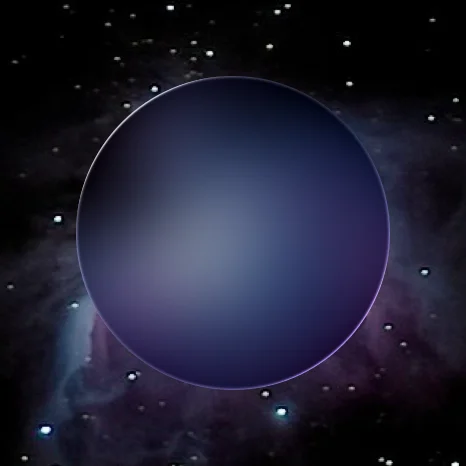
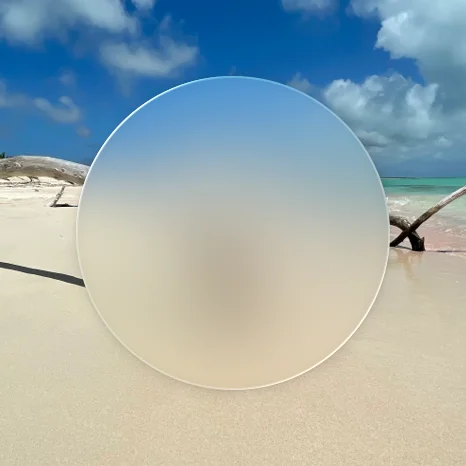
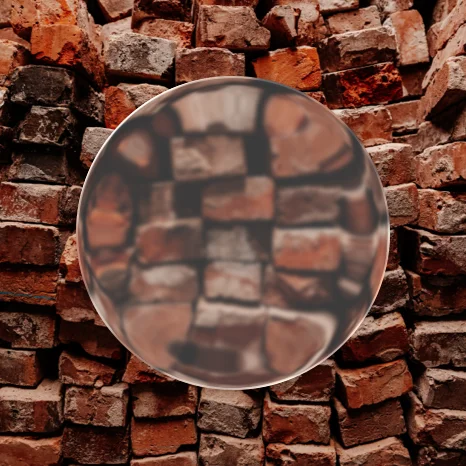
Imágenes de referencia de la página Materials de la HIG de Apple.3 Ambas variantes son lo que .glassEffect() produce en SwiftUI; la elección entre ellas es un único argumento del modificador.
TL;DR
- iOS 26 lanza el Liquid Glass como
.glassEffect(_:in:). La variante por defecto es.regulary la forma por defecto esCapsule.1 - Return usa tres patrones que van más allá de la única línea: glass sobre un
Shapepersonalizado (texto del temporizador mediante trazados de glifos de Core Text), el patrón de espejo (reflejo debajo mediante una copia invertida y enmascarada) y superposiciones HUD de la capa funcional. - La regla de la HIG de Apple: Liquid Glass para la capa funcional, materiales estándar para la capa de contenido.3
- Deliberadamente no usé
GlassEffectContainer. La API de morphing no tiene caso de uso en Return (ningún elemento glass se anima para transformarse en otro), y no he medido la diferencia de rendimiento de renderizado; esto es una concesión no medida, no una recomendación.1 - Trampas: el glass sobre un fondo plano se lee como plano; el renderizado de dígitos sin temblor necesita celdas de ancho fijo; el
HStackde tvOS ignora el valor de entorno de dirección de diseño; el reduce-motion debe respetarse en la animación de morph.
Para patrones de UI de Apple adyacentes, lee el análisis a fondo del protocolo de layout de SwiftUI, el sistema tipográfico SF Pro y el vocabulario de Symbol Effects.
La API de una sola línea y la regla de capas
Apple lanza el Liquid Glass con una superficie reducida, presentada como un pilar de diseño importante en la WWDC 2025:113
Text("Hello, World!")
    .font(.title)
    .padding()
    .glassEffect()                              // default: .regular variant, Capsule shape

Text("Hello, World!")
    .glassEffect(in: .rect(cornerRadius: 16))   // custom shape

Text("Hello, World!")
    .glassEffect(.regular.tint(.orange).interactive())  // tint + touch reactivity
Tres perillas: variante (.regular o .clear), forma (cualquier Shape) y una cadena GlassEffectStyle (tinte, interactividad). Esa es toda la API para una sola vista. El renderizado de múltiples vistas lo gestiona un GlassEffectContainer aparte, al que llegaré más adelante.
La HIG es más estricta que la API. Las Human Interface Guidelines de Apple definen dos capas en toda interfaz de iOS 26+:3
- La capa de contenido: el documento, la lista, la foto o el contenido multimedia que una persona está consumiendo. Usa materiales estándar aquí (los ya existentes
.regularMaterial,.thinMaterial, etc.). - La capa funcional: controles, navegación, barras de pestañas, barras laterales, superposiciones transitorias. Usa Liquid Glass aquí.
La instrucción específica de Apple: “Don’t use Liquid Glass in the content layer. Liquid Glass works best when it provides a clear distinction between interactive elements and content, and including it in the content layer can result in unnecessary complexity and a confusing visual hierarchy.”3
La regla suena restrictiva hasta que la mapeas sobre una app real. Return es un temporizador de meditación. Su capa de contenido son las imágenes de respiración y el video en bucle que corre detrás de todo. Su capa funcional es el selector de duración, la pila de botones de iniciar/pausar/detener, la fila secundaria de botones de configuración y (en tvOS) la insignia de estado en pausa. Ocho de los nueve usos de glass de Return son aplicaciones de manual de la capa funcional: tres variantes del selector de duración para las rutas de código de iOS y macOS, el conmutador de iniciar/pausar, el botón de detener, la fila de botones de configuración, el indicador de pausa de tvOS y una superposición de control transitorio más.4
El noveno es el caso límite deliberado (Liquid Glass sobre los números mismos del temporizador), que la siguiente sección recorre.
Patrón 1: glass sobre un Shape personalizado
Los números del temporizador en Return no son texto dibujado sobre un fondo de glass. El glass es el texto. .glassEffect(.clear, in:) acepta cualquier Shape,9 y un Shape es un protocolo que produce un Path.10 Así que el truco es: convertir la cadena del temporizador en un trazado de glifos usando Core Text,11 y luego pasar ese trazado-como-Shape a .glassEffect.56
import SwiftUI
@preconcurrency import CoreText

struct GlassTextShape: Shape {
    let text: String
    let font: CTFont

    func path(in rect: CGRect) -> Path {
        guard !text.isEmpty else { return Path() }
        let combinedPath = CGMutablePath()

        let attrString = NSAttributedString(string: text, attributes: [.font: font])
        let line = CTLineCreateWithAttributedString(attrString)
        guard let runs = CTLineGetGlyphRuns(line) as? [CTRun], !runs.isEmpty else {
            return Path()
        }

        for run in runs {
            let glyphCount = CTRunGetGlyphCount(run)
            guard glyphCount > 0 else { continue }
            var glyphs = [CGGlyph](repeating: 0, count: glyphCount)
            var positions = [CGPoint](repeating: .zero, count: glyphCount)
            let range = CFRange(location: 0, length: glyphCount)
            CTRunGetGlyphs(run, range, &glyphs)
            CTRunGetPositions(run, range, &positions)

            for i in 0..<glyphCount {
                guard let glyphPath = CTFontCreatePathForGlyph(font, glyphs[i], nil) else { continue }
                let transform = CGAffineTransform(translationX: positions[i].x, y: positions[i].y)
                combinedPath.addPath(glyphPath, transform: transform)
            }
        }

        // Core Text y-axis is flipped vs SwiftUI; flip then re-bound and center.
        var swiftPath = Path(combinedPath).applying(CGAffineTransform(scaleX: 1, y: -1))
        let flippedBounds = swiftPath.boundingRect
        let offsetX = rect.midX - flippedBounds.midX
        let offsetY = rect.midY - flippedBounds.midY
        return swiftPath.applying(CGAffineTransform(translationX: offsetX, y: offsetY))
    }
}
Código de producción real de Return/Return/GlassTextShape.swift.5 La función path(in:) usa Core Text para componer la cadena, recorre cada CTRun, extrae el CGPath de cada glifo y los une en un solo CGMutablePath. Los dos pasos no obvios vienen después de la unión: el sistema de coordenadas de Core Text coloca el origen abajo a la izquierda, mientras que el Path de SwiftUI lo pone arriba a la izquierda, así que el trazado debe invertirse mediante CGAffineTransform(scaleX: 1, y: -1). Luego, el boundingRect del trazado invertido tiene valores de y negativos, así que una traslación lo vuelve a centrar dentro del rect que SwiftUI le entrega al Shape. Si te saltas cualquiera de las dos transformaciones, los glifos se renderizan al revés o fuera de la pantalla.
Entonces la aplicación es una sola línea:
Rectangle()
    .fill(.clear)
    .glassEffect(.clear, in: textShape)
    .frame(width: cellWidth, height: cellHeight)
El Rectangle clear es un marcador de posición que sirve de objetivo táctil; lo visual real es la forma que textShape produzca. Con una forma de trazado de glifos, el material Liquid Glass rellena solo los contornos de los glifos. El resultado: cada dígito del temporizador es una forma de liquid glass separada, que refracta cualquier animación que corra detrás de él.6
El matiz de la HIG. La regla declarada de Apple es Liquid Glass para la capa funcional, materiales estándar para la capa de contenido, con una excepción explícita: los controles interactivos transitorios en la capa de contenido (deslizadores, conmutadores) pueden adoptar Liquid Glass cuando se activan.3 Los números del temporizador en Return son una visualización de estado, no un control: se actualizan una vez por segundo desde Timer.publish(every: 1, ...) y no tienen gesto de toque (el botón de iniciar/pausar debajo de ellos es lo que alterna el estado). Así que ponerles Liquid Glass es un caso límite deliberado, más cercano a un “control interactivo transitorio” por intención que por interactividad literal, ya que los números son el punto focal visual que los usuarios observan durante toda la sesión. Estoy doblando la regla, no rompiéndola. Un revisor que lea la HIG de forma estricta podría argumentar que esto debería ser material estándar; yo argumento que el temporizador es una superficie de control de tiempo transcurrido de la misma familia que un indicador de progreso. Los documentos de Apple no resuelven el caso directamente.
Por qué un Shape personalizado en lugar de Text + fondo. Un Text renderizado sobre un fondo de glass se lee como texto sobre glass. Un Text renderizado como glass en sí mismo se lee como una categoría visual distinta. El usuario percibe los números como primer plano funcional, específicamente como un elemento transitorio que existe para mirarse a través de él, no hacia él.
Patrón 2: el patrón de espejo
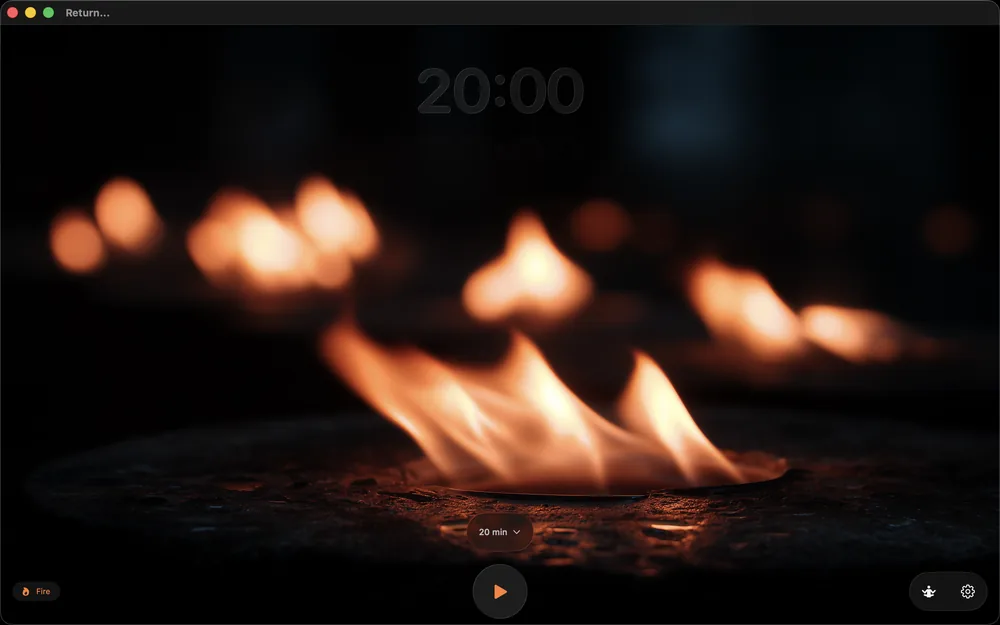
Return muestra un reflejo del temporizador debajo de él, que se desvanece. Código de producción real:6
VStack(spacing: 0) {
    GlassTimerText(text: displayTime, fontSize: fontSize)
        .accessibilityLabel("Time remaining: \(accessibleDescription)")

    if showReflection {
        GlassTimerText(text: displayTime, fontSize: fontSize)
            .scaleEffect(x: 1, y: -1)
            .mask(
                LinearGradient(
                    stops: [
                        .init(color: .white.opacity(0.2), location: 0),
                        .init(color: .clear, location: 0.6)
                    ],
                    startPoint: .top,
                    endPoint: .bottom
                )
            )
            .offset(y: -8)
            .accessibilityHidden(true)
    }
}
Tres transformaciones componen el espejo, todas primitivas estándar de SwiftUI:14
scaleEffect(x: 1, y: -1)invierte la segunda copia de cabeza..mask(LinearGradient(...))desvanece el reflejo desde el 20 % de opacidad arriba hasta totalmente transparente al 60 % hacia abajo..offset(y: -8)jala el reflejo 8 puntos hacia arriba para que quede pegado al original en lugar de dejar una costura visible.
El modificador .accessibilityHidden(true) sobre el reflejo es estructural. VoiceOver no debería anunciar el tiempo reflejado dos veces; el accessibilityLabel y el accessibilityAddTraits(.updatesFrequently) del original ya están adjuntados a la instancia principal de GlassTimerText de arriba, y el reflejo es puramente decorativo.
Por qué esto funciona específicamente con Liquid Glass. El reflejo hereda el material glass de GlassTimerText. Cualquier fondo sobre el que se asiente el original (un degradado de círculo de respiración, un video, una escena tintada) se refracta a través de ambas copias. El espejo no necesita ningún código específico de glass; el material glass gestiona la refracción de forma gratuita. Todo el efecto son tres modificadores y un degradado.
El costo de accesibilidad. Los usuarios de reduce-motion siguen viendo el espejo, pero la animación del material glass entre actualizaciones de tiempo se suprime en otro lugar mediante @Environment(\.accessibilityReduceMotion).7 El reflejo en sí es estático; solo el morph entre transiciones de dígitos se anima.
Patrón 3: superposiciones HUD de glass para controles transitorios
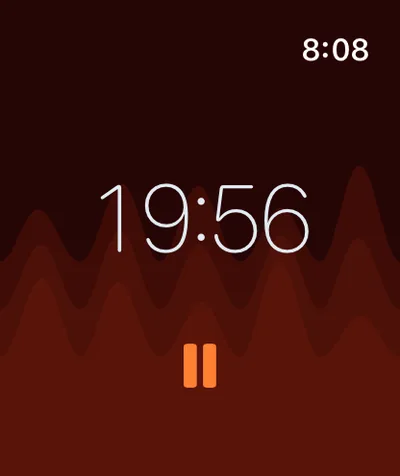
Los ocho usos de glass restantes en Return son aplicaciones de manual de la capa funcional.4 Cada uno sigue el mismo patrón:
durationPicker
    .frame(height: 50)
    .frame(maxWidth: 320)
    .glassEffect()
    .padding(.horizontal, 20)
    .transition(.opacity.combined(with: .scale(scale: 0.95)))
El .transition(.opacity.combined(with: .scale(scale: 0.95))) es la parte estructural. El Liquid Glass sobre controles transitorios solo se siente bien cuando los controles transitan. Un HUD de glass estático que se asienta permanentemente en la pantalla se lee como chrome. Un HUD de glass que se desvanece y escala al entrar cuando el usuario toca, y vuelve a salir cuando aparta la vista, se lee como una superficie de control momentánea.
Los documentos de Apple sobre glassEffect notan esto de forma implícita: el modificador “captures the content to send to the container to render” y “react[s] to touch and pointer interactions in real time.”1 Los ganchos de animación no están en la API, pero la canalización de renderizado asume que los elementos glass se mueven. Los elementos glass estáticos pierden ese affordance.
Return usa el patrón para el selector de duración (se desliza hacia arriba cuando el usuario toca), el botón conmutador de iniciar/pausar (siempre visible pero escala al presionarse), el botón de detener (solo visible a mitad de sesión), la fila de botones de configuración (una tira de control horizontal debajo del selector de duración) y la insignia de estado en pausa de tvOS (solo visible cuando una sesión está en pausa en el Apple TV). Los cinco contextos respetan la regla de la capa funcional de la HIG.3
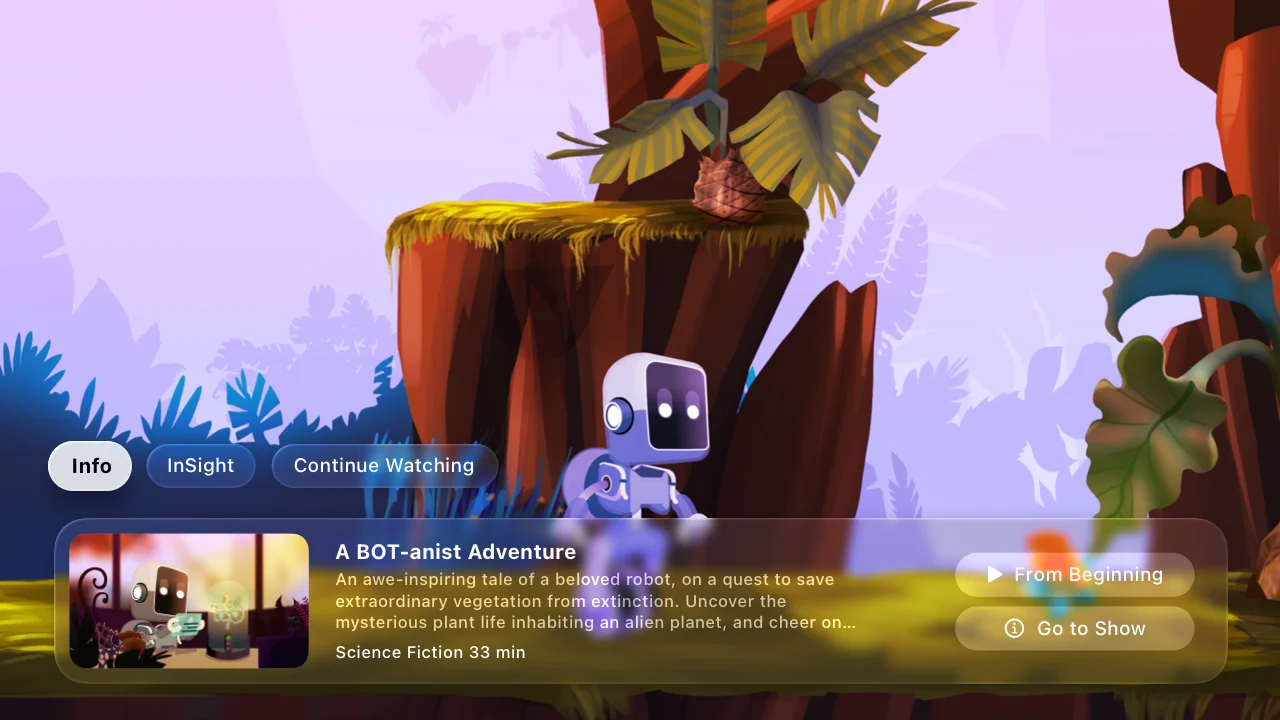
Referencia de la HIG de Apple: las superposiciones de Liquid Glass en tvOS se asientan sobre la capa de contenido multimedia, dejando que se vea a través.3 La implementación de tvOS de Return sigue el mismo modelo: los controles flotan sobre el fondo en bucle de fuego/bosque/agua.
Una nota sobre el toolbar desde los labs. Un panel del SwiftUI Group Lab de la WWDC 2026 afinó cómo se desenvuelve esto en los toolbars. Poner contenido que no es glass en un toolbar, el ejemplo fue una foto de perfil, requiere sharedBackgroundVisibility(.hidden) para que el elemento descarte su fondo de glass compartido y muestre la foto directamente.15 El panel señaló un refinamiento: una API más nueva elimina solo el margen de contenido de un botón del toolbar, donde antes ocultar el fondo era la única palanca y eliminaba tanto el fondo como el margen juntos. Para los botones del toolbar en sí, el panel orientó hacia el estilo de botón prominente (glassProminent) y buttonBorderShape en lugar de recurrir a .glassEffect directamente sobre un botón. La postura subyacente de la HIG es la misma regla de capas sobre la que gira este post: el Liquid Glass pertenece al chrome, no al área de contenido, porque una superficie de glass sin contenido desplazándose por debajo no tiene nada que refractar.153
La cuestión de GlassEffectContainer
Apple recomienda GlassEffectContainer siempre que una app use .glassEffect() sobre múltiples vistas, por dos razones: mejor rendimiento de renderizado (los efectos de glass se agrupan en lotes) y la capacidad de transformar (morph) unas formas en otras durante las transiciones.1
No lo usé. El razonamiento es específico de la aplicación, no una refutación de la guía de Apple. Return tiene nueve vistas de glass, ninguna de las cuales necesita transformarse entre sí.46 El selector de duración nunca se anima para convertirse en el botón de iniciar. El texto del temporizador nunca se anima para convertirse en la fila de botones de configuración. Cada elemento glass es independiente. La API de morphing no tendría ningún caso de uso sobre el que dispararse, y las reglas de espaciado del contenedor restringirían diseños que hoy no necesitan coordinación.
El argumento del rendimiento de renderizado no lo puedo refutar del todo sin mediciones. Los documentos de Apple advierten que “demasiados” efectos de glass fuera de un contenedor pueden degradar el rendimiento.1 Las nueve vistas de Return nunca comparten la pantalla a la vez (el selector de duración solo aparece en el estado de menú, el botón de detener solo cuando está en pausa a mitad de sesión). En cualquier fotograma dado cuento tres o cuatro elementos glass visibles, lo cual ha sido fluido en todos los dispositivos que he probado a lo largo de iOS, iPadOS, macOS, watchOS y tvOS, pero no he ejecutado una traza de instruments comparando lo envuelto en un contenedor contra lo de solo modificadores. Así que el encuadre honesto: Return se salta GlassEffectContainer basándose en una experiencia de usuario observada como buena, no en una equivalencia de rendimiento medida.
La regla que extraje de esto: GlassEffectContainer es para apps donde múltiples elementos glass están visibles y animándose simultáneamente. El ejemplo de Apple es el renderizado de un conjunto de símbolos con glassEffectUnion(id:namespace:): cuatro símbolos del clima que se fusionan y se dividen con fluidez como una sola unidad.1 Ese es un caso de uso de manual. Si una futura función de Return necesita que los elementos glass se transformen o compartan las reglas de espaciado de un contenedor, el contenedor es la herramienta correcta para añadir entonces. Para la app de hoy, todavía no me he topado con ese caso.
Las trampas que me atraparon
Tres errores reales de producción:
Temblor de los dígitos de glass. SF Pro Rounded tiene dígitos de ancho variable en el renderizado proporcional. A medida que el temporizador contaba hacia atrás, la cadena mostrada cambiaba de longitud, y el HStack circundante se reacomodaba cada segundo, haciendo temblar todo el temporizador. La solución: celdas de ancho fijo para cada carácter. Cada dígito recibe un cellWidth de fontSize * 0.6, cada dos puntos recibe fontSize * 0.3, y el HStack se convierte en una cuadrícula estable.6
HStack(spacing: 0) {
    ForEach(Array(text.enumerated()), id: \.offset) { _, char in
        let isColon = char == ":"
        let cellWidth = isColon ? colonCellWidth : digitCellWidth
        GlassDigitCell(character: String(char), font: ctFont,
                       cellWidth: cellWidth, cellHeight: cellHeight)
    }
}
Las celdas no son estándar de Apple; son un atajo para el renderizado de ancho proporcional en tamaños de fuente fijos y pequeños. El SF Pro Rounded de Apple con .monospacedDigit() resolvería el mismo problema sobre Text, pero el modificador no está disponible sobre un renderizador de glass basado en un Shape personalizado. El diseño de celda fija es el sustituto.
Anulación de la dirección de diseño en tvOS. El mismo GlassTimerText corría en iOS, iPadOS, macOS y tvOS. En tvOS específicamente, el HStack se reflejaba bajo un entorno de idioma de derecha a izquierda aunque la versión de iOS respetaba la anulación dentro del entorno. La solución: fijar la dirección de diseño tanto mediante el valor de entorno como mediante el modificador explícito flipsForRightToLeftLayoutDirection(false), aplicado directamente al HStack de las celdas de dígitos (el VStack padre aplica la anulación de entorno por separado para que la copia del reflejo la herede):6
HStack(spacing: 0) { ... }
    .flipsForRightToLeftLayoutDirection(false)
    .environment(\.layoutDirection, .leftToRight)
La razón: el HStack de tvOS parece ignorar la anulación a nivel de entorno en algunas versiones, y flipsForRightToLeftLayoutDirection(false) es el contrato explícito de no-reflejo que se respeta de forma más confiable.12 Cinturón y tirantes.
Reduce-motion sobre el morph de los dígitos. El Liquid Glass anima las transiciones de morph entre las cadenas mostradas por defecto. Los usuarios con accessibilityReduceMotion activado veían el morph como un parpadeo. La solución:6
.animation(reduceMotion ? nil : .easeInOut(duration: 0.15), value: displayTime)
El modificador de animación lee @Environment(\.accessibilityReduceMotion) y desactiva la transición por completo cuando el reduce-motion está activado. La guía de accesibilidad de Apple es explícita: cualquier animación decorativa debe respetar la preferencia de movimiento del usuario.7
Cuándo no usar Liquid Glass
La negativa es parte del diseño.
No pongas Liquid Glass en la capa de contenido. La HIG de Apple es explícita, e ignorar la regla produce una jerarquía confusa: el usuario no puede distinguir qué es interactivo y qué es contenido.3 Si un efecto de glass está decorando una fila de lista o una tarjeta de foto, el diseño está peleando contra la plataforma.
No uses glass sobre un fondo plano. El Liquid Glass refracta lo que tiene detrás. Si “lo que tiene detrás” es un único color sólido, la refracción no tiene nada que doblar, y el resultado se lee como un rectángulo plano tintado. O pones glass sobre contenido variado (un degradado, una imagen, un video) o no uses glass en absoluto. La pantalla del temporizador de Return corre imágenes de portada basadas en temas y video en bucle como fondo a través de VideoBackgroundView,4 específicamente para que los elementos glass encima de él siempre tengan textura que refractar.
Ten cautela con el glass sobre contenido de alta frecuencia. El renderizado del material glass está limitado por la GPU, y la animación de morph por defecto entre cambios de forma de glass es en sí misma una animación. Un temporizador que se actualiza una vez por segundo está bien en mis pruebas; una forma de onda o un visualizador de audio a 60 Hz no está comprobado y probablemente pelea con la animación de morph. No he medido el límite superior; trata esto como una heurística, no como un umbral medido. Los documentos de Apple no publican uno.
No lances glass sin probar reduce-motion. Toda animación de glass debería estar condicionada a accessibilityReduceMotion.7 El morph por defecto entre formas de glass es un efecto cinético, no solo un desvanecimiento.
Qué significa el Liquid Glass para las apps que se lanzan en iOS 26+
La tesis es pequeña. El Liquid Glass es una API de una sola línea solo cuando la app ya respeta la regla de capas de la HIG. Una app de SwiftUI que pone los controles en la capa funcional y el contenido en la capa de contenido puede adoptar Liquid Glass con modificadores .glassEffect() y sentirse nativa por defecto.
Las apps que mezclan ambas capas (controles dentro de filas de lista, barras de navegación tratadas como contenido, chrome decorativo sobre tarjetas de foto) adoptarán Liquid Glass y se sentirán mal. El material es correcto; la arquitectura debajo de él no.
El patrón del Shape personalizado (Patrón 1) extiende la regla de forma limpia. Cualquier cosa que sea funcionalmente un control puede adoptar Liquid Glass, incluso si no parece un “control” en el sentido convencional. Un temporizador es un control, un medidor de nivel es un control, un indicador de progreso es un control. El Liquid Glass sobre cada uno de esos está dentro de las especificaciones.
Acompaña este post con mis escritos anteriores sobre lanzar la capa de datos de la misma app a través de App Intents y a través de un servidor MCP. La capa visual es la tercera superficie del mismo stack: entidades tipadas para la IA del sistema, formato de archivo para agentes entre LLM, y Liquid Glass para el humano frente al dispositivo.8
Preguntas frecuentes
¿Puedo usar .glassEffect() en plataformas que no sean iOS 26?
El modificador .glassEffect() es para iOS 26+, iPadOS 26+, macOS 26+, watchOS 26+, tvOS 26+, visionOS 26+. Las plataformas anteriores a la 26 tienen .background(.regularMaterial) y similares, que producen efectos de vidrio esmerilado pero no la nueva refracción del Liquid Glass.1
¿GlassEffectContainer cambia lo visual?
Los elementos glass envueltos en un contenedor pueden fusionar sus formas entre sí cuando sus reglas de espaciado provocan una superposición. Sin un contenedor, cada .glassEffect() es independiente. Para apps donde los elementos glass deberían fusionarse con fluidez durante la animación, GlassEffectContainer es la herramienta correcta. Para apps donde cada elemento glass permanece distinto, un contenedor es sobrecarga.1
¿Por qué no usar Text directamente con .foregroundStyle(.thinMaterial)?
thinMaterial es un material estándar, no Liquid Glass. Lo visual es una superposición de vidrio esmerilado, no el efecto refractivo de vidrio que dobla la luz del Liquid Glass.3 Para texto que debería verse específicamente como el nuevo material, .glassEffect(.clear, in: customShape) es la ruta soportada.
¿Cómo capturo una captura de pantalla de Liquid Glass para marketing?
Los efectos de glass se renderizan en la GPU en tiempo de ejecución, así que las capturas de pantalla se toman del simulador o del dispositivo con el efecto ya aplicado. Las imágenes de referencia oficiales del Liquid Glass de Apple provienen de sus páginas de documentación de la HIG y de las sesiones de la WWDC 2025.3
¿GlassTextShape funciona para texto arbitrario o solo para dígitos?
Cualquier cadena que Core Text pueda componer funciona. Return lo usa para dígitos y unos dos puntos, pero el mismo Shape funciona para letras, símbolos, emoji (con la fuente correcta) o cadenas mixtas. El rendimiento está acotado por la cantidad de glifos; un párrafo largo renderizado como glass sería costoso, pero un temporizador de seis caracteres es trivial.
Tres patrones, una regla y una API que deliberadamente me salté. El Liquid Glass es la tercera superficie de una app de iOS 26+, asentada encima de entidades tipadas y formatos de archivo compartidos. La API de una sola línea es real. La regla de la HIG debajo de ella es lo que hace que la única línea funcione.
Referencias
-
Apple Developer, “Applying Liquid Glass to custom views”. Documentación del modificador
glassEffect(_:in:),GlassEffectContainer,glassEffectUnion(id:namespace:),glassEffectID(_:in:)yGlassEffectTransition. Variante por defecto.regular, forma por defectoCapsule. ↩↩↩↩↩↩↩↩↩↩ -
La app Return del autor, una app de temporizador de meditación publicada en la App Store el 21 de abril de 2026, disponible para iPhone, iPad, Mac, Apple Watch y Apple TV. Usa SwiftUI, SwiftData y HealthKit en iOS 26+ / macOS 26+. ↩
-
Apple Developer, “Materials” Human Interface Guidelines. Define la regla de capa funcional frente a capa de contenido para el Liquid Glass: “Don’t use Liquid Glass in the content layer.” Lista las variantes regular y clear y sus usos previstos. ↩↩↩↩↩↩↩↩↩↩↩↩↩
-
Código de producción en
Return/Return/ContentView.swift(siete sitios de llamada a.glassEffect()),Return/Return/GlassTimerText.swift(un sitio de llamada sobreGlassDigitCell) yReturn/ReturnTV/TVContentView.swift(un sitio de llamada sobre el indicador “Paused” de tvOS). Total nueve. MásReturn/Return/VideoBackgroundView.swift, que renderiza las imágenes de portada basadas en temas y el video en bucle que los elementos glass refractan. ↩↩↩↩ -
Código de producción en
Return/Return/GlassTextShape.swift. El envoltorio conforme aShapealrededor de Core Text. Creado el 26 de noviembre de 2025, incluido en la v1.0 lanzada en la App Store. ↩↩ -
Código de producción en
Return/Return/GlassTimerText.swift. Las vistasGlassDigitCell,GlassTimerTextyGlassTimerDisplay. Implementa el diseño de celda de ancho fijo, el reflejo en espejo y la condición de reduce-motion. ↩↩↩↩↩↩↩ -
Apple Developer, valor de entorno “accessibilityReduceMotion”. Las apps deben respetar la preferencia de movimiento del usuario; las animaciones de morph por defecto sobre el Liquid Glass deberían estar condicionadas al valor. ↩↩↩
-
Análisis del autor en App Intents Are Apple’s New API to Your App y Two Agent Ecosystems, One Shopping List. El modelo de tres superficies: App Intents para Apple Intelligence, MCP para agentes entre LLM, Liquid Glass para el humano frente al dispositivo. ↩
-
Apple Developer, “glassEffect(_:in:isEnabled:)” sobre
View. El parámetroin:acepta cualquier tipo conforme aShape. La forma por defecto esCapsule. ↩ -
Apple Developer, protocolo “Shape”. Un
Shapees cualquier tipo que produce unPathpara un rectángulo dado. Las formas personalizadas pueden envolver datos arbitrarios deCGPath. ↩ -
Apple Developer, “Core Text Programming Guide” y
CTLineCreateWithAttributedString. Core Text es el motor de texto de más bajo nivel que se usa para componer cadenas con atributos en recorridos de glifos y extraer los trazados por glifo. ↩ -
Apple Developer, “flipsForRightToLeftLayoutDirection(_:)”. Anula explícitamente el reflejo RTL sobre una
Viewsin importar el valor de entorno\.layoutDirectioncircundante. ↩ -
Apple, “WWDC 2025 Highlights” vía Apple Newsroom. El Liquid Glass anunciado como el material de diseño unificador a lo largo de iOS 26, iPadOS 26, macOS 26, watchOS 26, tvOS 26 y visionOS 26. Sesiones: “Meet Liquid Glass” (WWDC 2025), “Build a SwiftUI app with Liquid Glass”. ↩
-
Apple Developer, “LinearGradient”, “scaleEffect(x:y:anchor:)”, “mask(_:)”. Primitivas estándar de SwiftUI, todas disponibles desde iOS 13. ↩
-
Apple, SwiftUI Group Lab de la WWDC 2026 (sesión 2). Parafraseado de una grabación transcrita localmente del SwiftUI Group Lab de la WWDC 2026 (sesión 2); Apple no publica subtítulos oficiales para los labs. Fuente para ocultar el fondo de glass compartido de un elemento del toolbar para mostrar contenido que no es glass (una foto de perfil), la API más nueva que elimina solo el margen de contenido de un botón del toolbar en lugar del fondo y el margen juntos, la preferencia por el estilo de botón de glass prominente y
buttonBorderShapesobre.glassEffecten un botón, y la lógica de capas de chrome-no-contenido. Los símbolos de apoyo están documentados ensharedBackgroundVisibility(_:)sobreCustomizableToolbarContent, que toma un valorVisibilitycomo.hidden, ybuttonBorderShape(_:);glassProminentes elPrimitiveButtonStyleprominente del Liquid Glass. La API específica de margen de contenido nombrada en el lab no pudo confirmarse contra la documentación publicada de Apple, así que se describe por su comportamiento en lugar de afirmarse por su símbolo. ↩↩











