Every rep. On the record.
A fast, private workout log for resistance training, on the App Store for iPhone, iPad, and Apple Watch.
Shipped July 12, 2026. I built Reps because I wanted it for my own training: a log quiet enough to lift against, days that lock when the work is done, and a connector that lets Claude read my history and plan the next session without touching the database. Thirty-six thousand lines of Swift and 185 tests later, it ships in seventeen languages. Here is how it came together.

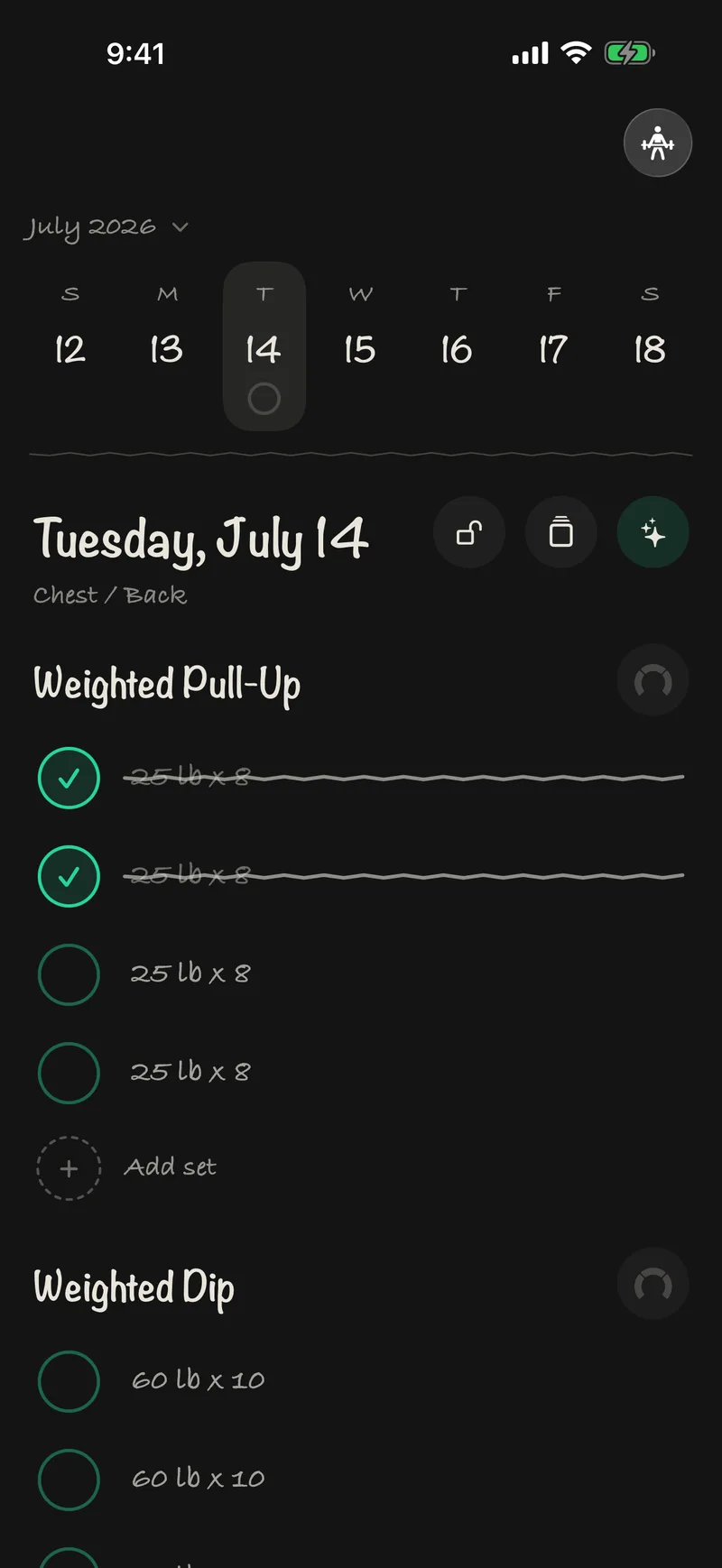
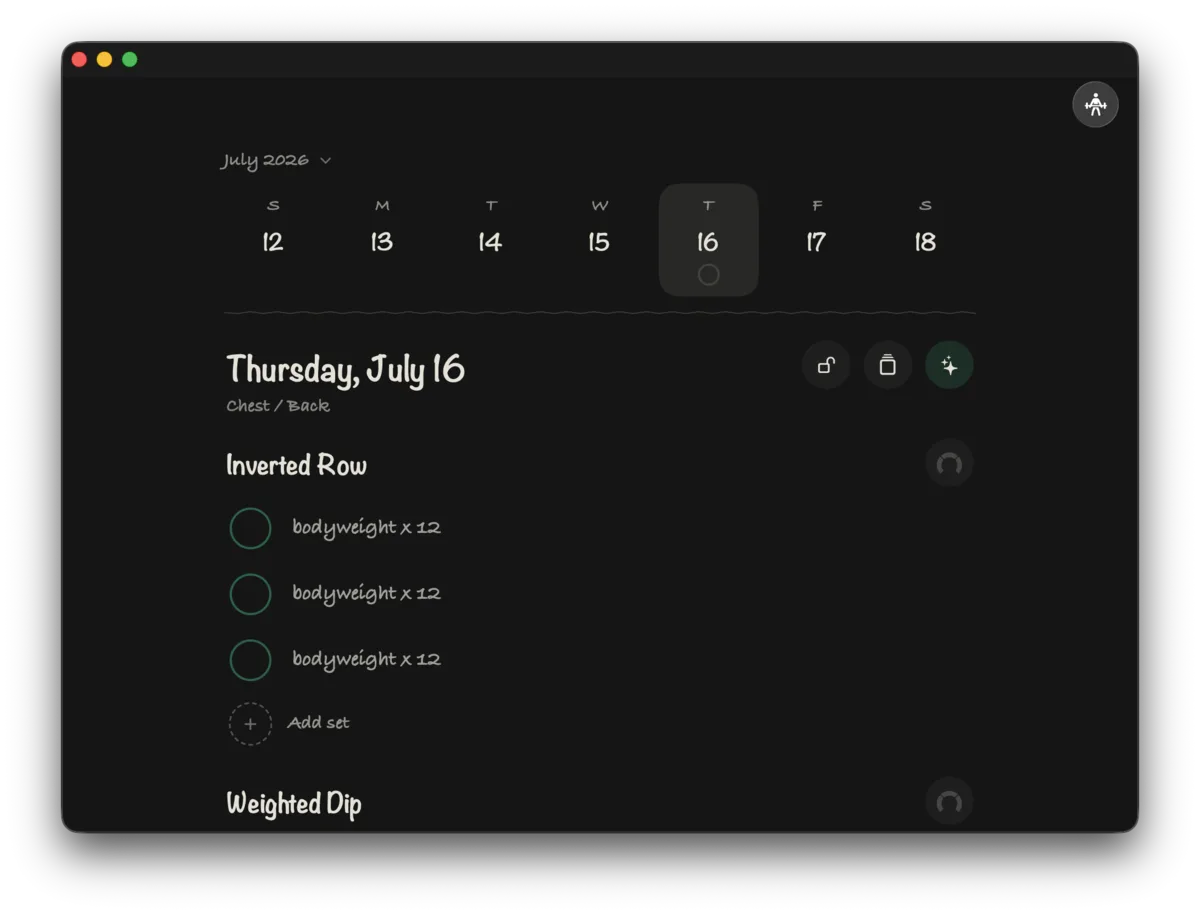
Tap a circle, lock the day.
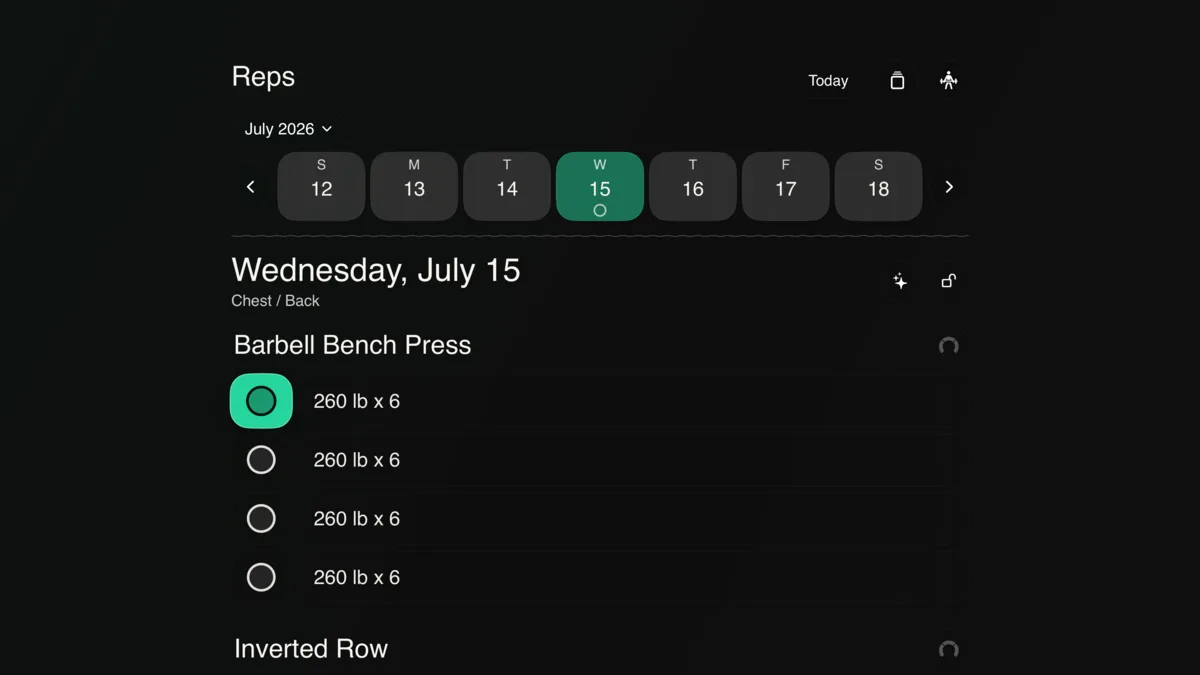
A workout log has one job: capture the set before you forget it. Reps is the log I wanted for myself. It opens to today, shows the split I planned, and logs a set with a single tap on a circle. There is no feed and nobody else's numbers, because I was never going to use either between sets.
A set is a weight and a rep count. RPE, rest timers, and notes exist for the people who want them and stay out of the way for everyone else. Personal records compute themselves from completed sets: top weight, plus a Brzycki estimated one-rep max.
The feature I would keep if I had to cut everything else is locked days. Finish a day, lock it, and the app refuses further edits until you unlock it yourself. Unlocking is an explicit act in the app, and an automation acting on your behalf cannot edit a locked day at all. When you review a month of training, a locked day reads exactly as you logged it.
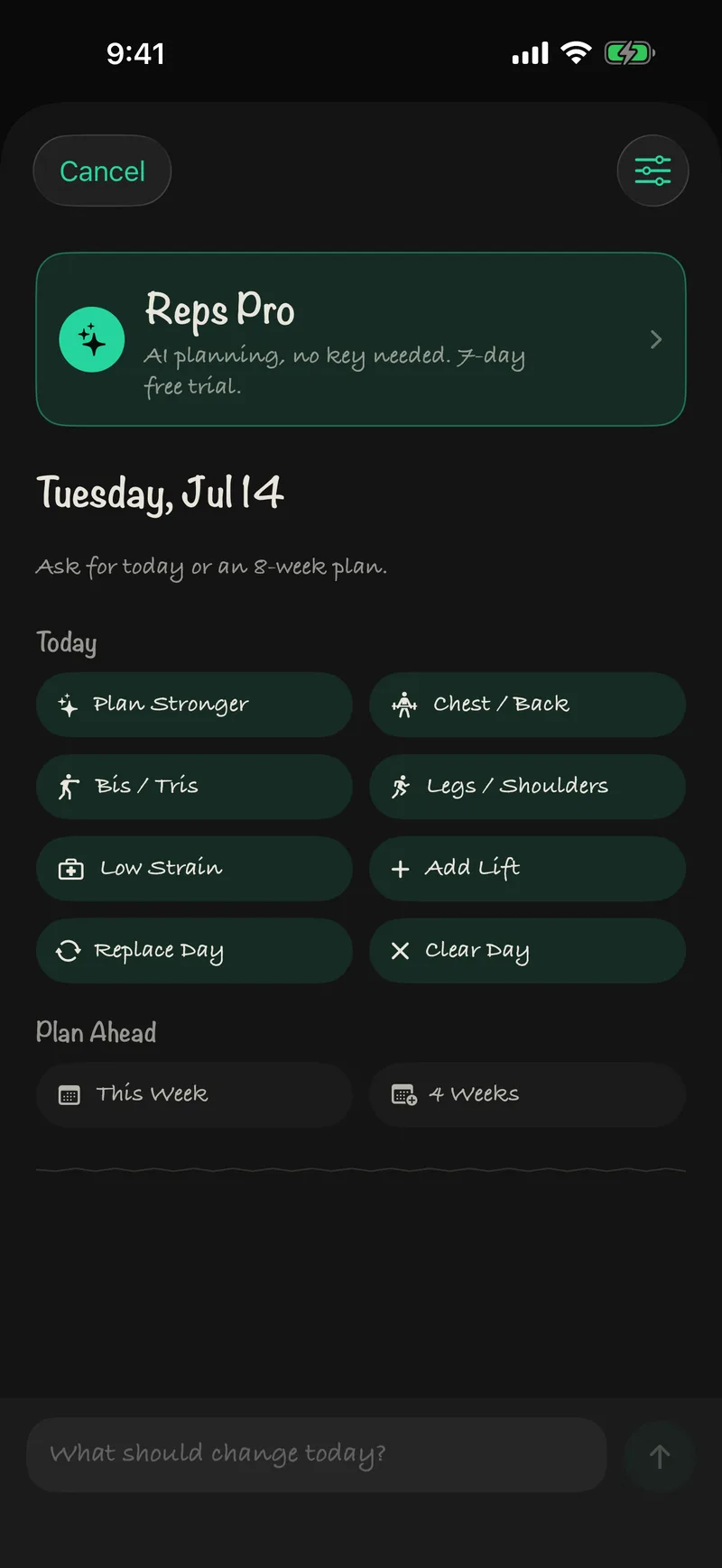
The business model follows the same rule. The log is free, forever, and your record never sits behind a paywall. The Reps Pro subscription sells exactly one thing: managed AI planning, for people who want the planner without bringing an API key.
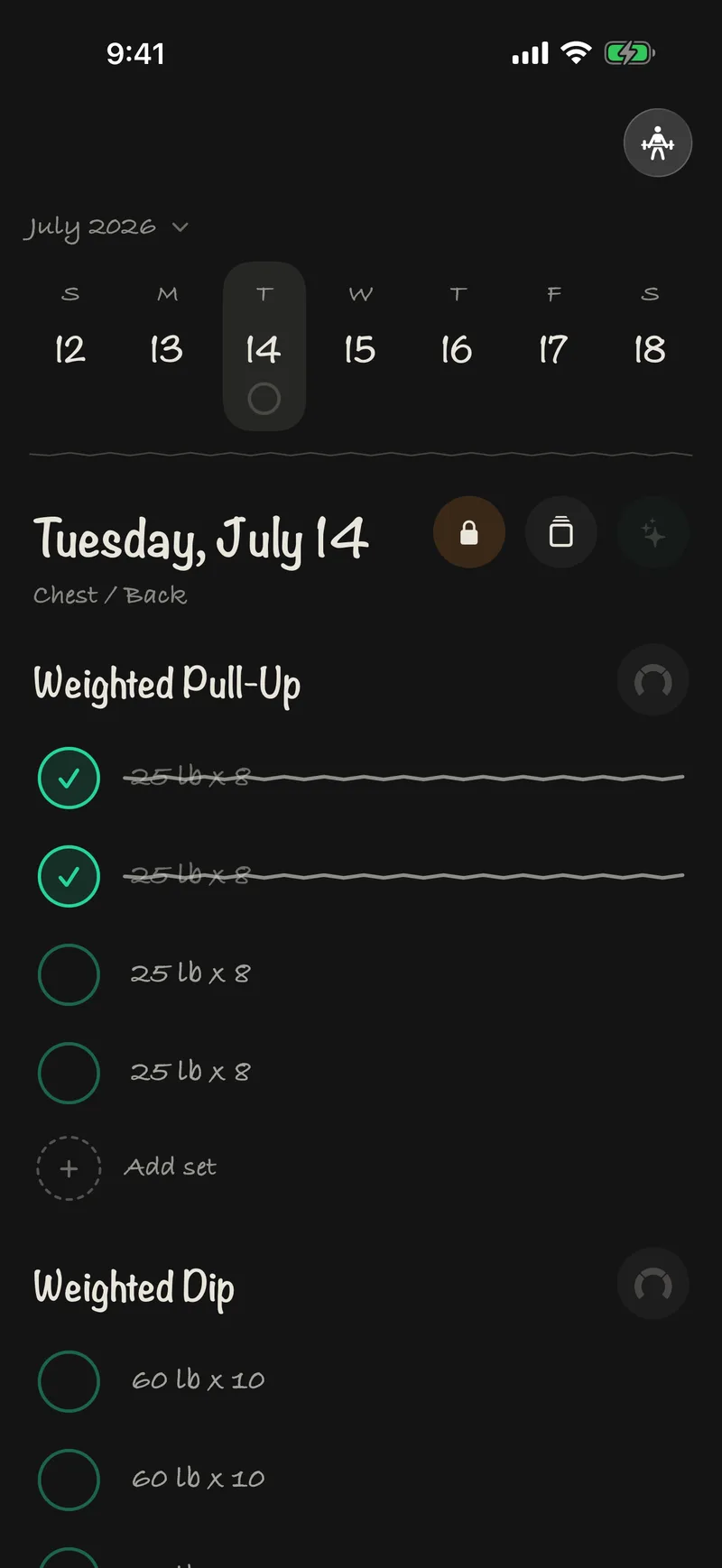
Handwriting on a blackboard.
Paper training logs got one thing right: a date, an exercise, and numbers scrawled underneath. Reps keeps the whole object. Dates and weights render in Bradley Hand and Noteworthy, the palette holds at ink on near-black with a single green, and the dividers are not a texture asset. They wobble because a sixteen-line Shape nudges every segment off the midline:
struct RepsHandDrawnLine: Shape {
    func path(in rect: CGRect) -> Path {
        var path = Path()
        let segments = max(Int(rect.width / 12), 8)
        let segmentWidth = rect.width / CGFloat(segments)
        path.move(to: CGPoint(x: 0, y: rect.midY))

        for index in 1...segments {
            let x = CGFloat(index) * segmentWidth
            let y = rect.midY + (index.isMultiple(of: 2) ? -0.8 : 0.9)
            path.addLine(to: CGPoint(x: x, y: y))
        }

        return path
    }
}
Try the row below. It rebuilds the app's core interaction for this page: tap a circle to complete a set, then lock the day and watch it refuse you.
Friday, June 12
Inverted Row
Tap the circles. Lock the day. Try again.
Where the handwriting stops.
Ten of the seventeen launch languages use the handwritten faces. Japanese, Korean, Chinese, Arabic, Hindi, and Thai fall back to SF Rounded, because Bradley Hand carries no glyphs for those scripts and a fake-handwriting CJK font reads as costume. Color follows the same discipline: the brand green is light, so accent text on light surfaces darkens itself to hold a 5.4:1 contrast ratio, and tvOS focus states carry their own ink. Every tap target holds Apple's 44-point minimum, because you hit these controls between sets with fatigue in your hands, not at a desk.
The parts you never see come from Kit941, the SwiftUI design system the 941 apps share: spacing, motion, and haptic tokens, snapshot-tested components, and Apple's Liquid Glass wrapped behind one style. Reps never calls .glassEffect() directly. The notebook look belongs to Reps; the bones are shared.
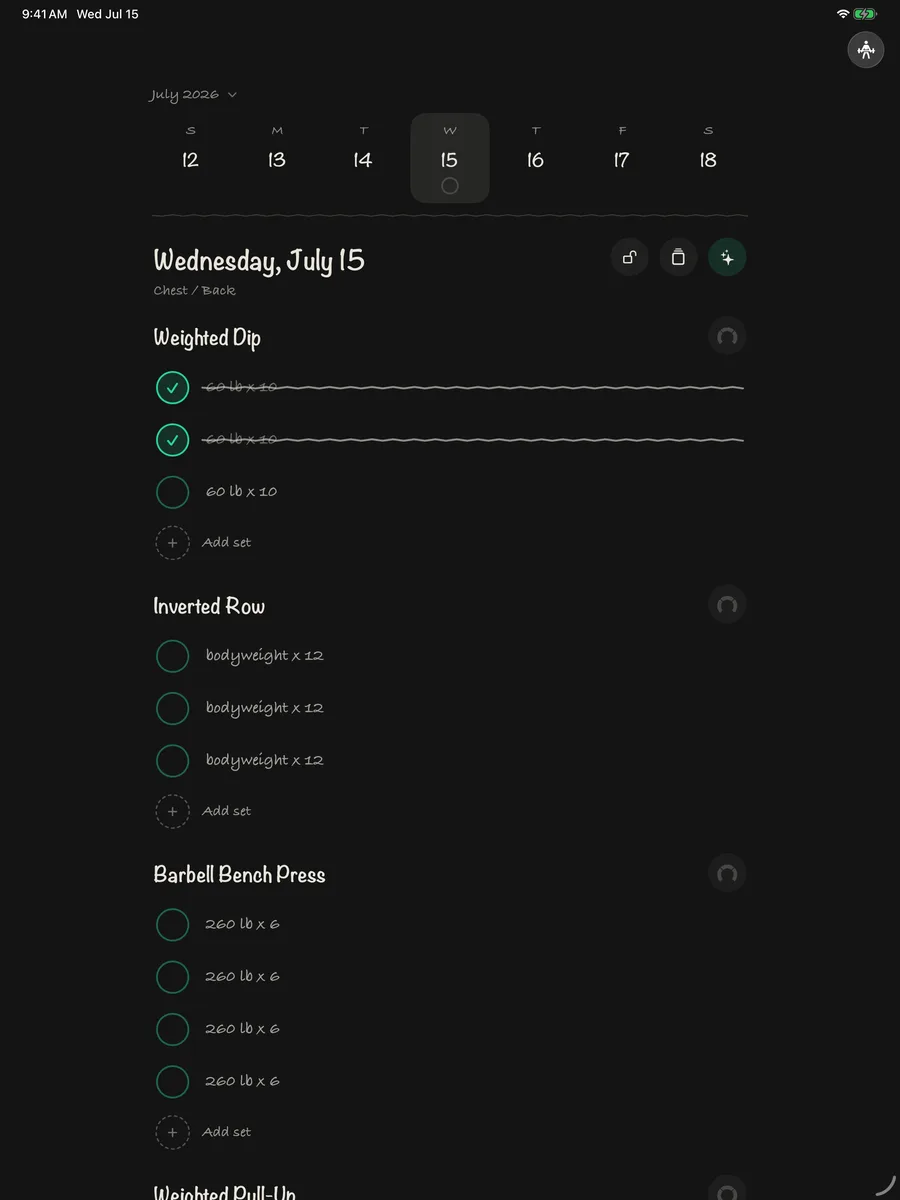
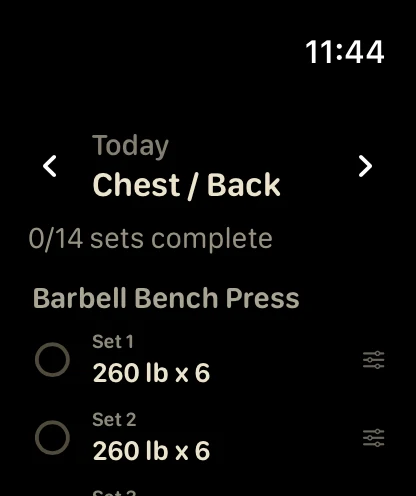
iPhone, iPad, and Apple Watch, in seventeen languages.
Reps runs on iPhone, iPad, and Apple Watch from one SwiftUI codebase. The Watch app stays deliberately small: it shows the day's sets and marks them done from the wrist, and WatchConnectivity carries each change to the phone in seconds. In a gym, a checklist beats a keyboard.
Siri and Shortcuts plug in through App Intents. Say “log a set” and the set lands without opening the app, because the intent submits through the same validated write path the UI uses.
- English
- Deutsch
- Español
- Français
- Italiano
- Nederlands
- Português
- Svenska
- Bahasa Indonesia
- Tiếng Việt
- 日本語
- 한국어
- 简体中文
- 繁體中文
- العربية
- हिन्दी
- ไทย
Seventeen languages shipped on day one, with App Store metadata in 22 locales. A verification script gates every build on zero missing keys across 735 strings.
Mac and Apple TV builds exist and run. They ship when they're ready.
One front door.
Reps ships with a connector: a CLI and an MCP server that give an agent real access to your log. Claude reads your history, notices what stalled, and plans Friday. From the terminal:
$ reps last
Friday, June 26 — Chest / Back  [locked]
  Barbell Bench Press   255 lb × 6, 6, 6, 5
  Weighted Pull-Up      25 lb × 5, 5, 4
  Weighted Dip          60 lb × 10, 10, 10

$ claude "I started BJJ twice a week. What should change?"
Reading your last 8 weeks via the reps connector… pulling
volume is high for a grappling schedule. Suggesting: drop one
row day, add hip hinge + neck work. Plan Friday around this?
Reads and writes take different roads. Reads open a synced local replica of your data, read-only, so a query cannot corrupt anything and works offline. Writes never touch that store. Every mutation goes to the app as a command; the app validates it with the same rules the UI enforces, applies it, syncs it, and returns a receipt. A locked day refuses an agent's edit exactly as it refuses a fingertip.
Every command the connector accepts runs through the same validation a tap does, and a locked day throws before anything touches the store:
guard let session = try sessionForDay(date, modelContext: modelContext) else {
    throw CommandError.validationFailed("no workout exists on \(dayLabel)")
}
guard !session.isLocked else {
    throw CommandError.dayIsLocked(dayLabel)
}
guard let target = (session.sets ?? []).first(where: {
    $0.exerciseName.caseInsensitiveCompare(exerciseName) == .orderedSame
        && $0.setNumber == setNumber
}) else {
    throw CommandError.validationFailed("no set \(setNumber) of \(exerciseName)")
}
Claude / CLI / Siri
Reads the synced replica directly, read-only. Sends every write as a command, never a database touch.
The app
Validates each command with the same rules as the UI. Locked days refuse edits. Every write returns a receipt.
The AI planner gets the same treatment. The model, managed or your own key, only parses intent: what kind of day, what to emphasize, what to avoid. A deterministic engine on the phone does the actual programming, picking lifts from the 42-lift corpus, applying rep schemes that match your goal, progressing loads from your logged history, and linting the result before it ever reaches the log. The AI never writes a workout directly.
Two working architectures died on the way here: a file-based Claude Desktop extension, then a paired local-network server with TLS pinning and its own RPC bus. Each added a second door into the data, so each came out. The shipping app has one.
The connector exposes 23 MCP tools, from get_exercise_history to set_custom_program. I have spent the year writing about software whose first reader is an assistant; Reps is that argument shipped. Get Bananas put an MCP server in a shopping list. Reps hands the agent a planner and keeps the guardrails.
Where the data lives.
Privacy claims are cheap, so here is the store configuration itself. Training data mirrors to your iCloud private database; health metrics live in a second store that never syncs and never enters a backup:
// No explicit name: the synced configuration keeps the historical
// default.store path, which the Mac connector reads directly.
let modelConfiguration = ModelConfiguration(
    schema: syncedSchema,
    isStoredInMemoryOnly: false,
    cloudKitDatabase: .private("iCloud.com.941apps.Reps")
)
let healthCacheConfiguration = ModelConfiguration(
    "Reps-healthcache",
    schema: localSchema,
    isStoredInMemoryOnly: false,
    cloudKitDatabase: .none
)
Your training data
Lives in your iCloud private database and syncs device to device through Apple. Reps has no account system and no server that stores workouts. I cannot read your squat numbers.
Health metrics
Heart rate and calories read from Health stay in a second store: on-device, excluded from backups, never synced. Link a Health workout to a locked day and only the link syncs. The measurements stay on the phone.
AI planning
Optional. Use it, and the plan request (your profile and recent history) goes to the provider you chose: the managed service or your own API key. The engine that expands and validates every plan runs on the phone. Skip AI and nothing goes to any AI provider.
On the record.
Reps is free on the App Store. I built it for my own training and it is the log I open every day; if you want the same thing, it is there. If you build for agents, the write path is the part worth stealing. (Counts are launch-day numbers.)











