Warp: The Terminal Reimagined
How Warp reimagined the terminal: block-based output, bottom-anchored input, native AI integration, and shareable workflows. Code examples included.
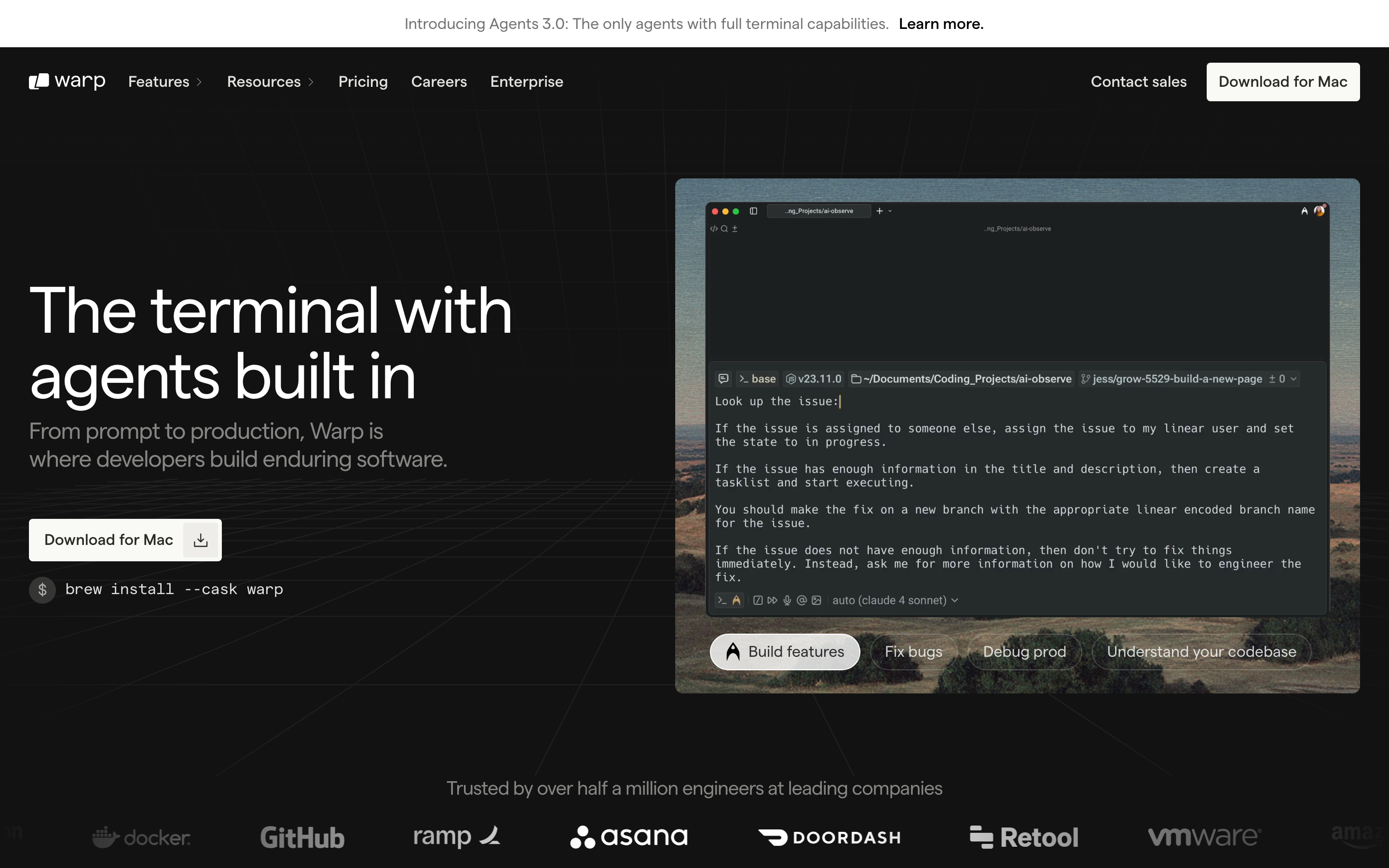
Warp: The Terminal Reimagined
“We believe the terminal is one of the most powerful tools ever built, but it’s also one of the most intimidating.” — Zach Lloyd, Warp CEO
Warp is a modern terminal that bridges the gap between the raw power of CLI and the usability of modern applications. It proves that developer tools don’t have to sacrifice familiarity for innovation.
Why Warp Matters
Warp took the most venerable developer tool, the terminal, and reimagined it for the modern era without abandoning what made it powerful.
Key achievements:
- Block-based architecture that treats commands as first-class objects
- AI integration that feels native, not bolted-on
- Modern editing experience (selection, undo, multi-cursor)
- Collaborative features (Warp Drive, shared workflows)
- Built in Rust for performance without compromising features
Key Takeaways
- Block-based output transforms chaos into objects - Treating each command+output as a discrete, selectable unit enables copying, sharing, navigation, and AI context that continuous text streams cannot provide
- Bottom-anchored input mirrors chat familiarity - Fixing the input position eliminates the cognitive load of hunting for the prompt; users always know where to type
- AI integration must be opt-in and transparent - Show the actual generated command, offer explanation mode, and make every AI suggestion dismissible with a single keystroke
- Additive innovation preserves power - Add modern affordances without removing capabilities; experts can ignore new features while newcomers benefit from them
- Developer tools can be collaborative - Shareable blocks and workflows prove that even traditionally solo tools benefit from social features
Core Design Philosophy
The Bridge Problem
Terminals face a unique challenge: they must serve both experts who’ve used them for decades AND newcomers who find them intimidating. Warp’s solution is additive—add modern affordances without removing power.
TRADITIONAL TERMINAL
┌─────────────────────────────────────────────────────────────┐
│ $ git status                                                │
│ On branch main                                              │
│ Your branch is up to date with 'origin/main'.              │
│                                                             │
│ Changes not staged for commit:                              │
│   (use "git add <file>..." to update what will be...)      │
│   modified: src/app.py                                      │
│                                                             │
│ $ _                                                         │
│                                                             │
│ (everything is undifferentiated text)                       │
└─────────────────────────────────────────────────────────────┘

WARP'S APPROACH
┌─────────────────────────────────────────────────────────────┐
│  ┌─ Block 1 ─────────────────────────────────────────────┐  │
│  │ $ git status                            [^] [Copy]    │  │
│  ├───────────────────────────────────────────────────────┤  │
│  │ On branch main                                        │  │
│  │ Your branch is up to date with 'origin/main'.        │  │
│  │                                                       │  │
│  │ Changes not staged for commit:                        │  │
│  │   modified: src/app.py                               │  │
│  └───────────────────────────────────────────────────────┘  │
│                                                             │
│  ┌─ Input ───────────────────────────────────────────────┐  │
│  │ Type a command...                        [AI] [Cmd+P] │  │
│  └───────────────────────────────────────────────────────┘  │
└─────────────────────────────────────────────────────────────┘

Key insight: Each command+output is a selectable, shareable block
Pattern Library
1. Block-Based Output Architecture
Warp’s most significant innovation is treating each command and its output as a discrete “block” rather than continuous text.
What makes blocks powerful:
| Feature | Traditional | Warp Blocks |
|---|---|---|
| FeatureSelection | TraditionalCharacter/line only | Warp BlocksEntire output as unit |
| FeatureCopying | TraditionalManual selection | Warp BlocksOne-click copy |
| FeatureSharing | TraditionalScreenshot or paste | Warp BlocksLink to block |
| FeatureNavigation | TraditionalScroll through text | Warp BlocksJump between blocks |
| FeatureAI context | TraditionalNone | Warp BlocksBlock is context window |
Implementation pattern:
// Block data structure
const Block = {
  id: 'block-uuid',
  command: 'git status',
  timestamp: Date.now(),
  output: {
    text: '...',
    exitCode: 0,
    duration: 234, // ms
  },
  metadata: {
    cwd: '/Users/dev/project',
    env: { /* snapshot */ },
  }
};

// Block interactions
const BlockActions = {
  copy: (block) => copyToClipboard(block.output.text),
  share: (block) => generateShareableLink(block),
  rerun: (block) => executeCommand(block.command, block.metadata.cwd),
  edit: (block) => openCommandEditor(block.command),
};
Visual treatment:
/* Block container styling */
.block {
  --block-bg: var(--surface-secondary);
  --block-border: 1px solid var(--border-subtle);
  --block-radius: 8px;

  background: var(--block-bg);
  border: var(--block-border);
  border-radius: var(--block-radius);
  margin-bottom: 12px;

  /* Hover reveals actions */
  &:hover .block-actions {
    opacity: 1;
  }
}

.block-command {
  font-family: var(--font-mono);
  font-size: 14px;
  padding: 8px 12px;
  border-bottom: 1px solid var(--border-subtle);
  display: flex;
  justify-content: space-between;
  align-items: center;
}

.block-output {
  padding: 12px;
  font-family: var(--font-mono);
  font-size: 13px;
  line-height: 1.5;
  white-space: pre-wrap;
}

.block-actions {
  opacity: 0;
  transition: opacity 150ms ease;
  display: flex;
  gap: 4px;
}
2. Bottom-Anchored Input
Unlike traditional terminals where input appears inline with output, Warp anchors the input area at the bottom, similar to chat applications.
Why this works:
TRADITIONAL (Input follows output)
┌────────────────────────────────────────┐
│ output line 1                          │
│ output line 2                          │
│ output line 3                          │
│ $ _  ← Input moves as output grows     │
│                                        │
│                                        │
│                                        │
└────────────────────────────────────────┘

WARP (Fixed input position)
┌────────────────────────────────────────┐
│ output line 1                          │
│ output line 2                          │
│ output line 3                          │
│                                        │
├────────────────────────────────────────┤
│ $ _  ← Input always here (consistent)  │
└────────────────────────────────────────┘
Mental model benefits:
- Predictable: Input is always in the same place
- Familiar: Mirrors chat interfaces (Messages, Slack)
- Efficient: No scrolling to find the prompt
- Spacious: Full-featured editor with multi-line support
Implementation:
.terminal-layout {
  display: flex;
  flex-direction: column;
  height: 100vh;
}

.output-area {
  flex: 1;
  overflow-y: auto;
  padding: 16px;
}

.input-area {
  flex-shrink: 0;
  border-top: 1px solid var(--border-primary);
  padding: 12px 16px;
  background: var(--surface-primary);

  /* Modern text editor feel */
  min-height: 48px;
  max-height: 200px; /* Expandable for multi-line */
}
3. AI Integration Patterns
Warp’s AI features demonstrate how to integrate AI into a power-user tool without making it feel like a crutch.
Three modes of AI assistance:
1. NATURAL LANGUAGE INPUT
┌────────────────────────────────────────────────────────────┐
│ "find all python files modified in the last week"         │
│                                                            │
│ ↓ AI translates to:                                        │
│                                                            │
│ find . -name "*.py" -mtime -7                             │
│                                                            │
│ [Run] [Edit] [Explain]                                     │
└────────────────────────────────────────────────────────────┘

2. ACTIVE AI (Contextual suggestions)
┌────────────────────────────────────────────────────────────┐
│ $ git push origin main                                     │
│ error: failed to push some refs                           │
│                                                            │
│ ┌─ AI Suggestion ─────────────────────────────────────┐   │
│ │ 💡 Your branch is behind. Try:                      │   │
│ │    git pull --rebase origin main                    │   │
│ │                                        [Apply] [×]  │   │
│ └─────────────────────────────────────────────────────┘   │
└────────────────────────────────────────────────────────────┘

3. EXPLAIN MODE (Education)
┌────────────────────────────────────────────────────────────┐
│ $ tar -xzvf archive.tar.gz                                │
│                           [Explain this command]           │
│                                                            │
│ ┌─ Explanation ───────────────────────────────────────┐   │
│ │ tar: Archive utility                                │   │
│ │  -x: Extract files                                  │   │
│ │  -z: Decompress with gzip                           │   │
│ │  -v: Verbose (show files)                           │   │
│ │  -f: Specify filename                               │   │
│ └─────────────────────────────────────────────────────┘   │
└────────────────────────────────────────────────────────────┘
Key design decisions:
- Opt-in, not opt-out: AI suggestions appear contextually but don’t interrupt flow
- Transparent translation: When AI generates a command, show the actual command
- Educational: Explain mode teaches users rather than creating dependency
- Dismissible: Every AI element can be ignored with a single keystroke
4. Command Palette Pattern
Warp implements a modern command palette (Cmd+P) that surfaces features without memorizing shortcuts.
┌────────────────────────────────────────────────────────────────────┐
│  Search commands, settings, workflows...                           │
├────────────────────────────────────────────────────────────────────┤
│  Recent                                                            │
│  ├─ Split pane right                                 Cmd+D         │
│  ├─ Toggle AI suggestions                        Cmd+Shift+A       │
│  └─ Open settings                                    Cmd+,         │
│                                                                    │
│  Commands                                                          │
│  ├─ New tab                                          Cmd+T         │
│  ├─ Close tab                                        Cmd+W         │
│  ├─ Navigate to block...                             Cmd+G         │
│  └─ Share block                                  Cmd+Shift+S       │
│                                                                    │
│  Workflows                                                         │
│  ├─ Deploy to production                                           │
│  ├─ Run test suite                                                 │
│  └─ Update dependencies                                            │
└────────────────────────────────────────────────────────────────────┘
Design principles:
- Fuzzy search: “spl pan” matches “Split pane”
- Show shortcuts: Teach users while they search
- Recent items first: Personalized to usage patterns
- Categorized: Group related commands
5. Workflows: Shareable Command Sequences
Warp’s Workflows feature lets users save and share command sequences, bridging scripts and bookmarks.
# Example workflow: Deploy to production
name: "Deploy to Production"
description: "Run tests, build, and deploy"
author: "@team"
steps:
  - command: "npm test"
    description: "Run test suite"
  - command: "npm run build"
    description: "Build for production"
  - command: "git push origin main"
    description: "Push to trigger deploy"
UI treatment:
┌─ Workflow: Deploy to Production ─────────────────────────────────┐
│                                                                  │
│  Step 1 of 3                                                     │
│  ┌─────────────────────────────────────────────────────────────┐ │
│  │ $ npm test                                                  │ │
│  │                                                             │ │
│  │ Run test suite                                              │ │
│  └─────────────────────────────────────────────────────────────┘ │
│                                                                  │
│  [Run] [Skip] [Cancel Workflow]                   (*) ( ) ( )    │
└──────────────────────────────────────────────────────────────────┘
Visual Design System
Color System
:root {
  /* Dark theme (default) */
  --bg-primary: #0D0D0D;
  --bg-secondary: #1A1A1A;
  --bg-tertiary: #262626;

  --text-primary: #FFFFFF;
  --text-secondary: #A3A3A3;
  --text-muted: #737373;

  --border-subtle: rgba(255, 255, 255, 0.08);
  --border-primary: rgba(255, 255, 255, 0.12);

  /* Semantic colors */
  --color-success: #22C55E;
  --color-error: #EF4444;
  --color-warning: #F59E0B;
  --color-info: #3B82F6;

  /* AI accent */
  --color-ai: #A855F7;  /* Purple for AI features */

  /* Selection and focus */
  --color-selection: rgba(59, 130, 246, 0.3);
  --color-focus: #3B82F6;
}
Typography
:root {
  /* Monospace for terminal output */
  --font-mono: 'JetBrains Mono', 'Fira Code', 'SF Mono', monospace;

  /* Sans-serif for UI chrome */
  --font-sans: 'Inter', -apple-system, BlinkMacSystemFont, sans-serif;

  /* Sizes */
  --text-xs: 11px;
  --text-sm: 13px;
  --text-base: 14px;
  --text-lg: 16px;

  /* Line heights optimized for code */
  --line-height-tight: 1.3;
  --line-height-normal: 1.5;
  --line-height-relaxed: 1.7;
}

/* Terminal output */
.terminal-text {
  font-family: var(--font-mono);
  font-size: var(--text-base);
  line-height: var(--line-height-normal);
  font-variant-ligatures: contextual;
  font-feature-settings: 'calt' 1;  /* Enable ligatures */
}

/* UI elements */
.ui-text {
  font-family: var(--font-sans);
  font-size: var(--text-sm);
  font-weight: 500;
}
Animation Patterns
Block Appearance
@keyframes block-enter {
  from {
    opacity: 0;
    transform: translateY(-4px);
  }
  to {
    opacity: 1;
    transform: translateY(0);
  }
}

.block {
  animation: block-enter 150ms ease-out;
}
AI Suggestion Reveal
@keyframes suggestion-reveal {
  from {
    opacity: 0;
    transform: translateY(8px);
    max-height: 0;
  }
  to {
    opacity: 1;
    transform: translateY(0);
    max-height: 200px;
  }
}

.ai-suggestion {
  animation: suggestion-reveal 200ms ease-out;
}

.ai-suggestion.dismissing {
  animation: suggestion-reveal 150ms ease-in reverse;
}
Loading States
/* Streaming output indicator */
.block.executing::after {
  content: '';
  display: inline-block;
  width: 8px;
  height: 16px;
  background: var(--color-focus);
  animation: cursor-blink 1s step-end infinite;
}

@keyframes cursor-blink {
  50% { opacity: 0; }
}

/* AI thinking indicator */
.ai-thinking {
  display: flex;
  gap: 4px;
}

.ai-thinking span {
  width: 6px;
  height: 6px;
  background: var(--color-ai);
  border-radius: 50%;
  animation: thinking-pulse 1.4s infinite ease-in-out both;
}

.ai-thinking span:nth-child(1) { animation-delay: 0s; }
.ai-thinking span:nth-child(2) { animation-delay: 0.16s; }
.ai-thinking span:nth-child(3) { animation-delay: 0.32s; }

@keyframes thinking-pulse {
  0%, 80%, 100% { transform: scale(0.6); opacity: 0.5; }
  40% { transform: scale(1); opacity: 1; }
}
Lessons for Our Work
1. Additive Innovation
Add modern features without removing power. Experts can ignore new features; newcomers benefit from them.
2. Structure Chaos
Block-based architecture transforms undifferentiated text into manipulable objects. Look for opportunities to add structure to unstructured content.
3. Persistent UI Anchors
Fixed input position reduces cognitive load. Users don’t hunt for where to type.
4. AI as Assistant, Not Replacement
Show the actual command, not just the result. Explain mode teaches rather than creates dependency.
5. Collaborative CLI
Shareable blocks and workflows prove that even traditionally solo tools can have social features.
Frequently Asked Questions
What is Warp’s block-based architecture?
Instead of treating terminal output as continuous scrolling text, Warp structures each command and its output as a discrete “block.” Each block is a selectable, copyable, shareable unit with metadata (timestamp, exit code, duration). This enables one-click copying, link sharing, jumping between commands, and providing AI with focused context windows.
Why does Warp put the input at the bottom instead of inline?
Traditional terminals place the input cursor inline with output, meaning it moves as output grows. Warp anchors the input area at the bottom (like chat applications), providing a predictable location that eliminates the cognitive load of finding where to type. This also enables a full-featured multi-line editor with modern editing capabilities.
How does Warp integrate AI without creating dependency?
Warp’s AI operates in three modes: natural language translation (showing the actual generated command), contextual suggestions (opt-in and dismissible), and explain mode (teaching what commands do). The key principle is transparency—AI always shows what it generates so users learn rather than depend.
What are Warp Workflows?
Workflows are shareable command sequences saved in YAML format. They bridge the gap between one-off commands and full scripts, allowing teams to share common procedures (like deployment steps) with descriptions for each step. Workflows can be discovered through the command palette and executed step-by-step.
Why did Warp choose Rust for implementation?
Rust provides memory safety and performance without garbage collection pauses, critical for a terminal where latency matters. It also enables Warp’s architecture of treating blocks as structured data with rich metadata while maintaining the responsiveness users expect from native applications.











