Return...
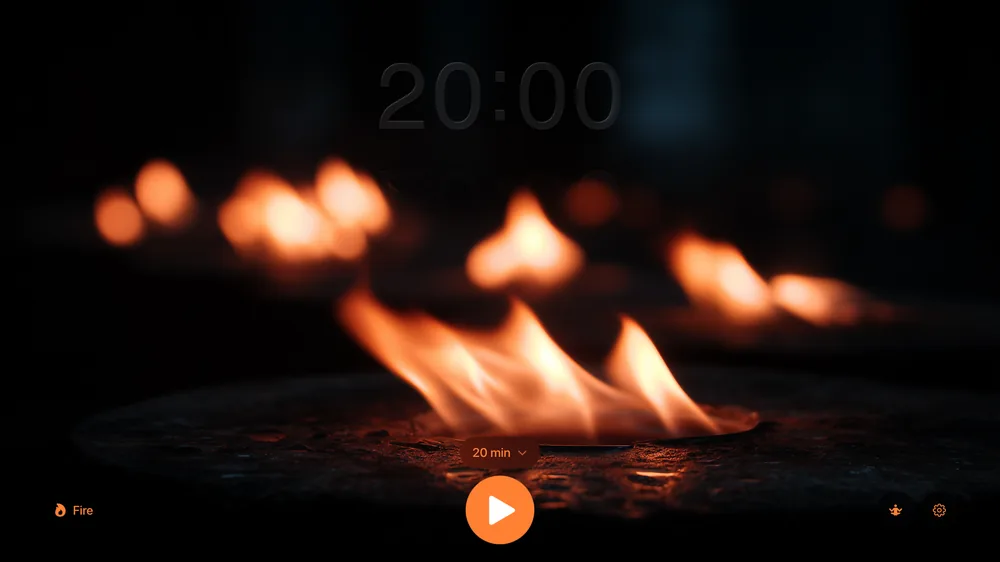
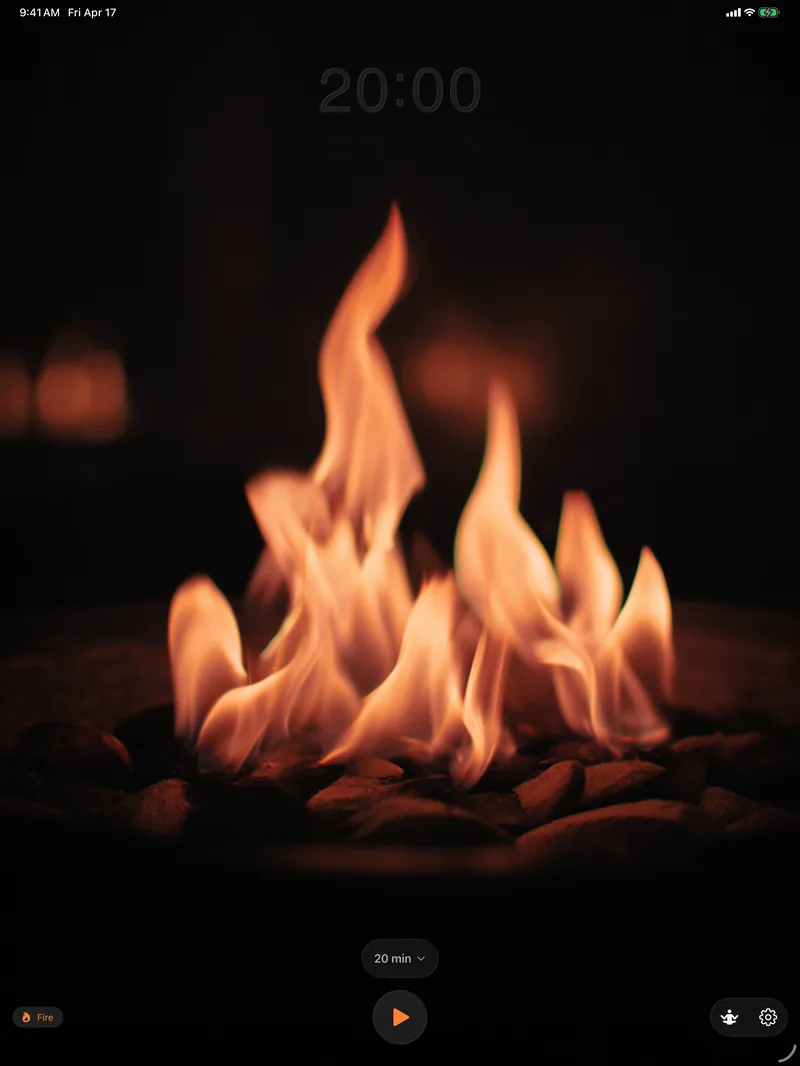
A zen meditation and focus timer across five screens: iPhone, iPad, Apple Watch, Apple TV, and Mac.
Shipped April 21, 2026. One codebase. Twenty-seven languages including Arabic and Hebrew. Four themes, three bells, zero analytics. What follows is how it came together: the technical choices, the design tradeoffs, and the long quiet process of editing hundreds of AI-generated water drops down to one.
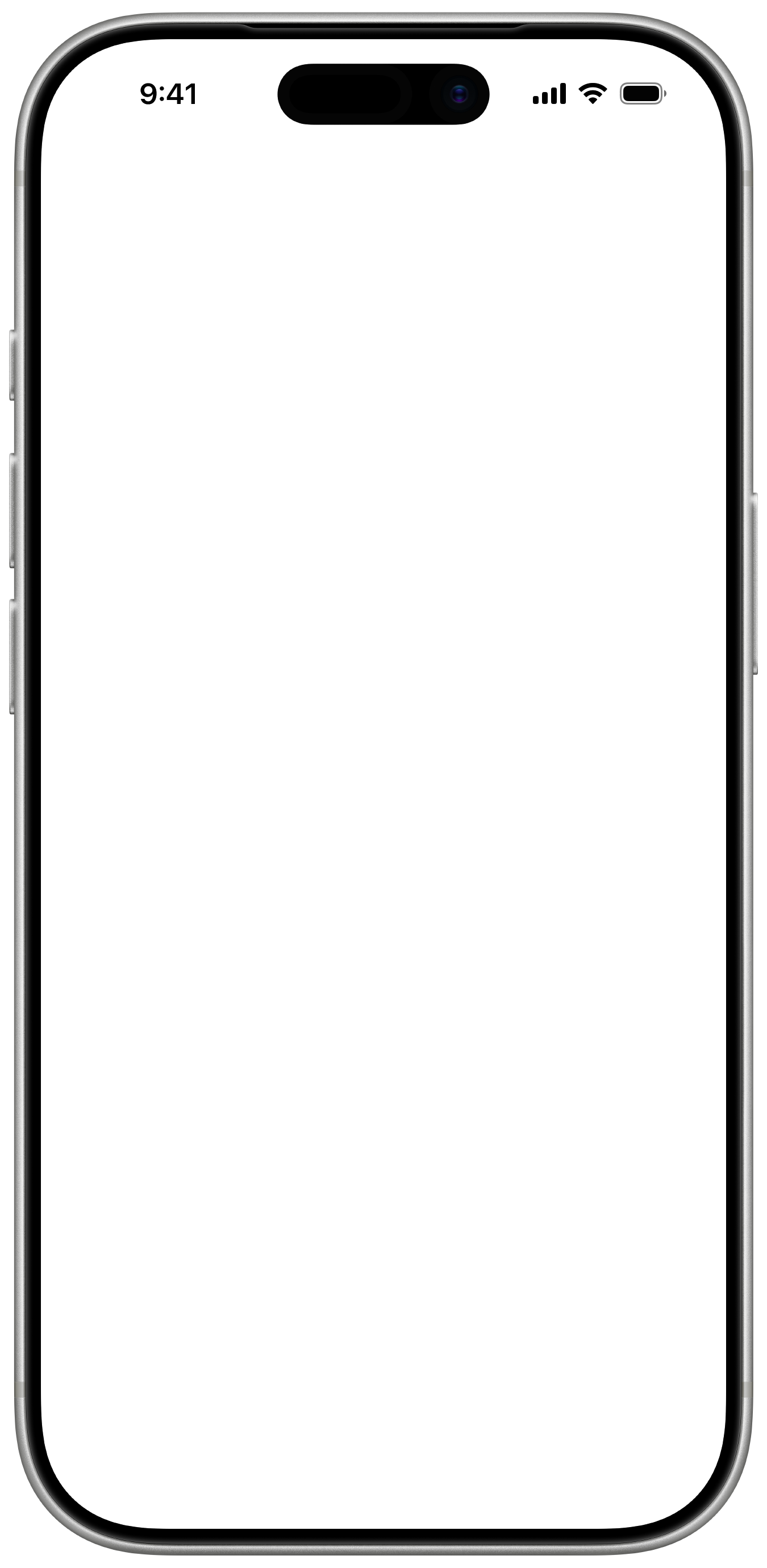
One codebase, five screens.
Return is the first app I've shipped that runs across every Apple screen class from a single Xcode project: iPhone, iPad, Apple Watch, Apple TV, and Mac. Fifty-seven Swift files, about 12,700 lines of code, and zero external dependencies. Pure SwiftUI, AVFoundation, HealthKit, ActivityKit, and WidgetKit.
The naïve way to do this is one universal TimerManager with #if branches for every platform difference. I didn't. Return ships three timer classes (TimerManager on iOS and macOS, TVTimerManager on tvOS, WatchTimerManager on watchOS) that share state semantics but respect what each platform is actually good at. Live Activities only on iOS. HealthKit only where the API exists. Extended runtime sessions only on Watch. Each manager is shorter and more honest than a single polymorphic class would be.
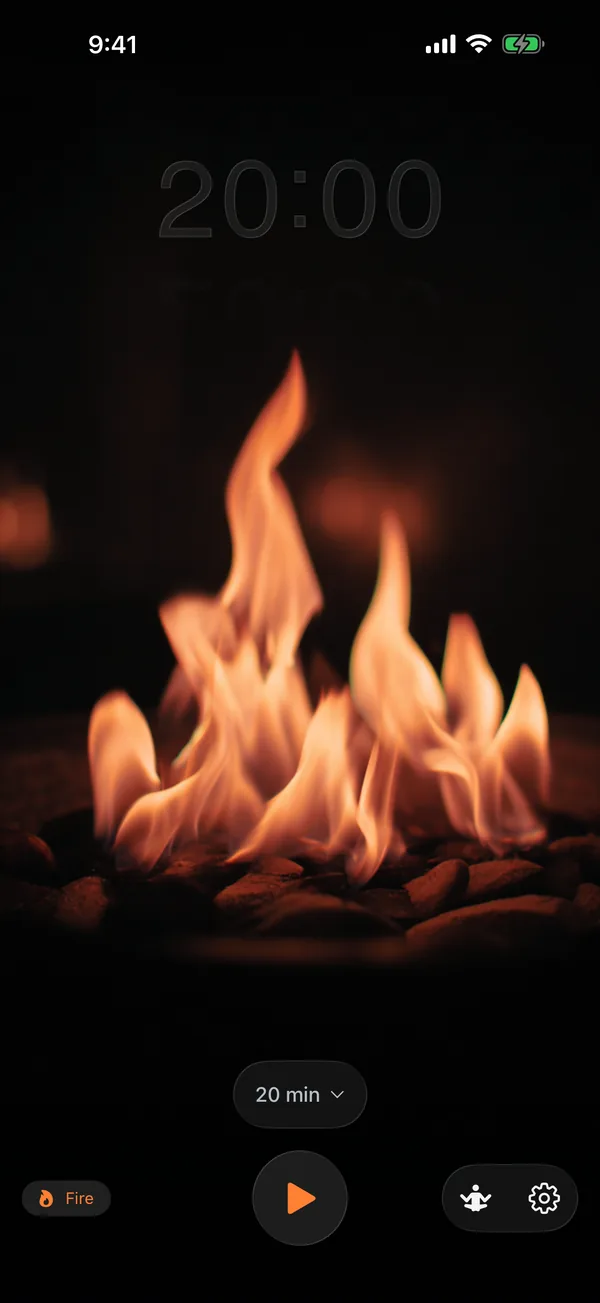
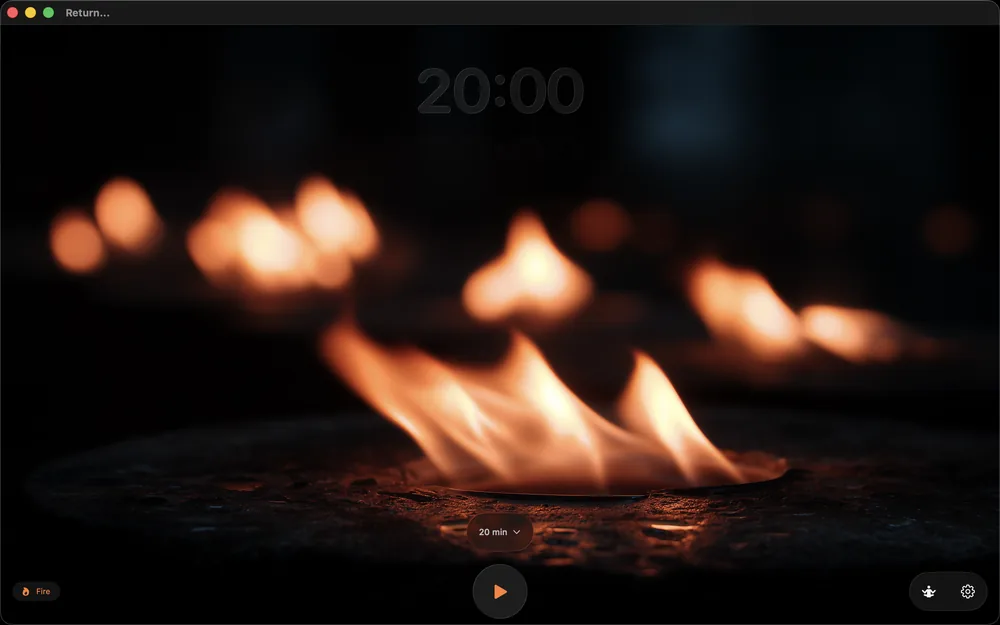
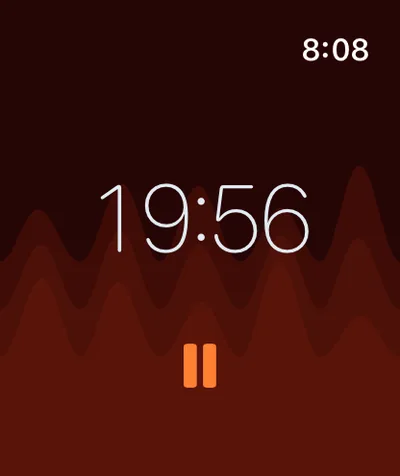
Shared where it matters.
A single Shared/ folder carries the pieces that all targets need to agree on: the MeditationSession data model, the SessionStore iCloud wrapper, and SessionHistoryView. Settings sync across Watch and phone through an App Group (group.com.941apps.Return). The rest is platform-specific on purpose.
The clearest example is the one line that decides whether a session has already been logged to HealthKit. iPhone writes directly, so "synced" is true the moment the session ends. Mac and TV can't write to HealthKit at all, so "synced" is false until the iPhone picks the pending session up later. Same intent, opposite boolean, one #if:
/// Save session to SessionStore for cross-device sync and HealthKit syncing
private func saveSessionToStore(startTime: Date, endTime: Date) {
    // On iOS: if healthKitEnabled, we save directly to HealthKit, so mark as synced
    // On Mac: if healthKitEnabled, we want to sync to iPhone, so mark as NOT synced
    #if os(iOS)
    let alreadySynced = settings.healthKitEnabled
    #else
    let alreadySynced = !settings.healthKitEnabled
    #endif

    let session = MeditationSession(
        startDate: startTime,
        endDate: endTime,
        sourceDevice: .current,
        syncedToHealthKit: alreadySynced
    )

    SessionStore.shared.addSession(session)
}
I come back to that pattern constantly: the fewest lines that still make the intent legible. When the same boolean means different things on different platforms, write it as different booleans. The #if becomes part of the documentation.
Twenty-seven languages, and right-to-left support.
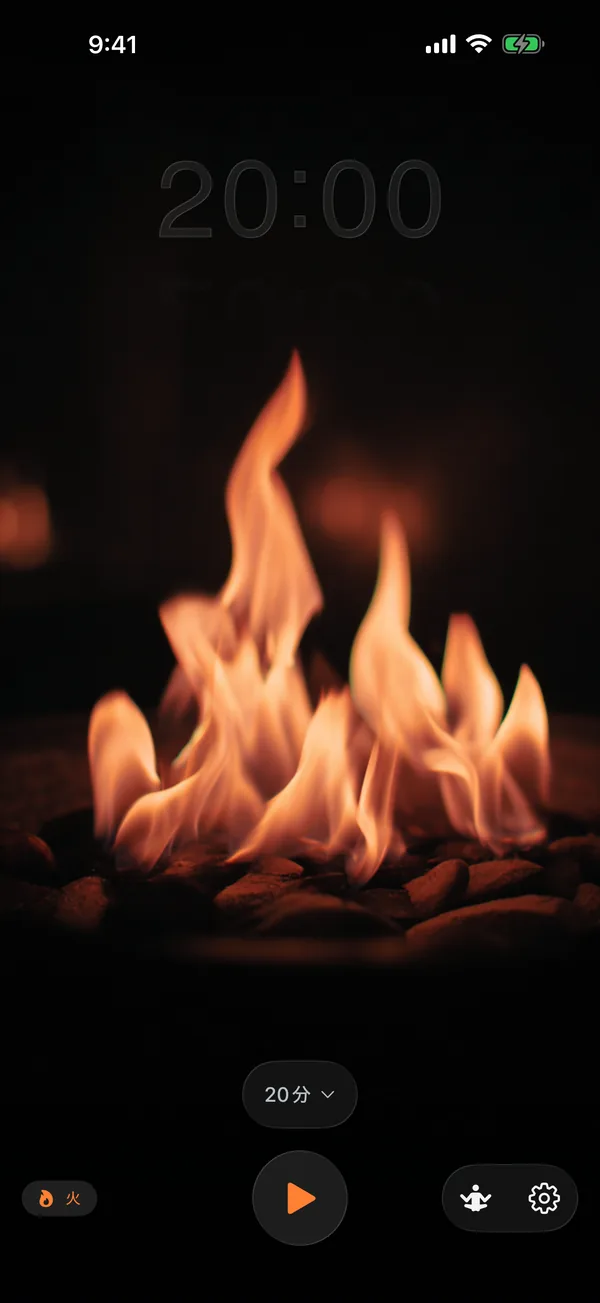
Return is the first Apple app I've shipped in every language I cared about. Twenty-seven locales went through a full review pass, including Arabic and Hebrew. All of it lives in one Localizable.xcstrings file, which is less heroic than it sounds. Xcode does most of the work if you agree to stop hand-rolling strings.
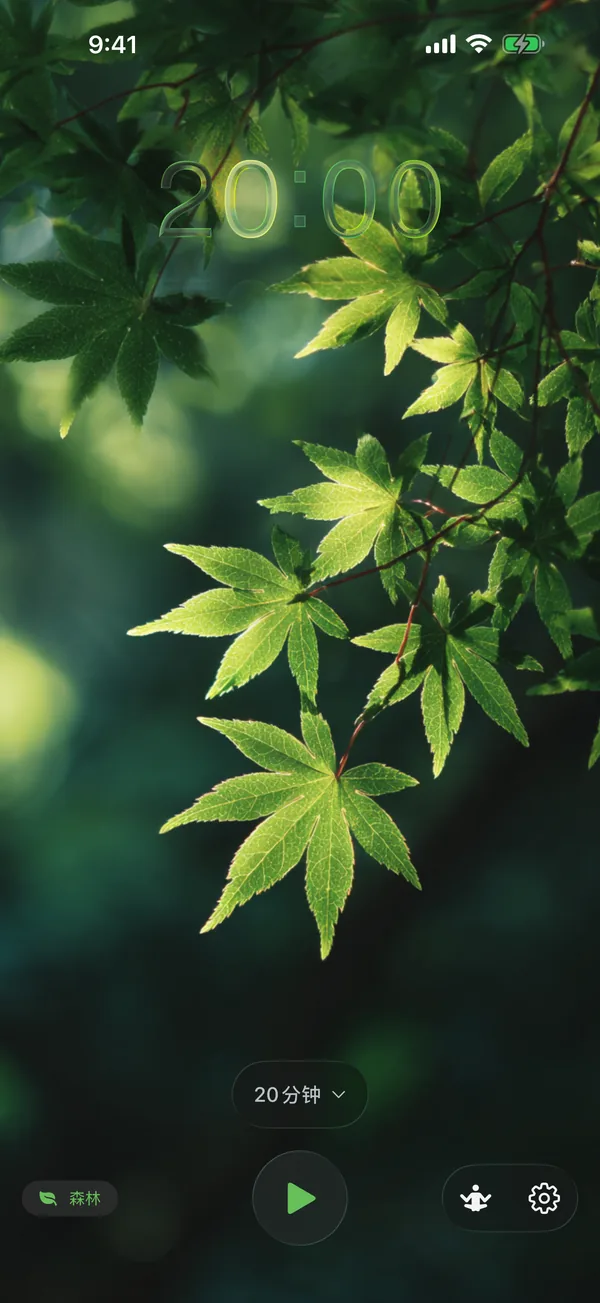
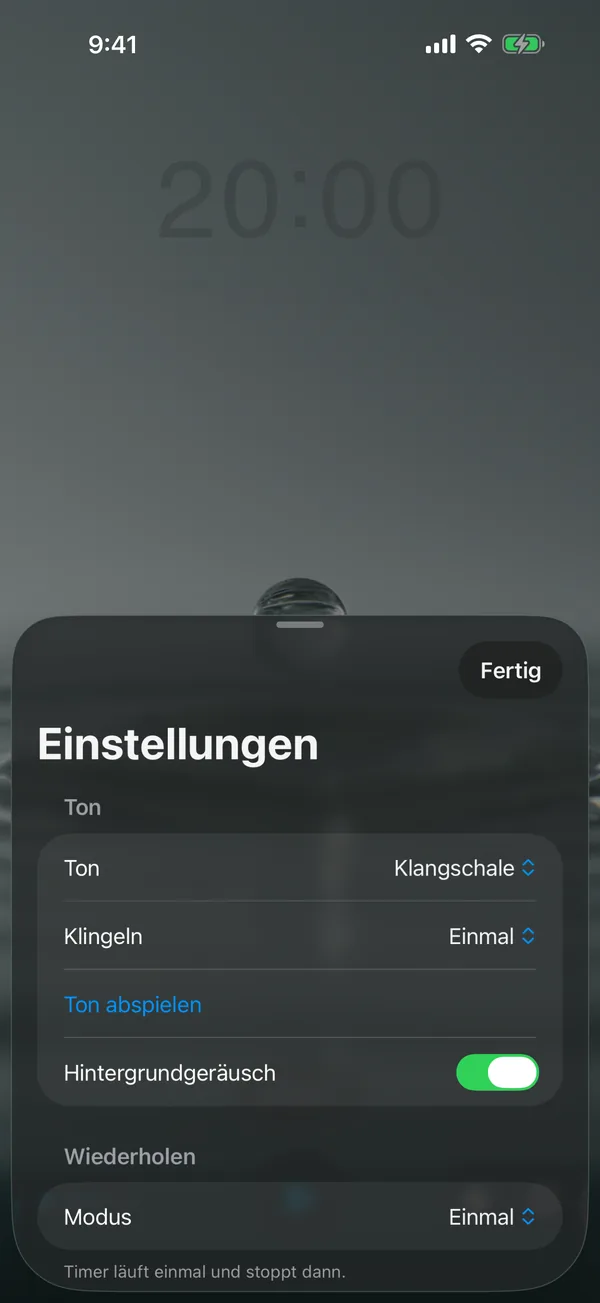
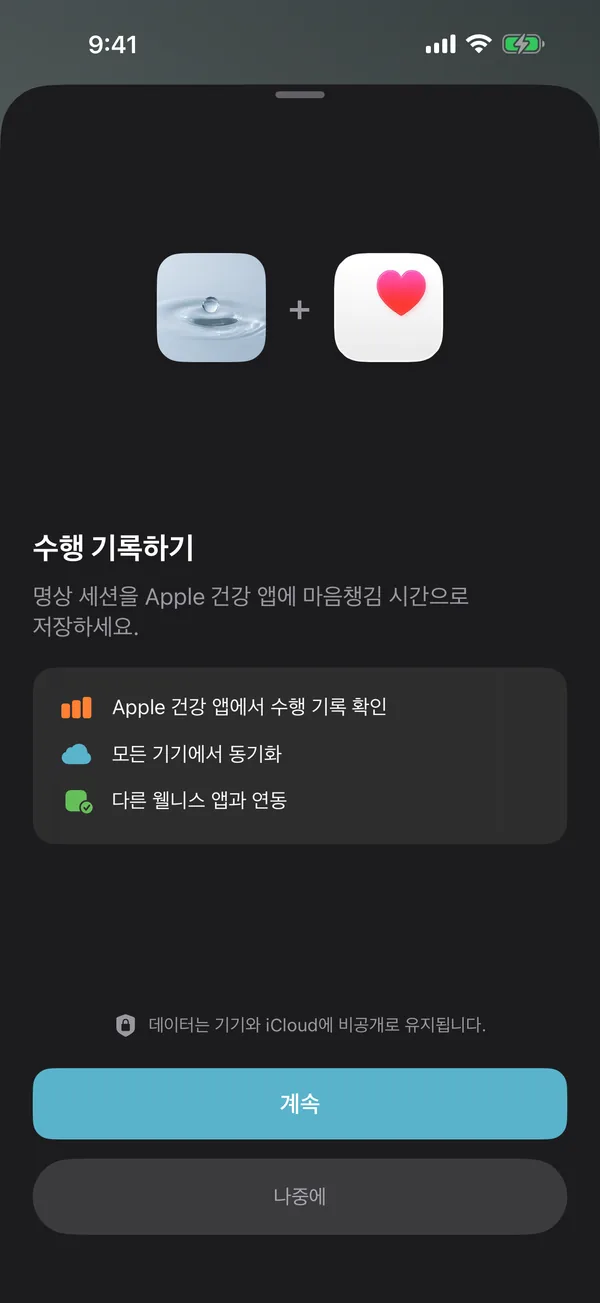
RTL is a free win if you stop fighting it.
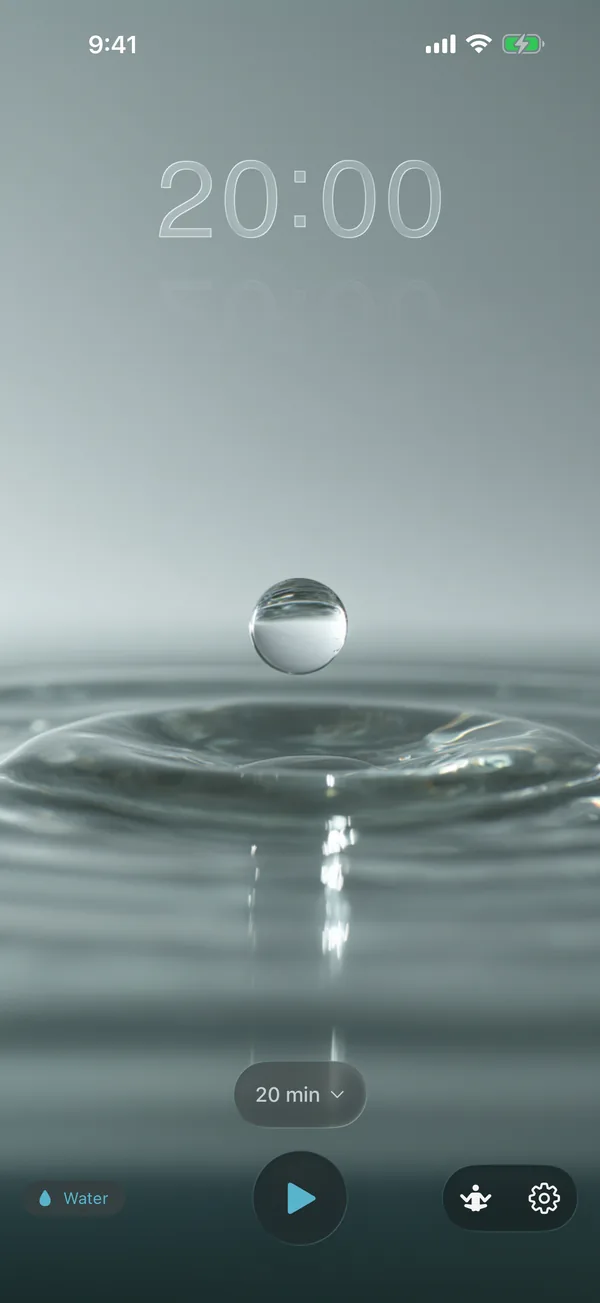
SwiftUI treats .leading and .trailing as semantic directions rather than .left and .right as fixed ones. Lay a screen out in semantic directions once, and the same screen mirrors automatically in Arabic, Hebrew, Persian, or Urdu without a dedicated code path. Settings labels flip, the back chevron reverses, switch positions invert. Theme icons (drop, flame, leaf) stay put. I did not write a line of RTL code for this behavior.
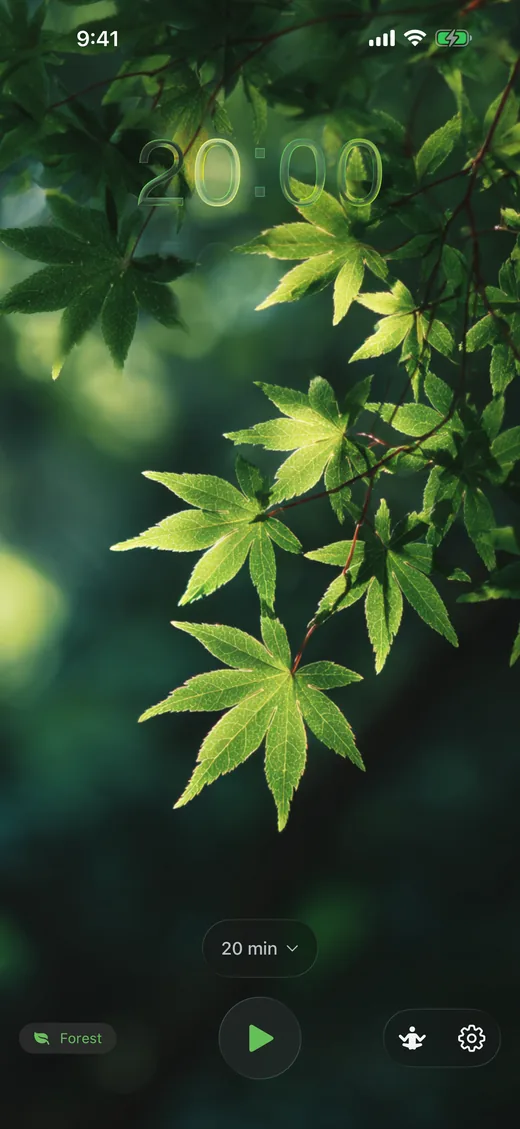
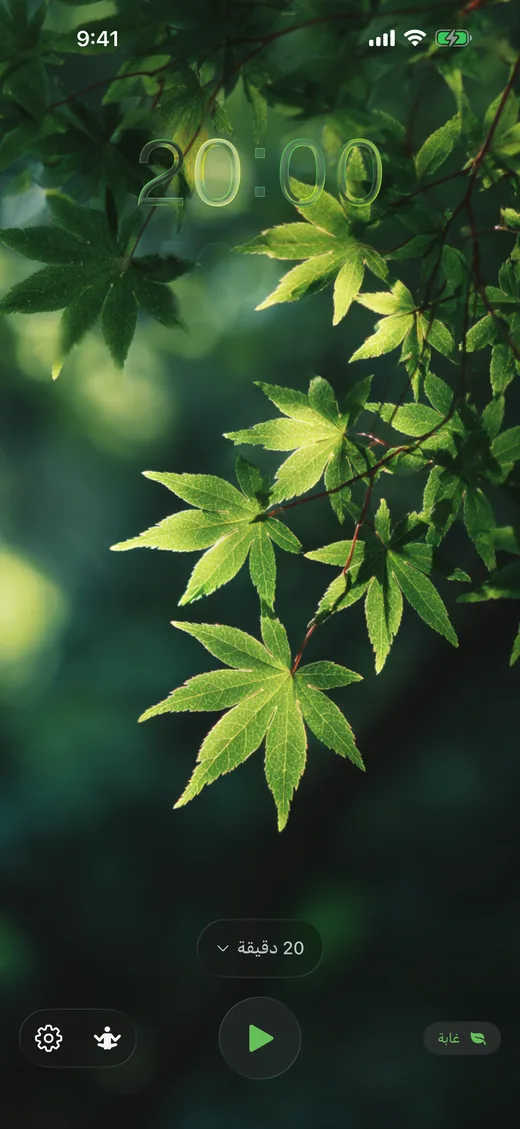
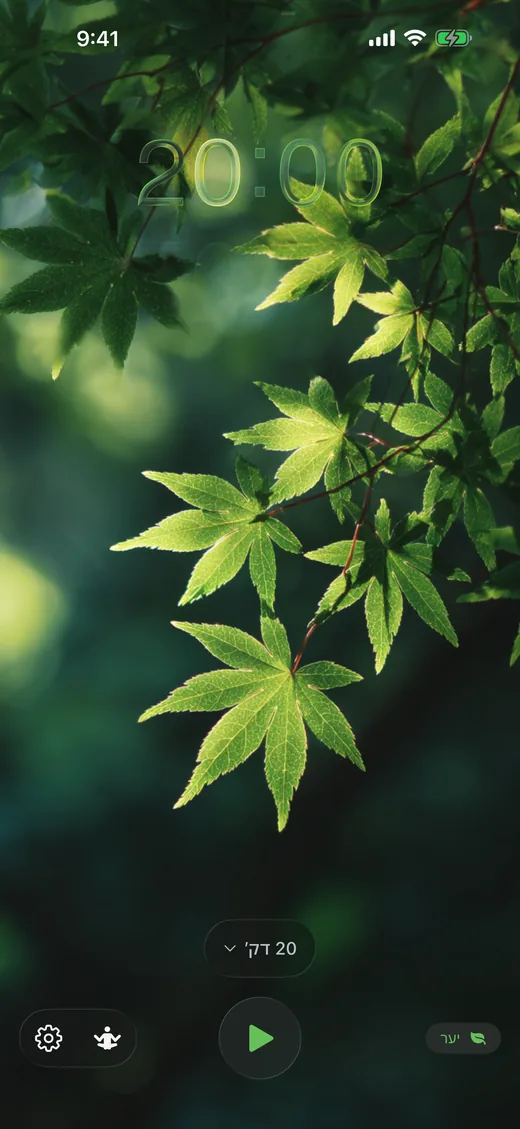
One exception I caught shipping: SwiftUI applies layout direction to Text views too, which meant the first cut of the Arabic and Hebrew screenshots had the timer reading "00:02" instead of "20:00" — Latin digits laid out right-to-left. One .environment(\.layoutDirection, .leftToRight) modifier on every Text view that holds time or numeric content fixes it. The screenshots above are from the release that ships with that modifier in place.
The screenshot set was generated by fastlane running the same UI tests with different -AppleLanguages arguments. The app's own effectiveLocale pattern reads the flag, rebuilds the view hierarchy, and captures the result. One helper, twenty-seven locales, four device classes, all in one overnight run.
/// The locale to use for the app - either user-selected or system default
/// In snapshot mode, always use system language (set by -AppleLanguages)
/// to allow screenshot generation for different locales
private var effectiveLocale: Locale {
    if isSnapshotMode || appLanguage.isEmpty {
        if let preferredLanguage = Locale.preferredLanguages.first {
            return Locale(identifier: preferredLanguage)
        }
        return .current
    }
    return Locale(identifier: appLanguage)
}

var body: some Scene {
    WindowGroup {
        WatchContentView()
            .preferredColorScheme(.dark)
            .environment(\.locale, effectiveLocale)
            .id(appLanguage) // Force rebuild when locale changes
    }
}
The .id(appLanguage) is the detail that earns its keep. Without it, SwiftUI caches the old view hierarchy and strings don't refresh when you flip languages at runtime. With it, the whole tree discards and rebuilds, and everything re-reads its localized strings automatically. One line, a category of bugs deleted.
Mindful minutes, finally.
Apple's native Watch Mindfulness app caps built-in Reflect and Breathe sessions at five minutes. The HealthKit API itself has no such cap. It will happily accept any HKCategorySample where the end date is after the start date. The limit lives in the UI, not the system. Return puts a 5-to-60-minute picker on every device and writes whatever you actually sat for.
/// Save a mindful session with the given start and end time
func saveMindfulSession(start: Date, end: Date) async -> Bool {
    guard isAvailable else { return false }

    // Don't save if end is before or equal to start
    guard end > start else { return false }

    let sample = HKCategorySample(
        type: mindfulType,
        value: HKCategoryValue.notApplicable.rawValue,
        start: start,
        end: end
    )
    ...
}
The only validation is end > start. That is all HealthKit itself validates. Apple's API has always been willing to log a forty-five-minute meditation. The button to request one was just missing.
Cross-device without HealthKit on three of them.
Mac and Apple TV don't have HealthKit at all. The obvious response is "then don't bother logging sessions there." The less obvious, correct response is to log them anyway, to iCloud Key-Value Store, and let the phone pick them up the next time it wakes. Return's SessionStore is the shared store, MeditationSession.syncedToHealthKit is the pending flag, and HealthKitManager.syncPendingSessions() runs every time the iOS app returns to the foreground.
iCloud Key-Value Store
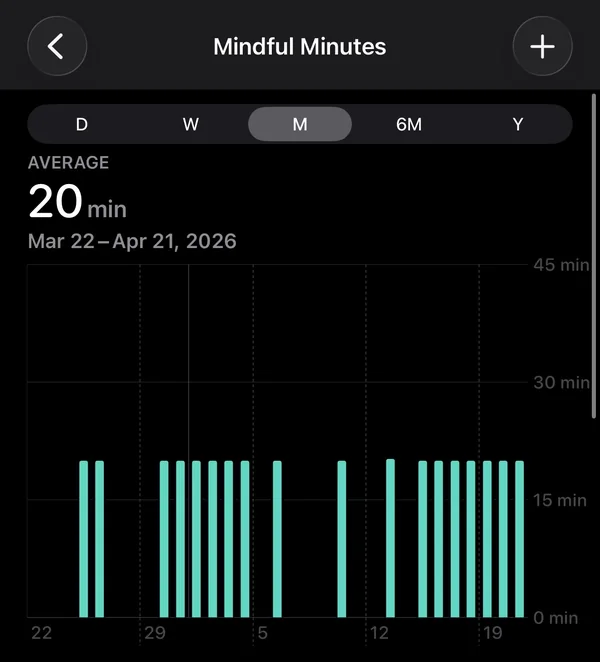
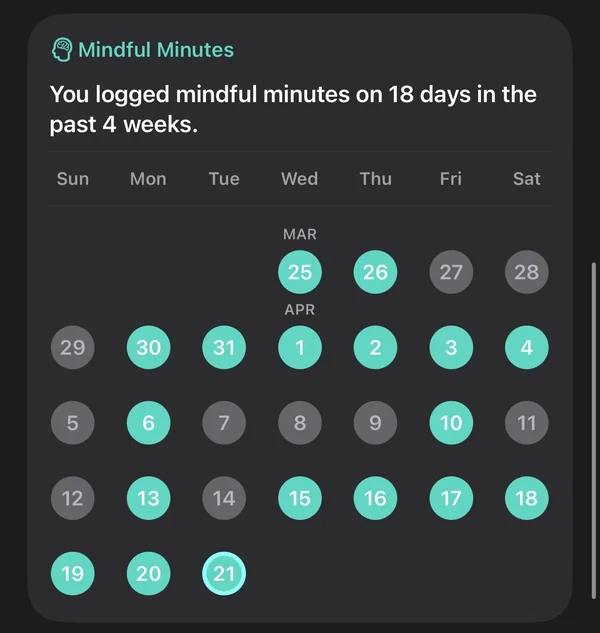
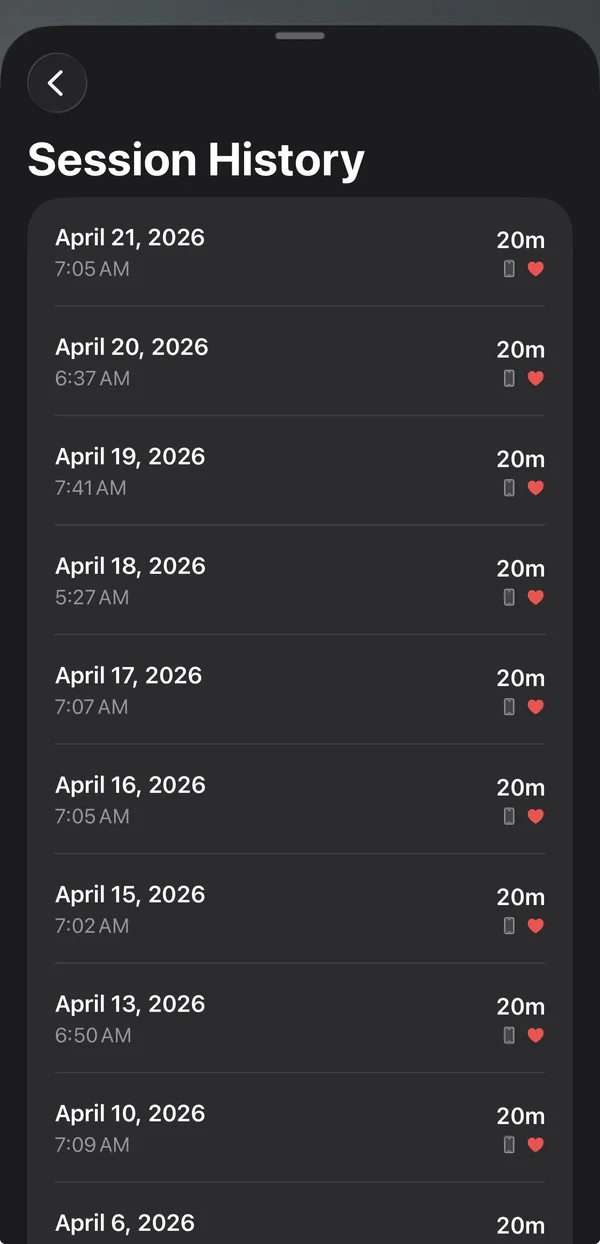
This is the piece I think Apple should ship themselves: a proper cross-platform Mindful Minutes writer that doesn't require a phone to be active when you want to meditate on a Mac. Until they do, Return does.
Where the water came from.
Four themes. Four ambient loops. Three bells. All of it generated, most of it thrown away. The videos are Midjourney, the audio is ElevenLabs, and the work that mattered wasn't the prompting. It was the editing. Looking at a grid of two hundred water drops and picking the one that loops cleanly without a visible seam. Listening to forty variations of a temple bell until one has the right attack and the right decay and doesn't sound like a phone notification.
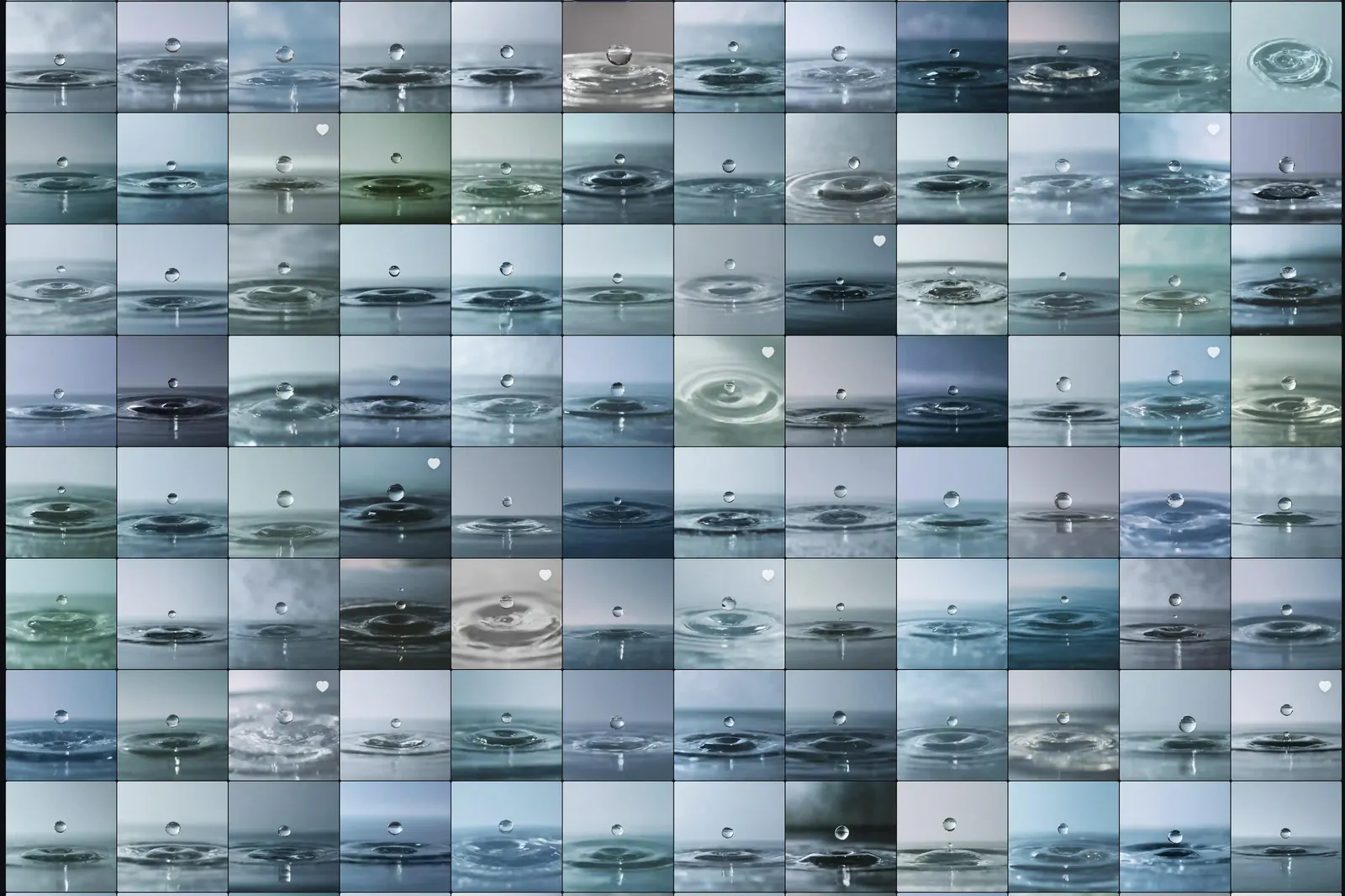
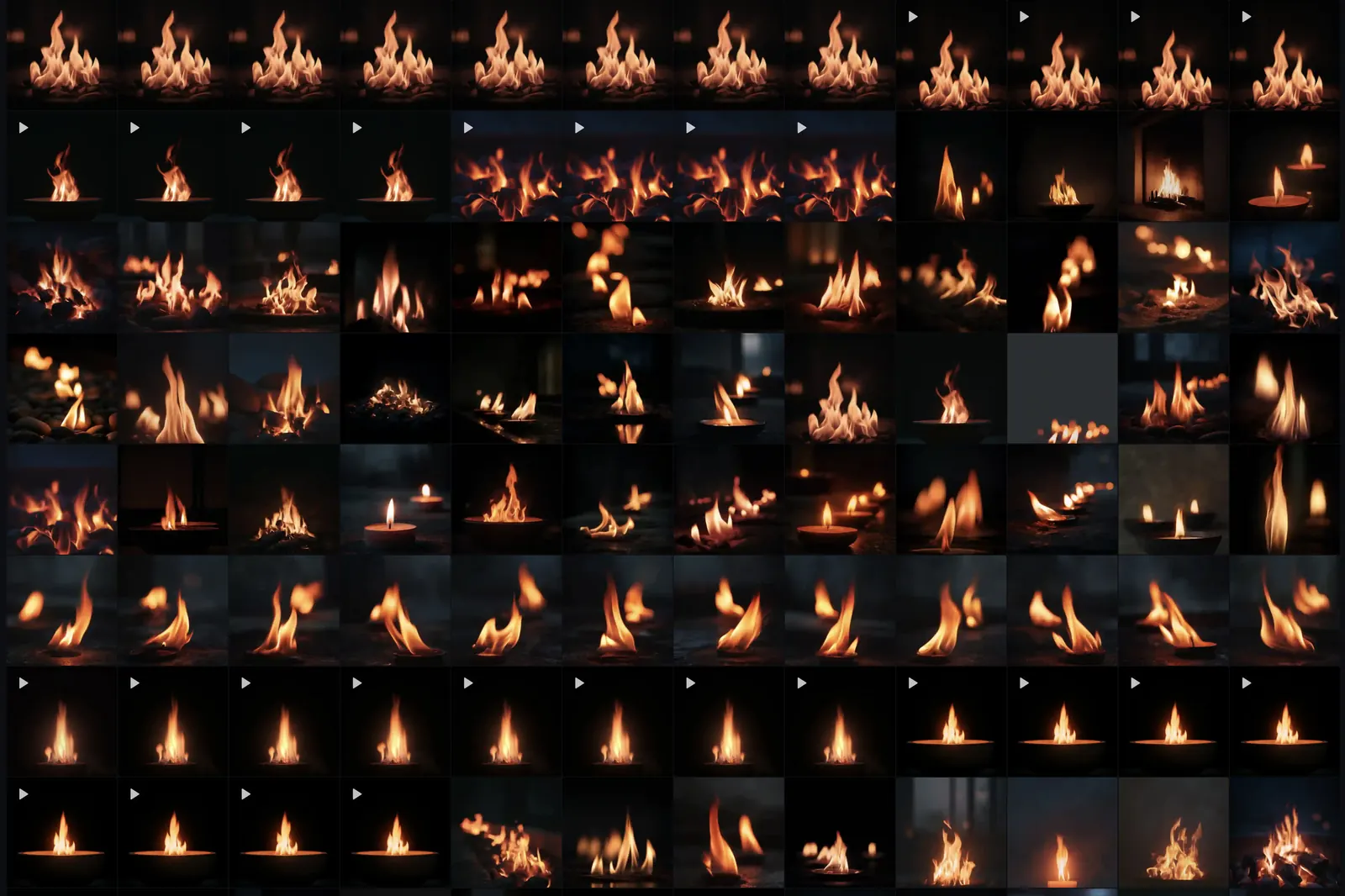


Every tile is a generation. The hearts are the ones that survived a first pass. The play triangles are the ones I took to video. Four themes shipped. Everything else stayed in the grid, and that's the whole point of the process: the ratio matters.
The bells followed the same arc in audio. Prompt, listen, refine, prompt again. I kept three: Singing Bowl, Temple Bell, Soft Chime. Each one iterated until it stopped sounding synthetic.
I won't pretend to count the total generations. Hundreds per theme is honest. The discipline isn't in the prompts. It's in throwing away everything that's merely good, and keeping only the ones that can sit behind a timer for twenty silent minutes without ever becoming the thing you notice.
Why a timer, not a teacher.
This part is personal. I built Return because I already have a meditation practice and I couldn't find a timer that got out of the way. What I sit with is Japanese Zen in its martial current: Takuan, Yagyu, Musashi, Dogen, Hakuin. Not the therapeutic mindfulness the big apps ship. Different intent, different texture.
What rotates through a given week:
- Susokukan (breath counting). Count one through ten on the breath, return to one whenever the count is lost. Foundation. Concentration, joriki, first.
- Shikantaza (just sitting). Objectless. No counting, no question, no visualization. The mind that does not fixate. Dogen's central form of zazen and the closest formal approximation of the state I actually want.
- Koan. Primarily Joshu's Mu. A question that can't be resolved by thinking, held until thinking gives up.
- Maranasati (death contemplation). Hagakure framing. Used sparingly. Survival tightens the mind; this cuts through it.
- Isshin (one mind). Takuan and Yagyu territory: relaxed but committed, settled but mobile. The bridge between the cushion and whatever comes next.
- Integration days. Gratitude, compassion, lineage. Jihi. Katsujinken: the life-giving sword, not the killing sword. Saturdays, usually.
- Sakki (awareness of hostile intent). Five minutes of open-field listening appended to every session. Takes shikantaza off the cushion and pressure-tests it in ordinary environments.
The rotation is not rigid. Breath counting when I need to stabilize. Koan when I need to break through. Shikantaza when I need to rest in openness. Death contemplation when the stakes need clarifying. The variety belongs to the training.
Return is a timer because I don't need a teacher on my phone. I need something that holds the clock so I don't have to, marks the beginning and the end with a bell I respect, and gets out of the way in between. If you already have a practice, that is probably what you want too. If you're brand new, find a teacher in a room. Then come back.
What isn't in Return.
Return is not Calm. It is not Headspace. There is no British narrator easing you into a body scan. There is no cartoon avatar celebrating your streak. There is no subscription that unlocks new guided programs. Return is a timer. The idea is that if you already have a practice, you don't need a teacher in the app. You need a tool that holds time for you and gets out of the way.
- No guided voice or narration
- No streaks, scores, or gamification
- No subscription or in-app purchases
- No ads, ever
- No analytics; the app tracks nothing
- No social login or sharing
- No nag screens, no cold-start modals
- No dark patterns in the IAP flow, because there is no IAP flow
What is in Return, kept deliberately small: four repeat modes (Once, Until Stopped, Until Time, Repeat N Times), a two-second breathing pause between cycles, one-to-three bell rings at each transition, a choice of three bells, four themes, HealthKit opt-in, and a language picker. That's the entire product.
The cost of being this strict shows up in the settings model. Every user-facing preference is clamped to a valid range by the property itself, not by UI validation. UI validation is another dark pattern if you're not careful. The bellRepeatCount getter can't return anything except 1, 2, or 3. Writing 0 or 47 into the underlying @AppStorage silently clamps back to the allowed range.
@ObservationIgnored
@AppStorage("bellRepeatCount") private var _bellRepeatCount = 1

/// Validated bell repeat count (1-3)
var bellRepeatCount: Int {
    get { max(1, min(3, _bellRepeatCount)) }
    set { _bellRepeatCount = max(1, min(3, newValue)) }
}
Return is $2.99. You pay for it once and you own it. No server costs to support, no subscription to renew, no analytics pipeline watching what you do. The product is the product. If you want the longer version of why I keep building apps this way, read Minimum Worthy Product and The Steve Test. The short version lives in this section.
The writing behind the app
Return is paired with a library of 250+ research-backed articles on meditation, mental training, and recovery — the thinking that shapes how the app gets built. A few ways in:
Return.
Available now on the App Store for iPhone, iPad, Apple Watch, Apple TV, and Mac.