Notion: 블록 기반 혁명
Notion이 복잡성을 조합 가능하게 만든 방법: 블록 아키텍처, 점진적 공개, 슬래시 명령, 무한 캔버스. CSS와 TS 코드 포함.
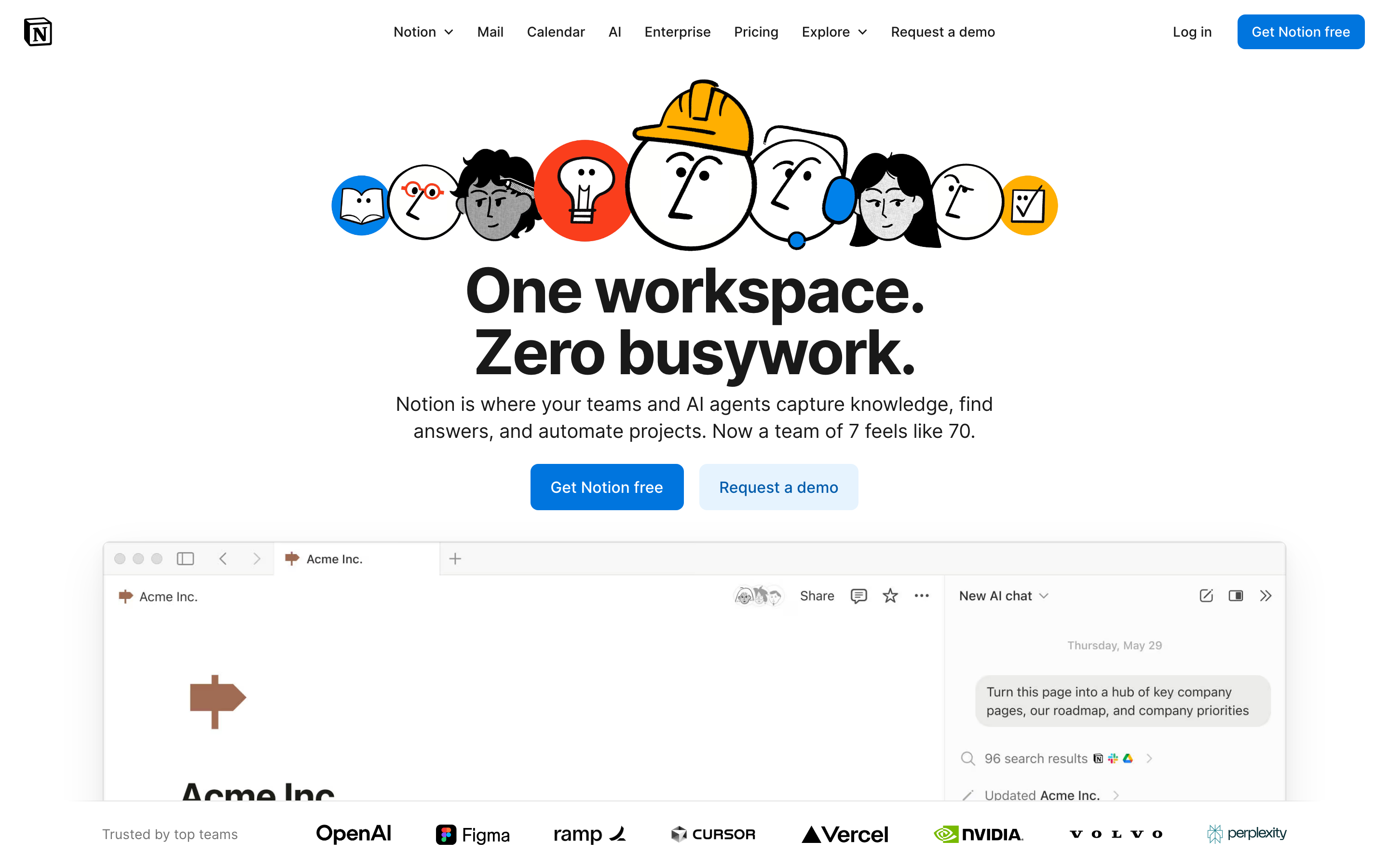
“우리는 모든 사람이 매일 사용하는 소프트웨어를 자신의 정확한 요구에 맞게 맞춤화할 수 있도록 만들고 싶습니다.” — Ivan Zhao, Notion CEO
Notion은 모든 것을 블록으로 만들어 생산성 소프트웨어를 혁신했습니다. 겉보기에 단순한 이 추상화는 사용성을 유지하면서도 무한한 유연성을 창출했는데, 이는 대부분이 불가능하다고 생각했던 디자인 과제였습니다.
Notion이 중요한 이유
Notion은 복잡성이 조합 가능하다는 것을 증명했습니다. 경직된 기능 대신, 디자이너들이 예상하지 못한 방식으로 사용자들이 조합할 수 있는 빌딩 블록을 만들었습니다.
주요 성과: - 비개발자도 데이터베이스에 접근할 수 있게 함 - 친숙하게 느껴지는 무한 캔버스 창조 - 유연성과 사용성이 상반되지 않음을 증명 - 대규모 협업 문서 편집의 선구자
핵심 요점
- 모든 것이 블록이다 - 원자 단위 접근 방식은 모든 콘텐츠(텍스트, 이미지, 데이터베이스)가 동일하게 동작함을 의미합니다: 드래그 가능, 변환 가능, 연결 가능
- 점진적 공개로 복잡성을 확장한다 - 슬래시 명령어는 호출될 때만 고급 기능을 드러냅니다; 초보자는 단순함을, 전문가는 깊이를 발견합니다
- 일관성이 독창성을 이긴다 - 모든 블록은 동일한 핸들, 동일한 드래그 동작을 가지며, 어떤 다른 유형으로든 변환할 수 있습니다
- 무한 캔버스는 제약을 제거한다 - 페이지가 페이지를 포함하고, 데이터베이스가 페이지를 포함하며, 모든 것이 어디든 연결됩니다—인위적인 계층 구조가 없습니다
- 차분한 타이포그래피가 콘텐츠를 빛나게 한다 - 넉넉한 line-height(1.7)와 편안한 읽기 너비(720px)의 절제된 디자인이 사용자 콘텐츠에 집중하게 합니다
핵심 디자인 원칙
1. 모든 것이 블록이다
Notion의 원자 단위는 블록입니다. 모든 콘텐츠는 다음이 가능한 블록입니다: - 이동 - 변환 - 참조 - 임베드
TRADITIONAL DOCUMENT:
┌─────────────────────────────────────┐
│ [Fixed header]                      │
│ ─────────────────────────────────   │
│ Paragraph of text that's just text  │
│ and can only be text.               │
│                                     │
│ [Fixed image]                       │
│                                     │
│ Another paragraph, same deal.       │
└─────────────────────────────────────┘

NOTION'S BLOCK MODEL:
┌─────────────────────────────────────┐
│ ⋮⋮ [Heading block - H1]             │  ← Drag to reorder
│ ─────────────────────────────────   │
│ ⋮⋮ [Text block]                     │  ← Turn into toggle, callout, etc.
│     Paragraph that can transform    │
│ ⋮⋮ [Image block]                    │  ← Resize, caption, link
│     [caption]                       │
│ ⋮⋮ [Database block]                 │  ← Full database, inline
│     │ Task │ Status │ Due │         │
│ ⋮⋮ [Text block]                     │
│     Another paragraph               │
└─────────────────────────────────────┘
핵심 통찰: 모든 블록은 동일한 핸들(⋮⋮), 동일한 드래그 동작을 가지며, 어떤 다른 블록 유형으로든 변환할 수 있습니다.
CSS 패턴 (Block Handle):
.block {
  position: relative;
  padding-left: var(--block-indent);
}

.block-handle {
  position: absolute;
  left: 0;
  opacity: 0;
  transition: opacity 0.15s ease;
  cursor: grab;
}

.block:hover .block-handle,
.block-handle:focus {
  opacity: 1;
}

/* Universal block spacing */
.block + .block {
  margin-top: var(--space-2);
}
SwiftUI 패턴:
struct BlockView: View {
    @State private var isHovering = false
    let block: Block

    var body: some View {
        HStack(alignment: .top, spacing: 4) {
            // Universal handle
            Image(systemName: "line.3.horizontal")
                .opacity(isHovering ? 1 : 0)
                .animation(.easeOut(duration: 0.15), value: isHovering)

            // Block content (polymorphic)
            BlockContentView(block: block)
        }
        .onHover { isHovering = $0 }
    }
}
2. 점진적 공개
Notion은 필요할 때만 복잡성을 드러냅니다. 기본 상태는 깔끔하며, 고급 기능은 요청 시에만 나타납니다.
"/" 메뉴:
User types: /
           ↓
┌────────────────────────────────┐
│ BASIC BLOCKS                   │
│  [T] Text                      │
│  [P] Page                      │
│  [x] To-do list                │
│   *  Bulleted list             │
│                                │
│ DATABASE                       │
│  [=] Table                     │
│  [#] Board                     │
│  [D] Calendar                  │
│                                │
│ MEDIA                          │
│  [I] Image                     │
│  [V] Video                     │
│  [@] File                      │
└────────────────────────────────┘
점진적 복잡성:
Level 1: Just type (text block)
Level 2: "/" for block types
Level 3: "@" for mentions and links
Level 4: "[" for inline databases
Level 5: Templates and formulas
구현 원칙:
/* Hidden until needed */
.property-options,
.advanced-settings,
.formula-builder {
  display: none;
}

/* Revealed by explicit action */
.block.selected .property-options,
.settings-expanded .advanced-settings,
.formula-mode .formula-builder {
  display: block;
  animation: fadeSlideIn 0.2s ease-out;
}
3. 무한 캔버스
페이지가 페이지를 포함합니다. 데이터베이스가 페이지를 포함합니다. 페이지는 어디든 연결됩니다. 작업 공간에는 벽이 없습니다.
TRADITIONAL HIERARCHY:
Folders → Documents → Content
   │
   └── Rigid, one location per doc

NOTION'S CANVAS:
Everything → Links to → Everything
   │
   └── Page can exist anywhere
   └── Same data, multiple views
   └── Inline or full-page
핵심 통찰: "파일 시스템"이 없습니다. 연결된 콘텐츠의 그래프가 있을 뿐입니다.
패턴 - 인라인 vs 전체 페이지:
/* Same content, different containers */
.database-inline {
  max-height: 400px;
  overflow-y: auto;
  border: 1px solid var(--border-light);
  border-radius: var(--radius-md);
}

.database-fullpage {
  height: 100%;
  border: none;
}

/* Content adapts to container */
.database-view {
  display: flex;
  flex-direction: column;
  height: 100%;
}
4. 차분한 타이포그래피
Notion의 타이포그래피는 의도적으로 절제되어 있습니다. 콘텐츠가 빛날 수 있게 합니다.
HIERARCHY THROUGH SIZE AND WEIGHT:

Page Title         ← 40px, Bold, little personality
═══════════════════════════════════════════════

Heading 1          ← 30px, Semibold
───────────────────────────────────────────────

Heading 2          ← 24px, Semibold
. . . . . . . . . . . . . . . . . . . . . . .

Heading 3          ← 20px, Semibold

Body text flows naturally at 16px with         ← 16px, Regular
generous line-height (1.7) and comfortable
measure. Long-form content remains readable.
타이포그래피 시스템:
:root {
  /* Notion-inspired scale */
  --font-title: 40px;
  --font-h1: 30px;
  --font-h2: 24px;
  --font-h3: 20px;
  --font-body: 16px;
  --font-small: 14px;

  /* 가독성을 위한 넉넉한 줄 높이 */
  --line-height-tight: 1.3;
  --line-height-normal: 1.5;
  --line-height-relaxed: 1.7;

  /* 중립적이고 읽기 쉬운 폰트 스택 */
  --font-family: -apple-system, BlinkMacSystemFont,
    'Segoe UI', 'Roboto', sans-serif;
}

.page-content {
  max-width: 720px;  /* 편안한 읽기 폭 */
  margin: 0 auto;
  font-family: var(--font-family);
  line-height: var(--line-height-relaxed);
}
활용 가능한 패턴
패턴 1: 슬래시 명령어
메커니즘: "/"를 입력하면 상황에 맞는 액션이 표시됩니다.
// 슬래시 명령어 레지스트리
interface SlashCommand {
  trigger: string;
  icon: string;
  label: string;
  shortcut?: string;
  action: () => void;
}

const commands: SlashCommand[] = [
  { trigger: 'h1', icon: 'H1', label: 'Heading 1', action: createH1 },
  { trigger: 'bullet', icon: '•', label: 'Bullet list', action: createBullet },
  { trigger: 'todo', icon: '☐', label: 'To-do', action: createTodo },
];

// 사용자 입력에 따라 필터링
function filterCommands(query: string): SlashCommand[] {
  return commands.filter(cmd =>
    cmd.trigger.includes(query.toLowerCase()) ||
    cmd.label.toLowerCase().includes(query.toLowerCase())
  );
}
패턴 2: 블록 변환
메커니즘: 모든 블록은 다른 블록으로 변환될 수 있습니다.
enum BlockType: CaseIterable {
    case text, heading1, heading2, heading3
    case bulletList, numberedList, toggleList, todo
    case quote, callout, divider
    case image, video, embed

    var icon: String {
        switch self {
        case .text: return "text.alignleft"
        case .heading1: return "textformat.size.larger"
        // ...
        }
    }
}

struct BlockTransformMenu: View {
    let currentBlock: Block
    let onTransform: (BlockType) -> Void

    var body: some View {
        Menu {
            ForEach(BlockType.allCases, id: \.self) { type in
                Button {
                    onTransform(type)
                } label: {
                    Label(type.label, systemImage: type.icon)
                }
            }
        } label: {
            Image(systemName: "arrow.triangle.turn.up.right.circle")
        }
    }
}
패턴 3: 인라인 멘션
메커니즘: "@"를 입력하면 워크스페이스 내 모든 항목에 링크할 수 있습니다.
.mention {
  display: inline-flex;
  align-items: center;
  gap: 4px;
  padding: 2px 6px;
  background: var(--bg-mention);
  border-radius: var(--radius-sm);
  color: var(--text-link);
  text-decoration: none;
  cursor: pointer;
}

.mention:hover {
  background: var(--bg-mention-hover);
}

.mention-icon {
  width: 16px;
  height: 16px;
}
디자인 교훈
- 기능보다 조합성: 거대한 단일 도구가 아닌 조합 가능한 블록을 구축
- 점진적 공개: 기본은 단순하게, 필요할 때 강력하게
- 일관된 인터랙션: 모든 블록이 동일한 방식으로 작동
- 차분한 인터페이스: 장식이 아닌 콘텐츠에 집중하게 함
- 무한한 유연성: 구조에 대한 인위적 제약 없음
자주 묻는 질문
Notion의 블록 기반 아키텍처란 무엇인가요?
Notion의 모든 콘텐츠는 "블록"입니다—텍스트, 이미지, 데이터베이스, 임베드, 심지어 페이지 자체도 블록입니다. 각 블록은 동일한 동작을 갖습니다: 드래그를 위한 핸들, 다른 블록 유형으로 변환하는 기능, 일관된 간격. 이러한 원자적 접근 방식 덕분에 사용자는 어디서나 적용되는 하나의 인터랙션 패턴만 학습하면 됩니다.
Notion의 슬래시 명령 시스템은 어떻게 작동하나요?
"/"를 입력하면 사용 가능한 모든 블록 유형의 컨텍스트 메뉴가 열립니다. 사용자가 입력하면 메뉴가 필터링됩니다(예: "/todo"를 입력하면 할 일 목록이 표시). 이 패턴은 발견 가능성(모든 옵션 확인)과 속도(파워 유저는 단축키를 직접 입력)를 결합합니다. 슬래시 명령은 이제 업계 표준 패턴이 되었습니다.
점진적 공개란 무엇이며 Notion은 이를 어떻게 활용하나요?
점진적 공개는 필요할 때만 복잡성을 드러내는 것을 의미합니다. Notion에서 레벨 1은 단순히 타이핑(텍스트 블록 생성), 레벨 2는 "/" 블록 유형, 레벨 3은 "@" 멘션, 레벨 4는 "[" 데이터베이스, 레벨 5는 템플릿과 수식입니다. 초보자는 압도적인 옵션을 절대 보지 않습니다.
Notion의 무한 캔버스는 전통적인 문서 구조와 어떻게 다른가요?
전통적인 앱은 각 문서가 하나의 위치에 존재하는 폴더 계층 구조를 사용합니다. Notion은 콘텐츠를 그래프로 취급합니다: 페이지가 페이지를 포함하고, 데이터베이스가 페이지를 포함하며, 무엇이든 무엇과도 연결될 수 있습니다. 동일한 데이터베이스가 여러 페이지에 인라인으로 나타날 수 있고, 페이지는 파일 시스템 내 고정된 "위치"가 없습니다.
Notion은 왜 그렇게 절제된 타이포그래피를 사용하나요?
Notion의 차분한 타이포그래피(시스템 폰트, 16px 본문, 1.7 line-height, 720px max-width)는 의도적으로 개성을 피합니다. 사용자들은 회의록, 위키, 프로젝트 트래커 등 매우 다양한 콘텐츠를 만들기 때문에, 인터페이스는 어떤 콘텐츠 유형도 자연스럽게 느껴지도록 중립적인 캔버스가 되어야 합니다.
리소스
- 웹사이트: notion.so
- 디자인 블로그: Notion의 비하인드 스토리 디자인 결정
- 템플릿 갤러리: 커뮤니티 패턴 및 사용 사례
- API 문서: Notion의 블록 모델로 구축하기











