Raycast: The Art of Productivity UI
How Raycast achieved sub-50ms response times: macOS-native design, keyboard excellence, extension ecosystem, and HUD patterns. Swift code included.
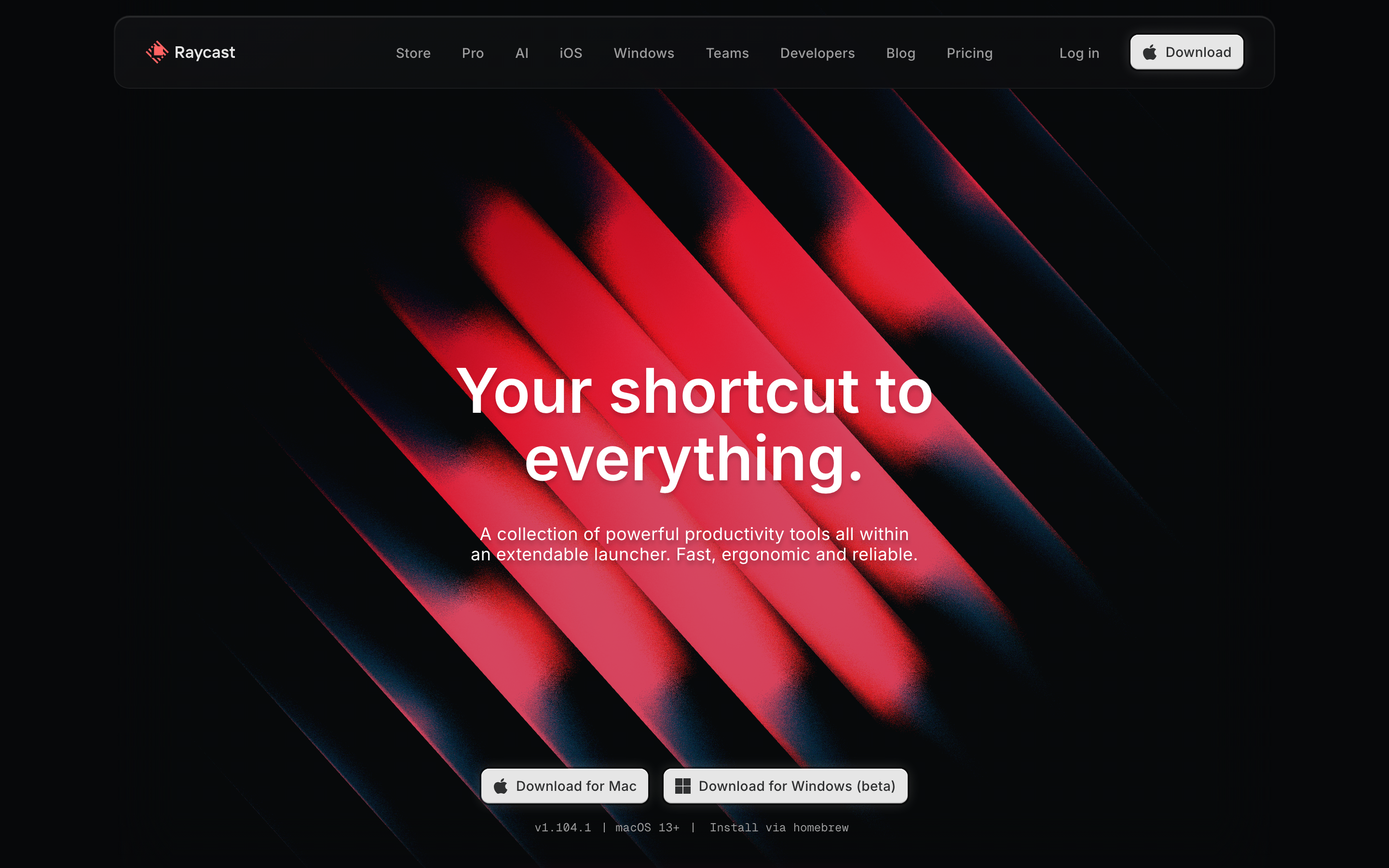
Raycast: The Art of Productivity UI
“We believe the best tools get out of your way.” — Raycast Team
Raycast is a macOS launcher that replaced Spotlight for power users. It demonstrates how to design for extreme efficiency while maintaining warmth and personality.
Why Raycast Matters
Raycast proves that utilitarian software doesn’t have to feel cold. It combines:
- Blazing speed (launches in <50ms)
- Keyboard-first interaction
- Extensibility through a store
- Personality through delightful details
Key achievements:
- Redefined what a launcher can be
- Proved developer tools can have personality
- Created a thriving extension ecosystem
- Set new standards for macOS-native design
Key Takeaways
- 50ms is the speed threshold - Users perceive any latency above 50ms; treat this as a hard engineering constraint, not a guideline
- Native platform integration creates trust - Vibrancy, SF Symbols, system accent colors, and standard shortcuts make Raycast feel like part of macOS
- Keyboard shortcuts must be discoverable - Show shortcuts inline in results (⌘1, ⌘2), not hidden in tooltips or documentation
- Personality without performance cost - Confetti on achievements, playful empty states, and clever copy create delight without adding latency
- Extension ecosystems need design language - Third-party extensions feel native because they use the same form components, action panels, and navigation patterns
Core Design Principles
1. Instant Response
Raycast feels like an extension of your thoughts. No latency. No waiting.
How they achieve it:
- Native Swift implementation (not Electron)
- Pre-loaded extension index
- Aggressive caching
- Optimized rendering pipeline
The 50ms rule: If something takes longer than 50ms, users notice. Raycast treats this as a hard constraint.
Design implications:
- Show UI immediately, load data asynchronously
- Skeleton states for heavy operations
- Never block the main thread
- Prefer local processing over network calls
// Raycast-style instant response pattern
struct SearchView: View {
    @State private var results: [Result] = []
    @State private var isLoading = false

    var body: some View {
        VStack {
            // Show immediately with cached data
            ForEach(cachedResults) { result in
                ResultRow(result)
            }

            if isLoading {
                // Unobtrusive loading indicator
                ProgressView()
                    .scaleEffect(0.5)
            }
        }
        .task(id: query) {
            isLoading = true
            results = await search(query)
            isLoading = false
        }
    }
}
2. Deep macOS Integration
Raycast feels like it belongs on macOS. It respects platform conventions while pushing boundaries.
Native behaviors:
- Vibrancy and blur (NSVisualEffectView)
- System accent colors
- SF Symbols throughout
- Native keyboard shortcuts
- Respects system dark/light mode
Implementation:
// macOS vibrancy
struct RaycastWindow: View {
    var body: some View {
        VStack {
            // Content
        }
        .background(.ultraThinMaterial)  // Native blur
        .clipShape(RoundedRectangle(cornerRadius: 12, style: .continuous))
    }
}

// System accent color
Text("Selected")
    .foregroundStyle(.tint)  // Follows system preference

// SF Symbols with semantic colors
Image(systemName: "checkmark.circle.fill")
    .foregroundStyle(.green)
Window design:
┌────────────────────────────────────────────────────────────┐
│ ░░░░░░░░░░░░░░░░░░░░░░░░░░░░░░░░░░░░░░░░░░░░░░░░░░░░░░░░ │
│ ░░                                                      ░░ │
│ ░░  > Search Raycast...                                 ░░ │
│ ░░                                                      ░░ │
│ ░░  ┌────────────────────────────────────────────────┐  ░░ │
│ ░░  │ [A]  Applications                      Cmd+1   │  ░░ │
│ ░░  │ [F]  File Search                       Cmd+2   │  ░░ │
│ ░░  │ [C]  Clipboard History                 Cmd+3   │  ░░ │
│ ░░  │ [S]  System Commands                   Cmd+4   │  ░░ │
│ ░░  └────────────────────────────────────────────────┘  ░░ │
│ ░░                                                      ░░ │
│ ░░░░░░░░░░░░░░░░░░░░░░░░░░░░░░░░░░░░░░░░░░░░░░░░░░░░░░░░ │
└────────────────────────────────────────────────────────────┘
                    ↑ Vibrancy shows desktop through window
3. Keyboard Excellence with Visual Feedback
Every action has a keyboard shortcut. Every shortcut has visual confirmation.
Shortcut display patterns:
RESULTS LIST:
┌────────────────────────────────────────────────────────────┐
│ Recent Applications                                        │
│                                                            │
│  (*)  Visual Studio Code                         Cmd+1     │
│       ~/Projects/my-app                                    │
│                                                            │
│  ( )  Figma                                      Cmd+2     │
│       ~/Design/project.fig                                 │
│                                                            │
│  ( )  Terminal                                   Cmd+3     │
│                                                            │
│ ───────────────────────────────────────────────────────────│
│  Actions                            Cmd+K  or  ->  to see  │
└────────────────────────────────────────────────────────────┘
Action panel:
┌────────────────────────────────────────────────────────────┐
│ Actions for "Visual Studio Code"                  esc <-   │
│                                                            │
│  Open                                             Enter    │
│  Open in New Window                           Cmd+Enter    │
│  ──────────────────────────────────────────────────────── │
│  Show in Finder                             Cmd+Shift+F    │
│  Copy Path                                  Cmd+Shift+C    │
│  ──────────────────────────────────────────────────────── │
│  Move to Trash                           Cmd+Backspace     │
└────────────────────────────────────────────────────────────┘
Design principles:
- Show shortcuts inline (not in tooltips)
- Group shortcuts by modifier key
- Use standard macOS shortcuts where expected
- Mnemonic patterns (⌘⇧F = Finder)
4. Personality in Details
Raycast is efficient but not sterile. Small delights make it memorable.
Examples:
- Confetti on achievements
- Subtle sounds for actions
- Playful empty states
- Easter eggs for power users
Empty state example:
┌────────────────────────────────────────────────────────────┐
│                                                            │
│                        [?]                                 │
│                                                            │
│               No results for "asdfgh"                      │
│                                                            │
│          Try searching for something else,                 │
│          or check out the Extension Store                  │
│                                                            │
│              [Browse Extensions]                           │
│                                                            │
└────────────────────────────────────────────────────────────┘
Confetti pattern (for achievements):
// After completing onboarding, earning badge, etc.
ConfettiView()
    .transition(.opacity)
    .animation(.spring(), value: showConfetti)
Personality guidelines:
- Delight shouldn’t delay
- Celebrations are earned (not random)
- Personality in copy (“No results for…” vs “Error: 0 results”)
- Sound is optional and unobtrusive
5. Extension Ecosystem Design
Raycast’s extension store is beautifully designed.
Extension card:
┌────────────────────────────────────────────────────────────┐
│  ┌──────┐                                                  │
│  │ [+]  │  GitHub                                          │
│  │      │  Search repos, PRs, and issues                   │
│  └──────┘                                                  │
│           ★★★★★  1.2k ratings  •  By Raycast               │
│                                                            │
│           [Install]                                        │
└────────────────────────────────────────────────────────────┘
Extension detail view:
┌────────────────────────────────────────────────────────────┐
│                                                            │
│  ← GitHub                                     [Uninstall]  │
│                                                            │
│  ┌──────────────────────────────────────────────────────┐ │
│  │                                                       │ │
│  │           [Screenshot of extension in use]           │ │
│  │                                                       │ │
│  └──────────────────────────────────────────────────────┘ │
│                                                            │
│  Commands                                                  │
│  ├─ Search Repositories                                    │
│  ├─ My Pull Requests                                       │
│  ├─ Search Issues                                          │
│  └─ Create Issue                                           │
│                                                            │
│  Changelog                                                 │
│  ├─ v2.1.0  Added organization filtering                   │
│  └─ v2.0.0  Complete rewrite with new API                  │
│                                                            │
└────────────────────────────────────────────────────────────┘
6. Form Design for Extensions
Extensions use a consistent form system.
Form patterns:
┌────────────────────────────────────────────────────────────┐
│ Create GitHub Issue                                   esc  │
│                                                            │
│  Repository                                                │
│  ┌──────────────────────────────────────────────────────┐ │
│  │ raycast/extensions                               ▾   │ │
│  └──────────────────────────────────────────────────────┘ │
│                                                            │
│  Title                                                     │
│  ┌──────────────────────────────────────────────────────┐ │
│  │ Bug: Search not working                              │ │
│  └──────────────────────────────────────────────────────┘ │
│                                                            │
│  Description                                               │
│  ┌──────────────────────────────────────────────────────┐ │
│  │ When I search for...                                 │ │
│  │                                                       │ │
│  │                                                       │ │
│  └──────────────────────────────────────────────────────┘ │
│                                                            │
│  Labels                                    (optional)      │
│  ┌──────────────────────────────────────────────────────┐ │
│  │ [bug] [needs-triage]                             +   │ │
│  └──────────────────────────────────────────────────────┘ │
│                                                            │
│           [Create Issue ⌘↵]    [Cancel esc]                │
│                                                            │
└────────────────────────────────────────────────────────────┘
Form component styling:
// Raycast-style form in SwiftUI
Form {
    Section("Repository") {
        Picker("", selection: $repo) {
            ForEach(repos) { repo in
                Text(repo.name).tag(repo)
            }
        }
        .labelsHidden()
    }

    Section("Title") {
        TextField("Bug: ...", text: $title)
    }

    Section("Description") {
        TextEditor(text: $description)
            .frame(minHeight: 100)
    }
}
.formStyle(.grouped)
Design Patterns to Learn From
The Search-First Pattern
Everything starts with search.
┌────────────────────────────────────────────────────────────┐
│  > |                                                       │
│    ^ Cursor here immediately on launch                     │
│                                                            │
│  Type to search commands, apps, files, and more            │
└────────────────────────────────────────────────────────────┘
Implementation:
- Auto-focus search on launch
- Fuzzy matching with highlights
- Smart ranking (recent + frequent + relevant)
- Results appear as you type
Hierarchical Navigation
Deep functionality without complexity.
Level 1: Main search
    ↓ Enter
Level 2: Extension commands
    ↓ Enter
Level 3: Action results
    ↓ ⌘K
Level 4: Action panel

Always: esc goes back one level
HUD Confirmations
Quick feedback without interruption.
After action:
┌────────────────────────┐
│  ✓ Copied to clipboard │
└────────────────────────┘
    ↑ Appears briefly, fades out
      Doesn't require dismissal
// HUD pattern
struct HUDView: View {
    @State private var show = false

    var body: some View {
        if show {
            Text("✓ Copied")
                .padding(.horizontal, 16)
                .padding(.vertical, 8)
                .background(.regularMaterial)
                .cornerRadius(8)
                .transition(.opacity.combined(with: .scale))
                .onAppear {
                    DispatchQueue.main.asyncAfter(deadline: .now() + 1.5) {
                        withAnimation { show = false }
                    }
                }
        }
    }
}
What to Steal from Raycast
For Launcher/Search UI
- 50ms or bust - Speed is non-negotiable
- Keyboard shortcuts everywhere - Discoverable, not hidden
- Fuzzy search with highlighting - Show why results match
- Action panels (⌘K) - Context-sensitive actions
- HUD confirmations - Quick, non-blocking feedback
For macOS Apps
- Native vibrancy - Use NSVisualEffectView/.material
- SF Symbols - Consistent with system
- System colors - Respect accent color preference
- Continuous corners - .cornerRadius(style: .continuous)
- Standard shortcuts - Don’t reinvent ⌘C, ⌘V, etc.
Specific Techniques
| Technique | How to Apply |
|---|---|
| TechniqueInstant launch | How to ApplyPre-warm window, lazy load content |
| TechniqueFuzzy search | How to ApplyUse Fuse.js or similar library |
| TechniqueShortcut hints | How to ApplyInline ⌘1, ⌘2, etc. in results |
| TechniqueAction panel | How to ApplySecondary actions on ⌘K or → |
| TechniqueHUD feedback | How to ApplyToast-style, auto-dismiss |
| TechniqueExtension API | How to ApplyClear contracts, consistent UI |
Color System
Raycast uses semantic colors tied to the system.
// Raycast-inspired semantic colors
extension Color {
    static let rayBackground = Color(nsColor: .windowBackgroundColor)
    static let raySecondary = Color.secondary
    static let rayTertiary = Color(nsColor: .tertiaryLabelColor)

    // Status colors
    static let raySuccess = Color.green
    static let rayWarning = Color.orange
    static let rayError = Color.red

    // Accent follows system
    static let rayAccent = Color.accentColor
}

// Dark mode example
struct ResultRow: View {
    var body: some View {
        HStack {
            Image(systemName: "app.fill")
                .foregroundStyle(.secondary)

            Text("Application Name")
                .foregroundStyle(.primary)

            Spacer()

            Text("⌘ 1")
                .font(.caption)
                .foregroundStyle(.tertiary)
                .padding(.horizontal, 6)
                .padding(.vertical, 2)
                .background(Color.secondary.opacity(0.2))
                .cornerRadius(4)
        }
        .padding(.horizontal, 12)
        .padding(.vertical, 8)
    }
}
Key Insights
“Every millisecond matters. Users feel the difference between 50ms and 100ms.”
“Keyboard shortcuts should be discoverable, not memorized from documentation.”
“Personality makes software memorable. Efficiency makes it indispensable.”
“Extensions should feel native, not bolted on. Same UI language, same interactions.”
Frequently Asked Questions
How does Raycast achieve sub-50ms response times?
Raycast uses native Swift implementation (not Electron), pre-loads the extension index on launch, aggressively caches search results, and optimizes the rendering pipeline. The UI appears immediately while data loads asynchronously. The 50ms threshold is treated as a hard constraint, not a goal.
Why does Raycast look so native to macOS?
Raycast uses NSVisualEffectView for vibrancy/blur, SF Symbols for all icons, system accent colors that respect user preferences, and standard macOS keyboard shortcuts. The window has continuous corner radius and follows system dark/light mode automatically.
What is Raycast’s approach to keyboard shortcuts?
Every action has a keyboard shortcut displayed inline in results (⌘1, ⌘2, etc.), not hidden in tooltips. Shortcuts use mnemonic patterns (⌘⇧F for Finder, ⌘⇧C for Copy Path). The action panel (⌘K) provides secondary actions with their own shortcuts.
How does Raycast add personality without slowing down?
Celebrations are earned and brief—confetti appears after achievements, not randomly. Empty states have playful copy (“No results for…” instead of “Error: 0 results”). Sounds are optional and unobtrusive. Delight never blocks the user or adds latency.
How does Raycast’s extension system maintain consistency?
All extensions use the same UI components (forms, lists, action panels), follow the same navigation patterns (Enter to drill down, Escape to go back), and inherit system styling. The API enforces consistency so third-party extensions feel indistinguishable from built-in features.
Resources
- Website: raycast.com
- Store: raycast.com/store - Study extension design
- Documentation: Extension development guidelines
- Blog: Engineering posts on performance
- GitHub: github.com/raycast - Open source extensions











