Things 3: 专注简洁的艺术
Things 3如何通过约束实现简洁:自然层级、When与Deadline分离、键盘优先设计。附SwiftUI代码。
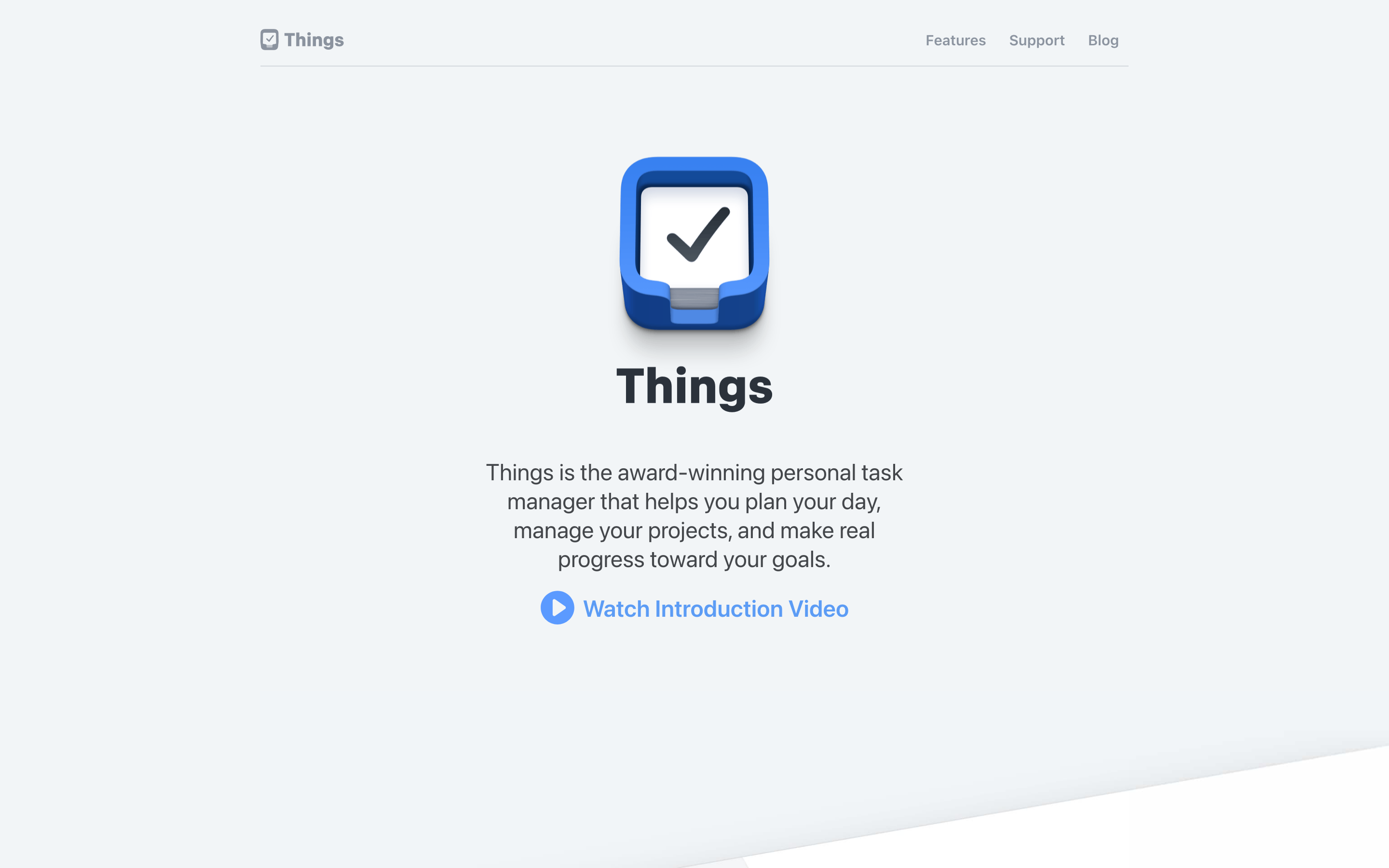
"我们相信简单是最难的。" — Cultured Code
Things 3 常被誉为有史以来最美的任务管理器。这种美源于对核心功能的极致专注,以及对其他一切的果断舍弃。
Things 3 为何重要
Things 3 证明了约束创造清晰。当竞争对手不断堆砌功能(重复任务有 47 种选项、项目支持依赖关系和甘特图)时,Things 问的是:一个人完成工作究竟需要什么?
核心成就: - 在不牺牲深度的前提下实现了视觉简洁 - 让日期变得有意义(今天、晚间、将来某天) - 创建了符合人类思维方式的层级结构 - 证明了键盘优先也可以很美 - 树立了 macOS/iOS 原生应用设计的标杆
核心要点
- 将"我什么时候做"与"什么时候截止"分开 - Things 的双日期模型(When + Deadline)消除了困扰大多数任务应用的歧义;计划意图和硬性截止日期服务于不同目的
- Someday 是一项功能,而非失败状态 - 为想法提供一个无压力的归宿可以防止收件箱焦虑;Someday 中的任务不会干扰 Today,也不会引发负罪感
- Area 永不完成,Project 会完成 - 这一区分反映了人类认知:"工作"是持续的生活领域,"发布 v2.0"有明确的终点;混淆两者会造成困惑
- 将颜色留给有意义的信息 - Things 的界面 95% 是中性色(黑、白、灰);颜色仅用于语义信息(黄色=今天,红色=截止日期,靛蓝=晚间)
- 完成任务应该令人愉悦 - 复选框动画(填充 → 勾选 → 音效)需要 500ms,但能带来多巴胺;完成任务本身就成为内在动力
核心设计原则
1. 自然层级结构
Things 按照人类思考的方式组织工作:从宏观(生活领域)到具体(单个任务)。
THINGS HIERARCHY:

Area (Work, Personal, Health)     ← Broad life categories
  │
  └── Project (Launch App)        ← Finite goal with tasks
        │
        └── Heading (Design)      ← Optional grouping
              │
              └── To-Do           ← Single actionable item
                    │
                    └── Checklist ← Sub-steps within task

Example:
┌─────────────────────────────────────────────────────────────┐
│ [A] WORK (Area)                                             │
│   ├── [P] Ship Version 2.0 (Project)                        │
│   │     ├── [H] Design                                      │
│   │     │     ├── [ ] Create new icons                      │
│   │     │     └── [ ] Update color palette                  │
│   │     └── [H] Development                                 │
│   │           ├── [ ] Implement auth flow                   │
│   │           └── [ ] Add analytics                         │
│   └── [P] Website Redesign (Project)                        │
│         └── [ ] Write copy for landing page                 │
└─────────────────────────────────────────────────────────────┘
关键洞察:Area 永不完成(它们是生活类别)。Project 会完成(周五前发布)。这一区分消除了规划时的选择困难。
数据模型:
// Things' hierarchy expressed in code
struct Area: Identifiable {
    let id: UUID
    var title: String
    var projects: [Project]
    var tasks: [Task]  // Loose tasks not in projects
}

struct Project: Identifiable {
    let id: UUID
    var title: String
    var notes: String?
    var deadline: Date?
    var headings: [Heading]
    var tasks: [Task]
    var isComplete: Bool
}

struct Heading: Identifiable {
    let id: UUID
    var title: String
    var tasks: [Task]
}

struct Task: Identifiable {
    let id: UUID
    var title: String
    var notes: String?
    var when: TaskSchedule?
    var deadline: Date?
    var tags: [Tag]
    var checklist: [ChecklistItem]
    var isComplete: Bool
}

enum TaskSchedule {
    case today
    case evening
    case specificDate(Date)
    case someday
}
2. When,而非仅仅 Due
Things 将"我什么时候做这件事?"(Today、Evening、Someday)与"这件事必须什么时候完成?"(Deadline)区分开来。大多数应用把这两者混为一谈。
TRADITIONAL DATE MODEL:
┌──────────────────────────────────────────────────────────────┐
│ Task: Write report                                           │
│ Due: March 15th                                              │
│                                                              │
│ Problem: Is March 15th when I'll do it, or when it's due?   │
│          If it's due, when should I start?                  │
└──────────────────────────────────────────────────────────────┘

THINGS DATE MODEL:
┌──────────────────────────────────────────────────────────────┐
│ Task: Write report                                           │
│ When: Today (I'll work on it today)                         │
│ Deadline: March 15th (must be complete by then)             │
│                                                              │
│ Clarity: Two separate questions, two separate answers       │
└──────────────────────────────────────────────────────────────┘

SMART LISTS (automatic filtering):

┌───────────────────┬─────────────────────────────────────────┐
│ [I] INBOX         │ Uncategorized captures                  │
├───────────────────┼─────────────────────────────────────────┤
│ [*] TODAY         │ when == .today OR deadline == today     │
├───────────────────┼─────────────────────────────────────────┤
│ [E] THIS EVENING  │ when == .evening                        │
├───────────────────┼─────────────────────────────────────────┤
│ [D] UPCOMING      │ when == .specificDate (future)          │
├───────────────────┼─────────────────────────────────────────┤
│ [A] ANYTIME       │ when == nil AND deadline == nil         │
├───────────────────┼─────────────────────────────────────────┤
│ [S] SOMEDAY       │ when == .someday                        │
├───────────────────┼─────────────────────────────────────────┤
│ [L] LOGBOOK       │ isComplete == true                      │
└───────────────────┴─────────────────────────────────────────┘
关键洞察:"Someday"不是失败状态——而是压力释放阀。想法有了归宿,却不会干扰 Today。
SwiftUI 实现:
struct WhenPicker: View {
    @Binding var schedule: TaskSchedule?
    @Binding var deadline: Date?
    @State private var showDatePicker = false

    var body: some View {
        VStack(spacing: 12) {
            // Quick options
            HStack(spacing: 8) {
                WhenButton(
                    icon: "star.fill",
                    label: "Today",
                    color: .yellow,
                    isSelected: schedule == .today
                ) {
                    schedule = .today
                }

                WhenButton(
                    icon: "moon.fill",
                    label: "Evening",
                    color: .indigo,
                    isSelected: schedule == .evening
                ) {
                    schedule = .evening
                }

                WhenButton(
                    icon: "calendar",
                    label: "Pick Date",
                    color: .red,
                    isSelected: showDatePicker
                ) {
                    showDatePicker = true
                }

                WhenButton(
                    icon: "archivebox.fill",
                    label: "Someday",
                    color: .brown,
                    isSelected: schedule == .someday
                ) {
                    schedule = .someday
                }
            }

            // Deadline (separate from "when")
            if let deadline = deadline {
                HStack {
                    Image(systemName: "flag.fill")
                        .foregroundStyle(.red)
                    Text("Deadline: \(deadline, style: .date)")
                    Spacer()
                    Button("Clear") { self.deadline = nil }
                }
                .font(.caption)
            }
        }
    }
}

struct WhenButton: View {
    let icon: String
    let label: String
    let color: Color
    let isSelected: Bool
    let action: () -> Void

    var body: some View {
        Button(action: action) {
            VStack(spacing: 4) {
                Image(systemName: icon)
                    .font(.title2)
                Text(label)
                    .font(.caption2)
            }
            .frame(maxWidth: .infinity)
            .padding(.vertical, 8)
            .background(isSelected ? color.opacity(0.2) : .clear)
            .cornerRadius(8)
        }
        .buttonStyle(.plain)
        .foregroundStyle(isSelected ? color : .secondary)
    }
}
3. 键盘优先,鼠标友好
所有操作都可以完全通过键盘完成,具备肌肉记忆级别的高效率,同时对鼠标用户保持直观易用。
键盘快捷键(易于记忆的模式):

导航:
  Cmd+1-6      跳转到智能列表(收件箱、今天等)
  Cmd+Up/Down  在分区之间移动
  Space        快速预览(查看任务详情)

任务操作:
  Cmd+K        完成任务
  Cmd+S        安排日程(时间选择器)
  Cmd+Shift+D  设置截止日期
  Cmd+Shift+M  移动到项目
  Cmd+Shift+T  添加标签

创建:
  Space/Return 创建新任务(根据上下文)
  Cmd+N        在收件箱中新建任务
  Cmd+Opt+N    新建项目

快速输入(全局快捷键):
  Ctrl+Space   从任何地方打开浮动快速输入框
  ┌─────────────────────────────────────────────────┐
  │ [ ] |                                           │
  │   新任务出现在你当前所在的位置                    │
  └─────────────────────────────────────────────────┘
核心洞察:快捷键应该是可发现的,但不是必需的。界面会提示按键,但不强制使用。
CSS 模式(快捷键提示):
.action-button {
  display: flex;
  align-items: center;
  gap: 8px;
  padding: 8px 12px;
}

.shortcut-hint {
  font-size: 11px;
  font-family: var(--font-mono);
  padding: 2px 6px;
  background: var(--surface-subtle);
  border-radius: 4px;
  color: var(--text-tertiary);
  opacity: 0;
  transition: opacity 0.15s ease;
}

/* 悬停时显示 */
.action-button:hover .shortcut-hint {
  opacity: 1;
}

/* 通过键盘聚焦时始终可见 */
.action-button:focus-visible .shortcut-hint {
  opacity: 1;
}
SwiftUI 快速输入:
struct QuickEntryPanel: View {
    @Binding var isPresented: Bool
    @State private var taskTitle = ""
    @FocusState private var isFocused: Bool

    var body: some View {
        VStack(spacing: 0) {
            HStack(spacing: 12) {
                // 复选框(仅用于视觉展示)
                Circle()
                    .strokeBorder(.tertiary, lineWidth: 1.5)
                    .frame(width: 20, height: 20)

                // Task input
                TextField("New To-Do", text: $taskTitle)
                    .textFieldStyle(.plain)
                    .font(.body)
                    .focused($isFocused)
                    .onSubmit {
                        createTask()
                    }
            }
            .padding()
            .background(.ultraThinMaterial)
            .cornerRadius(12)
            .shadow(color: .black.opacity(0.2), radius: 20, y: 10)
        }
        .frame(width: 500)
        .onAppear {
            isFocused = true
        }
        .onExitCommand {
            isPresented = false
        }
    }

    private func createTask() {
        guard !taskTitle.isEmpty else { return }
        // Create task in Inbox
        TaskStore.shared.createTask(title: taskTitle)
        taskTitle = ""
    }
}
4. 视觉克制
Things 对颜色的使用极为节制,仅在需要传达含义时才使用。界面的绝大部分保持中性色调,让有色元素能够脱颖而出。
THINGS 中的颜色运用:

中性色(占界面 95%):
├── 背景:纯白 / 深灰
├── 文字:黑色 / 白色
├── 边框:极淡的灰色
└── 图标:单色

有语义的颜色(占 5%):
├── 黄色 [*] = 今天
├── 红色 [!] = 截止日期 / 已逾期
├── 蓝色 [#] = 标签(用户自定义)
├── 绿色 [x] = 完成动画
└── 靛蓝 [E] = 今晚

视觉示例:

┌─────────────────────────────────────────────────────────────┐
│ 今天                                         [*](黄色)    │
├─────────────────────────────────────────────────────────────┤
│ ( ) 编写文档                                                │
│     项目名称 - [!] 明天截止(红色)                          │
│                                                             │
│ ( ) 审查 Pull Request                                       │
│     [#] work(蓝色标签)                                    │
│                                                             │
│ ( ) 打电话给牙医                                            │
│     [E] 今晚(靛蓝徽章)                                    │
└─────────────────────────────────────────────────────────────┘

注意:大部分文字都是黑色的。颜色只在承载含义时才出现。
核心洞察:当一切都五彩斑斓时,就没有什么能突出显示了。把颜色留给真正需要传达的信息。
CSS 模式:
:root {
  /* 中性调色板(界面主体) */
  --surface-primary: #ffffff;
  --surface-secondary: #f5f5f7;
  --text-primary: #1d1d1f;
  --text-secondary: #86868b;
  --border: rgba(0, 0, 0, 0.08);

  /* 语义颜色(谨慎使用) */
  --color-today: #f5c518;
  --color-deadline: #ff3b30;
  --color-evening: #5856d6;
  --color-complete: #34c759;
  --color-tag: #007aff;
}

/* 任务行 - 以中性色为主 */
.task-row {
  display: flex;
  align-items: flex-start;
  gap: 12px;
  padding: 12px 16px;
  border-bottom: 1px solid var(--border);
  background: var(--surface-primary);
  color: var(--text-primary);
}

/* 颜色仅用于传达含义 */
.deadline-badge {
  font-size: 12px;
  color: var(--color-deadline);
}

.deadline-badge.overdue {
  font-weight: 600;
  color: var(--color-deadline);
}

.tag {
  font-size: 12px;
  padding: 2px 8px;
  border-radius: 4px;
  background: var(--color-tag);
  color: white;
}

.evening-badge {
  color: var(--color-evening);
}
5. 令人愉悦的完成体验
完成动画带来的是奖励感,而非单纯的反馈。悦耳的"叮"声配合流畅的勾选动画,让完成任务成为一种享受。
完成序列:

第 1 帧:   ○ 任务标题
第 2-4 帧:◔(圆圈顺时针填充)
第 5-7 帧:●(完全填满,短暂停顿)
第 8-10 帧:✓(勾选出现,略微放大)
第 11+ 帧:行滑出,列表收拢间隙

音效:第 7-8 帧(完成瞬间)播放轻柔的"叮"声
触感:iOS 上在完成时轻触反馈
SwiftUI 实现:
struct CompletableCheckbox: View {
    @Binding var isComplete: Bool
    @State private var animationPhase: AnimationPhase = .unchecked

    enum AnimationPhase {
        case unchecked, filling, checked, done
    }

    var body: some View {
        Button {
            completeWithAnimation()
        } label: {
            ZStack {
                // Background circle
                Circle()
                    .strokeBorder(.tertiary, lineWidth: 1.5)
                    .frame(width: 22, height: 22)

                // Fill animation
                Circle()
                    .trim(from: 0, to: fillAmount)
                    .stroke(.green, lineWidth: 1.5)
                    .frame(width: 22, height: 22)
                    .rotationEffect(.degrees(-90))

                // Checkmark
                Image(systemName: "checkmark")
                    .font(.system(size: 12, weight: .bold))
                    .foregroundStyle(.green)
                    .scaleEffect(checkScale)
                    .opacity(checkOpacity)
            }
        }
        .buttonStyle(.plain)
        .sensoryFeedback(.success, trigger: animationPhase == .checked)
    }

    private var fillAmount: CGFloat {
        switch animationPhase {
        case .unchecked: return 0
        case .filling: return 1
        case .checked, .done: return 1
        }
    }

    private var checkScale: CGFloat {
        animationPhase == .checked ? 1.2 : (animationPhase == .done ? 1.0 : 0)
    }

    private var checkOpacity: CGFloat {
        animationPhase == .unchecked || animationPhase == .filling ? 0 : 1
    }

    private func completeWithAnimation() {
        // Phase 1: Fill the circle
        withAnimation(.easeInOut(duration: 0.2)) {
            animationPhase = .filling
        }

        // Phase 2: Show checkmark with bounce
        DispatchQueue.main.asyncAfter(deadline: .now() + 0.2) {
            withAnimation(.spring(response: 0.3, dampingFraction: 0.5)) {
                animationPhase = .checked
            }
        }

        // Phase 3: Settle and mark complete
        DispatchQueue.main.asyncAfter(deadline: .now() + 0.5) {
            withAnimation(.easeOut(duration: 0.15)) {
                animationPhase = .done
            }
            isComplete = true
        }
    }
}
可迁移的设计模式
模式 1:渐进式任务详情
任务详情在原位展开,而非跳转到单独的页面。
struct ExpandableTask: View {
    let task: Task
    @State private var isExpanded = false

    var body: some View {
        VStack(alignment: .leading, spacing: 0) {
            // Always visible row
            TaskRow(task: task, isExpanded: $isExpanded)

            // Expandable details
            if isExpanded {
                TaskDetails(task: task)
                    .padding(.leading, 44) // Align with title
                    .transition(.asymmetric(
                        insertion: .push(from: .top).combined(with: .opacity),
                        removal: .push(from: .bottom).combined(with: .opacity)
                    ))
            }
        }
        .animation(.spring(response: 0.3, dampingFraction: 0.8), value: isExpanded)
    }
}
模式 2:自然语言输入
Things 能够解析自然语言来设置日期,例如"tomorrow"、"next week"、"June 15"。
function parseNaturalDate(input: string): TaskSchedule | null {
const lower = input.toLowerCase();
// Today shortcuts
if (['today', 'tod', 'now'].includes(lower)) {
return { type: 'today' };
}
// Evening
if (['tonight', 'evening', 'eve'].includes(lower)) {
return { type: 'evening' };
}
// Tomorrow
if (['tomorrow', 'tom', 'tmrw'].includes(lower)) {
const date = new Date();
date.setDate(date.getDate() + 1);
return { type: 'date', date };
}
// Someday
if (['someday', 'later', 'eventually'].includes(lower)) {
return { type: 'someday' };
}
// Relative days
const inMatch = lower.match(/in (\d+) days?/);
if (inMatch) {
const date = new Date();
date.setDate(date.getDate() + parseInt(inMatch[1]));
return { type: 'date', date };
}
// Day names
const days = ['sunday', 'monday', 'tuesday', 'wednesday', 'thursday', 'friday', 'saturday'];
const dayIndex = days.findIndex(d => lower.startsWith(d.slice(0, 3)));
if (dayIndex !== -1) {
const date = getNextDayOfWeek(dayIndex);
return { type: 'date', date };
}
return null;
}
### 模式 3:基于列表的拖放
重新排序是一种直接操作,具有清晰的视觉反馈。
.task-row {
transition: transform 0.15s ease, box-shadow 0.15s ease;
}
.task-row.dragging {
transform: scale(1.02);
box-shadow:
0 4px 12px rgba(0, 0, 0, 0.15),
0 0 0 2px var(--color-focus);
z-index: 100;
}
.task-row.drop-above::before {
content: '';
position: absolute;
top: -2px;
left: 44px;
right: 16px;
height: 4px;
background: var(--color-focus);
border-radius: 2px;
}
.task-row.drop-below::after {
content: '';
position: absolute;
bottom: -2px;
left: 44px;
right: 16px;
height: 4px;
background: var(--color-focus);
border-radius: 2px;
}
设计启示
- 关注点分离:"我什么时候做这件事?"与"截止日期是什么时候?"是两个不同的问题
- 克制使用色彩:将色彩保留给有意义的元素;中性色是默认选择
- 完成即奖励:让完成任务的体验令人愉悦
- 键盘加速,鼠标友好:同时为两者设计,互不妥协
- 自然的层级结构:反映人类思考工作的方式(领域 → 项目 → 任务)
- "将来/也许"是一个功能:给想法一个不会产生压力的归宿
常见问题
Things 3 中"何时"与"截止日期"有什么区别?
"何时"回答的是"我什么时候处理这件事?"(今天、今晚、将来/也许,或具体日期)。"截止日期"回答的是"这件事必须在什么时候完成?"大多数任务应用混淆了这两个概念,但它们有不同的用途。一个任务可能周五到期(截止日期),但你计划周三处理它(何时)。这种分离让你可以围绕意图规划一天,同时仍能追踪硬性截止日期。
Things 3 的层级结构(领域、项目、任务)是如何运作的?
领域是永远不会完成的广泛生活类别(工作、个人、健康)。项目是有明确结束状态的有限目标(发布应用、计划假期)。任务是单个可执行的事项。标题可选择性地在项目内对任务进行分组。这反映了人类思考工作的自然方式:持续的责任包含有时限的目标,目标又包含具体的行动。
为什么 Things 3 使用如此少的色彩?
Things 将色彩专门保留给语义化的含义。界面 95% 是中性色(黑、白、灰),所以当色彩出现时,它在传达信息:黄色表示今天,红色表示截止日期/逾期,靛蓝色表示今晚,蓝色标记标签。如果所有东西都是彩色的,就没有什么能脱颖而出。这种克制使有意义的色彩不可能被忽视。
Things 3 中的"将来/也许"是什么,为什么它很有价值?
"将来/也许"是一个专门的空间,用于存放你想记住但不想让它们干扰活动列表的任务。它不是一种失败状态——它是一个压力释放阀。那些"将来/也许"的想法(学西班牙语、读那本书)有了归宿,而不会造成每日的负罪感。你可以每周回顾"将来/也许",在准备好时将任务提升到今天。
Things 3 的完成动画是如何运作的?
当你点击复选框时,圆圈顺时针填充(200ms),然后对勾带着轻微的弹跳出现(弹簧动画),同时伴随着轻柔的"叮"声和 iOS 上的触觉反馈。随后该行滑走(150ms)。整个序列大约需要 500ms,但这种刻意的时机创造了一个小小的多巴胺冲击,让完成任务感觉很有成就感。
资源
- 官网: culturedcode.com/things
- 设计理念: Cultured Code 关于简洁性的博客文章
- 键盘快捷键: 内置帮助菜单(Cmd+/)
- GTD 整合: Things 如何映射到 Getting Things Done 方法论











