Craft: Native-First Document Excellence
Why Craft won Apple Design Award 2021: native performance, nested pages, block architecture, and one-click web publishing. Swift code included.
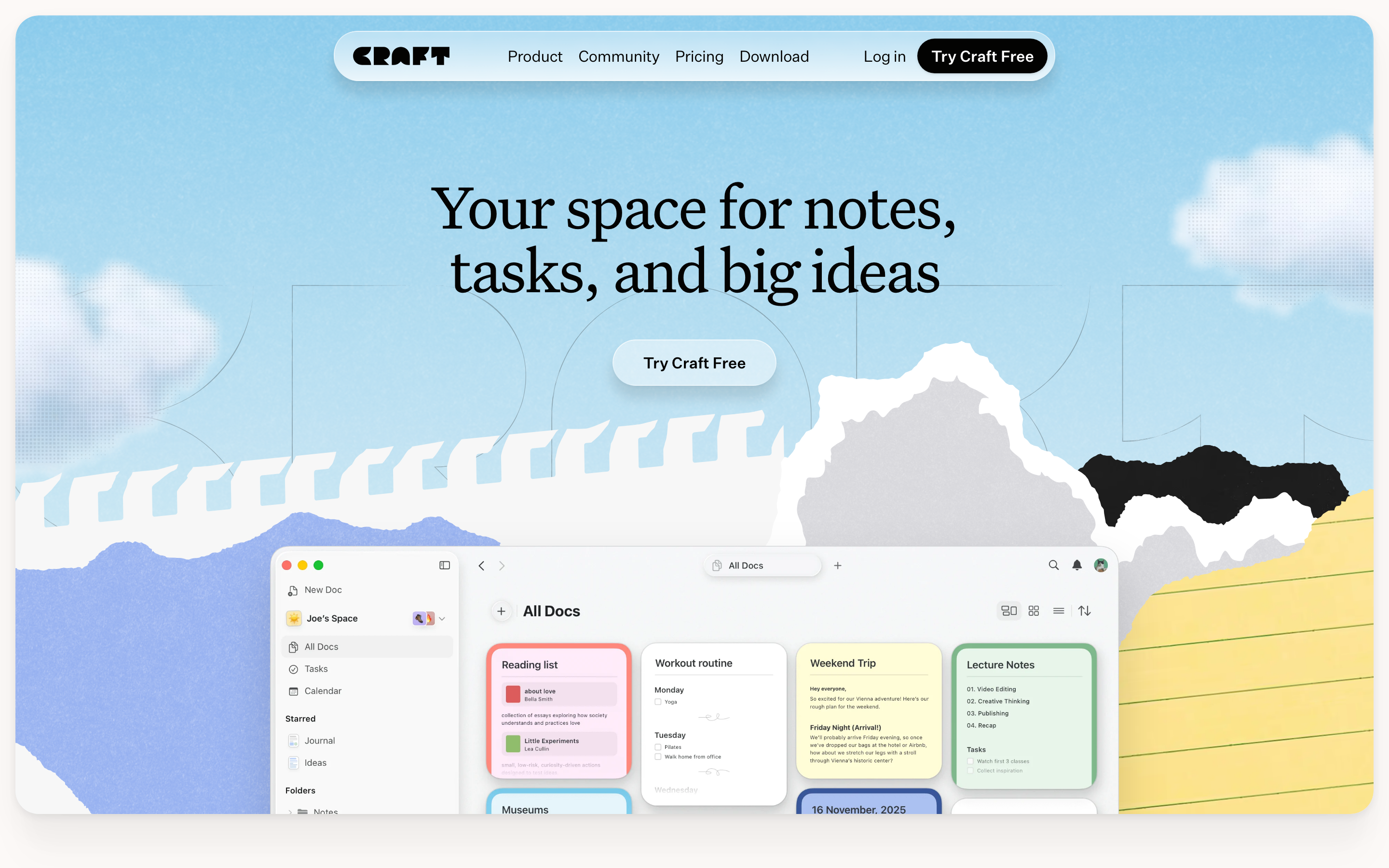
Craft: Native-First Document Excellence
“We believe that tools for thought should feel like an extension of your thoughts, not an obstacle.”
Craft proves that native apps can deliver experiences web apps cannot match. Built with deep platform integration, it achieves the responsiveness and polish that makes digital note-taking feel as natural as paper.
Key Takeaways
- Native beats Electron - Sub-50ms response time requires platform-specific UI, not web wrappers
- Pages within pages - Any block can become a page, letting structure emerge from content
- Multiple layouts, same data - Lists, cards, galleries, and boards give users the right view for each context
- One-click web publishing - Share pages work without recipient accounts or app downloads
- Platform-appropriate, not identical - Mac Craft feels like Mac; iOS Craft feels like iOS
Why Craft Matters
Craft won Apple Design Award 2021 and consistently earns App Store recognition by refusing to compromise on native performance for cross-platform convenience.
Key achievements:
- True native apps on iOS, macOS, Windows (not Electron)
- Sub-50ms response time on all interactions
- Offline-first with seamless sync
- Block-based architecture without the web app jank
- Beautiful share pages that work without accounts
Core Design Philosophy
Native-First, Not Web-Wrapped
Craft’s defining choice: build native apps for each platform, using shared business logic but platform-specific UI.
ELECTRON/WEB APPROACH              CRAFT'S NATIVE APPROACH
───────────────────────────────────────────────────────────────────
Single codebase (JavaScript)       Platform-specific UI (Swift, etc.)
Web rendering engine               Native rendering
Cross-platform "consistency"       Platform-appropriate behavior
~200ms input latency               ~16ms input latency
Generic keyboard shortcuts         Platform-native shortcuts
Web-standard text selection        Native text engine
Key insight: Users don’t want apps that look the same everywhere—they want apps that feel right on their platform.
macOS via Catalyst (Done Right)
Craft uses Mac Catalyst but heavily customizes it to feel truly Mac-native:
// Craft's Catalyst customization approach
#if targetEnvironment(macCatalyst)
extension SceneDelegate {
    func scene(_ scene: UIScene, willConnectTo session: UISceneSession) {
        guard let windowScene = scene as? UIWindowScene else { return }

        // Enable native Mac toolbar
        if let titlebar = windowScene.titlebar {
            titlebar.titleVisibility = .hidden
            titlebar.toolbar = createNativeToolbar()
        }

        // Mac-specific window sizing
        windowScene.sizeRestrictions?.minimumSize = CGSize(width: 800, height: 600)

        // Enable window tabs
        UIApplication.shared.connectedScenes
            .compactMap { $0 as? UIWindowScene }
            .forEach { $0.titlebar?.toolbar?.showsBaselineSeparator = false }
    }

    private func createNativeToolbar() -> NSToolbar {
        let toolbar = NSToolbar(identifier: "CraftToolbar")
        toolbar.displayMode = .iconOnly
        toolbar.delegate = self
        return toolbar
    }
}
#endif
Pattern Library
1. Block-Based Content Architecture
Every element in Craft is a block. Every block with content is potentially a page, creating infinite nesting without cognitive overhead.
Block types:
TEXT BLOCKS
├── Paragraph (default)
├── Heading 1, 2, 3
├── Quote
├── Callout (info, warning, success)
└── Code (with syntax highlighting)

MEDIA BLOCKS
├── Image (with caption)
├── Video
├── File attachment
├── Drawing (Apple Pencil)
└── Audio recording

STRUCTURAL BLOCKS
├── Toggle (collapsible)
├── Page (nested document)
├── Divider
└── Table
Implementation concept:
protocol CraftBlock: Identifiable {
    var id: UUID { get }
    var content: BlockContent { get set }
    var style: BlockStyle { get set }
    var children: [any CraftBlock] { get set }
    var metadata: BlockMetadata { get }
}

enum BlockContent {
    case text(AttributedString)
    case image(ImageData)
    case page(PageReference)
    case toggle(isExpanded: Bool)
    case code(language: String, content: String)
    case table(TableData)
}

struct BlockMetadata {
    let created: Date
    let modified: Date
    let createdBy: UserReference?
}

// Every block can contain other blocks
class PageBlock: CraftBlock {
    var id = UUID()
    var content: BlockContent
    var style: BlockStyle
    var children: [any CraftBlock] = []
    var metadata: BlockMetadata

    // A page is just a block that can be opened full-screen
    var canOpenAsPage: Bool { true }
}
Key insight: When every block can be a page, information architecture emerges from content, not predetermined structure.
2. Nested Pages (Pages Within Pages)
Craft’s signature feature: any block can become a page, and pages nest infinitely.
DOCUMENT STRUCTURE
───────────────────────────────────────────────────────────────────
📄 Project Alpha
├── 📝 Introduction paragraph
├── 📄 Research Notes         ← This is a page (nested document)
│   ├── 📝 User interviews
│   ├── 📄 Interview: Sarah   ← Another nested page
│   │   └── 📝 Key insights
│   └── 📝 Competitive analysis
├── 📝 Timeline overview
└── 📄 Meeting Notes          ← Another page
    └── 📝 Action items

Navigation: Breadcrumb trail shows path
Project Alpha > Research Notes > Interview: Sarah
SwiftUI implementation pattern:
struct PageView: View {
    @Bindable var page: PageDocument
    @State private var selectedBlock: CraftBlock?

    var body: some View {
        ScrollView {
            LazyVStack(alignment: .leading, spacing: 0) {
                ForEach(page.blocks) { block in
                    BlockView(block: block, onTap: { tapped in
                        if tapped.canOpenAsPage {
                            navigateToPage(tapped)
                        } else {
                            selectedBlock = tapped
                        }
                    })
                }
            }
        }
        .navigationTitle(page.title)
        .toolbar {
            // Breadcrumb navigation
            ToolbarItem(placement: .principal) {
                BreadcrumbView(path: page.ancestorPath)
            }
        }
    }
}

struct BreadcrumbView: View {
    let path: [PageReference]

    var body: some View {
        HStack(spacing: 4) {
            ForEach(Array(path.enumerated()), id: \.element.id) { index, page in
                if index > 0 {
                    Image(systemName: "chevron.right")
                        .font(.caption)
                        .foregroundStyle(.secondary)
                }
                Button(page.title) {
                    navigateTo(page)
                }
                .buttonStyle(.plain)
                .foregroundStyle(index == path.count - 1 ? .primary : .secondary)
            }
        }
    }
}
3. Card Layout System
Craft offers 5 visual styles for pages, making documents scannable at a glance.
Card styles:
STYLE 1: LIST (Default)
┌────────────────────────────────────────┐
│ 📄 Page Title                          │
│    Preview text appears here...        │
└────────────────────────────────────────┘

STYLE 2: CARD (Medium)
┌──────────────────┐
│ ┌──────────────┐ │
│ │   [Image]    │ │
│ └──────────────┘ │
│ Page Title       │
│ Preview text...  │
└──────────────────┘

STYLE 3: CARD (Large)
┌────────────────────────────────────────┐
│ ┌────────────────────────────────────┐ │
│ │                                    │ │
│ │           [Cover Image]            │ │
│ │                                    │ │
│ └────────────────────────────────────┘ │
│ Page Title                             │
│ Longer preview text with more room...  │
└────────────────────────────────────────┘

STYLE 4: GALLERY (Grid)
┌────────┐ ┌────────┐ ┌────────┐
│ [Img]  │ │ [Img]  │ │ [Img]  │
│ Title  │ │ Title  │ │ Title  │
└────────┘ └────────┘ └────────┘

STYLE 5: BOARD (Kanban-style)
│ To Do    │ Doing    │ Done     │
├──────────┼──────────┼──────────┤
│ Task 1   │ Task 3   │ Task 5   │
│ Task 2   │ Task 4   │          │
Implementation:
enum PageLayoutStyle: String, CaseIterable {
    case list = "list"
    case cardMedium = "card_medium"
    case cardLarge = "card_large"
    case gallery = "gallery"
    case board = "board"
}

struct PageGridView: View {
    let pages: [PageReference]
    let style: PageLayoutStyle

    var body: some View {
        switch style {
        case .list:
            LazyVStack(spacing: 8) {
                ForEach(pages) { page in
                    ListRowView(page: page)
                }
            }

        case .cardMedium, .cardLarge:
            let columns = style == .cardMedium ? 3 : 2
            LazyVGrid(columns: Array(repeating: .init(.flexible()), count: columns)) {
                ForEach(pages) { page in
                    CardView(page: page, size: style == .cardLarge ? .large : .medium)
                }
            }

        case .gallery:
            LazyVGrid(columns: Array(repeating: .init(.flexible()), count: 4)) {
                ForEach(pages) { page in
                    GalleryThumbnail(page: page)
                }
            }

        case .board:
            BoardView(pages: pages)
        }
    }
}
4. Page Backgrounds and Theming
Each page can have its own visual identity through backgrounds and accent colors.
struct PageAppearance {
    // Background options
    enum Background {
        case solid(Color)
        case gradient(Gradient)
        case image(ImageReference)
        case paper(PaperTexture)
    }

    // Paper textures for writing feel
    enum PaperTexture: String {
        case none
        case lined
        case grid
        case dotted
    }

    var background: Background = .solid(.white)
    var accentColor: Color = .blue
    var iconEmoji: String?
    var coverImage: ImageReference?
}

// Applied to page
struct PageContainer: View {
    let page: PageDocument

    var body: some View {
        ZStack {
            // Background layer
            backgroundView(for: page.appearance.background)

            // Content layer
            PageContentView(page: page)
        }
    }

    @ViewBuilder
    private func backgroundView(for background: PageAppearance.Background) -> some View {
        switch background {
        case .solid(let color):
            color.ignoresSafeArea()
        case .gradient(let gradient):
            LinearGradient(gradient: gradient, startPoint: .top, endPoint: .bottom)
                .ignoresSafeArea()
        case .image(let ref):
            AsyncImage(url: ref.url) { image in
                image.resizable().scaledToFill()
            } placeholder: {
                Color.gray.opacity(0.1)
            }
            .ignoresSafeArea()
            .overlay(.ultraThinMaterial)
        case .paper(let texture):
            PaperTextureView(texture: texture)
        }
    }
}
5. Share Pages (Web Publishing)
Craft generates beautiful, responsive web pages from documents. No account required to view.
DOCUMENT IN CRAFT                 SHARE PAGE ON WEB
───────────────────────────────────────────────────────────────────
📄 Project Proposal               https://www.craft.do/s/abc123
├── 📝 Executive Summary    →
├── 📄 Budget Details             Clean, responsive layout
├── 📝 Timeline                   Typography preserved
└── 📄 Team Bios                  Images optimized
                                  Dark mode supported
                                  No Craft account needed
Key features:
- One-click publishing
- Custom domains available
- Password protection option
- Analytics on views
- SEO-friendly rendering
- Responsive on all devices
Visual Design System
Color Palette
extension Color {
    // Craft's signature palette
    static let craftPurple = Color(hex: "#6366F1")  // Primary accent
    static let craftBackground = Color(hex: "#FAFAFA")  // Light mode
    static let craftSurface = Color(hex: "#FFFFFF")

    // Semantic colors
    static let craftSuccess = Color(hex: "#10B981")
    static let craftWarning = Color(hex: "#F59E0B")
    static let craftError = Color(hex: "#EF4444")
    static let craftInfo = Color(hex: "#3B82F6")

    // Text hierarchy
    static let craftTextPrimary = Color(hex: "#111827")
    static let craftTextSecondary = Color(hex: "#6B7280")
    static let craftTextMuted = Color(hex: "#9CA3AF")
}
Typography
struct CraftTypography {
    // Document typography
    static let title = Font.system(size: 32, weight: .bold, design: .default)
    static let heading1 = Font.system(size: 28, weight: .semibold)
    static let heading2 = Font.system(size: 22, weight: .semibold)
    static let heading3 = Font.system(size: 18, weight: .medium)
    static let body = Font.system(size: 16, weight: .regular)
    static let caption = Font.system(size: 14, weight: .regular)

    // Code blocks
    static let code = Font.system(size: 14, weight: .regular, design: .monospaced)

    // Line heights (generous for readability)
    static let bodyLineSpacing: CGFloat = 8
    static let headingLineSpacing: CGFloat = 4
}
Spacing System
struct CraftSpacing {
    // Block spacing
    static let blockGap: CGFloat = 4        // Between blocks
    static let sectionGap: CGFloat = 24     // Between sections
    static let pageMargin: CGFloat = 40     // Page edges (desktop)
    static let mobileMargin: CGFloat = 16   // Page edges (mobile)

    // Content width
    static let maxContentWidth: CGFloat = 720  // Optimal reading
    static let wideContentWidth: CGFloat = 960 // Tables, galleries
}
Animation Philosophy
Smooth Page Transitions
// Navigation between pages uses matched geometry
struct NavigationTransition: View {
    @Namespace private var namespace
    @State private var selectedPage: PageReference?

    var body: some View {
        ZStack {
            // Page list
            PageListView(
                onSelect: { page in
                    withAnimation(.spring(response: 0.35, dampingFraction: 0.85)) {
                        selectedPage = page
                    }
                },
                namespace: namespace
            )

            // Selected page expands from its card position
            if let page = selectedPage {
                PageDetailView(page: page)
                    .matchedGeometryEffect(id: page.id, in: namespace)
                    .transition(.scale.combined(with: .opacity))
            }
        }
    }
}
Block Animations
// Blocks animate when reordering
struct AnimatedBlockList: View {
    @Binding var blocks: [CraftBlock]

    var body: some View {
        LazyVStack(spacing: CraftSpacing.blockGap) {
            ForEach(blocks) { block in
                BlockView(block: block)
                    .transition(.asymmetric(
                        insertion: .move(edge: .top).combined(with: .opacity),
                        removal: .move(edge: .bottom).combined(with: .opacity)
                    ))
            }
        }
        .animation(.spring(response: 0.3, dampingFraction: 0.8), value: blocks)
    }
}
Lessons for Our Work
1. Native Performance Is Worth the Investment
Users feel the difference between 16ms and 200ms latency. Native apps win on feel.
2. Pages Within Pages Enable Organic Organization
Let structure emerge from content. Don’t force users to decide hierarchy upfront.
3. Multiple Visual Layouts for Same Content
Cards, lists, galleries—same data, different views for different contexts.
4. Share Without Friction
One-click web publishing removes the “how do I share this?” problem entirely.
5. Platform-Appropriate, Not Platform-Identical
Craft on Mac feels like a Mac app. Craft on iOS feels like an iOS app. That’s the goal.
Frequently Asked Questions
How is Craft different from Notion?
Craft is native (built specifically for Apple platforms), while Notion is web-based. This means Craft achieves sub-50ms response times, works fully offline, and integrates deeply with iOS/macOS features like Apple Pencil, Shortcuts, and system-wide search. Notion offers more database features; Craft prioritizes writing experience.
Can I use Craft offline?
Yes. Craft stores all documents locally and syncs via iCloud when connected. You can create, edit, and organize documents without internet. Changes sync automatically when you reconnect.
What happens when I share a Craft page?
Craft generates a responsive web page at a craft.do URL. Recipients view it in any browser without creating an account or installing the app. The page preserves your document’s typography, images, and nested page structure.
Does Craft support Markdown?
Craft uses its own block format but exports to Markdown. You can copy content as Markdown or export entire documents. Some Markdown shortcuts work during editing (like # for headings), but Craft emphasizes visual editing over plain-text markup.
How do nested pages work in Craft?
Any text block can become a page by pressing the page icon or typing /page. Nested pages appear inline in the parent document and can be opened full-screen. Breadcrumb navigation shows your location in the hierarchy. This creates natural organization without forcing folder structures upfront.











