941 Apps · Case Study
941 Tiles
One click. Every window tiled. On the Mac App Store, where window managers supposedly can't exist — and now, with 1.3, grown into the complete one: snap, swipe, draw, layouts, undo.

One click is the whole product
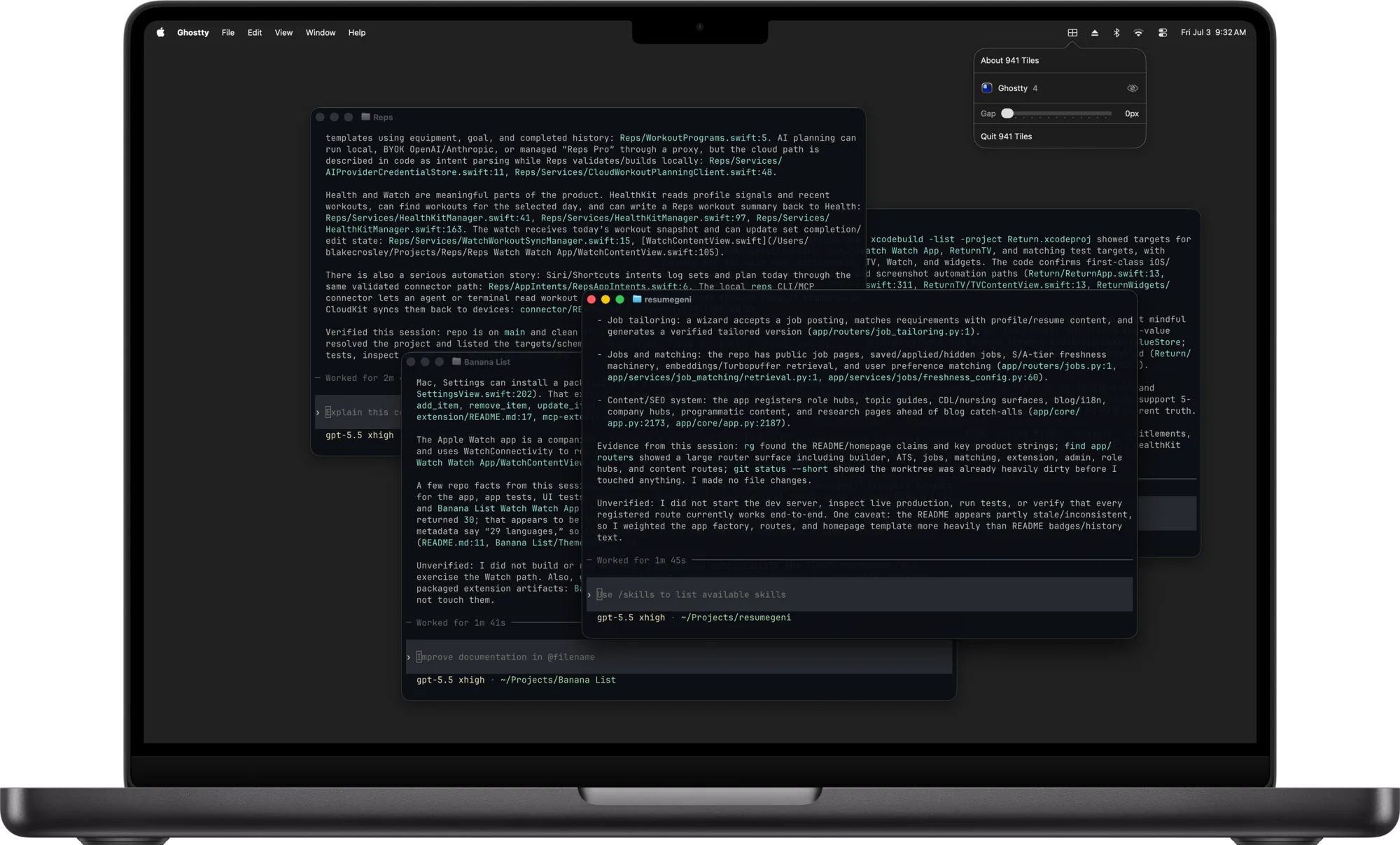
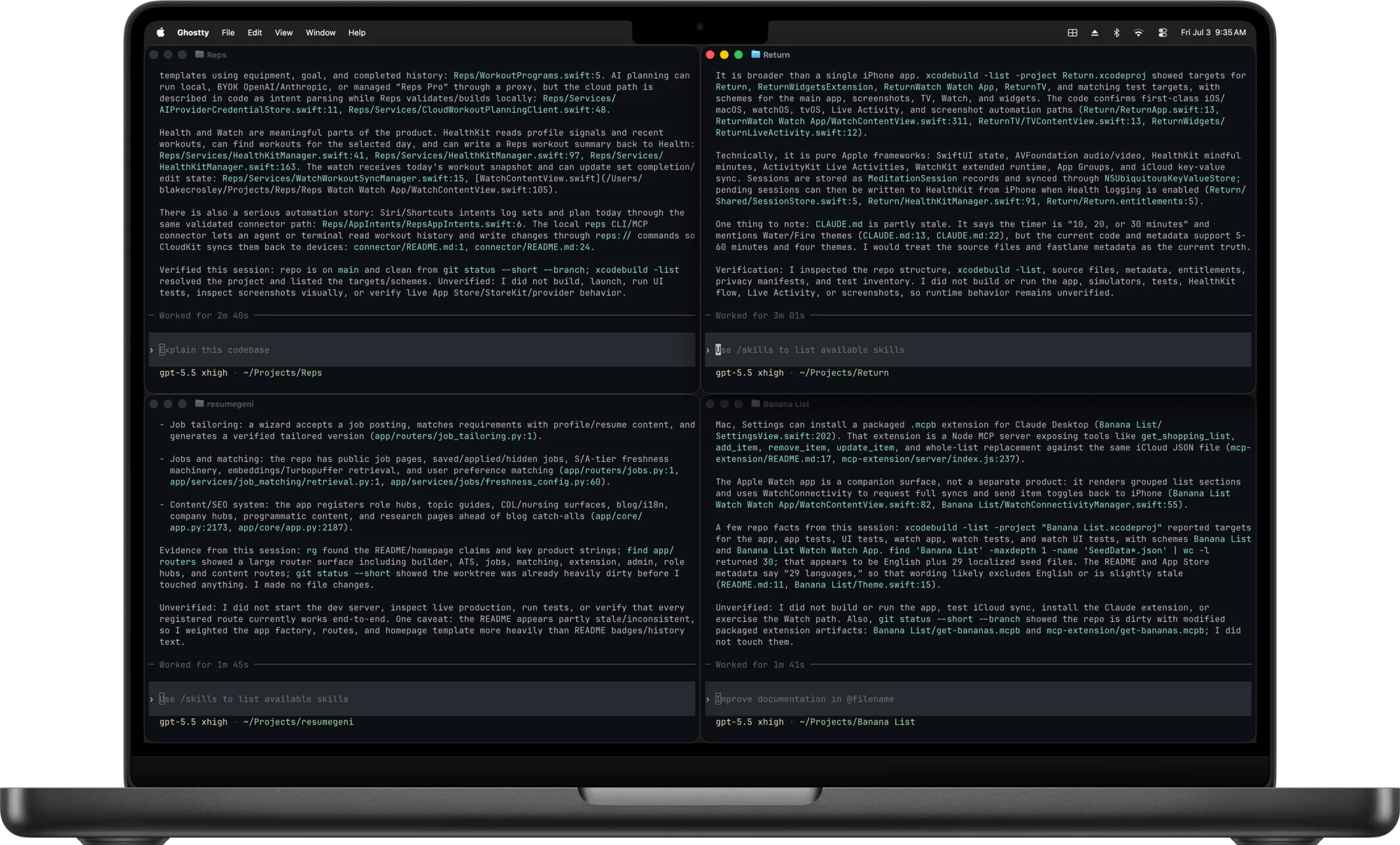
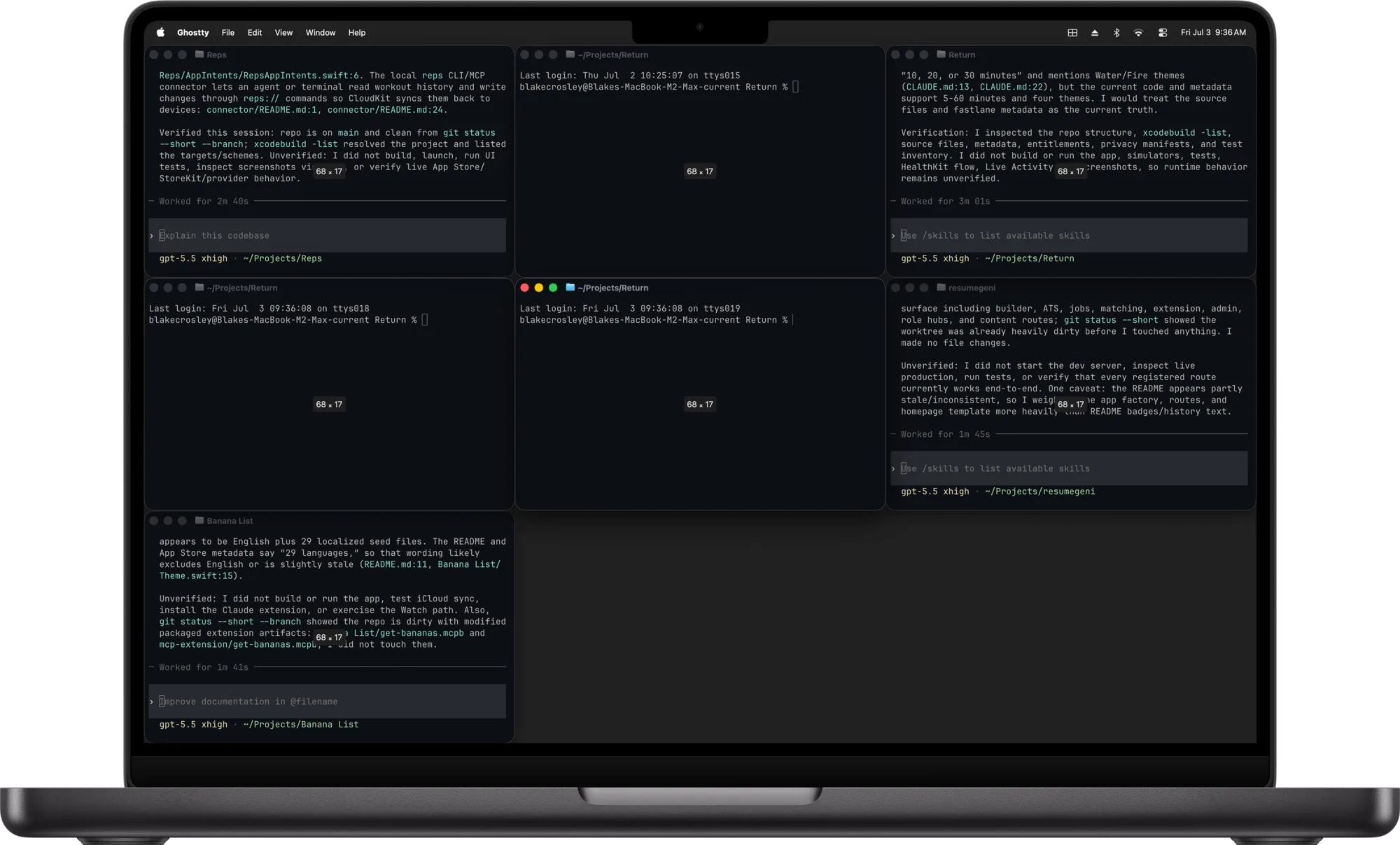
Open the menu bar, click an app with two or more windows, and every one of its windows snaps into an even, gap-padded grid — that's the demo above, and it's the entire interaction model. You don't pick a layout; you pick an app.
The click means "all of my terminal windows," not "this window goes top-right." On a real desktop you think "editor and terminal side by side," and that's the instruction 941 Tiles takes — it never makes you place windows one at a time. Beyond that there was a gap slider and a watch toggle — and for the first half-year, that was the entire product, on purpose. Then 1.3 grew it into the complete window manager without making that first click any harder.
The sandbox wall
The first version worked the way you'd expect: macOS has an Accessibility system that, with your permission, lets one app see and move another app's windows. Built on that, the app ran flawlessly for weeks of development. Then the App Store test build went onto a second Mac: permission granted, the app reported access was on — and it could read zero windows.
Not a bug. Every Mac App Store app runs in Apple's sandbox — a rule that an app may only touch its own things, precisely so it can't spy on or interfere with the rest of your Mac. Reaching into another app's windows is exactly what the sandbox exists to stop, and no permission or setting unlocks it. An Apple engineer put it flatly on the developer forums: "It's not possible to use the Accessibility APIs from a sandboxed app… your only path forward here is to directly distribute your app."
That verdict is why the tilers on the store — Magnet, Moom, BetterSnapTool — all predate the 2012 sandbox mandate, and why virtually every window manager born since (Rectangle, Swish, Loop) sells outside the store. The obvious move was to give up on the App Store. The better move was to stop asking for permission the sandbox would never grant.
The door Apple left open
The answer was already on every Mac: Shortcuts, Apple's own automation app, ships with actions called Find Windows, Move Window, and Resize Window — and Shortcuts is allowed to move windows because it's Apple's. So 941 Tiles never touches another app's windows. It computes where every window should go, then hands that plan to a companion Shortcut it installs once, and Apple's own engine does the moving. Delegation, not permission — a pattern spotted in the wild and verified from the open-source snApp.
<key>com.apple.security.app-sandbox</key>
<true/>
<key>com.apple.security.automation.apple-events</key>
<true/>
<key>com.apple.security.scripting-targets</key>
<dict>
    <key>com.apple.shortcuts.events</key>
    <array>
        <string>com.apple.shortcuts.run</string>
    </array>
</dict>
That's the full extent of the app's privileges: sandboxed, allowed to send one kind of Apple Event, to exactly one target — Shortcuts. There is no window-control permission because none exists to ask for.
{"app", "frames": […]}JSON payload into the companion Shortcut
→
Apple's Shortcuts engineFind / Move / Resize Window — the sanctioned mover
→
Grid0.6 seconds, one run
// The grid, as JSON, in window stacking order: {"app", "frames": [{x,y,w,h}, ...]}
let payload: [String: Any] = [
    "app": appName,
    "frames": assigned.map { [
        "x": Int($0.origin.x), "y": Int($0.origin.y),
        "w": Int($0.width),    "h": Int($0.height),
    ] },
]

// Apple's runner does the moving — the only privileged actor in the story.
let app: ShortcutsEvents? = SBApplication(bundleIdentifier: "com.apple.shortcuts.events")
let shortcut = app?.shortcuts?.object(withName: "941 Tiles") as? ShortcutObject
shortcut?.run?(withInput: json)
Reading the window list was never the problem — the sandbox only forbade moving, and moving is now Apple's job. Two details that made it feel right: windows land near where they already were, and the invisible phantom panels macOS reports (but no one can see) get filtered out. The honest cost to the user is a one-time "Install Shortcut" and a single automation consent. After that the Shortcuts run is invisible — one click, and the grid lands.
1.3: one click becomes the complete window manager
Version 1.3 (August 2026) is the update the sandbox story was building toward. Every input a window manager is supposed to have — keyboard, drag, gesture, layouts, undo — rebuilt on the same rule that made the first click possible: never touch what the sandbox protects; find the input Apple sanctions, and let the Shortcuts engine keep doing the moving.
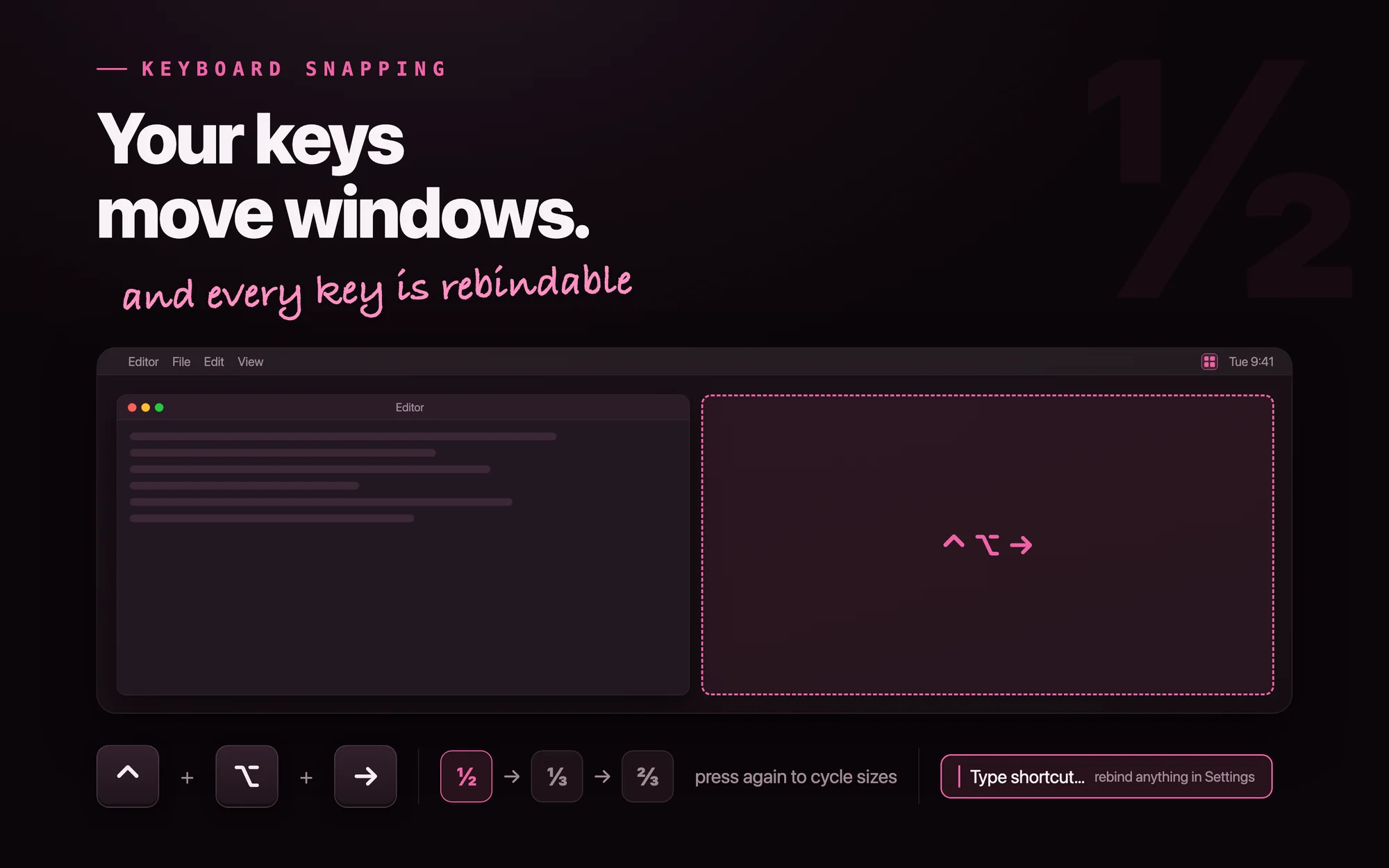
RegisterEventHotKey — the one global input a sandboxed app may legally own — and every shortcut is re-recordable in Settings, with conflicts called out by name.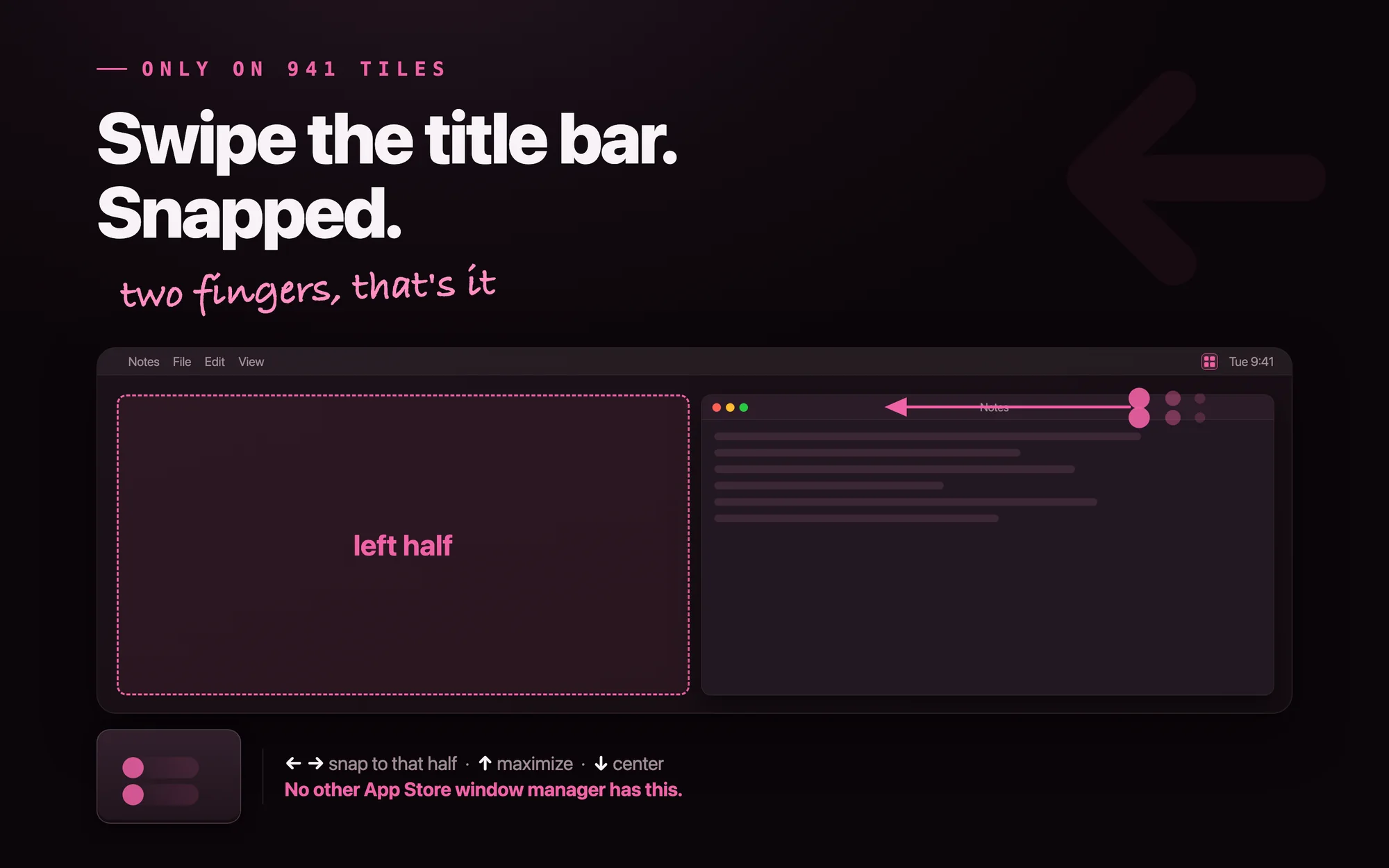
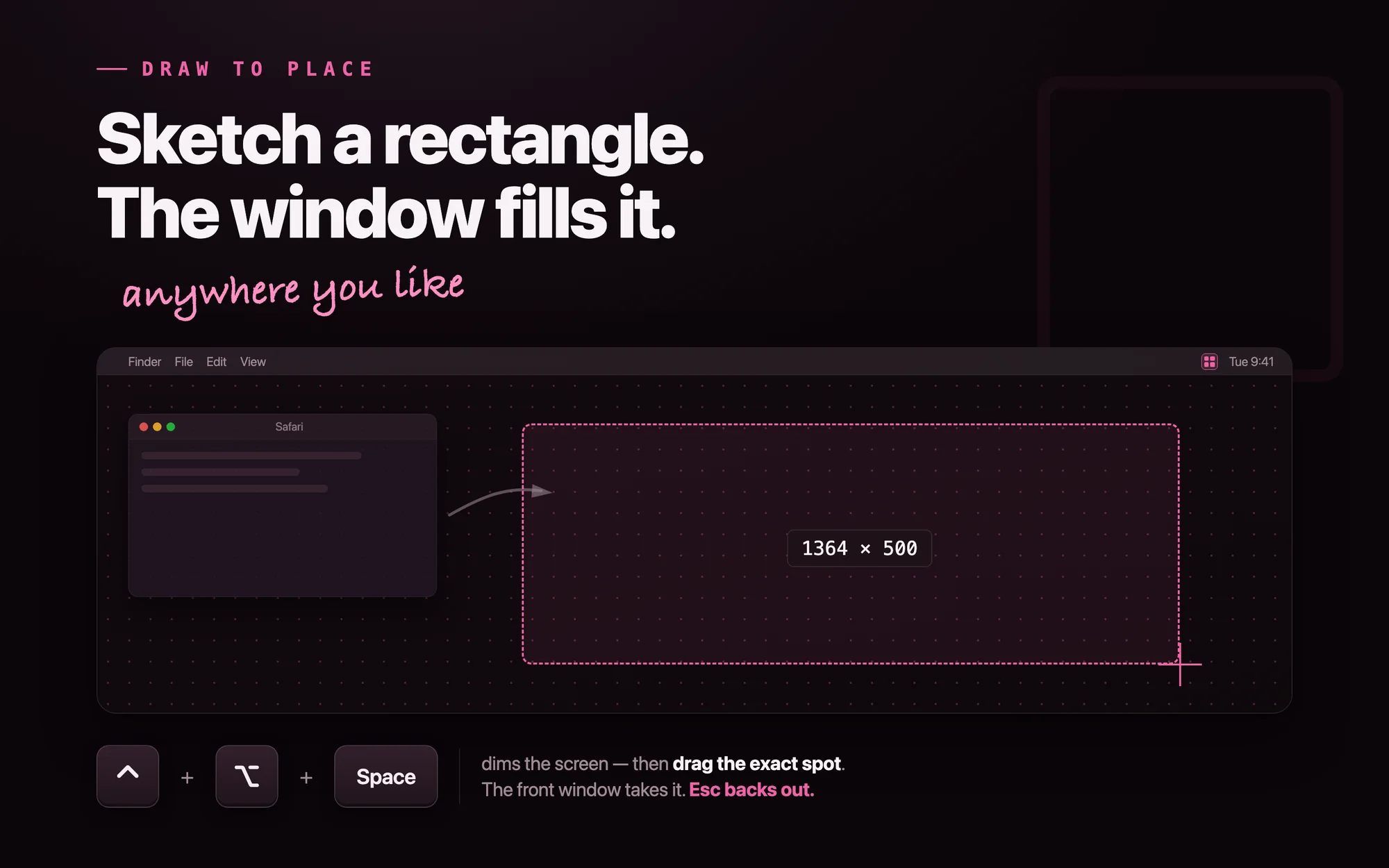
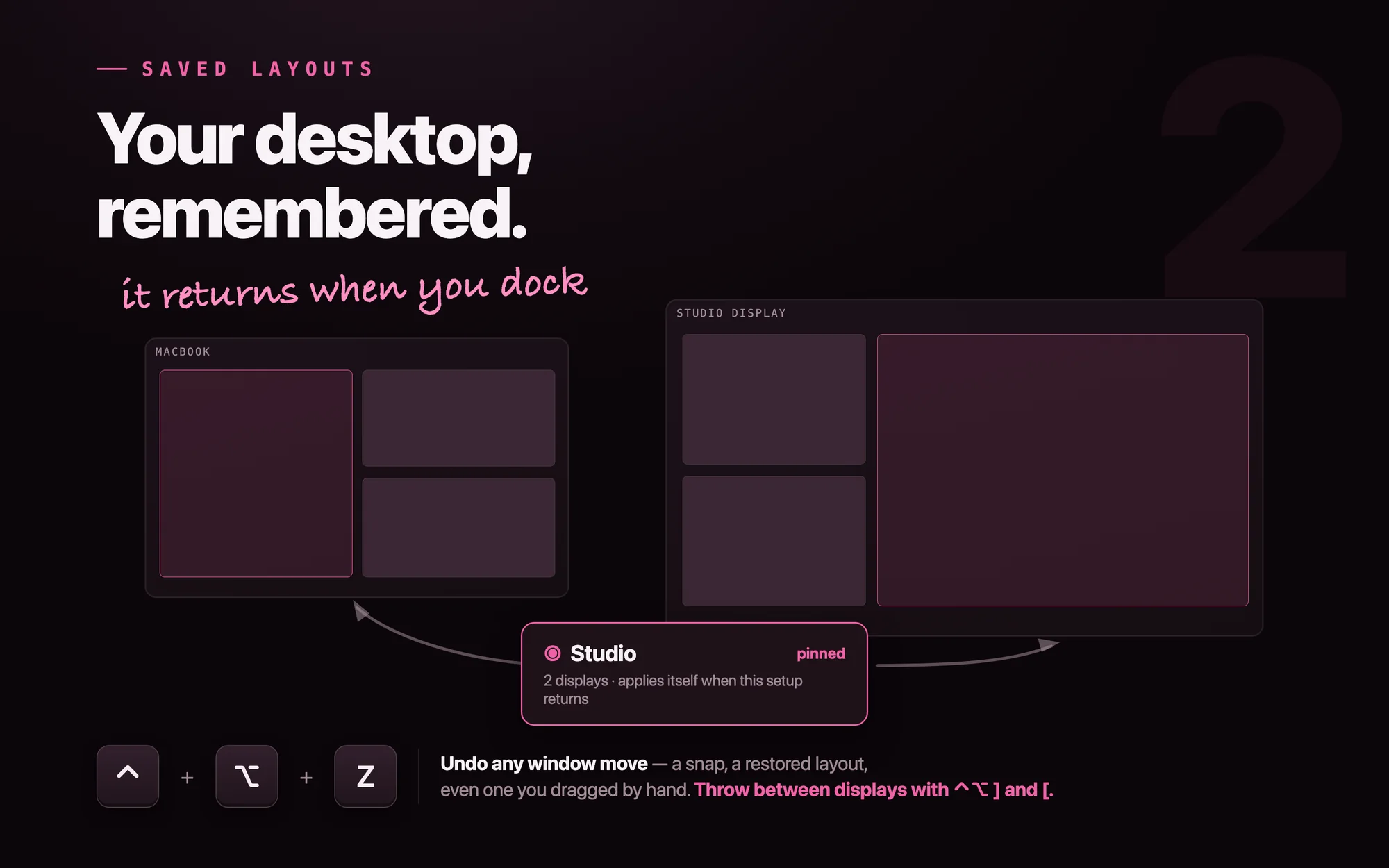
Drag-to-edge works the same honest way: listen-only mouse monitors watch for a title-bar drag — observing, never intercepting, so there's no permission prompt — and an accent-tinted preview shows the destination before you let go. Re-tiling got smarter too: each window goes to the free cell nearest where it already sits, so hitting Tile never reshuffles your mental map.
None of it moved a single window by itself. The keyboard, the drag, the swipe, the drawn rectangle — they all end as the same JSON payload handed to Apple's Shortcuts engine, the only privileged actor in the story. The sandbox verdict from 2012 never changed; the app just kept finding the doors Apple left open. A built-in guide teaches all five gestures — onboarding ends with it, and it reads your actual shortcuts, so rebound keys never show stale.
Watch mode and the session-reset design
Watch mode (the eye icon) re-tiles an app as its windows open and close. Developer ID builds ride Accessibility notifications; the sandboxed store build — where those notifications don't exist — polls the window server and re-tiles on a count change. Same behavior, two mechanisms.
Watch mode resets each session, on purpose. Anything that rearranges your screen automatically should be a decision you made today, not a setting you forgot six months ago. Persistent watch mode would be a small convenience and a categorical loss of trust the first time a screen rearranged itself unexpectedly.
What 941 Tiles still refuses
The 1.0 rule was "nothing to memorize," and 1.3 kept it while adding a whole keyboard scheme — the trick is that every shortcut is optional. The first click never got harder: one click still tiles everything, and the hotkeys, swipes, and drawn rectangles are there for hands that want them, each one re-recordable, each gesture off-switchable, all taught by the built-in guide instead of a manual.
Not an accounts product — nothing to sign into, no analytics identity. The app reports anonymous, aggregate app-health diagnostics (crashes, feature-use counts) with an off switch right in the About window, and that's the entire data story, stated the same way on the App Store label. Not a subscription — $14.99 once, owned forever; there's no ongoing service to fund.
What I learned
"Not possible" sometimes means "not possible the way everyone does it." The Accessibility wall was real — Apple's own DTS said so — but the goal was never "use the Accessibility API"; it was "tile the user's windows." Restate the goal, and it turns out Apple ships a sanctioned way to do exactly that.
1.3 proved the pattern scales. Each "impossible" feature got the same treatment: global hotkeys through the one API the sandbox permits, drag and swipe detection through listen-only observation, previews and drawing on the app's own windows — and every computed frame still exits through Apple's Shortcuts engine. The wall from 2012 never moved. The goal just kept getting restated, one input at a time, until the Mac App Store had a complete window manager on it — in 17 languages, with the first click exactly as simple as day one.
941 Tiles$14.99 on the Mac App Store · a 941 Apps project











